1. Pengenalan
Thank you for choosing the PUREMIC S2B01 Karaoke Machine. This portable Bluetooth speaker system with two UHF wireless microphones is designed to provide an immersive audio and visual experience for home singing parties, cinema viewing, and music listening. Please read this manual carefully before use to ensure proper operation and to maximize your enjoyment of the product.
2. Maklumat Keselamatan
Untuk mengelakkan kebakaran, kejutan elektrik atau kerosakan produk, sila patuhi langkah berjaga-jaga keselamatan berikut:
- Jangan dedahkan peranti kepada hujan atau lembapan.
- Jangan buka atau ubah suai peranti. Rujuk semua servis kepada kakitangan yang berkelayakan.
- Keep the device away from heat sources, direct sunlight, and extreme temperatures.
- Gunakan hanya penyesuai kuasa yang disediakan.
- Ensure proper ventilation around the speaker to prevent overheating.
- Elakkan meletakkan objek berat pada peranti.
3. Kandungan Pakej
Sahkan bahawa semua item disertakan dalam pakej anda:
- PUREMIC S2B01 Karaoke Speaker
- 2 x Mikrofon Wayarles UHF
- Penyesuai Kuasa
- Microphone Slip Rings (2 pieces)
- Kabel HDMI
- Manual Pengguna (dokumen ini)

Rajah 3.1: Komponen Termasuk
4. Produk Lebihview
The PUREMIC S2B01 is a compact yet powerful karaoke system designed for versatile entertainment. It features an integrated speaker and microphone design for convenient placement and easy charging.

Figure 4.1: PUREMIC S2B01 Karaoke Machine with Microphones
4.1 Ciri-ciri Unit Utama
- Reka Bentuk Bersepadu: Speaker and microphone charging dock combined for convenience.
- Lampu LED Dinamik: Three different disco light effects that sync with sound rhythm.
- Multiple Connection Ways: Supports Bluetooth, HDMI (ARC), AUX, and USB.
- Mod Bunyi: KTV Mode, Cinema Mode, Music Mode for various entertainment needs.
- Audio Berkuasa: Equipped with one 6.5" subwoofer and two 3" tweeters for rich sound.

Figure 4.2: Integrated Design and Charging Dock
4.2 Mikrofon Tanpa Wayar
- Two UHF wireless microphones for clear vocal pickup.
- Individual power and sound effect controls on each microphone.
- Rechargeable via the speaker's integrated pogo pin charging dock.

Figure 4.3: Wireless Microphone
5. Persediaan
5.1 Sambungan Kuasa
- Connect the provided power adapter to the AC input port on the back of the PUREMIC S2B01 speaker.
- Palamkan penyesuai kuasa ke salur keluar dinding.
- Locate the red power switch on the back of the speaker and press it to turn on the unit.

Rajah 5.1: Sambungan Panel Belakang
5.2 Persediaan Mikrofon
The microphones are pre-paired with the speaker before delivery. If re-pairing is necessary, refer to the troubleshooting section.
- Pastikan pembesar suara dihidupkan.
- Press and hold the power button on each wireless microphone until the indicator light turns on.
- Place the microphones into the charging docks on top of the speaker when not in use to keep them charged.
Video 5.1: Connection of Puremic Karaoke Speaker System S2. This video demonstrates the initial power-on and microphone activation process.
6. Arahan Operasi
6.1 Menyambung ke Peranti
The PUREMIC S2B01 offers multiple connectivity options to suit your needs.

Figure 6.1: Multi-Connection Options
6.1.1 Bluetooth Connection (Mobile Phone/Tablet)
- Pastikan pembesar suara dihidupkan.
- Short press the Bluetooth button on the top panel of the speaker. The Bluetooth indicator light will blink, indicating pairing mode.
- On your mobile phone or tablet, go to tetapan > Bluetooth dan dayakan Bluetooth.
- Cari untuk "Puremic S2" in the list of available devices and select it to connect.
- Once connected, the Bluetooth indicator light on the speaker will turn solid blue. You can now play audio from your device through the speaker.
Video 6.1: Puremic Speaker System S2. This video demonstrates connecting the speaker to a mobile phone via Bluetooth.
6.1.2 HDMI (ARC)/AUX/USB Connection (TV/PC)
- Connect your TV or PC to the speaker using an HDMI (ARC), AUX, or USB cable to the corresponding port on the back of the speaker.
- Tekan ke SUMBER button on the back of the speaker to cycle through input modes (OPT, HDMI-ARC, AUX, COAX, USB) until the desired input is selected.
- On your TV or PC, ensure the audio output is set to the corresponding input (e.g., HDMI ARC, External Speaker).
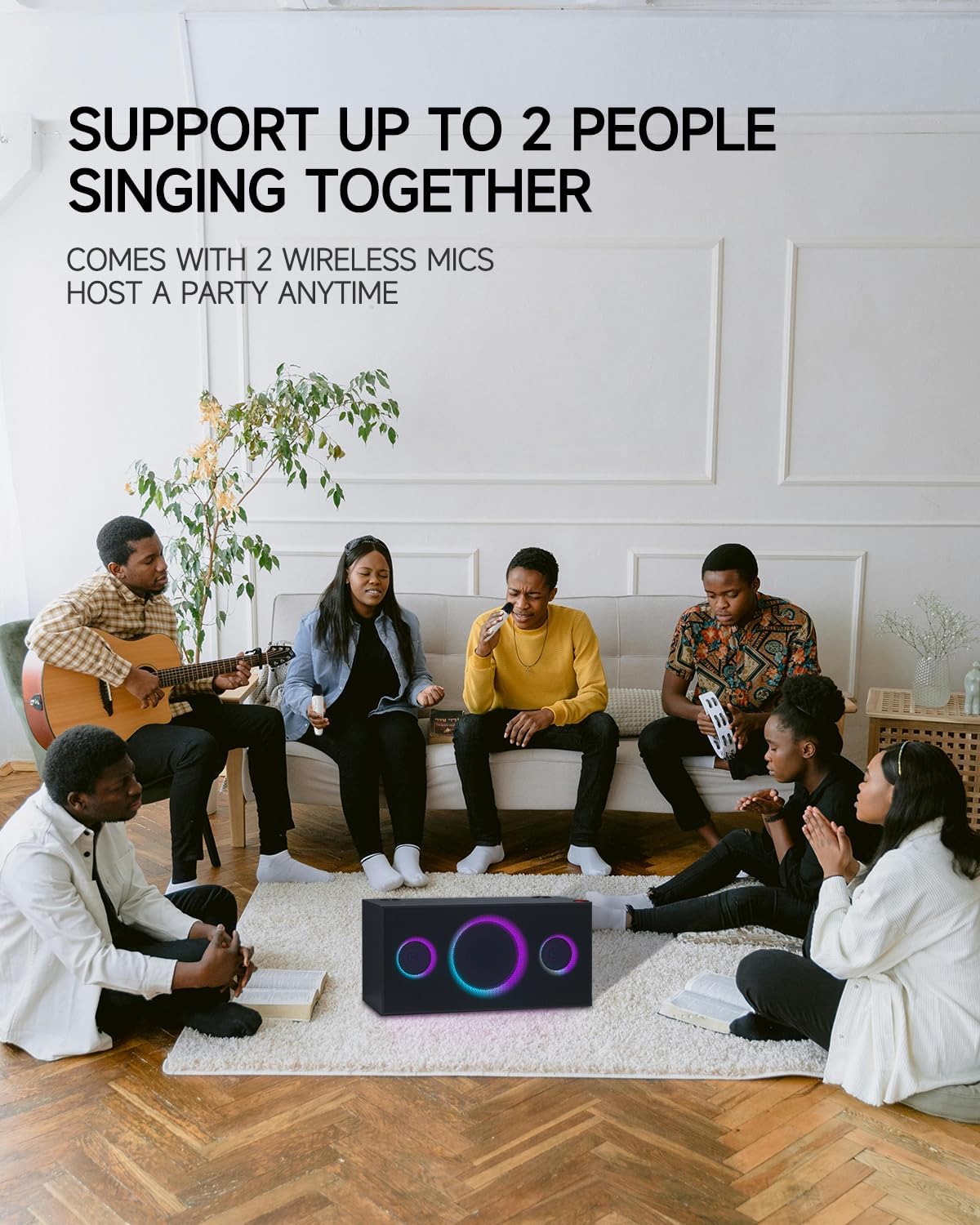
Figure 6.2: Connecting to TV for Karaoke
6.2 Mod Bunyi
The PUREMIC S2B01 offers three distinct sound modes to optimize your audio experience:
- Mod KTV: Enjoy KTV fun at home with 360° surround sound effect and colorful lights, perfect for karaoke sessions.
- Mod Pawagam: Immerse yourself in movies with enhanced audio, creating a cinematic atmosphere.
- Mod Muzik: Experience live concert quality sound with crystal-clear audio, ideal for casual music listening.

Figure 6.3: Three Scenarios Modes
6.3 Penggunaan Mikrofon
- Once powered on and connected, adjust the microphone volume using the volume buttons on the microphone itself.
- Use the sound effect button on the microphone to apply various vocal effects.
- The system supports up to two people singing together simultaneously.

Figure 6.4: Support for Multiple Singers
6.4 Kesan Cahaya
The PUREMIC S2B01 features dynamic LED lights that enhance your entertainment experience.
- The lights can be controlled via the CAHAYA button on the top panel of the speaker.
- Cycle through different lighting modes and effects, including those that sync with the music rhythm.

Rajah 6.5: Pertunjukan Lampu LED Dinamik
7. Penyelenggaraan
7.1 Pembersihan
To maintain the appearance and performance of your karaoke machine:
- Lap permukaan luar dengan kain lembut dan kering.
- Jangan gunakan pembersih, lilin atau pelarut yang melelas kerana ia boleh merosakkan kemasan.
- Pastikan gril pembesar suara bebas daripada habuk dan serpihan.
7.2 Penyimpanan
Apabila tidak digunakan untuk tempoh yang lama:
- Simpan peranti di tempat yang sejuk dan kering jauh dari cahaya matahari langsung dan suhu yang melampau.
- Ensure the microphones are fully charged before storing to preserve battery life.
7.3 Penjagaan Bateri
The PUREMIC S2B01 and its microphones contain rechargeable batteries. Follow these guidelines for optimal battery life:
- Cas peranti sepenuhnya sebelum penggunaan pertama.
- Elakkan daripada mengalirkan bateri sepenuhnya dengan kerap.
- If storing for a long time, charge the battery to about 50% every 3-6 months.
- Pembesar suara menawarkan sehingga 15 jam masa main pada cas penuh.
Figure 7.1: Extended Playtime
8. Penyelesaian masalah
If you encounter issues with your PUREMIC S2B01, refer to the following common problems and solutions:
| Masalah | Kemungkinan Punca | Penyelesaian |
|---|---|---|
| Tiada kuasa | Power adapter not connected or power switch off. | Ensure the power adapter is securely plugged in and the red power switch on the back is turned on. |
| Tiada bunyi dari pembesar suara | Incorrect input source selected; volume too low; device not connected. | Press the SOURCE button to select the correct input. Increase speaker and source device volume. Reconnect the device. |
| Mikrofon tidak berfungsi | Microphone off; low battery; not paired. | Turn on the microphone. Charge the microphone. To re-pair: 1. Put microphones in OFF state. 2. Keep pressing Volume + or Volume - and Power button of microphone synchronously until indicator blinks quickly. 3. Press the PAIR button on the back of the speaker. 4. Press the Sound Effect button and Power button of microphone synchronously. The indicator will turn solid blue when paired. |
| Sambungan Bluetooth tidak stabil | Peranti terlalu jauh; gangguan; bateri lemah. | Move the device closer to the speaker. Avoid obstacles. Charge the speaker and device. |
| Lampu tidak berfungsi | Light mode off. | Press the LIGHT button on the top panel to activate or change light modes. |
9. Spesifikasi
Detailed specifications for the PUREMIC S2B01 Karaoke Machine:
- Nombor Model: S2B01
- Berat Barang: 21.1 paun
- Dimensi Produk: 8.66 x 17.91 x 8.94 inci
- Kiraan Pembesar Suara: 1 (integrated system)
- Konfigurasi Pembesar Suara: 1 x 6.5" Subwoofer, 2 x 3" Tweeters
- Output Wattage: 120 Watt
- Voltage: 220 Volt
- Teknologi Ketersambungan: Bluetooth, Auxiliary, USB, HDMI (ARC), Coaxial, Optical
- Peranti Serasi: Smartphone, Tablet, Television, Personal Computer
- Ciri Khas: Rechargeable, Wireless Microphones, Dynamic LED Party Lights, Multiple Sound Modes
- Format Media: Karaoke

Rajah 9.1: Dimensi Produk
10. Waranti dan Sokongan
PUREMIC products are manufactured to the highest quality standards. For warranty information and customer support, please refer to the warranty card included in your package or visit the official PUREMIC weblaman web. Jika anda mempunyai sebarang pertanyaan atau memerlukan bantuan, jangan teragak-agak untuk menghubungi pasukan khidmat pelanggan kami.
Maklumat Hubungan:
- Webtapak: PUREMIC Official Store on Amazon
- e-mel: Rujuk pembungkusan produk atau maklumat rasmi weblaman web untuk e-mel sokongan.


