Google Pixel Watch 1st Gen - Android Smartwatch User Manual
Model: G943M, GQF4C, G77PA
1. Pengenalan
The Google Pixel Watch 1st Gen combines a sleek, circular design with advanced Wear OS by Google features and comprehensive Fitbit health tracking. This manual provides essential information for setting up, operating, and maintaining your smartwatch.
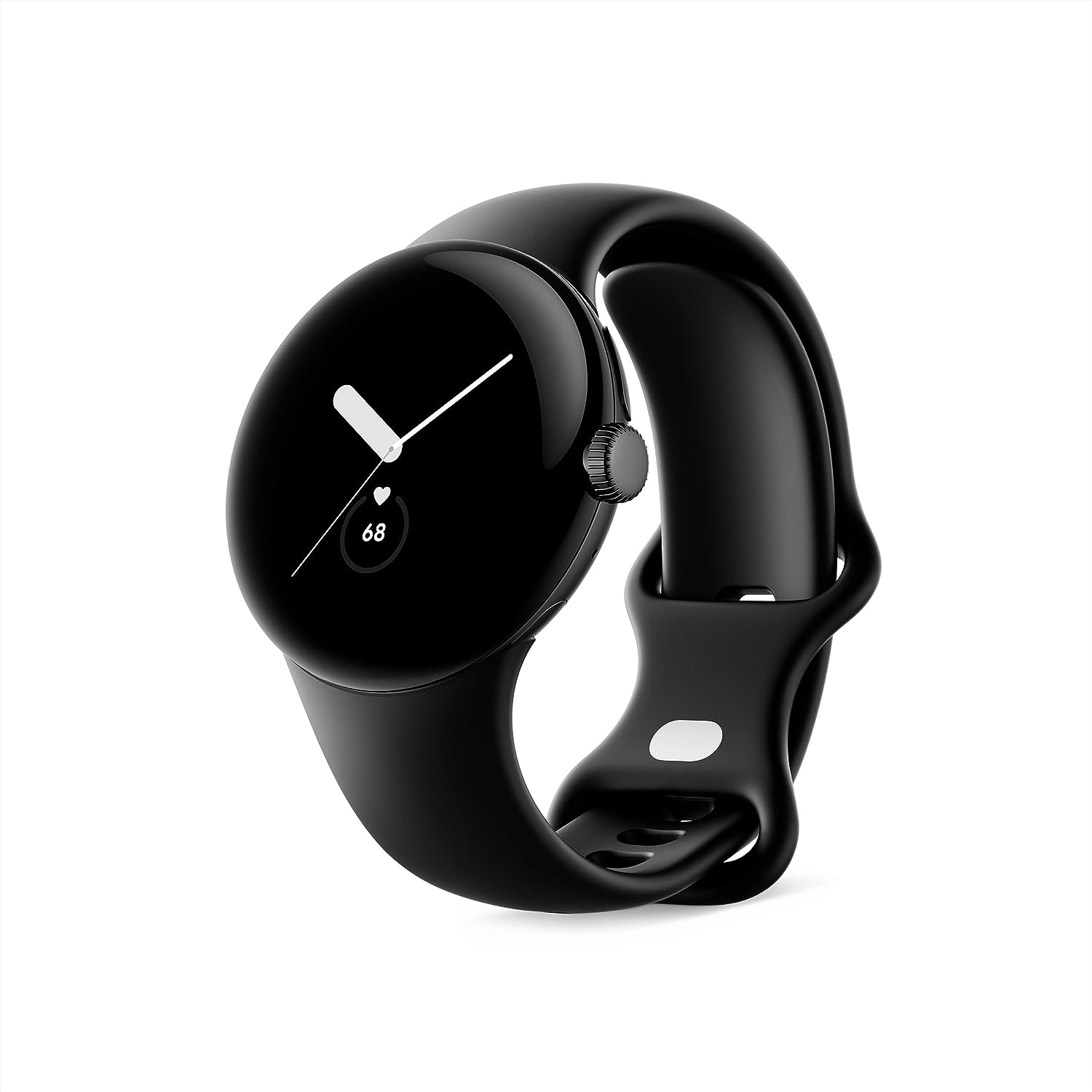
Image: Google Pixel Watch 1st Gen in Matte Black with Obsidian Active band, showcasing its circular, domed design.
2. Apa yang ada di dalam Kotak
Your Google Pixel Watch package includes the following items:
- Google Pixel Watch
- Active Band (Small and Large sizes)
- Kabel Pengecas Magnet USB-C
- Panduan Mula Pantas

Image: The contents of the Google Pixel Watch box, displaying the watch, two active bands (small and large), and the USB-C magnetic charging cable.
3. Persediaan
To begin using your Google Pixel Watch, follow these initial setup steps:
- Cas Jam Tangan Anda: Connect the USB-C Magnetic Charging Cable to your Pixel Watch and a power source. Ensure the watch is fully charged before first use.
- Pasangkan dengan Telefon Anda: Download the Google Pixel Watch app on your Android smartphone (Android 8.0 or newer required). Follow the on-screen instructions in the app to pair your watch.
- Attach the Band: Select the appropriate size (small or large) of the Active Band and attach it to your watch. Ensure it clicks securely into place.
- Complete On-Screen Setup: Follow the prompts on your watch and phone to complete the setup, including signing into your Google Account and Fitbit account.
Video: An unboxing and initial setup guide for the Google Pixel Watch, demonstrating how to attach the band and power on the device.
4. Beroperasi
The Google Pixel Watch features a circular, domed display and a rotating crown for navigation. Swipe gestures and button presses allow you to access various functions.
4.1 Navigasi Asas
- Leret ke atas/bawah: Scroll through notifications and quick settings.
- Leret Kiri/Kanan: Access tiles for quick information like weather, heart rate, or activity goals.
- Press Crown: Return to the watch face or open the app launcher.
- Long Press Crown: Aktifkan Google Assistant.
- Tekan Butang Sisi: Access recently used apps.
Video: A demonstration of key features and navigation on the Google Pixel Watch, including fitness tracking, notifications, and Google Assistant integration.
5. Fitness and Health Tracking
Leveraging Fitbit's advanced tracking capabilities, the Pixel Watch helps you monitor your health and fitness goals.
5.1 Pengesanan Aktiviti
- Track daily steps, distance, and calories burned.
- Monitor Active Zone Minutes to ensure you meet your weekly activity goals.
- Choose from over 40 exercise modes for accurate workout tracking.
5.2 Heart Rate and Sleep Monitoring
- Continuous heart rate tracking provides insights into your cardiovascular health.
- Advanced sleep tracking monitors sleep stages (ringan, dalam, REM) dan memberikan skor tidur.
- The ECG app allows you to assess your heart rhythm for signs of AFib (available in select countries).

Image: The Google Pixel Watch displaying heart rate tracking and sleep insights, alongside visuals for activity tracking and Emergency SOS features.
6. Ciri Pintar dan Ketersambungan
Stay connected and productive with seamless integration of Google services.
- Pembantu Google: Get hands-free help, set reminders, and control smart home devices.
- Google Wallet: Make contactless payments directly from your wrist.
- Peta Google: Receive turn-by-turn directions on your watch.
- Pemberitahuan: Receive and respond to messages, manage your inbox, and answer calls.
- SOS Kecemasan: Quickly alert trusted contacts or emergency services if you feel unsafe.
- Cari Peranti Saya: Locate your misplaced Pixel phone or watch.

Image: The Google Pixel Watch showcasing its integration with Google apps such as Google Assistant, Google Wallet, Google Maps, and Gmail/Calendar.
7. Ketahanan dan Reka Bentuk
The Pixel Watch is built for everyday wear with a focus on both aesthetics and resilience.
- Reka bentuk: Features a beautiful circular, domed design with a matte black stainless steel case.
- Tahan Air: Designed to comply with a water protection rating of 5 ATM (50 meters) under ISO standard 22810:2010. Suitable for shallow water activities, but not for high-velocity water sports.
- Ketahanan calar: Equipped with scratch-resistant Corning Gorilla Glass to protect the display.

Image: The Google Pixel Watch emphasizing its durability features, including 5 ATM water resistance and scratch-resistant Corning Gorilla Glass.
8. Hayat Bateri dan Pengecasan
The Google Pixel Watch is designed for up to 24 hours of battery life with typical usage. Actual battery life may vary based on features enabled and usage patterns.
- mengecas: Use the included USB-C Magnetic Charging Cable. A full charge typically takes about an hour.
- Pengoptimuman: To extend battery life, consider disabling unnecessary apps or features like always-on display when not needed.
Video: Penggunaview of the Google Pixel Watch 1st Generation, discussing battery life, connectivity, and various features.
9. Penyelenggaraan
Proper care ensures the longevity and optimal performance of your Pixel Watch.
- Pembersihan: Regularly clean your watch and band with a soft, lint-free cloth. For stubborn dirt, a slightly damp kain boleh digunakan. Elakkan bahan kimia yang keras.
- Pengeringan: Ensure the watch is completely dry after exposure to water or cleaning to prevent damage.
- Elakkan Suhu Melampau: Do not expose the watch to extreme hot or cold temperatures, as this can affect battery life and internal components.
10. Penyelesaian masalah
If you encounter issues with your Pixel Watch, try the following common troubleshooting steps:
- Restart the Watch: Mula semula yang mudah boleh menyelesaikan banyak gangguan perisian kecil.
- Semak Kesambungan: Ensure your watch is properly paired with your phone and that Bluetooth/Wi-Fi are enabled.
- Kemas kini Perisian: Make sure your watch and the Google Pixel Watch app are running the latest software versions.
- Tetapan semula kilang: As a last resort, you can perform a factory reset through the watch settings or the companion app. This will erase all data on the watch.
11. Spesifikasi
| Ciri | Perincian |
|---|---|
| Dimensi Produk | 10.81 x 0.55 x 1.69 inci |
| Berat Barang | 10.6 auns |
| Nombor Model Item | G943M; GQF4C; G77PA |
| Bateri | 1 bateri AA diperlukan (termasuk) |
| OS | Android |
| Teknologi Komunikasi Tanpa Wayar | Selular, Wi-Fi, Bluetooth |
| Teknologi Ketersambungan | USB, Wi-Fi |
| GPS | GPS Melalui Telefon Pintar |
| Ciri Khas | Notifications, Text Messaging, Activity Tracker, Heart Rate Monitor, Calorie Tracker, Sleep Monitor, Contactless Payments, GPS, Phone Call, Email, SOS Button, Scratch Resistant, Water Resistant |
| Input Antara Muka Manusia | Skrin sentuh |
| Resolusi Pengimbas | 390 x 390 |
| warna | Matte Black case w/ Obsidian Active band - WiFi |
| Pengeluar | |
| Tarikh Mula-mula Tersedia | 6 Oktober 2022 |
| Saiz Paparan Skrin Berdiri | 41 Milimeter |
| Kapasiti Penyimpanan Memori | 8 GB |
| Kapasiti Bateri | 56 Amp jam |
12. Waranti dan Sokongan
For warranty information and customer support, please refer to the official Google Pixel Watch website or the documentation included in your product packaging. Google offers various support resources to assist with any product-related inquiries or issues.
- Pelan Perlindungan: Pelan Perlindungan 2 Tahun dan 3 Tahun pilihan tersedia untuk pembelian.
- Pulangan: A 30-day refund/replacement policy is typically offered.


