pengenalan
This manual provides instructions for the setup, operation, and maintenance of your Timex Expedition Atlantis 40mm Digital Watch. Please read this guide thoroughly to ensure proper use and care of your timepiece.
Persediaan
Persediaan Awal
Your watch may have a plastic spacer in the crown/pusher to conserve battery life. Remove this spacer before first use. The watch will then activate and display the time.
Menetapkan Masa dan Tarikh
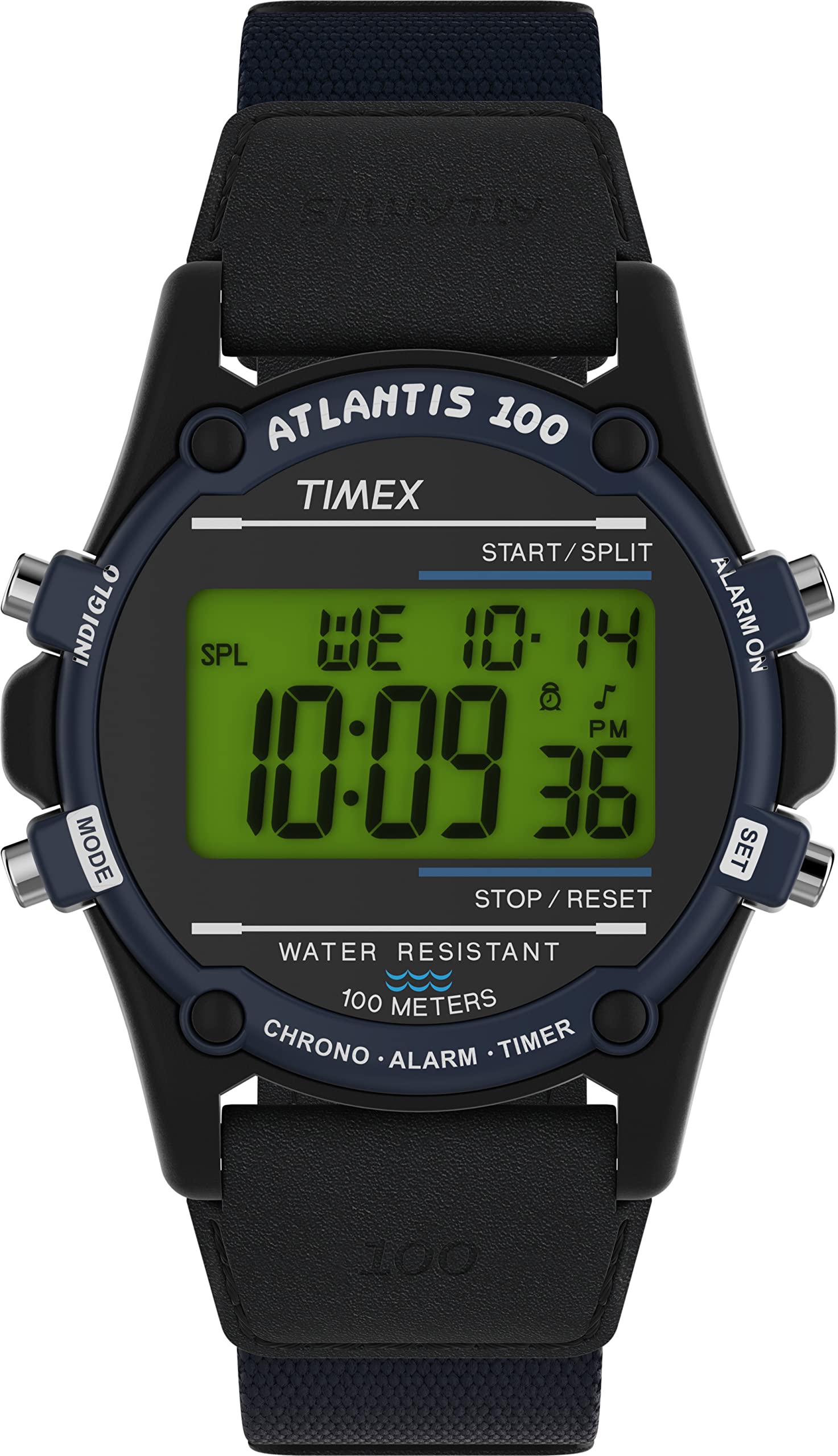
Your Timex Expedition Atlantis watch features multiple modes and settings. Familiarize yourself with the watch buttons:
- Butang MOD: Cycles through different functions (Time, Stopwatch, Alarm, Timer, Dual Time).
- Butang SET: Used to enter setting mode for time, date, alarm, etc.
- Butang MULA/BERHENTI: Adjusts values during setting, starts/stops stopwatch/timer.
- INDIGLO Button: Mengaktifkan lampu malam Indiglo.
Untuk menetapkan masa dan tarikh:
- Tekan ke MODE button until the time display is active.
- Tekan dan tahan butang SET butang sehingga detik mula berkelip.
- Tekan ke MULA/BERHENTI butang untuk menetapkan semula saat kepada sifar.
- Tekan ke MODE button to advance to the next setting (e.g., hours, minutes, month, date, day of week).
- Gunakan MULA/BERHENTI butang untuk melaraskan nilai berkelip.
- Ulangi langkah 4 dan 5 sehingga semua tetapan yang dikehendaki dilaraskan.
- Tekan ke SET butang untuk keluar dari mod tetapan.

Imej: Depan view of the Timex Expedition Atlantis watch, showing the digital display and watch face.
Melaraskan Tali
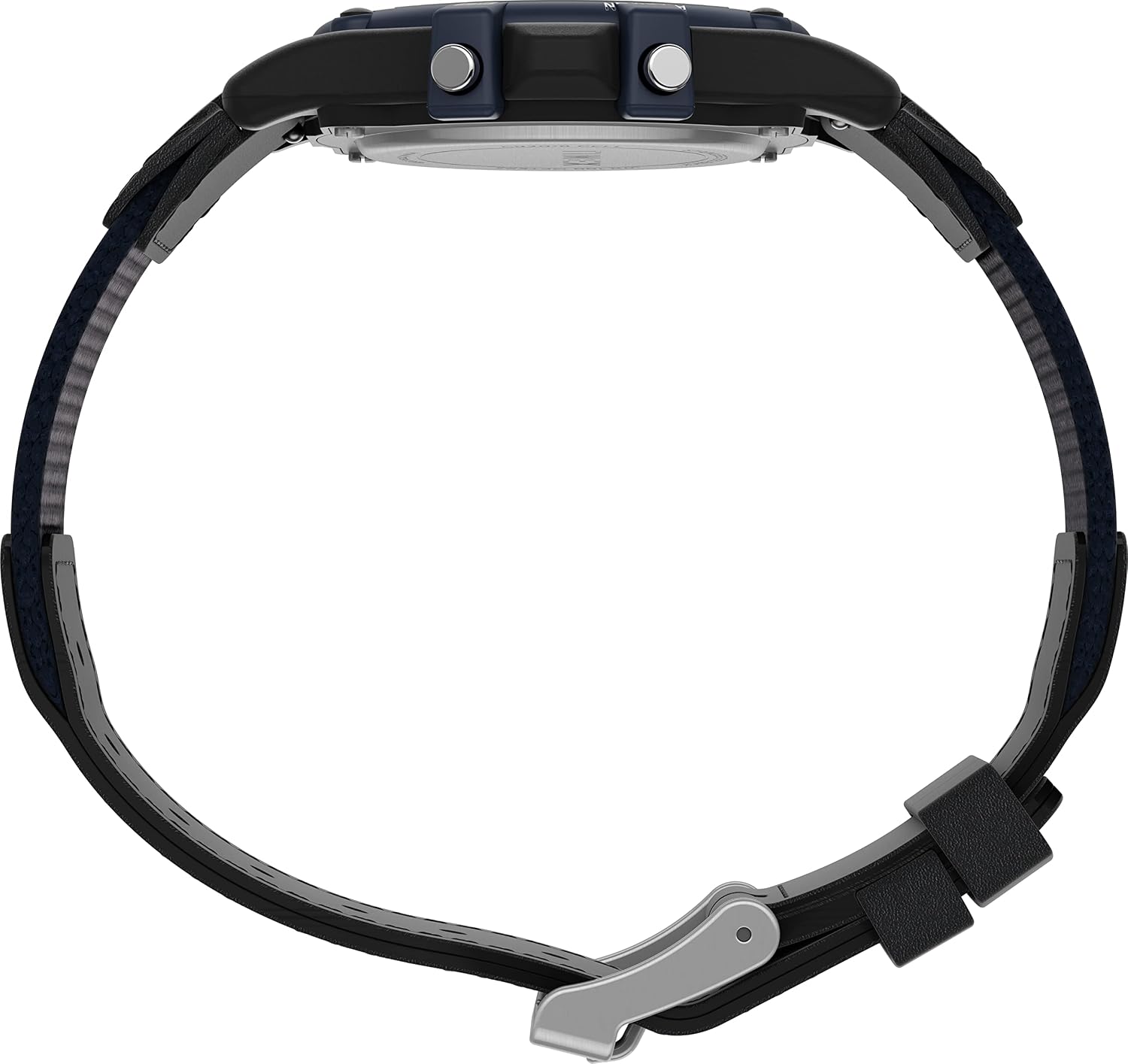
The watch features an adjustable 18mm fabric and leather strap. To adjust the strap, locate the buckle and slide the pin through the desired hole for a comfortable and secure fit. Ensure the watch is snug but not too tight on your wrist.
Imej: Side profile of the Timex Expedition Atlantis watch, illustrating the watch case and the adjustable strap.
Mengendalikan Jam Tangan Anda
Cahaya Malam Indiglo
Tekan ke INIGLO button to illuminate the watch display for easy viewdalam keadaan cahaya malap. Lampu akan kekal menyala selama beberapa saat.
Imej: Sisi view of the watch, highlighting the push buttons on the case for various functions, including the Indiglo button.
Fungsi Jam randik
To use the 24-hour stopwatch:
- Tekan ke MODE button repeatedly until "STOPWATCH" or "CHR" (Chronograph) appears on the display.
- Tekan ke MULA/BERHENTI butang untuk memulakan pemasaan.
- Tekan ke MULA/BERHENTI button again to pause/stop the timing.
- Untuk menetapkan semula jam randik, tekan butang SET butang semasa jam randik dihentikan.
Penggera Harian
To set and activate the daily alarm:
- Tekan ke MODE button repeatedly until "ALARM" appears.
- Tekan dan tahan butang SET butang sehingga waktu penggera mula berkelip.
- Gunakan MULA/BERHENTI butang untuk melaraskan jam.
- Tekan ke MODE button to advance to minutes and adjust with MULA/BERHENTI.
- Tekan ke SET butang untuk mengesahkan dan keluar.
- Untuk mengaktifkan/menyahaktifkan penggera, tekan butang MULA/BERHENTI butang semasa dalam mod penggera. Ikon penggera akan muncul/hilang.
Dual Time Zone (T2)
Your watch allows you to set a second time zone (T2) for convenience when traveling:
- Tekan ke MODE button until "T2" or "DUAL TIME" appears.
- Tekan dan tahan butang SET butang sehingga jam mula berkelip.
- Gunakan MULA/BERHENTI butang untuk melaraskan jam.
- Tekan ke MODE button to advance to minutes and adjust with MULA/BERHENTI.
- Tekan ke SET butang untuk mengesahkan dan keluar.
Mod Masa Tentera 24 Jam
To switch between 12-hour (AM/PM) and 24-hour (military) time format:
- Dalam mod paparan masa biasa, tekan butang MULA/BERHENTI butang untuk bertukar antara format 12 jam dan 24 jam.
Tahan Air
Jam tangan ini kalis air hingga 100 meter (330 kaki). Ia sesuai untuk berenang dan snorkeling. Ia tidak sesuai untuk menyelam. Do not press any buttons while the watch is wet or submerged to prevent water entry.
Penyelenggaraan
Penggantian Bateri
The watch uses one Lithium Metal battery (CR2016). When the display dims or functions become erratic, the battery may need replacement. It is recommended to have the battery replaced by a qualified watch technician to ensure proper sealing and maintain water resistance.

Imej: Belakang view of the watch, showing the stainless steel case back and engraved details including "CR2016 CELL".
Membersihkan Jam Tangan Anda
Untuk membersihkan jam tangan anda, lap dengan lembut, damp cloth. Do not use harsh chemicals or abrasive cleaners, as these can damage the watch case or strap. For the strap, avoid prolonged exposure to water or direct sunlight to preserve its material integrity.
Mengekalkan Ketahanan Air
Untuk mengekalkan rintangan air jam tangan anda:
- Ensure the case back is securely closed after any battery replacement or service.
- Avoid exposing the watch to extreme temperature changes, which can affect seals.
- Do not operate buttons while the watch is submerged or wet.
Menyelesaikan masalah
| Masalah | Kemungkinan Punca | Penyelesaian |
|---|---|---|
| Paparan kosong atau malap. | Bateri lemah atau mati. | Replace the battery (CR2016). Professional replacement is recommended. |
| Time is incorrect or resets. | Accidental button press; battery issue; strong magnetic field. | Reset the time and date. If problem persists, check battery or consult service. |
| Buttons are unresponsive or stiff. | Debris under buttons; watch is wet. | Clean around buttons. Ensure watch is dry before operating. If problem persists, seek professional service. |
| Air kelihatan di dalam jam tangan. | Meterai rintangan air yang terjejas. | Segera bawa jam tangan tersebut kepada juruteknik yang berkelayakan untuk pemeriksaan dan pembaikan bagi mengelakkan kerosakan selanjutnya. |
Spesifikasi
- Nombor Model: TW2V44400VQ
- Diameter Sarung: 40mm
- Bahan kes: damar
- Bahan Kanta: Akrilik
- Lebar Tali: 18mm
- Bahan Tali: Fabric & Leather
- Tahan Air: 100 meter (330 kaki)
- Jenis Bateri: CR2016 Logam Litium (termasuk)
- Fungsi: Digital Time, Date, Day, 24-Hour Stopwatch, Daily Alarm, 2 Time Zones, 24-Hour Military Time Mode, Indiglo Night-Light.
Waranti dan Sokongan
Your Timex watch is covered by a manufacturer's warranty. For detailed warranty information, service, or support, please refer to the official Timex webtapak atau hubungi perkhidmatan pelanggan Timex secara terus. Simpan bukti pembelian anda untuk tuntutan waranti.
Timex Rasmi Webtapak: www.timex.com


