pengenalan
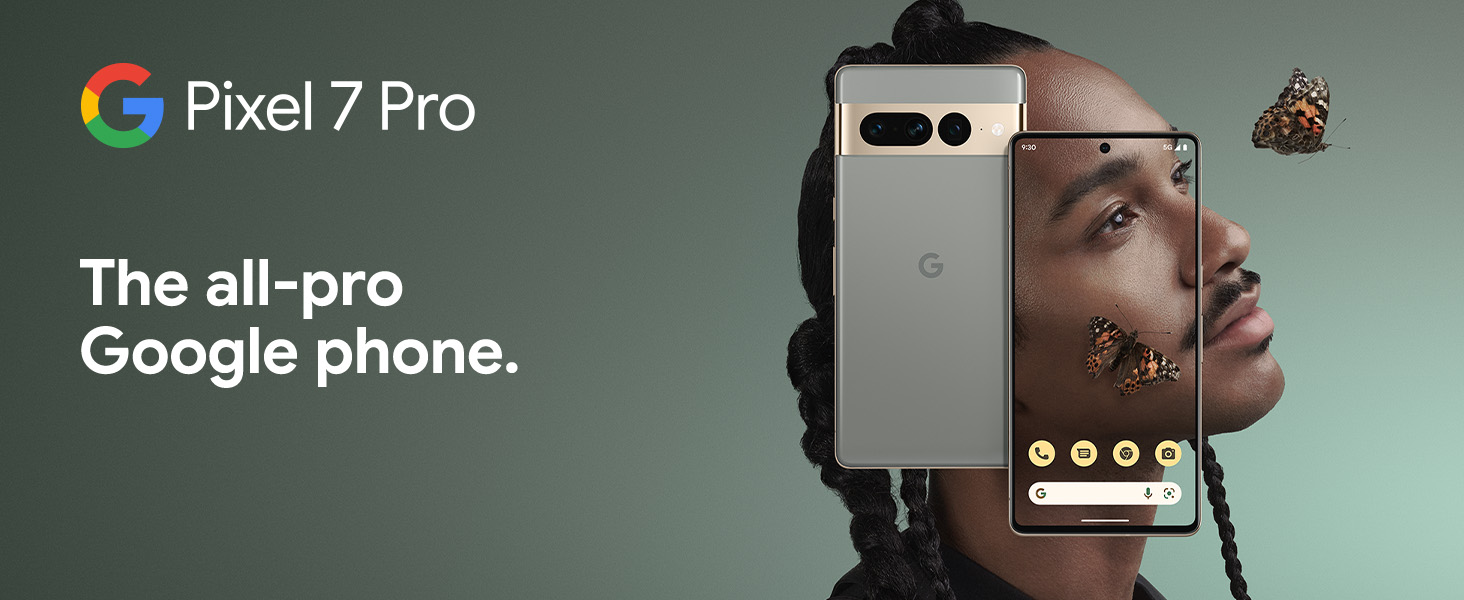
The Google Pixel 7 Pro is a powerful 5G Android smartphone designed for an exceptional user experience. Powered by the Google Tensor G2, it offers fast and secure performance, an immersive display, and extended battery life. This manual provides essential information for setting up, operating, maintaining, and troubleshooting your device.
Apa yang ada dalam Kotak
Upon unboxing your Google Pixel 7 Pro, you should find the following items:
- Cell Phone (Google Pixel 7 Pro)
- Kabel USB (untuk pengecasan dan pemindahan data)
- SIM Tray Ejector (for accessing the SIM card slot)
- Quick Switch Adapter (for easy data transfer from your old phone)
- Quick Start Guide (a brief setup guide)

Persediaan
Follow these steps to set up your new Google Pixel 7 Pro:
- Masukkan Kad SIM: Use the provided SIM tray ejector tool to open the SIM card slot on the side of the phone. Insert your nano-SIM card into the tray and reinsert it into the phone.
- Hidupkan kuasa: Press and hold the power button on the side of the device until the Google logo appears.
- Persediaan Awal: Follow the on-screen prompts to select your language, connect to Wi-Fi, and sign in with your Google account.
- Pemindahan Data: If you are transferring data from an old device, use the Quick Switch Adapter and follow the instructions. Note that some third-party apps and data may not transfer automatically. For more information, visit g.co/pixel/copydatahelp.
- Buka kunci cap jari: Set up the on-screen fingerprint sensor for secure and convenient unlocking.

Mengendalikan Peranti Anda
Ciri-ciri Utama
- Google Tensor G2 Processor: Experience fast and efficient performance with improved AI capabilities for smarter features.
- Kesambungan 5G: Enjoy high-speed internet access on major carrier networks (requires a 5G data plan, sold separately).
- Bateri Suai Suai: Designed to last over 24 hours with typical usage, extending up to 72 hours with Extreme Battery Saver mode.
- Smooth 120Hz Display: The 6.7-inch display intelligently adjusts its refresh rate for smooth scrolling and responsive interactions.
- Titan M2 Security Chip: Multiple layers of hardware security protect your personal information and data.
- Google Assistant and Find My Device: Utilize hands-free voice commands and easily locate your device if lost.
- Durable and Water Resistant Design: Built to withstand daily use, with an IP68 rating for dust and water resistance.
Ciri Kamera
The Pixel 7 Pro features an advanced triple camera system, enabling you to capture stunning photos and videos in various conditions:
- Sensor Utama 50MP: For high-resolution, detailed images.
- Kanta Ultralebar 12MP: Capture broader scenes with a wider field of view.
- Kanta Telefoto 48MP: Offers 4x optical zoom for clear, detailed shots from a distance.
Advanced features include Macro Focus for extreme close-ups, Cinematic Blur for professional-looking videos, and improved low-light photography.

Rintangan Air dan Debu (IP68)
Your Pixel 7 Pro is designed to be water and dust resistant, with an IP68 rating under IEC standard 60529. This means it can withstand submersion in up to 1.5 meters of fresh water for up to 30 minutes. While durable, water and dust resistance are not permanent conditions and may diminish over time with normal wear and tear. Avoid intentional submersion or exposure to harsh chemicals.

Penyelenggaraan
To ensure the longevity and optimal performance of your Google Pixel 7 Pro, follow these maintenance guidelines:
- Pembersihan: Gunakan kain lembut dan tidak berbulu untuk membersihkan skrin dan badan telefon. Untuk kotoran degil, gosok sedikitampen the cloth with water. Avoid abrasive materials or harsh cleaning agents.
- Perlindungan: Consider using a protective case and screen protector to guard against scratches and accidental drops.
- Suhu: Elakkan mendedahkan telefon anda kepada suhu yang melampau (sangat panas atau sangat sejuk) kerana ini boleh menjejaskan hayat bateri dan komponen dalaman.
- mengecas: Use only Google-approved chargers and cables to prevent damage to the battery and charging port.
- Kemas Kini Perisian: Keep your device's software updated to the latest version to benefit from security patches, bug fixes, and new features.
Menyelesaikan masalah
If you encounter issues with your Pixel 7 Pro, try the following common troubleshooting steps:
- Mulakan semula Peranti: A simple restart can often resolve minor software glitches. Press and hold the power button, then tap "Restart."
- Semak Kemas Kini: Ensure your Android operating system is up to date. Go to Settings > System > System update.
- Kosongkan Cache Apl: If a specific app is causing issues, try clearing its cache. Go to Settings > Apps > See all apps, select the app, then Storage & cache > Clear cache.
- Mod Selamat: Booting into Safe Mode can help identify if a third-party app is causing problems. Press and hold the power button, then touch and hold "Power off." Tap "OK" when prompted to restart in Safe Mode.
- Tetapan semula kilang: Sebagai langkah terakhir, anda boleh melakukan tetapan semula kilang. Amaran: Ini akan memadamkan semua data pada telefon anda. Sandarkan data penting sebelum meneruskan. Pergi ke Tetapan > Sistem > Tetapkan semula pilihan > Padam semua data (tetapan semula kilang).
- Hubungi Sokongan: If the issue persists, contact Google Support for further assistance.
Spesifikasi
Detailed technical specifications for the Google Pixel 7 Pro (Obsidian, 256GB model):
| Ciri | Spesifikasi |
|---|---|
| Dimensi Produk | 6.42 x 3.02 x 0.34 inci |
| Berat Barang | 7.4 auns |
| ASIN | B0BCQVFQHD |
| Nombor Model Item | GE2AE |
| Bateri | 1 Bateri Lithium Ion diperlukan. (termasuk) |
| Sistem Operasi | Android 13.0 |
| RAM | 12 GB |
| Kapasiti Penyimpanan Memori | 256 GB |
| Teknologi Komunikasi Tanpa Wayar | Bluetooth |
| Teknologi Ketersambungan | Bluetooth, NFC, Wi-Fi |
| GPS | betul |
| Input Antara Muka Manusia | Skrin sentuh |
| Resolusi Pengimbas | 2560 x 1440 |
| Ciri Kamera Lain | Depan, Belakang |
| Bicu Audio | Tiada bicu fon kepala |
| Faktor Bentuk | Bar |
| warna | Obsidian |
| Penilaian Kuasa Bateri | 4926 mAh |
| Masa Bual Telefon | 24 Jam |
| Pengeluar | |
| Tarikh Mula-mula Tersedia | 6 Oktober 2022 |
| Saiz Paparan Skrin Berdiri | 6.7 Inci |
| Kelajuan CPU | 2.85 GHz |
| Kadar Segar Semula | 120 Hz |
| Nama Model | Pixel 7 Pro |
| Pembawa Tanpa Wayar | Tidak dikunci untuk Semua Pengangkut |
Waranti dan Sokongan
Your Google Pixel 7 Pro comes with a Waranti Pengeluar 1 Tahun, providing comprehensive coverage for peace of mind.
For additional support, frequently asked questions, or to contact customer service, please visit the official Google Support website or the Google Store:


