1. Pengenalan
The ICY BOX IB-DK8801-TB4 is a versatile Thunderbolt 4 docking station designed to expand the connectivity of your laptop or Mac. It offers a 10-in-1 solution, enabling connection of multiple peripherals, external displays, and providing power delivery through a single Thunderbolt 4 cable. This manual provides instructions for setup, operation, and maintenance to ensure optimal performance.

Figure 1: The IB-DK8801-TB4 docking station integrated into a workspace, demonstrating universal PC connectivity.
2. Kandungan Pakej
- 1x ICY BOX IB-DK8801-TB4 Thunderbolt 4 Docking Station
- 1x Penyesuai Kuasa
- 1x Kabel Thunderbolt 4
- 1x Manual Pengguna
3. Produk Lebihview
The IB-DK8801-TB4 docking station features a comprehensive array of ports for various connectivity needs. Familiarize yourself with the port layout before connecting devices.

Figure 2: Port layout and daisy-chaining illustration of the docking station.
Pelabuhan Panel Depan:
- Pembaca Kad SD 4.0: For high-speed data transfer from SD cards.
- Port Jenis-A USB 3.1: Connect USB peripherals.
- Port USB-C: Connect USB-C devices.
- Pelabuhan Hulu Thunderbolt 4: Connects to your host laptop/Mac.
- Butang Kuasa: To power on/off the docking station.
Port Panel Belakang:
- DC DALAM: Sambungkan penyesuai kuasa yang disertakan.
- Port HDMI: Sambungkan paparan luaran.
- Pelabuhan Ethernet: Untuk sambungan rangkaian berwayar.
- 2x Thunderbolt 4 Downstream Ports: Connect additional Thunderbolt devices or displays, supporting daisy-chaining.
- 3x USB 3.1 Type-A Ports: Connect additional USB peripherals.
4. Persediaan
Follow these steps to set up your ICY BOX Thunderbolt 4 Docking Station:
- Sambungkan Kuasa: Plug the power adapter into the DC IN port on the rear of the docking station, then connect it to a power outlet.
- Sambung ke Peranti Hos: Use the provided Thunderbolt 4 cable to connect the Thunderbolt 4 Upstream port on the front of the docking station to a Thunderbolt 4 port on your laptop or Mac.
- Sambungkan Paparan:
- For a single 8K@30Hz display, connect it to one of the Thunderbolt 4 downstream ports using a compatible cable.
- For dual 4K@60Hz displays, connect one display to the HDMI port and the other to a Thunderbolt 4 downstream port (using a compatible adapter/cable if necessary).

Figure 3: Connecting external monitors to the docking station.
- Sambung Peranti: Connect your USB devices (keyboard, mouse, external drives) to the available USB 3.1 Type-A or USB-C ports. Insert SD cards into the SD 4.0 card reader as needed.
- Sambungkan Rangkaian: For a wired internet connection, connect an Ethernet cable from your router/modem to the Ethernet port on the rear of the docking station.
5. Arahan Operasi
Hidupkan/Mati Kuasa:
Press the power button on the front panel to turn the docking station on or off. The LED indicator will illuminate when the device is powered on.
Konfigurasi Paparan:
Your host device should automatically detect connected displays. You can configure display settings (resolution, orientation, extended/mirrored mode) through your operating system's display settings.
Penghantaran Kuasa (PD):
The docking station provides up to 96W Power Delivery through the Thunderbolt 4 upstream port to charge your connected laptop or Mac. Ensure your device supports charging via Thunderbolt 4.

Figure 4: The docking station providing 96W Power Delivery to a laptop.
Thunderbolt 4 Capabilities:
The Thunderbolt 4 ports support data transfer speeds of up to 40 Gbit/s. They are compatible with DisplayPort, PCIe, and USB 4, and are backward compatible with previous Thunderbolt versions. This allows for high-speed external storage, external graphics cards, and other high-bandwidth devices.
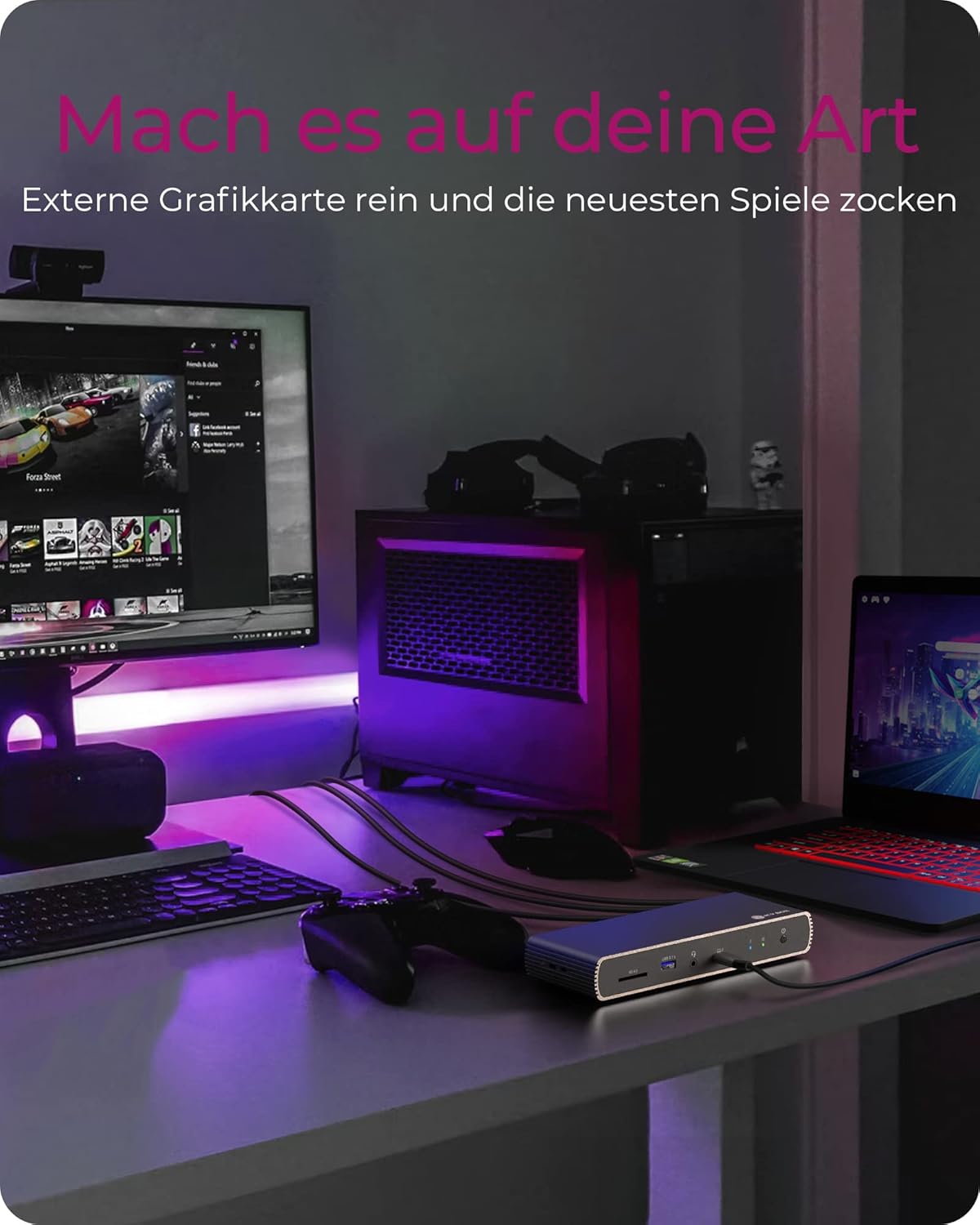
Figure 5: Using the docking station with an external graphics card for enhanced performance.

Figure 6: The docking station facilitating creative workflows with various connected devices.
6. Penyelenggaraan
Untuk memastikan jangka hayat dan prestasi optimum stesen dok anda:
- Keep the device in a dry, well-ventilated area, away from direct sunlight and heat sources.
- Avoid exposing the device to liquids or excessive moisture.
- Bersihkan bahagian luar dengan kain lembut dan kering. Jangan gunakan bahan kimia yang keras atau pembersih yang kasar.
- Ensure all cables are securely connected and not under strain.
7. Penyelesaian masalah
Jika anda menghadapi masalah dengan stesen dok anda, rujuk kepada masalah dan penyelesaian biasa berikut:
| Masalah | Penyelesaian yang Mungkin |
|---|---|
| Tiada kuasa ke stesen dok. | Ensure the power adapter is securely connected to both the docking station and a working power outlet. Check the power button status. |
| Tiada paparan pada monitor luaran. | Verify display cables are securely connected. Ensure the docking station is powered on and connected to your host device. Check your host device's display settings. Try a different display cable or port. |
| Peranti USB tidak dikenali. | Ensure the docking station is powered on and connected to your host device. Try connecting the USB device to a different port on the dock or directly to your host device to rule out device issues. |
| Laptop tidak dicas. | Confirm your laptop supports charging via Thunderbolt 4. Ensure the Thunderbolt 4 upstream cable is correctly connected. Check the power adapter connection. |
| Isu sambungan rangkaian. | Check the Ethernet cable connection. Verify your router/modem is working correctly. Ensure network drivers are up to date on your host device. |
8. Spesifikasi
| Ciri | Perincian |
|---|---|
| Nama Model | IB-DK8801-TB4 |
| Jenama | KOTAK ICY |
| Antara Muka Perkakasan | DisplayPort, HDMI, Thunderbolt, USB, USB Type C |
| Peranti Serasi | MacBook Air, MacBook Pro, Thunderbolt 4 enabled laptops |
| Bilangan Pelabuhan | 10 |
| Jumlah Port USB | 4 (USB 3.1) + 1 (USB-C) |
| Jumlah Port HDMI | 1 |
| Thunderbolt 4 port | 2x Downstream, 1x Upstream |
| Penghantaran Kuasa | Sehingga 96W |
| Output Video | Single 8K@30Hz or Dual 4K@60Hz |
| Ethernet | ya |
| Pembaca Kad SD | SD 4.0 |
| Dimensi Produk | 50 x 50 x 28 cm |
| Berat Barang | 440 g |
9. Waranti dan Sokongan
ICY BOX products are designed for reliability and performance. For warranty information and technical support, please refer to the official ICY BOX webtapak atau hubungi peruncit tempatan anda. Simpan bukti pembelian anda untuk tuntutan waranti.


