pengenalan
Terima kasih kerana membeliasing the SUBSONIC Superdrive SV950 Racing Wheel. This manual provides essential information for setting up, operating, maintaining, and troubleshooting your racing wheel to ensure optimal performance and longevity. Please read this manual thoroughly before use.
Produk Selesaiview
The SUBSONIC Superdrive SV950 is a versatile racing wheel designed for an immersive gaming experience across multiple platforms. It features a responsive steering wheel, a pedalboard, and various programmable controls.
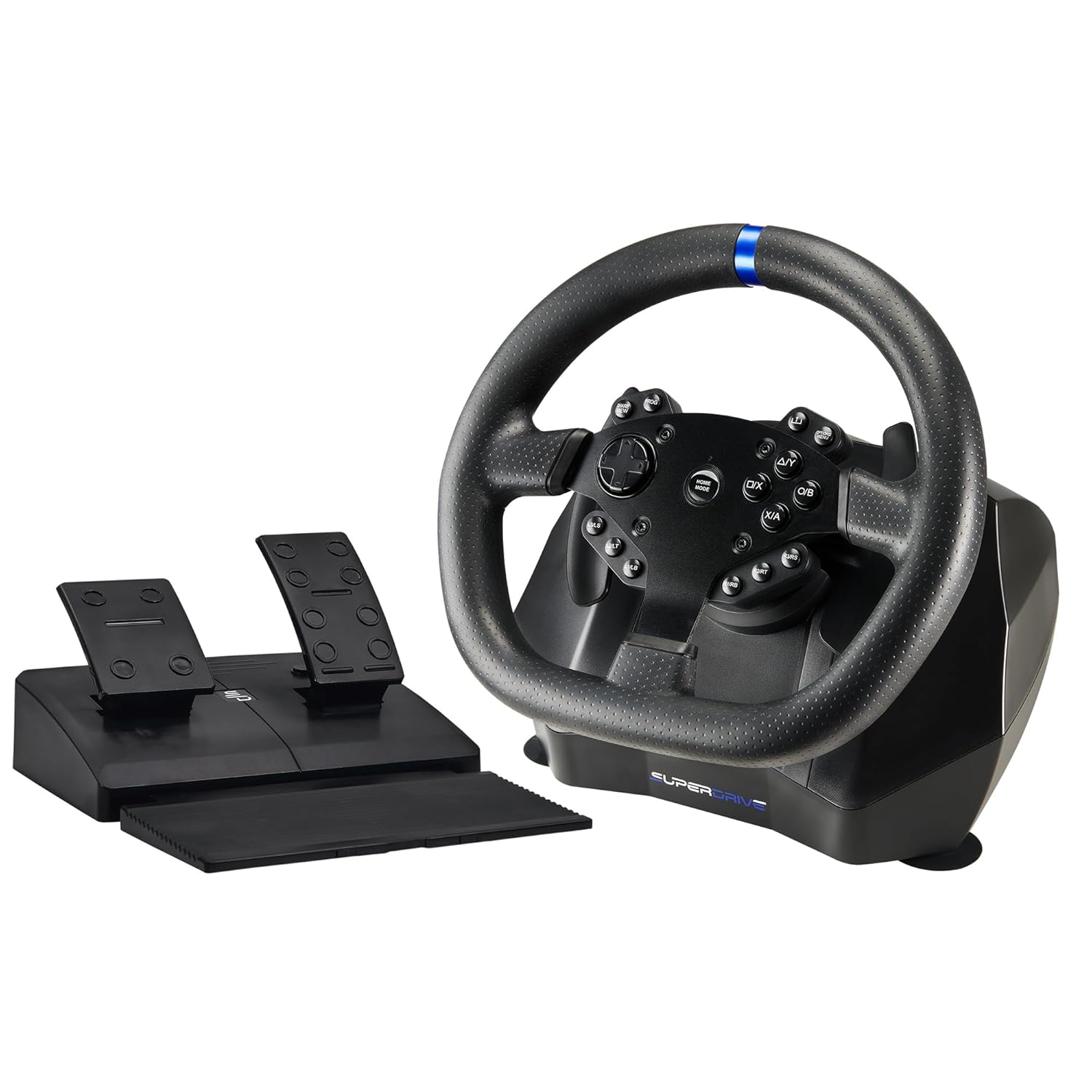
Image: The Superdrive SV950 racing wheel with its accompanying pedal set.
Ciri-ciri Utama:
- Compatible with Xbox Series X/S, PS4, Xbox One, and PC.
- Gear shift paddles (+/-) for quick and precise shifting.
- Pedalboard with anti-slip pads, featuring accelerator and brake pedals.
- Adjustable rotation angle: 270° or 900° for varied driving experiences.
- Three levels of sensitivity adjustment.
- Secure suction cup fixing system for stable mounting on flat surfaces.
- Bi-material finish with enhanced steering wheel grip for comfort and control.
- Wheel diameter: 26 cm.
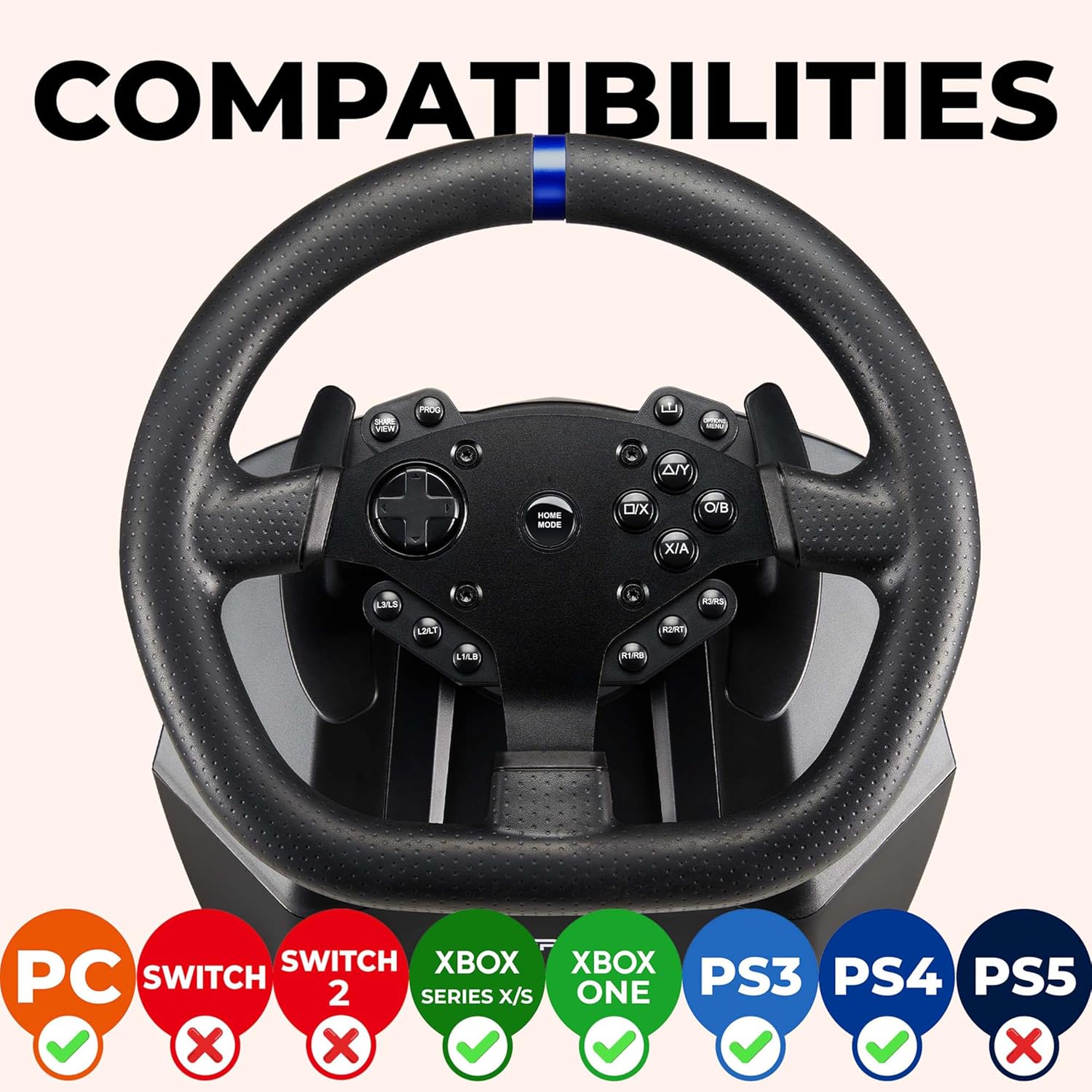
Image: Visual representation of the racing wheel's compatibility with PC, Xbox Series X/S, Xbox One, PS3, PS4, and PS5. Note: Nintendo Switch compatibility is not indicated as per product description.
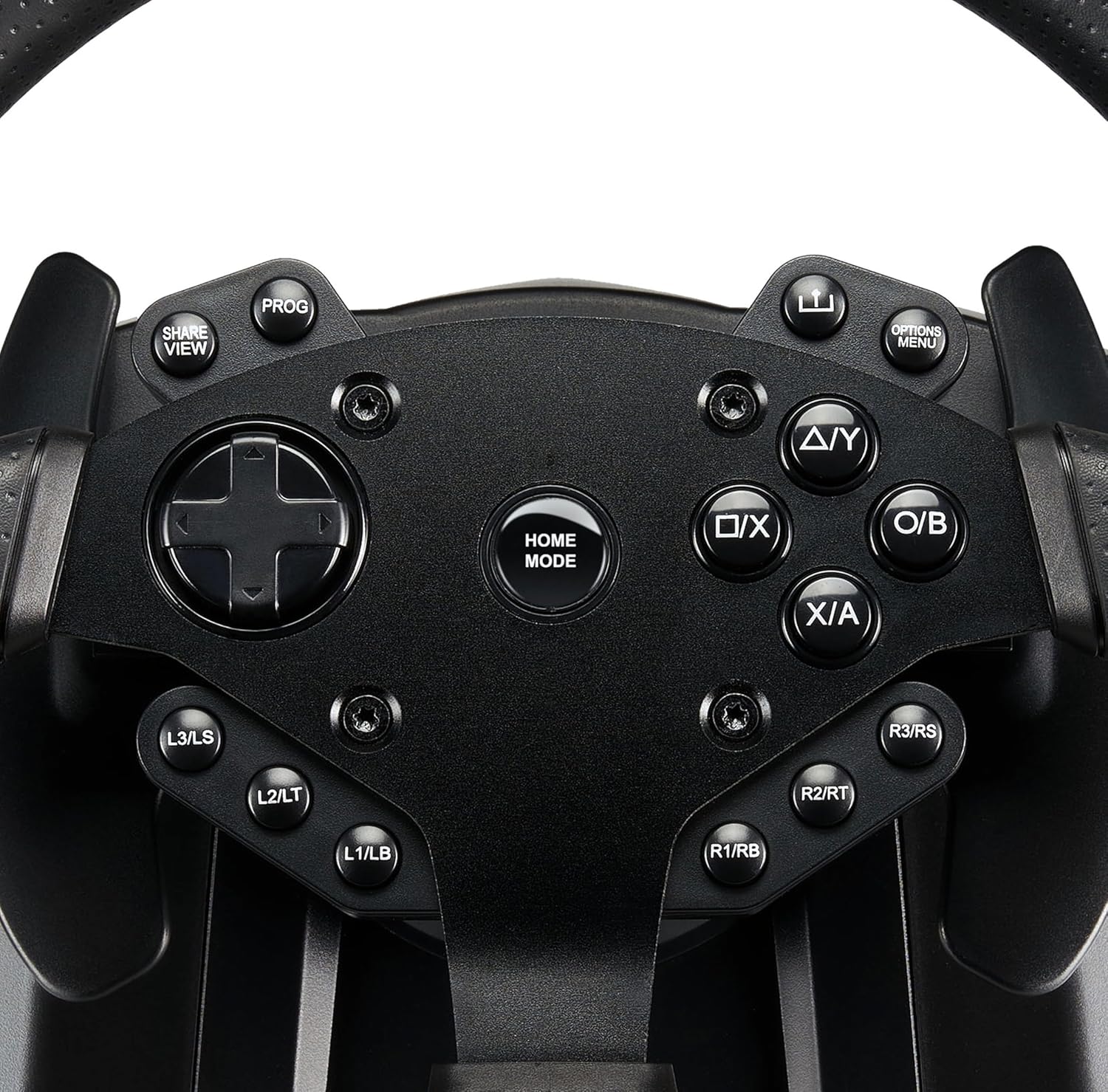
Imej: Terperinci view of the control buttons and D-pad on the racing wheel, including PROG, SHARE/VIEW, OPTIONS/MENU, HOME, and various L/R buttons.

Image: A close-up of the switch on the racing wheel base, allowing selection between 900° and 270° rotation angles.
Arahan Persediaan
Follow these steps to connect your Superdrive SV950 Racing Wheel to your gaming console or PC.
Connecting to Xbox Series X/S, Xbox One, or PS4:
- Ensure your console (Xbox Series X/S, Xbox One, or PS4) is powered DIMATIKAN.
- Connect the USB cable from the racing wheel directly to a USB port on your console.
- Ensure your official console controller is powered DIMATIKAN.
- Connect the USB cable from your official console controller to the USB port on the racing wheel.
- kuasa ON konsol anda.
- Press the "HOME" button on the racing wheel to activate it. The wheel should now be recognized by your console.

Image: Step-by-step diagram illustrating how to connect the racing wheel to Xbox Series X/S, Xbox One, or PS4, including connecting the wheel to the console and the official controller to the wheel.
Panduan Video Persediaan:
Video: An official guide demonstrating the setup process for the SUBSONIC Superdrive SV950 racing wheel, showing connections to various consoles.
Arahan Operasi
Adjusting Rotation Angle:
The SV950 racing wheel supports two rotation angles: 270 degrees for quick, arcade-style racing and 900 degrees for more realistic simulation. A switch located on the wheel base allows you to toggle between these two modes.
- To select 270° mode: Move the switch to the '270°' position.
- To select 900° mode: Move the switch to the '900°' position.
Pelarasan Sensitiviti:
The wheel features three levels of sensitivity. Refer to your game's control settings for optimal in-game adjustment, or use the wheel's built-in sensitivity settings if available (consult the product's quick start guide for specific button combinations if not detailed here).
Using the Pedalboard:
The pedalboard includes an accelerator and a brake pedal. Ensure the pedalboard is placed on a stable surface, utilizing its anti-slip pads to prevent movement during intense gameplay.
Using Gear Shift Paddles:
The +/- gear shift paddles located behind the steering wheel allow for manual gear changes in compatible games. Press the right paddle for upshifts and the left paddle for downshifts.
Penyelenggaraan
- Pembersihan: Use a soft, dry cloth to clean the racing wheel and pedalboard. Avoid abrasive cleaners or solvents that could damage the finish.
- Storan: Simpan peranti di tempat yang sejuk dan kering jauh dari cahaya matahari langsung dan suhu yang melampau apabila tidak digunakan.
- Penjagaan Kabel: Avoid sharp bends or kinks in the USB cables. Do not pull on the cables to disconnect the device.
Menyelesaikan masalah
| Masalah | Kemungkinan Punca / Penyelesaian |
|---|---|
| Wheel not recognized by console/PC. |
|
| Pedals not responding or squeaky. |
|
| Steering feels delayed or unresponsive. |
|
Spesifikasi
| Ciri | Perincian |
|---|---|
| Nombor Model | SA5640-NG |
| Dimensi Produk | 11.02 x 10.83 x 12.99 inci |
| Berat Barang | 8.27 paun |
| Sudut Putaran | 270° / 900° |
| Diameter Roda | 26 sm |
| Keserasian | Xbox Series X/S, PS4, Xbox One, PC |
| Tarikh Tayangan | 5 September 2022 |
| Pengeluar | Subsonik |
Waranti dan Sokongan
For warranty information and technical support, please refer to the official SUBSONIC webtapak atau hubungi perkhidmatan pelanggan mereka secara langsung. Simpan bukti pembelian anda untuk tuntutan waranti.
Official SUBSONIC Store: Visit the SUBSONIC Store on Amazon


