1. Pengenalan
This manual provides detailed instructions for the setup, operation, and maintenance of your MOFII Wireless Keyboard and Mouse Combo. This full-sized, retro-style keyboard and 2.4GHz wireless mouse are designed for use with Windows computers, desktops, PCs, notebooks, and laptops.
2. Kandungan Pakej
Sila sahkan bahawa semua item terdapat dalam pakej anda:
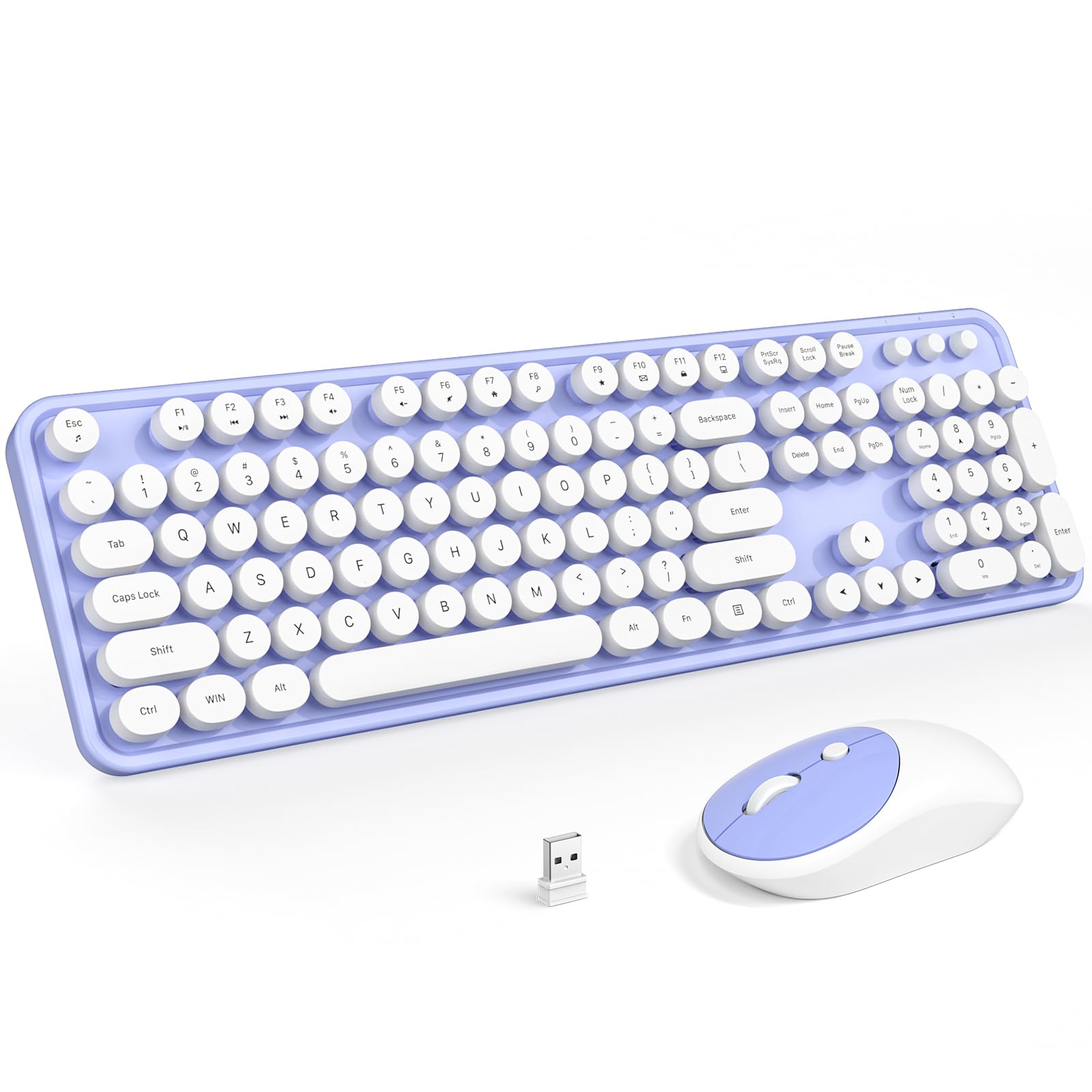
- Papan Kekunci Tanpa Wayar (1 unit)
- Tetikus Tanpa Wayar (1 unit)
- Wireless USB Receiver (1 unit)
- Manual Pengguna (1 unit)
3. Persediaan
3.1 Pemasangan Bateri
Papan kekunci dan tetikus memerlukan bateri (tidak disertakan) untuk operasi.
- papan kekunci: Insert one AAA (LR6) battery into the battery compartment located on the underside of the keyboard. Ensure correct polarity.
- tetikus: Insert one AA battery into the battery compartment located on the underside of the mouse. Ensure correct polarity.
3.2 Connecting the Receiver (Plug and Play)
The MOFII Wireless Keyboard and Mouse Combo uses a single USB 2.4GHz nano receiver for both devices, requiring no additional software installation.
- Locate the USB nano receiver, typically stored in the mouse's battery compartment or included separately in the package.
- Pasangkan penerima nano USB ke port USB yang tersedia pada komputer anda.
- The computer should automatically detect and install the necessary drivers. The keyboard and mouse will be ready for use shortly.
3.3 Keserasian
This combo is compatible with operating systems including Windows 7, 8, 10, XP, and Vista. It functions perfectly with PCs, laptops, and smart TVs. Please note that it is not compatible with Apple systems.
4. Arahan Operasi
4.1 Kegunaan Asas
Once connected, the keyboard and mouse operate like standard input devices. The keyboard features a full-sized layout with round, retro-style keycaps, providing a comfortable typing experience. The mouse offers precise tracking for navigation.

4.2 Hotkey Functions
The keyboard includes 13 hotkey functions, accessible via the 'Fn' key combined with the F1-F12 keys, providing quick access to various multimedia and system controls. These functions are designed to streamline your workflow and enhance entertainment.

4.3 Ciri Tidur Automatik
To conserve battery life, both the keyboard and mouse are equipped with an intelligent auto-sleep mode. If idle for 5 minutes, the devices will automatically enter sleep mode. To wake them up, simply press any key on the keyboard or move the mouse.

5. Penyelenggaraan
5.1 Pembersihan
The keyboard features detachable keycaps, making cleaning convenient. Use the included brush or a soft, dry cloth to remove dust and debris. For deeper cleaning, carefully remove the keycaps and clean the keyboard base. Ensure the keyboard is dry before reattaching keycaps and resuming use.

5.2 Penggantian Bateri
When the devices stop responding or the performance degrades, it is likely time to replace the batteries. Follow the battery installation steps (Section 3.1) to replace the AAA battery in the keyboard and the AA battery in the mouse. Dispose of old batteries responsibly.
6. Penyelesaian masalah
If you encounter issues with your MOFII Wireless Keyboard and Mouse Combo, please refer to the following common solutions:
| Isu | Kemungkinan Punca | Penyelesaian |
|---|---|---|
| Papan kekunci/Tetikus tidak bertindak balas | Low or dead batteries; USB receiver not properly connected; device in sleep mode. | Replace batteries in both devices. Ensure the USB receiver is firmly plugged into a working USB port. Press any key or move the mouse to wake from sleep mode. |
| Sambungan ketinggalan atau terputus-putus | Gangguan daripada peranti wayarles lain; jarak dari penerima; bateri lemah. | Move the devices closer to the USB receiver. Ensure no large metal objects are between the devices and the receiver. Replace batteries. Avoid using the devices near strong electromagnetic sources. |
| Kursor tetikus tidak menentu atau tidak bergerak dengan lancar | Dirty sensor; unsuitable surface; low battery. | Clean the mouse sensor with a soft cloth. Use the mouse on a clean, non-reflective surface or a mouse pad. Replace the mouse battery. |
| Kekunci panas tidak berfungsi | Incorrect key combination; software conflict. | Ensure you are pressing the 'Fn' key simultaneously with the desired F-key. Check for any conflicting software or drivers on your computer. |
7. Spesifikasi
Detailed product specifications for the MOFII Wireless Keyboard and Mouse Combo:
| Ciri | Perincian |
|---|---|
| Jenama | MOFII |
| Nombor Model | B0BCG15M56 |
| Teknologi Ketersambungan | USB Tanpa Wayar 2.4GHz |
| Peranti Serasi | Laptop, Tablet, PC, Desktop (Windows 7/8/10/XP/Vista) |
| Ciri Khas | Ergonomic Design, Round Keycaps, Detachable Keycaps, Auto-Sleep |
| Susun atur papan kekunci | Full-Sized, 104 keys |
| Bateri Papan Kekunci | 1 x AAA (LR6) battery (not included) |
| Bateri tetikus | 1 x bateri AA (tidak termasuk) |
| Berat Barang | 1.98 paun (lebih kurang 0.9 kg) |
| Dimensi Pakej | 17.83 x 5.43 x 3.23 inci (lebih kurang 45.3 x 13.8 x 8.2 cm) |

8. Waranti dan Sokongan
For warranty information or technical support, please refer to the product packaging or contact MOFII customer service directly. Contact details can typically be found on the official MOFII webtapak atau melalui platform pembelian anda.


