Kunci Pintu Masuk Tanpa Kunci Zowill dengan 2 Pemegang Tuas - Manual Arahan
Model: DK01-L
Jenama: Zowill
1. Pengenalan
Thank you for choosing the Zowill Keyless Entry Door Lock. This electronic keypad deadbolt offers enhanced security and convenience for your home or property. With features like auto-locking, anti-peeping password protection, and multiple access methods, this lock is designed to provide a secure and smart living experience. This manual will guide you through the installation, operation, and maintenance of your new lock.

Image: Zowill Keyless Entry Door Lock with 2 Lever Handles, Oil Rubbed Bronze.
2. Kandungan Pakej
Sila sahkan bahawa semua komponen hadir sebelum memulakan pemasangan:
- Exterior Assembly (Keypad Deadbolt)
- Perhimpunan Dalaman
- Plat Pemasangan
- selak
- 2 Standard Backup Keys
- Skru Pemasangan
- Skru selak
- 2 Pemegang Tuas
- Arahan Pemasangan (manual ini)
- Arahan Pengaturcaraan
3. Tools Needed (Not Included)
- 4x Bateri AA
- 1x PH2 Phillips Screwdriver
4. Spesifikasi
| Ciri | Perincian |
|---|---|
| Jenama | Zowill |
| Nama Model | DK01-L-Bronze-01 |
| warna | Gangsa Digosok Minyak |
| bahan | aluminium |
| Jenis Kunci | Pin Tumbler |
| Dimensi Item (L x W x H) | 11.6 x 7.1 x 3.5 inci |
| Berat Barang | 4.44 paun |
| Ciri Khas | Anti-Peeping Password, Auto-Lock, Back-Lit Keypad, Keyless Entry, One-Touch Lock |
| Jenis Pengawal | Papan kekunci |
| Kaedah Kawalan | Touch, Hand Control |
| Keserasian Ketebalan Pintu | 1.38"-2" (35-50mm) |
| Diameter Lubang Bor | 2.1" (54mm) |
| Backset Lubang Bor | 2.4" or 2.8" (60mm or 70mm) |
| Ketahanan | 100,000 usage test, 2000N appearance pressure resistance, ANSI Grade 3 certified |
| Peringkat Cuaca | IP54 (operates from -22°F to 158°F) |

Image: Detailed product dimensions and door compatibility requirements.
5. Persediaan dan Pemasangan
Follow these steps carefully to install your Zowill Keyless Entry Door Lock. For a visual guide, please refer to the installation video below.
Video: Zowill Keypad Deadbolt Installation Guide. This video provides a step-by-step walkthrough of the installation process for the Zowill keypad deadbolt.
Langkah Pemasangan:
- Step 1: Adjust and Fix the Latch
Adjust the latch length if necessary (60mm or 70mm backset). Ensure the latch is oriented correctly (UP arrow pointing upwards) and secure it to the door edge with the provided latch screws.
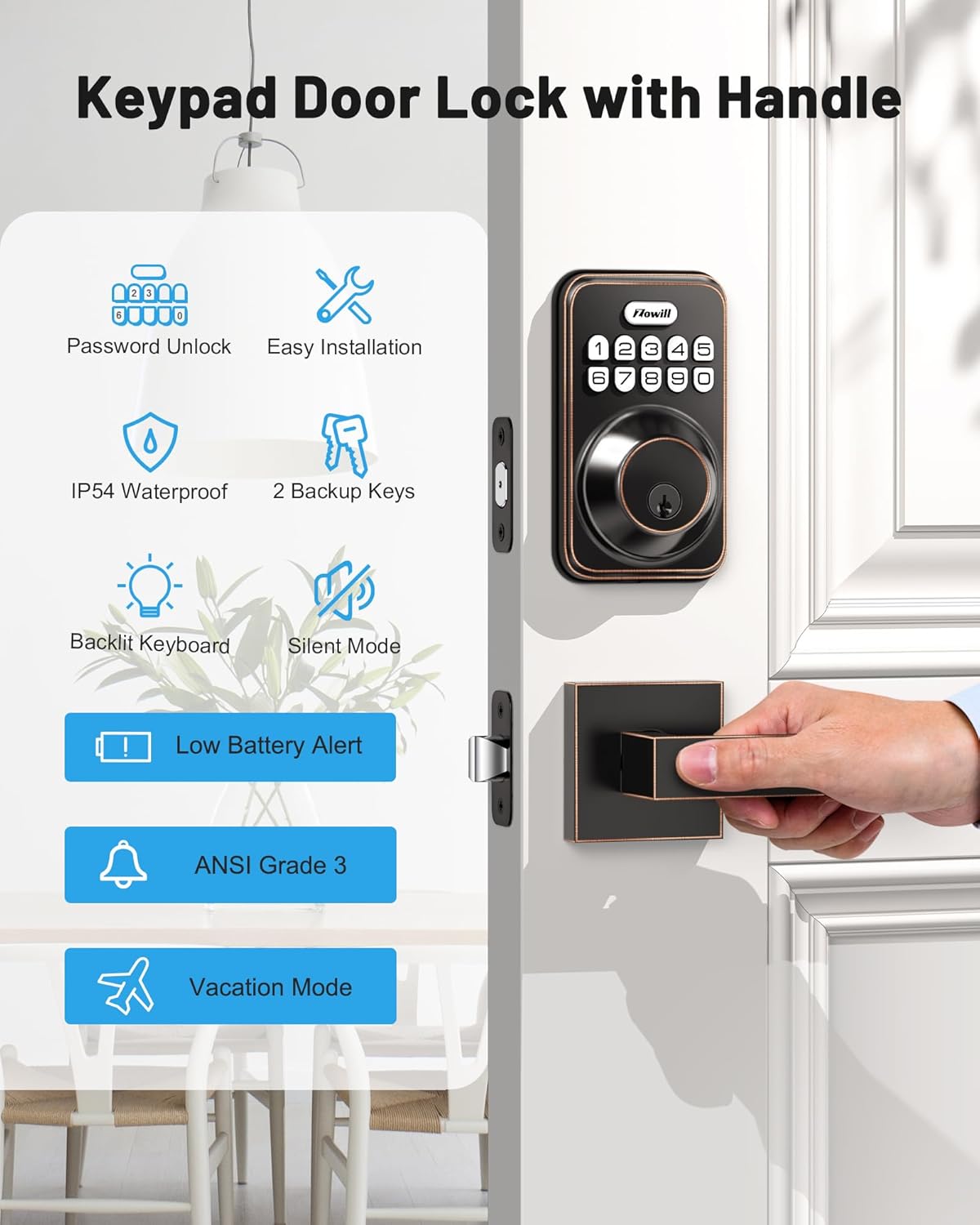
Image: Proper orientation and installation of the latch.
- Step 2: Install the Exterior Assembly (Front Lock)
Carefully insert the exterior assembly into the door, ensuring the lock cylinder is correctly aligned with the latch. Pass the cable through the door hole.
- Langkah 3: Pasang Plat Pemasangan
Position the mounting plate on the interior side of the door, aligning it with the exterior assembly. Secure it using the mounting screws. Ensure the cable passes through the opening in the mounting plate.
- Langkah 4: Pasang Pemasangan Dalaman
Connect the cable from the exterior assembly to the interior assembly. Carefully tuck the excess cable into the designated space. Attach the interior assembly to the mounting plate and secure it with the remaining screws. Do not install batteries until installation is complete.
- Step 5: Test the Deadbolt Functionality
Insert 4 AA batteries (not included) into the interior assembly. Close the battery cover. Test the deadbolt by manually turning the thumb turn on the interior assembly and by entering the default master code (12345678) on the exterior keypad to ensure it locks and unlocks smoothly.
The lock is designed for easy installation and can be installed on both left and right-handed doors. Only a screwdriver is needed for most of the process.

Image: The lock can be easily installed on both left and right-handed doors.
6. Arahan Operasi
Kemasukan tanpa kunci:
The Zowill lock supports multiple ways to access your property:
- Kod Pengguna: Program up to 20 unique user codes for family members, friends, or regular visitors.
- Kod Sekali Sahaja: Generate a temporary code for single use, ideal for service personnel or deliveries.
- Kunci Sandaran: Two physical keys are provided for traditional access.

Image: Keyless entry options including 20 user codes and one-time codes.
Fungsi Auto-Kunci:
Prevent accidental unlocking or forgetting to lock the door:
- Penguncian automatik: Set the lock to automatically re-lock after 10 to 99 seconds.
- Penguncian Satu Sentuhan: Press and hold any key on the keypad for 2 seconds to instantly lock the door.

Image: Auto-lock feature with adjustable time and one-touch locking.
Kata Laluan Anti-Intip:
Enhance security by entering random digits before or after your actual code. This prevents others from guessing your code by observing fingerprints on the keypad.

Image: Illustration of the anti-peeping password feature using random digits.
Mod Bisu:
Activate mute mode to silence keypad tones, providing quiet entry and exit, especially useful during late hours or when others are sleeping.

Image: Mute mode feature for quiet operation of the lock.
Mod Percutian:
When going on an extended trip, activate vacation mode to disable all user codes, ensuring no unauthorized access while you are away. Only the master code or physical key can unlock the door in this mode.

Image: Vacation mode feature, ideal for securing your home when away.
No App / No Wi-Fi Required:
This lock operates independently without the need for a smartphone app or Wi-Fi connection, simplifying setup and usage.

Image: The lock functions without requiring a mobile application or Wi-Fi connectivity.
7. Penyelenggaraan
Battery Life and Alerts:
The Zowill lock is designed for long battery life, typically lasting over 1 year with 4 AA batteries (not included). The lock features a low battery alert function to notify you when it's time to replace the batteries.

Image: Information on battery life, low battery alerts, and backlit keypad.
Rintangan Cuaca:
With an IP54 weatherproof rating, your Zowill lock is protected against dust and splashing water, ensuring reliable operation in various weather conditions. It is designed to withstand temperatures ranging from -22°F to 158°F.

Image: The lock's IP54 waterproof rating and temperature operating range.
8. Penyelesaian masalah
For common issues and solutions, please refer to the official Troubleshooting Guide provided by Zowill. This guide covers topics such as programming errors, lock malfunctions, and battery-related problems.
You can access the Troubleshooting Guide here: Zowill Troubleshooting Guide (PDF)
If you encounter issues not covered in the guide, please contact Zowill customer service for assistance.
9. Waranti dan Sokongan
Zowill offers at least a 1-year product warranty and lifetime customer service for this keyless entry door lock. For warranty claims or technical support, please contact Zowill directly through their official channels.


