1. Pengenalan
Thank you for choosing the Oakcastle CD100 Portable Bluetooth CD Player. This manual provides essential information for setting up, operating, and maintaining your device. Please read it thoroughly before use and keep it for future reference.
Maklumat Keselamatan
- Jangan dedahkan peranti kepada hujan, lembapan atau suhu yang melampau.
- Elakkan daripada menjatuhkan atau meletakkan peranti kepada kesan yang kuat.
- Jangan buka unit ini. Rujuk semua servis kepada kakitangan yang berkelayakan.
- Jauhkan peranti daripada medan magnet yang kuat.
- Gunakan hanya kabel pengecas yang dinyatakan.
2. Apa yang ada di dalam Kotak
Carefully unpack your Oakcastle CD100 and ensure all items are present:
- 1x Oakcastle CD100 Portable CD Player
- 1x Wired Headphones
- 1x Kabel Pengecasan USB Mikro
- 1x 3.5mm to 3.5mm AUX Cable
- 1x Manual Pengguna (dokumen ini)
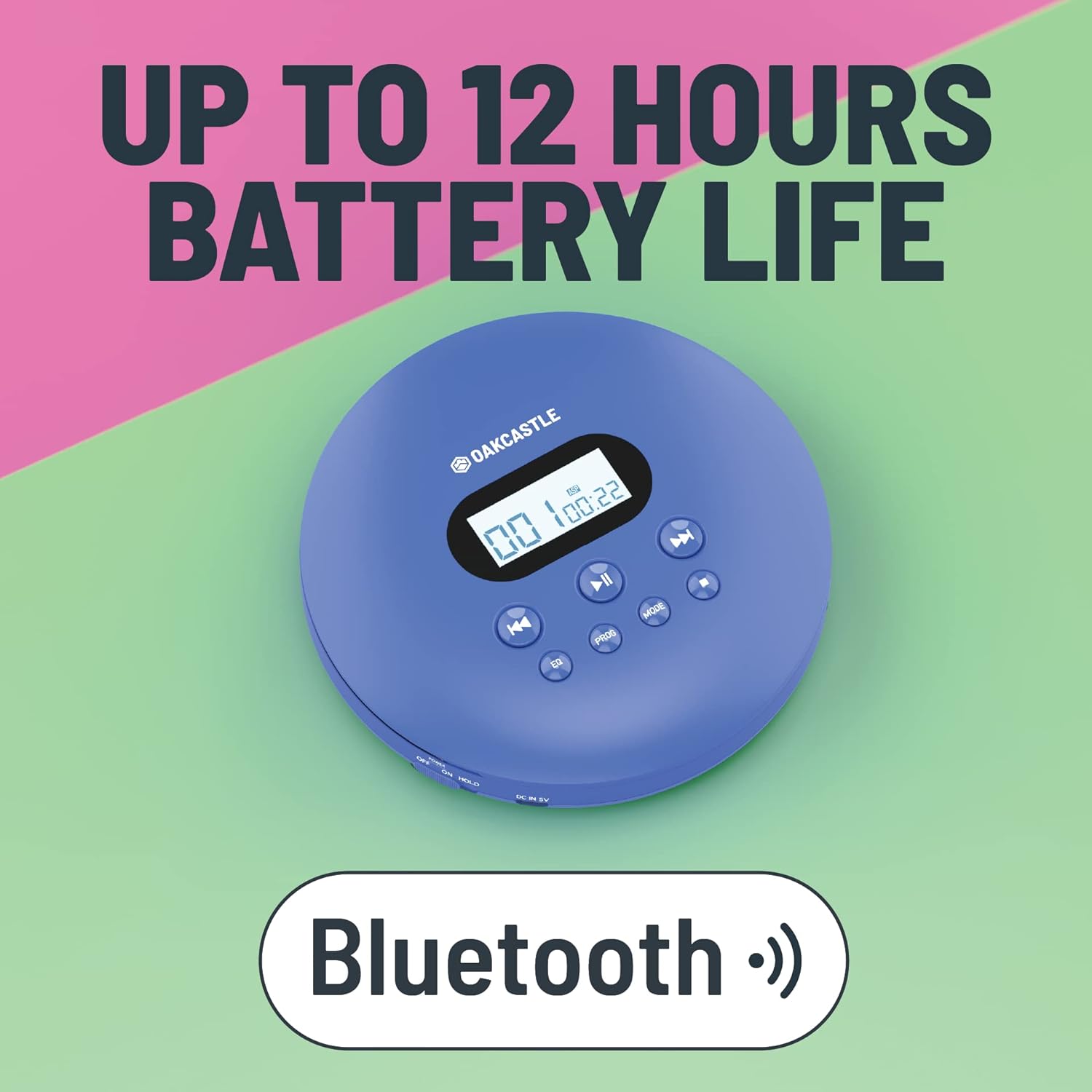
3. Produk Lebihview
Familiarize yourself with the controls and ports of your Oakcastle CD100:

Kawalan dan Pelabuhan:
- Skrin Paparan: Menunjukkan nombor trek, masa dan mod.
- Play/Pause (►►): Memulakan atau menjeda main balik CD.
- Berhenti (■): Menghentikan main balik CD.
- Previous/Rewind (◀◀): Melangkau ke trek sebelumnya atau mengundur trek semasa.
- Next/Fast Forward (►►): Skips to the next track or fast forwards the current track.
- EQ: Cycles through equalizer presets (e.g., Bass, Pop, Jazz, Rock, Classic).
- PROG: Enters program mode to create a custom playlist.
- ARAHAN: Berkitar melalui mod main balik (cth., Ulang Satu, Ulang Semua, Rawak).
- DC IN 5V (Charge Port): Micro USB input for charging.
- Bicu Fon Kepala (3.5mm): Untuk menyambungkan fon kepala berwayar.
- AUX Out (3.5mm): For connecting to external speakers or car audio systems.
- OPEN Slider: Slides to open the CD compartment.
- Suis TAHAN: Mengunci butang untuk mengelakkan tekanan tidak sengaja.
4. Persediaan
4.1 Mengecas Peranti
The Oakcastle CD100 has a built-in rechargeable battery. Before first use, fully charge the device.
- Connect the Micro USB charging cable to the 'DC IN 5V' port on the CD player.
- Sambungkan hujung kabel USB yang satu lagi ke penyesuai kuasa USB (tidak disertakan) atau port USB komputer.
- Lampu penunjuk pengecasan akan menyala. Ia akan padam atau bertukar warna apabila dicas sepenuhnya.
Cas penuh menyediakan sehingga 12 jam masa main balik.

4.2 Kuasa Awal Hidup
After charging, slide the 'HOLD' switch to the 'OFF' position (if it's on 'HOLD'). Press and hold the Play/Pause button to power on the device.
5. Arahan Operasi
5.1 Memainkan CD
- Slide the 'OPEN' switch to open the CD compartment lid.
- Carefully place a CD onto the spindle, label side up, and gently press down until it clicks into place.
- Tutup penutup petak CD dengan kuat.
- Press the Play/Pause (►►) button to start playback. The display will show the track number and elapsed time.
- Use the Previous/Rewind (◀◀) and Next/Fast Forward (►►) buttons to navigate tracks. Press and hold to fast forward or rewind.
- Tekan butang Henti (■) untuk menghentikan main balik.
The CD100 features anti-skip technology to ensure smooth playback even during movement.
5.2 Sambungan Bluetooth
The CD100 can connect wirelessly to Bluetooth headphones or speakers.
- Ensure the CD player is powered on.
- Activate Bluetooth pairing mode on your external Bluetooth device (headphones/speaker).
- The CD100 will automatically enter Bluetooth pairing mode when a CD is playing and no wired headphones are connected. The Bluetooth icon on the display will flash.
- Setelah disambungkan, ikon Bluetooth akan menjadi pejal.
5.3 Sambungan AUX
Connect your CD100 to external audio systems like car stereos or home speakers using the included 3.5mm AUX cable.
- Connect one end of the 3.5mm AUX cable to the 'AUX Out' port on the CD player.
- Connect the other end to the 'AUX In' port on your external audio system.
- Ensure your external audio system is set to the AUX input.

5.4 Tetapan EQ
Press the 'EQ' button repeatedly to cycle through different equalizer presets (e.g., Bass, Pop, Jazz, Rock, Classic, Off) to customize your audio experience.
5.5 Main Semula Program
To create a custom playback order:
- While the CD is stopped, press the 'PROG' button.
- Use the Previous/Next buttons to select the desired track number.
- Press 'PROG' again to add the track to the program list.
- Repeat steps 2-3 for up to 20 tracks.
- Press Play/Pause to start programmed playback.
5.6 Butang Mod
Press the 'MODE' button to cycle through playback modes such as Repeat One (repeats current track), Repeat All (repeats all tracks on the CD), and Random (plays tracks in a random order).
6. Penyelenggaraan
6.1 Membersihkan Peranti
- Lap bahagian luar pemain dengan kain lembut dan kering.
- For the optical lens, use a specialized CD lens cleaning kit. Do not touch the lens directly.
- Jangan gunakan pembersih atau pelarut yang melelas.
6.2 Penjagaan Bateri
- Untuk memanjangkan hayat bateri, elakkan daripada menyahcas sepenuhnya bateri dengan kerap.
- Cas peranti secara berkala, walaupun tidak digunakan untuk tempoh yang lama.
- Simpan peranti di tempat yang sejuk dan kering.
7. Penyelesaian masalah
If you encounter issues with your Oakcastle CD100, refer to the following common problems and solutions:
| Masalah | Kemungkinan Punca | Penyelesaian |
|---|---|---|
| Peranti tidak dihidupkan. | Low battery; HOLD switch is on. | Charge the device; Slide HOLD switch to OFF. |
| CD tidak dimainkan. | CD inserted incorrectly; CD is dirty/scratched; Lid not closed properly. | Reinsert CD correctly; Clean or try another CD; Ensure lid is fully closed. |
| Tiada bunyi dari fon kepala/pembesar suara. | Headphones/AUX cable not fully plugged in; Volume too low; Incorrect input selected on external device. | Check connections; Increase volume; Select correct AUX input on external device. |
| Bluetooth tidak bersambung. | External device not in pairing mode; Too far from device. | Ensure external device is in pairing mode; Move closer to the CD player. |
8. Spesifikasi
- Jenama: Oakcastle
- model: CD100
- warna: Biru
- Teknologi Ketersambungan: Bantu, Bluetooth
- Ciri Khas: Portable, Rechargeable, Anti-skip
- Peranti Serasi: Speakers, Headphones, Car Audio Systems
- Bateri boleh dicas semula: ya
- Format Audio Disokong: WMA (and standard CD audio)
- Bilangan Cakera: 1
- Bilangan Saluran: 2
- Dimensi Produk: 14.2L x 14.2W x 3H sentimeter
- Jenis Penyambung: Bicu 3.5mm
9. Waranti dan Sokongan
Your Oakcastle CD100 comes with a standard manufacturer's warranty. Please refer to the warranty card included in your packaging for specific terms and conditions.
For technical support, troubleshooting, or warranty claims, please contact Oakcastle customer service through their official webtapak atau peruncit tempat anda membeli produk tersebut.
Sila simpan bukti pembelian anda untuk tujuan waranti.


