1. Pengenalan
Thank you for choosing the JTEMAN Portable Phone Stand with Bluetooth Speaker. This versatile device combines a stable phone stand with a high-quality Bluetooth speaker, offering convenience for media consumption, video calls, and audio playback. This manual will guide you through the setup, operation, and maintenance of your new device.

Figure 1: JTEMAN Portable Phone Stand with Bluetooth Speaker (White)
2. Kandungan Pakej
Sila tandai kotak untuk item berikut:
- Stand Telefon dengan Pembesar Suara Bluetooth
- Manual pengguna
- USB-A to Type-C charger cable (1)
3. Produk Lebihview
The JTEMAN L9 is designed for multi-functional use, serving as both a phone stand and a Bluetooth speaker. It features an adjustable and foldable design for portability and optimal viewsudut-sudut.
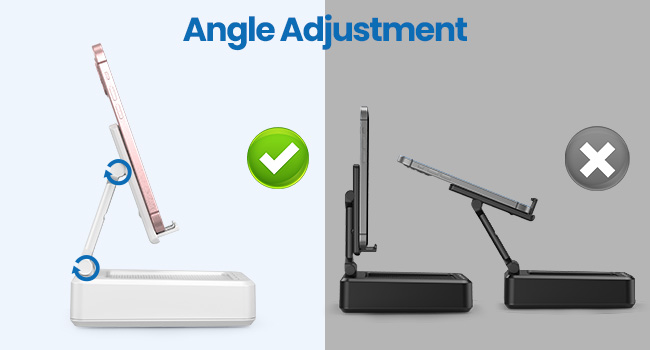
Figure 2: Product Dimensions and Controls
Ciri-ciri Utama:
- Fungsi 2-dalam-1: Combines a phone stand with a Bluetooth speaker.
- Keserasian Luas: Supports most 4-13 inch smartphones, tablets, and e-readers with Bluetooth.
- Adjustable & Foldable: Berbilang viewing angles and a compact, portable design.
- Stable & Anti-slip: Features anti-slip silicone pads for device protection and stability.
- Mikrofon terbina dalam: Enables clear hands-free calls.

Figure 3: Integrated Features
4. Persediaan
4.1 Mengecas Peranti
- Connect the provided USB-A to Type-C charging cable to the charging port on the side of the JTEMAN L9.
- Sambungkan hujung kabel yang satu lagi ke penyesuai kuasa USB yang serasi (tidak disertakan).
- The charging indicator light will show red during charging and turn green when fully charged. A full charge takes approximately 4 hours.
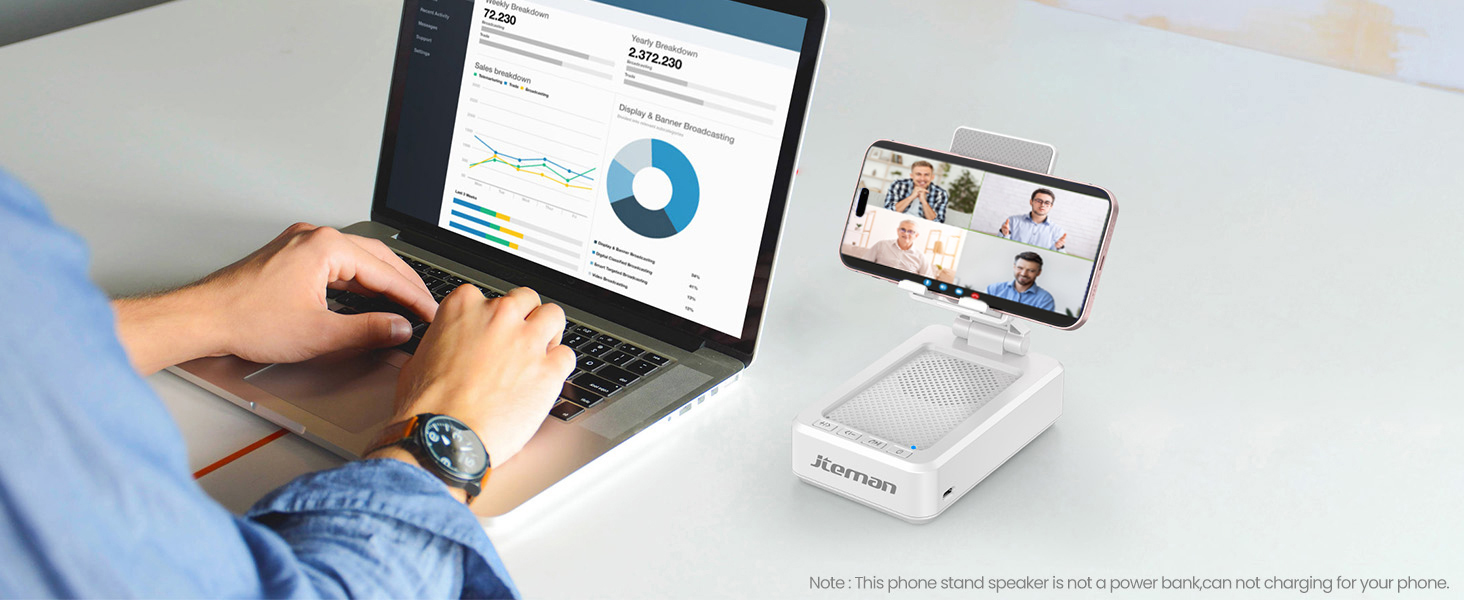
Figure 4: Charging the JTEMAN L9
4.2 Berpasangan Bluetooth
- Press and hold the power button on the JTEMAN L9 until you hear an audible prompt indicating it's powered on and in Bluetooth pairing mode. The Bluetooth indicator light will flash.
- On your smartphone, tablet, or e-reader, go to the Bluetooth settings.
- Cari untuk available devices and select "JTEMAN L9" from the list.
- Once connected, you will hear a confirmation tone, and the Bluetooth indicator light will remain solid.
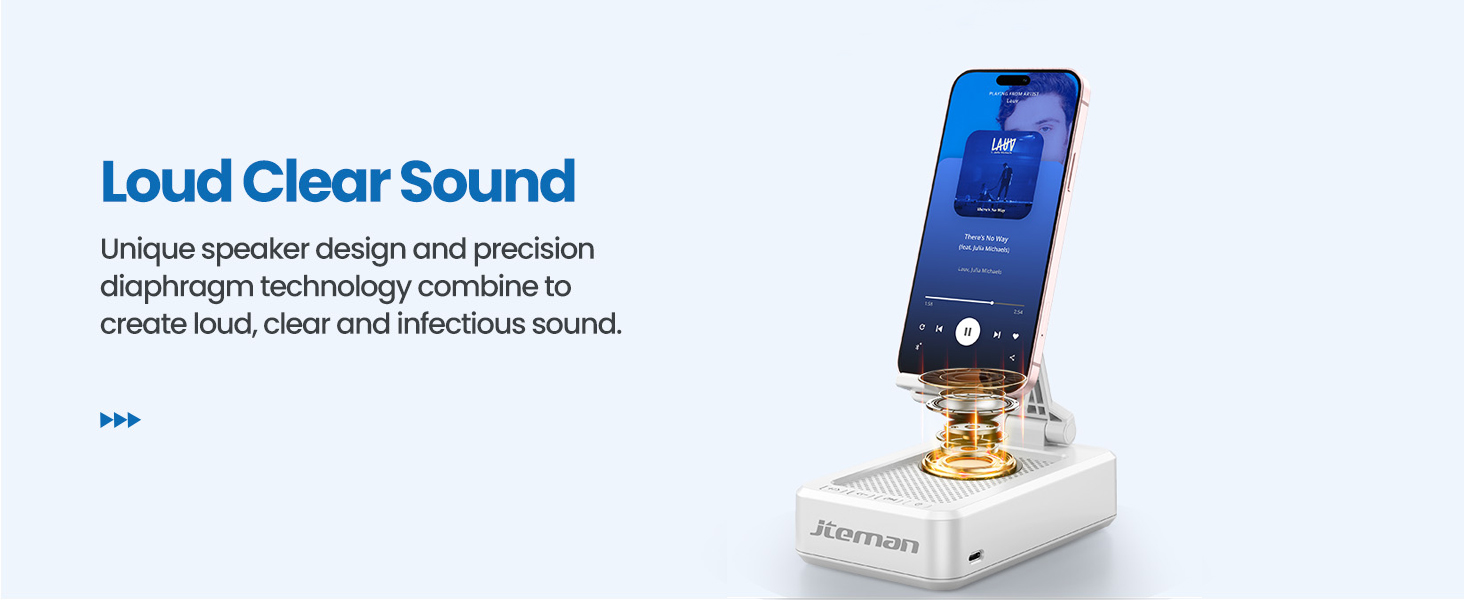
Figure 5: Easy Bluetooth Connection
5. Arahan Operasi
5.1 Using as a Phone/Tablet Stand
- Gently pull up the phone holder arm from its folded position.
- Adjust the angle of the holder to your preferred viewing position. The stand is designed to be stable at various angles.
- Place your smartphone, tablet, or e-reader onto the holder. The anti-slip silicone pads will secure your device.
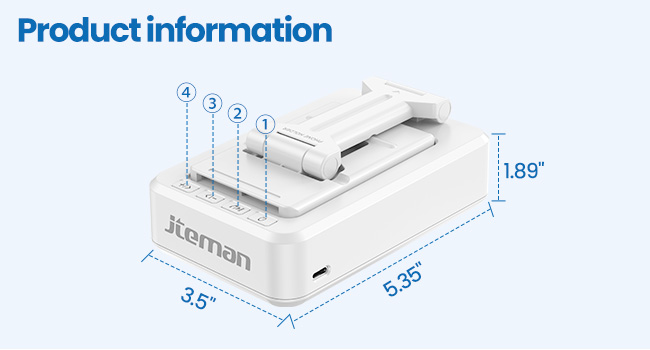
Figure 6: Angle Adjustment for Optimal Viewing
5.2 Menggunakan Pembesar Suara Bluetooth
Once paired with your device, audio will automatically play through the JTEMAN L9 speaker.
- Main/Jeda: Press the Play/Pause button on the speaker to control media playback.
- Kawalan Kelantangan: Use the volume buttons (+/-) on the speaker to adjust the audio level.
- Navigasi Trek: Use the skip buttons (<< / >>) to go to the previous or next track.
- Panggilan bebas tangan: The built-in microphone allows for clear hands-free communication. Press the phone icon button to answer or end calls.

Figure 7: Loud and Clear Sound Output
5.3 Kemudahalihan
When not in use, the phone holder arm can be folded down, making the device compact and easy to carry in a bag.

Figure 8: Foldable and Portable Design
5.4 Video Produk Rasmi
Video 1: Demonstrates the sound quality and instant pairing of the JTEMAN L9.
Video 2: Showcases the power and versatility of the JTEMAN L9 speaker and stand.
Video 3: Highlights the compact design, clear sound, and anti-slip base of the JTEMAN L9.
6. Penyelenggaraan
- Pastikan peranti bersih dengan mengelapnya dengan kain lembut dan kering.
- Elakkan daripada mendedahkan peranti kepada suhu yang melampau, lembapan atau cahaya matahari langsung.
- Jangan gunakan pembersih atau pelarut yang melelas.
7. Penyelesaian masalah
| Masalah | Kemungkinan Punca | Penyelesaian |
|---|---|---|
| Peranti tidak dihidupkan | Bateri lemah | Cas peranti menggunakan kabel USB-C yang disediakan. |
| Tidak boleh berpasangan melalui Bluetooth | Bluetooth not enabled on source device; device too far; already paired to another device | Ensure Bluetooth is on and within range (approx. 10m). Disconnect from other devices. |
| Tiada suara atau kelantangan rendah | Volume too low on speaker or source device; not properly connected | Increase volume on both devices. Re-pair Bluetooth connection. |
| Audio skipping/interruption | Gangguan; peranti terlalu jauh; bateri lemah | Move closer to the source device. Ensure no obstructions. Charge the device. |
8. Spesifikasi
| Ciri | Perincian |
|---|---|
| Dimensi Produk | 5.35 x 3.5 x 1.89 inci |
| Berat Barang | 11.5 auns |
| Nombor Model Item | L9 |
| Jenama | JTEMAN |
| warna | putih |
| Faktor Bentuk | Stand Telefon dengan Pembesar Suara |
| Peranti Serasi | Mobile phone, Tablet |
| Model Telefon yang Serasi | iPhone, Samsung, iPad mini, Samsung Tab, Google Nexus, Kindle |
| Kapasiti Bateri | 1800mAh (approx. 8-10 hours play time at medium volume) |
9. Waranti dan Sokongan
JTEMAN products are manufactured with high-quality standards. For any issues or support needs, please refer to the contact information provided with your purchase or visit the official JTEMAN webtapak. Simpan bukti pembelian anda untuk tuntutan waranti.


