1. Maklumat Keselamatan Penting
Sila baca semua arahan dengan teliti sebelum pemasangan dan penggunaan. Simpan manual ini untuk rujukan masa hadapan.
- Sentiasa pasang meja di atas permukaan yang stabil dan rata.
- Be cautious when moving the desk to avoid tipping or injury.
- Jangan melebihi kapasiti berat 132 lbs keseluruhan (33 lbs per shelf) to ensure stability and safety.
- Jauhkan kanak-kanak dan haiwan peliharaan dari kawasan perhimpunan.
- Pastikan semua pengikat diketatkan dengan selamat sebelum digunakan. Periksa dan ketatkan semula secara berkala mengikut keperluan.
2. Produk Lebihview dan Ciri
The Mount-It! MI-7940 Rolling Standing Desk is designed to provide a flexible and mobile workspace. It features adjustable height, multiple shelves for organization, and locking casters for easy movement and stability.

Rajah 2.1: Diagram highlighting key features of the MI-7940 desk, including height adjustable tabletop, keyboard tray, utility shelves, durable steel frame, release knobs, decorative base cover, and locking wheel base.
Ciri-ciri Utama:
- Flexible Workspace: Easily moves between various environments such as classrooms, offices, and home study areas.
- Tinggi boleh laras: Top shelves adjust through 11 locking intervals, from 37.25 inches to 53.75 inches, allowing for comfortable sitting or standing positions.
- Ample Penyimpanan: Four sturdy platforms provide dedicated surfaces for monitors, laptops, keyboards, printers, and supplies.
- Kapasiti Berat Tinggi: Each shelf supports up to 33 lbs, with a total desk capacity of 132 lbs.
- Mobiliti Mudah: Equipped with 1.5-inch smooth-rolling casters, two of which are locking, for secure positioning.
- Pembinaan Tahan Lama: Built from high-strength steel and engineered wood for long-term reliability.

Rajah 2.2: Illustration showing the weight capacity of each shelf (33 lbs) and the total maximum weight capacity of the desk (132 lbs).
3. Arahan Perhimpunan
Follow these steps to assemble your Mount-It! MI-7940 Rolling Standing Desk. All necessary tools are typically included, but a Phillips head screwdriver may be useful.
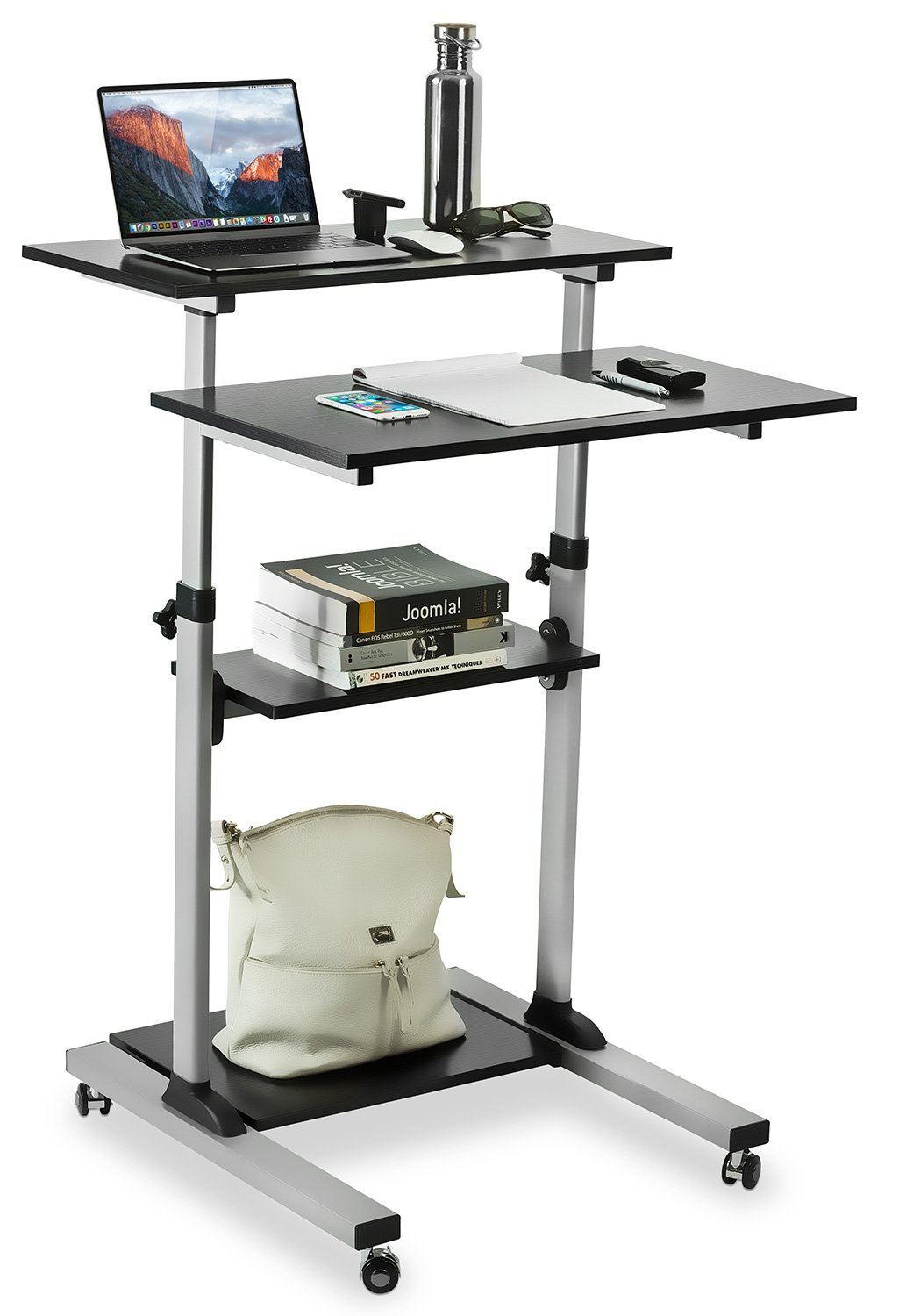
Rajah 3.1: Fully assembled Mount-It! MI-7940 Rolling Standing Desk, showing its multi-tier design and mobile base.
- Buka Pembungkusan Komponen: Carefully remove all parts from the packaging and lay them out on a clean, flat, and soft surface to prevent scratches. Verify all components are present against the parts list (not provided in this manual, refer to your product packaging).
- Pasang Kastor ke Pangkalan: Insert the caster wheels into the designated holes on the base frame. Ensure two of the casters are locking wheels and position them on the front side for easy access. Tighten securely.
- Pasang Tiang Menegak: Connect the vertical support posts to the base frame using the provided hardware. Ensure they are oriented correctly according to the design.
- Pasang Rak Bawah: Slide the lowest utility shelf onto the vertical posts and secure it at the desired height using the locking knobs.
- Pasang Rak Tengah: Slide the middle utility shelf onto the vertical posts and secure it using the locking knobs.
- Attach Main Tabletop and Keyboard Tray: Attach the main tabletop and the keyboard tray to the upper sections of the vertical posts. These sections are designed for height adjustment. Secure them with the provided hardware and locking knobs.
- Semakan Akhir: Once all components are assembled, gently shake the desk to ensure stability. Re-tighten any loose connections.
4. Arahan Operasi
4.1. Pelarasan Ketinggian
The MI-7940 desk allows for flexible height adjustment to switch between sitting and standing positions. The top platforms can be adjusted from 37.25 inches to 53.75 inches.

Rajah 4.1: Visual representation of the desk's height adjustment range, showing compressed (37.4 inches) and extended (54.7 inches) positions.
- Buka kunci: Locate the release knobs on the vertical posts supporting the main tabletop and keyboard tray. Turn these knobs counter-clockwise to loosen them.
- Laraskan Ketinggian: Carefully raise or lower the platforms to your desired height. The desk features 11 locking intervals for precise positioning.
- Kunci: Once the desired height is reached, turn the release knobs clockwise to securely tighten them. Ensure both knobs are fully tightened to prevent accidental movement.
4.2. Mobility and Locking Casters
The desk is equipped with smooth-rolling casters for easy movement. Two of these casters have locking mechanisms to secure the desk in place.

Rajah 4.2: jarak dekat view of the high-quality caster wheels, highlighting the locking mechanism.
- Untuk bergerak: Ensure the locking brakes on the casters are disengaged (unlocked). Gently push the desk to its new location.
- Untuk Selamatkan: Once the desk is in the desired position, press down on the locking levers of the two locking casters until they click into place. This will prevent the desk from rolling.
4.3. Posture Guidance
Maintaining correct posture is crucial for comfort and health, especially during prolonged use. The adjustable height feature of this desk can help you achieve an ergonomic setup.

Rajah 4.3: Comparison of incorrect and correct posture when using a desk, illustrating how an adjustable standing desk can promote better ergonomics.
- Standing Posture: Adjust the desk height so your elbows are at a 90-degree angle when your hands are on the keyboard. Your monitor should be at eye level.
- Postur Duduk: If using with a chair, ensure your feet are flat on the floor, knees at a 90-degree angle, and elbows at a 90-degree angle to the keyboard.
5. Penyelenggaraan
Regular maintenance will help prolong the life and appearance of your Mount-It! MI-7940 Rolling Standing Desk.
- Pembersihan: Lap permukaan dengan lembut, damp kain. Elakkan bahan kimia yang keras atau pembersih yang melelas, yang boleh merosakkan kemasan.
- Pengikat: Periksa semua skru dan bolt secara berkala untuk memastikan ia kekal ketat. Ketatkan semula jika perlu untuk mengekalkan kestabilan.
- Kastor: Keep caster wheels free of debris (hair, dust, etc.) to ensure smooth movement.
- Had Berat: Always adhere to the specified weight limits for each shelf and the total desk to prevent structural damage.
6. Penyelesaian masalah
If you encounter any issues with your desk, refer to the following common problems and solutions.
| Masalah | Kemungkinan Punca | Penyelesaian |
|---|---|---|
| Meja goyah atau tidak stabil. | Pengikat longgar; permukaan tidak rata. | Check and tighten all screws and bolts. Move the desk to a flat, level surface. |
| Height adjustment is difficult or stuck. | Locking knobs are too tight; mechanism obstructed. | Ensure locking knobs are fully loosened. Check for any obstructions in the adjustment mechanism. |
| Roda tidak bergolek dengan lancar. | Debris in wheels; locking brake engaged. | Clean any debris from the caster wheels. Ensure locking brakes are disengaged. |
| Desk makes noise during movement. | Loose connections; friction. | Tighten all fasteners. A small amount of silicone spray on moving parts (avoiding wood surfaces) may reduce friction. |
If you are unable to resolve an issue using the troubleshooting guide, please contact Mount-It! customer support for assistance.
7. Spesifikasi
Detailed specifications for the Mount-It! MI-7940 Rolling Standing Desk.

Rajah 7.1: Detailed dimensional drawing of the MI-7940 desk, including height, width, and depth measurements for all shelves and the overall structure.
| Ciri | Spesifikasi |
|---|---|
| Nombor Model | MI-7940 |
| Jenama | Pasang! |
| Reka Bentuk Meja | Meja Berdiri |
| warna | Hitam |
| Jenis Bahan | Kayu Kejuruteraan, Keluli |
| Jenis Selesai | Berlamina |
| Ketinggian Minimum | 37 Inci (lebih kurang 94 cm) |
| Ketinggian Maksimum | 54.7 Inci (lebih kurang 139 cm) |
| Bilangan Rak | 4 |
| Kapasiti Berat (setiap rak) | 33 paun |
| Cadangan Berat Maksimum (Jumlah) | 132 paun |
| Saiz Kastor | 1.5 inci |
| Berat Barang | 20 paun |
| UPC | 810041737267 |
8. Waranti dan Sokongan
8.1. Maklumat Waranti
Mount-It! products are backed by a waranti seumur hidup, ensuring reliable performance for years to come. This warranty covers defects in materials and workmanship under normal use.
For specific details regarding the lifetime warranty, please refer to the official Mount-It! warranty policy available on their webtapak atau hubungi sokongan pelanggan.
8.2. Sokongan Pelanggan
Mount-It! provides expert US-based technical assistance to help you with any questions or issues before, during, and after setup.
For support, please visit the official Mount-It! website or refer to the contact information provided with your product packaging. You can also find additional resources and FAQs on their brand store:


