1. Pengenalan
This manual provides detailed instructions for the BINNUNE BG02 Wired Gaming Headset. Please read this manual thoroughly before using the product to ensure proper operation and to maximize your gaming experience. This headset is designed for immersive audio and clear communication across multiple gaming platforms.
2. Kandungan Pakej
Sahkan bahawa semua item yang disenaraikan di bawah disertakan dalam pakej anda:
- BINNUNE BG02 Wired Gaming Headset
- 3.5mm Audio Cable with In-line Controls
- PC Splitter Cable (for separate audio/mic ports)
- Panduan Mula Pantas

Image: The BINNUNE BG02 headset, its braided cable with in-line controls, a PC splitter cable, and a quick start guide, laid out on a dark background.
3. Ciri-ciri Produk
- Audio Imersif: High-precision 50mm drivers with titanium-coated diaphragms deliver clear audio and enhanced acoustics for an immersive gaming experience.
- Komunikasi yang jelas: Unidirectional boom microphone with noise-cancellation technology ensures effective communication with teammates by suppressing background noise.
- Keserasian Luas: Compatible with PC, PS4, PS5, Xbox One, Xbox Series X|S, Nintendo Switch, laptops, tablets, and smartphones via a 3.5mm interface.
- Reka bentuk yang selesa: Features memory foam ear cushions and a soft headband for extended comfort during long gaming sessions.
- Kawalan Mudah: In-line audio controls on the braided cable include a volume slider and a microphone mute button for quick adjustments.
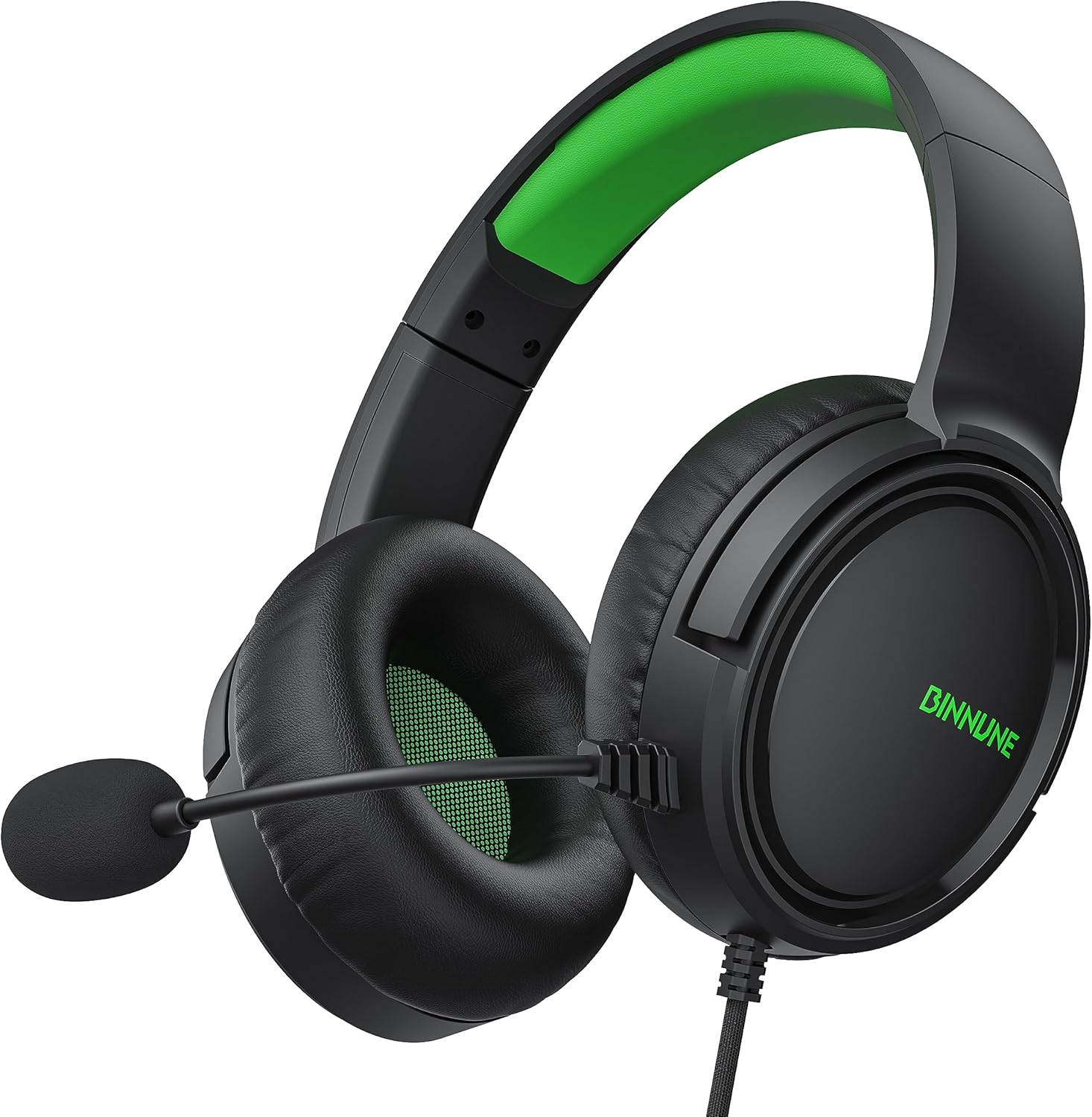
Imej: Dari dekat view of the BINNUNE BG02 Wired Gaming Headset, showcasing its black and green design, earcups, and adjustable microphone.
4. Arahan Persediaan
4.1 Connecting to Gaming Consoles (PS4, PS5, Xbox One, Xbox Series X|S, Nintendo Switch)
- Locate the 3.5mm audio jack on your console's controller (or console itself for some Switch setups).
- Plug the 3.5mm connector from the headset's braided cable directly into the audio jack.
- Adjust audio settings on your console as needed to ensure the headset is recognized and audio output/input levels are correct.

Image: The BINNUNE BG02 headset connected to an Xbox Series X controller, with an Xbox Series X console in the background, illustrating console compatibility.
4.2 Connecting to PC/Laptops with Separate Audio/Mic Ports
- Connect the headset's 3.5mm connector to the female end of the included PC splitter cable.
- Plug the green-colored male connector of the splitter cable into your PC's audio output (headphone) jack.
- Plug the pink-colored male connector of the splitter cable into your PC's microphone input jack.
- Ensure your PC's sound settings are configured to use the connected headset for both playback and recording.
4.3 Connecting to Laptops/Tablets/Smartphones with a Single 3.5mm Port
- Plug the headset's 3.5mm connector directly into the device's combined audio/mic jack.
- The device should automatically detect the headset for both audio output and microphone input.

Image: The BINNUNE BG02 headset positioned among various compatible devices including a Nintendo Switch, PlayStation 5, Xbox console, laptop, and smartphone, demonstrating cross-platform compatibility.
5. Arahan Operasi
5.1 Penggunaan Mikrofon
- Mikrofon ini fleksibel dan boleh dilaraskan ke kedudukan pilihan anda untuk pengambilan suara yang optimum.
- Ensure the microphone is positioned close to your mouth for clear communication.

Image: A person wearing the BINNUNE BG02 headset, with the flexible unidirectional boom microphone positioned near their mouth, highlighting its voice capture capabilities.
5.2 In-line Audio Controls
The braided cable features an in-line control unit for quick adjustments:
- Peluncur Kelantangan: Slide up or down to increase or decrease the headset's audio volume.
- Butang Redam Mikrofon: Press the button to mute or unmute the microphone. An indicator (if present) will show the microphone status.

Image: A close-up of the in-line audio control unit on the headset's braided cable, showing the volume slider and microphone mute button, along with the 3.5mm jack.
6. Penyelenggaraan dan Penjagaan
- Pembersihan: Use a soft, dry cloth to clean the headset. Do not use liquid cleaners or abrasive materials.
- Storan: Simpan alat dengar di tempat yang sejuk dan kering jauh dari cahaya matahari langsung dan suhu yang melampau.
- Penjagaan Kabel: Elakkan selekoh tajam atau tarikan berlebihan pada kabel untuk mengelakkan kerosakan.
- Kusyen Telinga: Periksa kusyen telinga secara berkala untuk haus dan lusuh. Kusyen gantian mungkin boleh didapati daripada pengilang.
7. Penyelesaian masalah
| Masalah | Kemungkinan Punca | Penyelesaian |
|---|---|---|
| Tiada bunyi dari set kepala. |
|
|
| Mikrofon tidak berfungsi. |
|
|
| Kualiti bunyi kurang baik. |
|
|
8. Spesifikasi
| Nama Model | BG02 |
| Teknologi Ketersambungan | Berwayar (Bicu 3.5 mm) |
| Saiz Pemacu Audio | 50 Milimeter |
| Julat Kekerapan | 20 Hz - 20,000 Hz |
| Sensitiviti | 97 dB |
| Impedans | 32 Ohm |
| Kawalan Bunyi | Pengasingan Bunyi |
| Mikrofon | Unidirectional, Noise-Cancellation |
| Kawalan | In-line Volume Control, Microphone Mute Button |
| Ciri Kabel | Kabel Jalinan |
| Peranti Serasi | PC, PS4, PS5, Xbox One, Xbox Series X|S, NS, Laptops, Tablets, Smartphones |
| bahan | plastik |
| Dimensi Produk | 7.48 x 7.87 x 3.94 inci |
| Berat Barang | 9 Auns |

Image: An exploded diagram showing the internal components of the headset's earcup, highlighting the 50mm titanium-coated audio drivers.
9. Waranti dan Sokongan
BINNUNE products are designed for reliability and performance. For warranty information, technical support, or customer service inquiries, please refer to the contact information provided in your product packaging or visit the official BINNUNE webtapak.
Sila simpan bukti pembelian anda untuk tuntutan waranti.


