1. Pengenalan
This manual provides comprehensive instructions for the setup, operation, maintenance, and troubleshooting of your Glorious GMMK Mechanical Numpad. Please read this manual thoroughly before using the device to ensure optimal performance and longevity.

Figure 1: Glorious GMMK Mechanical Numpad (White Ice)
2. Persediaan
2.1 Kandungan Pakej
- Glorious GMMK Mechanical Numpad
- Kabel USB-C
- Dokumentasi (manual ini)
2.2 Ketersambungan
The GMMK Numpad supports both wired (USB-C) and wireless (Bluetooth 5.0 Low Energy) connections.
Sambungan Berwayar:
Connect the provided USB-C cable to the port on the numpad and to an available USB port on your computer. The numpad will automatically be recognized and begin charging.

Figure 2: USB-C Port for Wired Connection and Charging
Sambungan Bluetooth Tanpa Wayar:
- Locate the power switch on the bottom of the numpad and slide it to the "ON" position.
- The LED indicator on the side will begin to flash, indicating pairing mode.
- On your device (computer, laptop, tablet, or phone), navigate to Bluetooth settings.
- Select "Glorious GMMK Numpad" from the list of available devices to pair.
- Once paired, the LED indicator will show a solid color.
2.3 Software Installation (Glorious CORE)
For full customization of key bindings, macros, and RGB lighting, download and install the Glorious CORE software from the official Glorious website. This software is compatible with Windows, Mac iOS, and Linux.
3. Arahan Operasi
3.1 Fungsi Utama dan Susun Atur
The GMMK Numpad features 18 mechanical keys, a clickable rotary encoder (knob), and a programmable slider. It offers three remappable function layers for up to 51 functions.
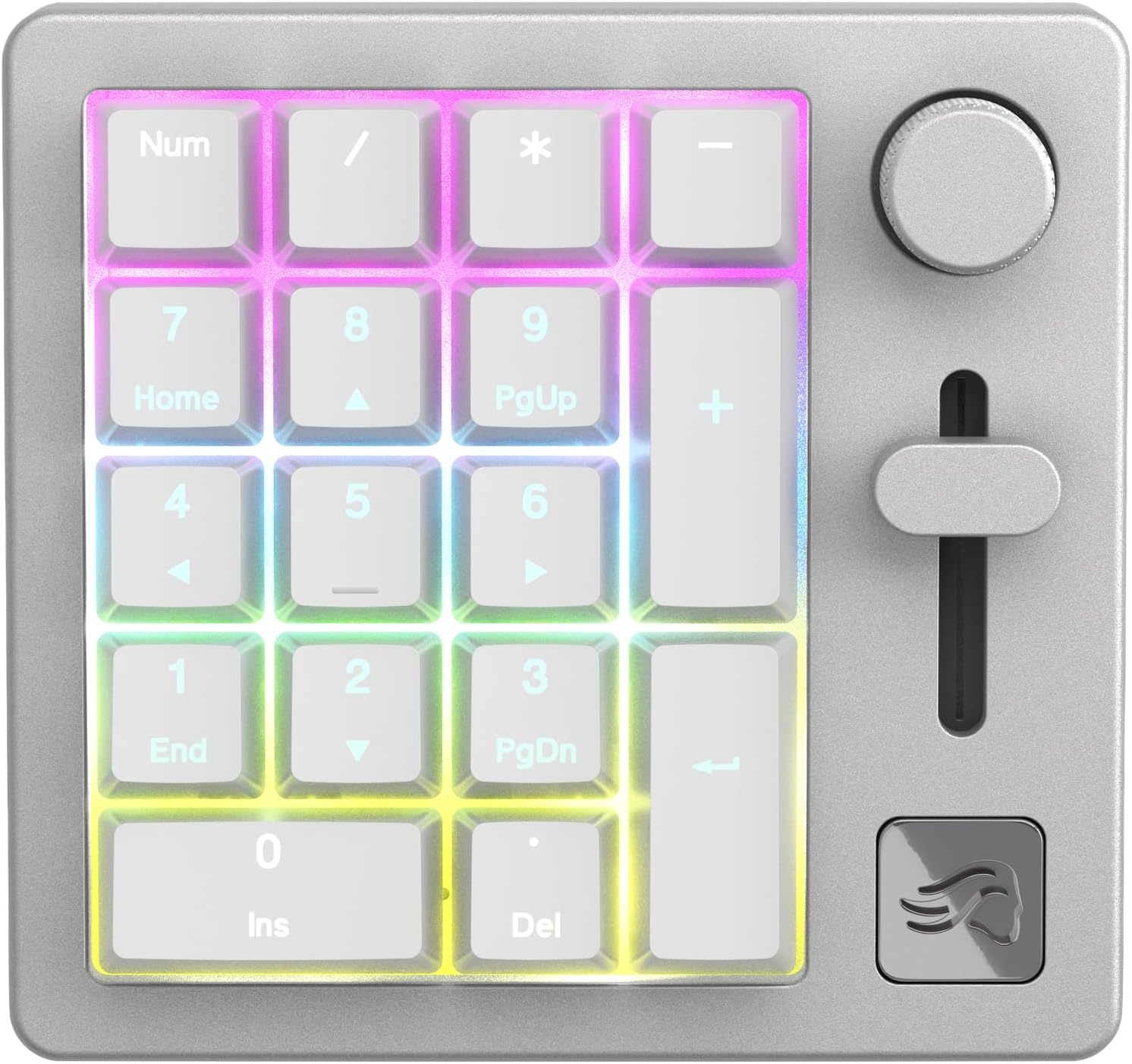
Figure 3: Numpad Layout with RGB Backlighting
Kawalan Boleh Disesuaikan:
- Tombol Putar: By default, controls system volume. Can be programmed for other functions via Glorious CORE.
- Programmable Slider: By default, controls system volume. Can be programmed for other functions via Glorious CORE.
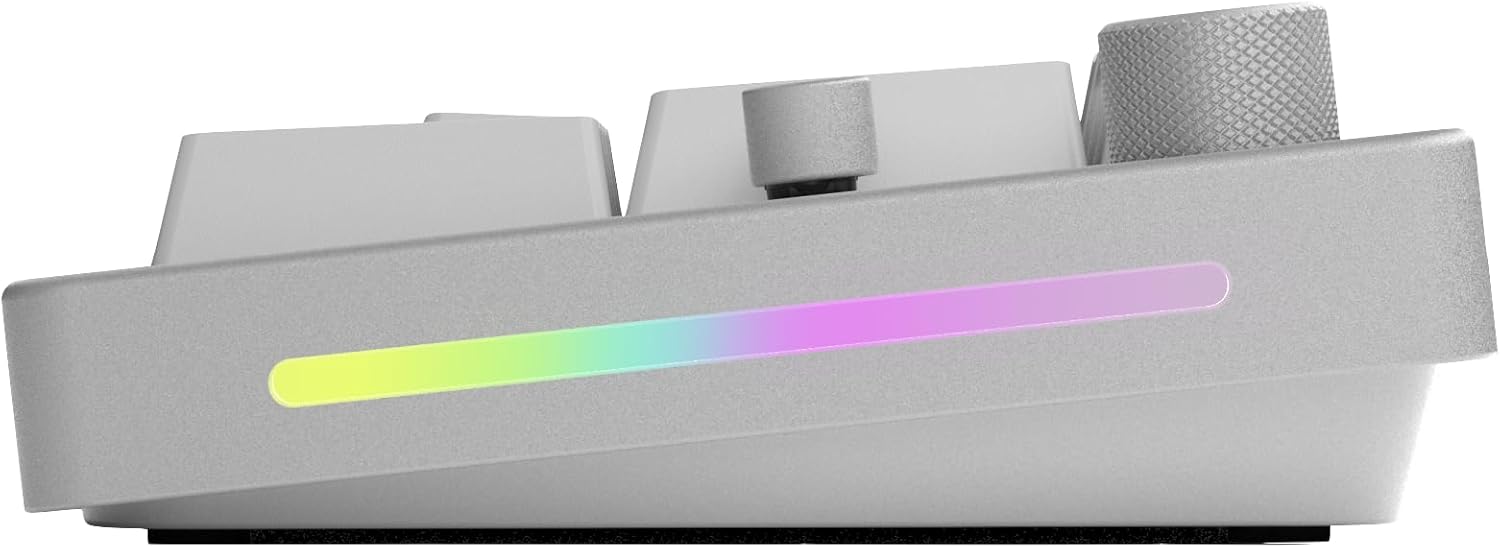
Figure 4: Programmable Slider

Figure 5: Clickable Rotary Knob
3.2 Pencahayaan RGB
The numpad features customizable RGB lighting on the side panel and behind the keycaps. Lighting effects and colors can be adjusted using the Glorious CORE software.
3.3 Hayat Bateri
The GMMK Numpad offers an extended battery life of up to 28 hours with RGB lighting on, or an impressive 76 hours with RGB lighting off. The side LED indicates battery level when in wireless mode.
4. Penyelenggaraan
4.1 Pembersihan
To clean your numpad, use a soft, dry cloth. For deeper cleaning, you may carefully remove keycaps and use compressed air to clear debris from between the switches. Avoid using harsh chemicals or abrasive materials.
4.2 Hot-Swappable Components
The GMMK Numpad is designed with hot-swappable switches and keycaps, allowing for easy customization and replacement without soldering. This feature enables you to personalize the typing feel and aesthetic of your numpad.

Figure 6: Hot-Swappable Switches
To remove a switch, use a switch puller. To remove a keycap, use a keycap puller. Align new switches carefully before pressing them into place to avoid bending pins.
5. Penyelesaian masalah
For common issues and solutions, please refer to the official Glorious Troubleshooting Guide:
Muat turun Panduan Penyelesaian Masalah (PDF)
Isu Biasa:
- Masalah Ketersambungan: Ensure the numpad is charged and within Bluetooth range. For wired connection, check the USB-C cable and port. Try re-pairing the device.
- Kerosakan Perisian: Ensure Glorious CORE software is updated to the latest version. Restart the software or your computer.
- Keys/Knob/Slider Not Responding: Verify that the numpad is properly connected. If using Glorious CORE, check key assignments and macro settings. For hot-swappable components, ensure switches are fully seated.
- Isu Pencahayaan RGB: Adjust lighting settings in Glorious CORE. Ensure the numpad has sufficient battery charge if in wireless mode.
6. Spesifikasi
| Ciri | Perincian |
|---|---|
| Dimensi Produk | 4.72"L x 4.49"W x 1.57"H |
| Berat Barang | 1.14 paun |
| Nombor Model | GLO-GMMK-NP-FOX-W |
| Bateri | 1 bateri Polimer Litium (termasuk) |
| Bilangan Kunci | 18 |
| Teknologi Ketersambungan | USB-C, Bluetooth 5.0 LE |
| Backlighting papan kekunci | RGB |
| Ciri Khas | 5-Pin Hot Swap Support |
| Peranti Serasi | Desktop, Laptop, PS4, PS5, Xbox |

Rajah 7: Bawah View of Numpad
7. Waranti dan Sokongan
7.1 Maklumat Waranti
The Glorious GMMK Mechanical Numpad comes with a 2 Year Limited Manufacturer Guarantee. Waranti ini melindungi kecacatan pada bahan dan mutu kerja di bawah penggunaan biasa.
7.2 Sokongan Pelanggan
For further assistance, technical support, or warranty claims, please visit the official Glorious weblaman web atau hubungi khidmat pelanggan mereka. Anda juga boleh merujuk kepada Panduan Penyelesaian Masalah (PDF) for immediate solutions to common issues.


