1. Pengenalan
The Temtop C10 Portable CO2 Monitor is an advanced 3-in-1 device designed to accurately measure carbon dioxide (CO2) concentration, temperature, and humidity in real-time. This compact and user-friendly monitor helps you maintain a healthier indoor environment by providing instant insights into your air quality. It is ideal for various settings including homes, offices, travel, and grow rooms.

Image: The Temtop C10 monitor showing its main display with CO2, temperature, and humidity readings.
Ciri-ciri Utama:
- Accurate Air Monitoring: Real-time detection of CO2, temperature, and humidity.
- Teknologi Sensor Lanjutan: Utilizes Sensirion CO2 and Temp & Humi sensors for precise detection.
- Smart Self-Calibration: Embedded algorithms ensure better performance and accuracy over time.
- Reka Bentuk Mesra Pengguna: Single-button operation, switchable Celsius/Fahrenheit, and 3-color LED indicator.
- Bateri tahan lama: Built-in 2200mAh rechargeable lithium battery provides up to 48 hours of usage.
2. Apa yang Termasuk
Upon unboxing your Temtop C10 CO2 Monitor, please ensure all the following items are present:
- Temtop C10 CO2 Monitor Unit
- Manual Pengguna
- Kabel Pengecas USB
- Kotak Penyimpanan
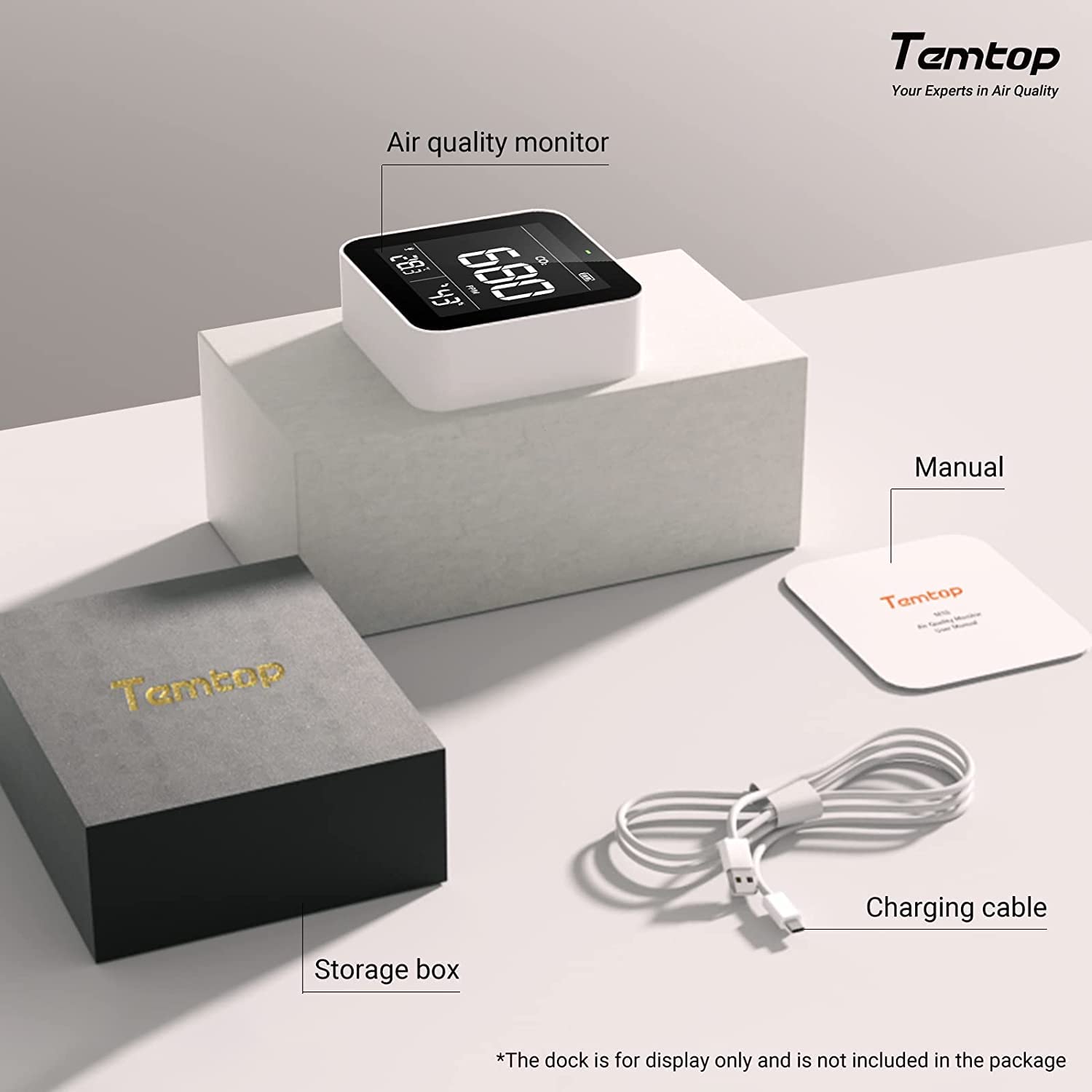
Image: The Temtop C10 monitor, user manual, charging cable, and storage box as included in the package.
3. Persediaan dan Penggunaan Pertama
- Mengecas Peranti: Before first use, fully charge the Temtop C10 monitor using the provided USB charging cable. Connect the cable to the micro USB charging port on the device and a standard USB power adapter (not included). The battery indicator on the display will show charging status.
- Hidupkan/Mati Kuasa: Press and hold the single button on the device to power it on or off.
- Initial Readings: Allow the device a few minutes after powering on to stabilize its readings. The monitor will immediately begin displaying current CO2, temperature, and humidity levels.
- Penukaran Unit: Briefly press the single button to switch between Celsius (°C) and Fahrenheit (°F) for temperature display.
4. Mengendalikan Monitor
Memahami Paparan:
The large digital display provides clear, real-time readings for all three parameters:
- Kepekatan CO2: Displayed in Parts Per Million (PPM).
- Suhu: Displayed in Celsius or Fahrenheit.
- Kelembapan: Dipaparkan sebagai peratusantage (%).

Image: The Temtop C10 monitor showcasing its ability to measure CO2, temperature, and humidity.
CO2 Level Indicator:
The monitor features a 3-color LED indicator to provide quick visual feedback on CO2 levels:
- hijau: 0 – 700 PPM (Good air quality)
- Kuning: 701 – 2500 PPM (Fair air quality, consider ventilation)
- merah: ≥ 2501 PPM (Poor air quality, immediate ventilation recommended)

Image: Visual representation of CO2 concentration ranges and their potential health effects.
Smart Connectivity (if applicable):
Some Temtop models offer smart connectivity. If your C10 model supports it, you can connect it to a mobile application to track air quality data in real-time and monitor your family's respiratory health. Refer to the specific app instructions for pairing and usage.
Video: An official Temtop video demonstrating the application of their air quality monitors, including smart connectivity features and how they can be used to monitor indoor air quality.
5. Penentukuran
The Temtop C10 offers two calibration modes to ensure accurate CO2 readings:
Automatic Calibration Mode (ABC OFFSET algorithm):
The device is equipped with an ABC OFFSET algorithm that regularly detects and corrects the surrounding CO2 value. This feature helps maintain accuracy over time by dynamically adjusting readings based on the lowest CO2 concentration detected over a period (typically 8 days), assuming that the lowest concentration represents fresh outdoor air (approximately 400 ppm CO2).
Mod Penentukuran Manual:
For precise calibration, especially after prolonged use in a stable environment or if you suspect inaccurate readings, manual calibration is recommended. To perform manual calibration, expose the device to fresh outdoor air (approximately 400 ppm of CO2) at least 1 meter away from people for a specified period (refer to the device's on-screen instructions or full manual for exact duration and steps).
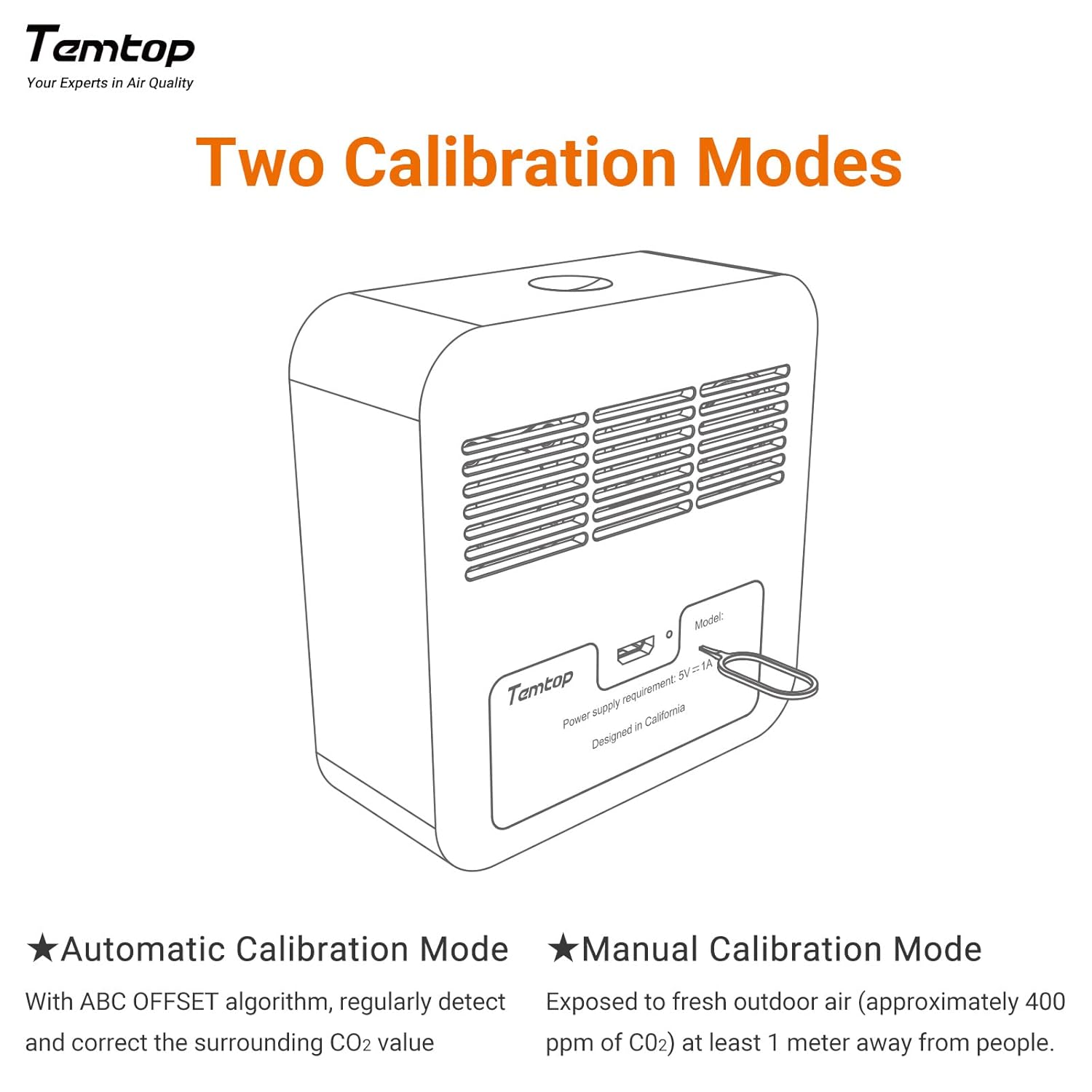
Image: A diagram detailing the two calibration modes for the Temtop C10 monitor.
6. Penyelenggaraan
To ensure the longevity and optimal performance of your Temtop C10 monitor, follow these maintenance guidelines:
- Pembersihan: Use a soft, dry cloth to clean the device. Do not use abrasive cleaners, solvents, or harsh chemicals.
- Storan: Store the monitor in a cool, dry place away from direct sunlight and extreme temperatures. Use the provided storage box when not in use for extended periods.
- Elakkan halangan: Ensure the sensor vents (typically on the back or sides) are not blocked, as this can affect reading accuracy.
- Penjagaan Bateri: Recharge the battery regularly, even if the device is not in constant use, to maintain battery health. Avoid completely draining the battery frequently.
7. Penyelesaian masalah
If you encounter issues with your Temtop C10 monitor, try the following troubleshooting steps:
| Masalah | Kemungkinan Punca | Penyelesaian |
|---|---|---|
| Display is garbled or unreadable. | Software glitch, low battery, or internal component issue. | 1. Fully charge the device. 2. Power off and restart the device. 3. If the issue persists, contact customer support. |
| Bacaan CO2 yang tidak tepat. | Sensor obstruction, need for manual calibration, or environmental factors. | 1. Ensure sensor vents are clear. 2. Perform a manual calibration in fresh outdoor air. 3. Avoid placing the device near strong air currents or heat sources. |
| Hayat bateri pendek. | Battery degradation over time, frequent use, or background processes. | 1. Ensure the device is fully charged before use. 2. Keep the device plugged in for continuous monitoring if possible. 3. Battery life is approximately 48 hours depending on usage. |
| Peranti tidak dihidupkan. | Completely drained battery or power issue. | 1. Connect to charger and allow several minutes for charging before attempting to power on. 2. Try a different USB cable or power adapter. |
8. Spesifikasi
| Spesifikasi | Perincian |
|---|---|
| Dimensi Produk | 3.3 x 1.3 x 3.3 inci |
| Berat Barang | 0.35 Kilogram (12.35 auns) |
| Nombor Model Item | C10 |
| Bateri | 1 Bateri Lithium Ion diperlukan |
| Pengeluar | Elitech |
| Sumber Kuasa | Dikuasakan Bateri |
| warna | putih |
| Kelembapan Operasi | 95 peratus |
| Jenis Sensor | Fotolistrik |
9. Waranti dan Sokongan
Temtop products are designed for reliability and performance. For warranty information, technical support, or service inquiries, please refer to the contact details provided on the product packaging or visit the official Temtop webtapak. Simpan resit pembelian anda sebagai bukti pembelian untuk sebarang tuntutan waranti.


