1. Pengenalan
The AIYIMA A08 PRO is a high-fidelity Class D stereo digital audio amplifier designed for passive speakers in home audio systems. It features a TPA3255 amplifier chip, Bluetooth 5.1 connectivity, and a classic VU meter for visual feedback. This manual provides detailed instructions for setting up, operating, and maintaining your A08 PRO amppenguat untuk memastikan prestasi optimum.
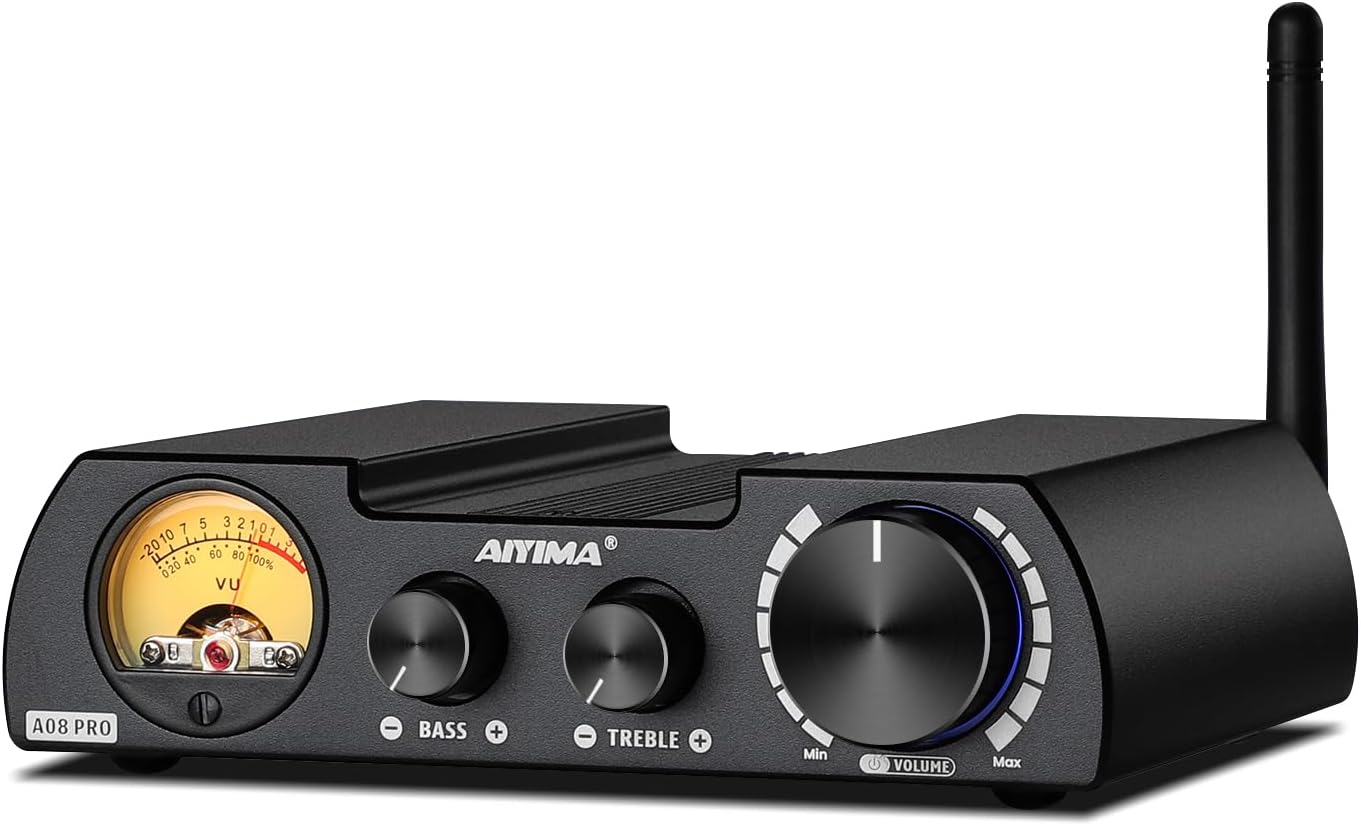
Figure 1: AIYIMA A08 PRO TPA3255 Power Amplebih hidup
2. Apa yang ada di dalam Kotak
- 1x AIYIMA A08 PRO Amplebih hidup
- 1x Penyesuai Kuasa 36V 6A DC
- 1x Antena Bluetooth
- 1x Manual Pengguna

Rajah 2: Kandungan Pakej
3. Produk Lebihview
3.1 Panel Depan
- Meter VU: Displays audio signal level, providing a vintage visual experience.
- Kawalan Bes: Melaraskan output frekuensi rendah.
- Kawalan Treble: Melaraskan output frekuensi tinggi.
- Tombol Kelantangan/Kuasa: Controls overall volume and acts as the power switch (press to turn on/off).
3.2 Panel Belakang
- Penyambung Antena Bluetooth: Untuk memasang antena Bluetooth yang disertakan.
- RCA Audio Input: Untuk menyambungkan sumber audio luaran melalui kabel RCA.
- Output AUX 3.5mm: For connecting to active speakers, active amplifiers, or active subwoofers.
- Terminal Output Pembesar Suara: For connecting passive speakers (left and right channels).
- DC Power Input (24V-48V): Untuk menyambungkan penyesuai kuasa.

Rajah 3: Susun Atur Panel Depan dan Belakang
3.3 Dimensi
The A08 PRO has compact dimensions, making it suitable for various setups.
- Dimensi Produk: 5.98 x 4.8 x 1.57 inci (152mm x 122mm x 40mm)
- Berat Barang: 2.31 paun (692.5g)

Rajah 4: Dimensi Produk
4. Persediaan
4.1 Pembesar Suara Penyambung
- Ensure the A08 PRO is powered off.
- Connect your passive speakers to the Speaker Output Terminals on the rear panel. Match the positive (+) and negative (-) terminals correctly for each speaker.
4.2 Menyambungkan Sumber Audio
Input RCA
- Connect your audio source (e.g., CD player, DAC, TV) to the RCA Audio Input terminals on the rear panel using RCA cables.
Input Bluetooth
- Screw the included Bluetooth antenna onto the RF connector on the rear panel.
- Ensure Bluetooth is enabled on your source device (smartphone, tablet, PC).
- Cari untuk "AIYIMA" in your device's Bluetooth settings and pair.
4.3 Connecting a Subwoofer or External Amplifier (AUX OUT)
- Connect the 3.5mm AUX Output on the rear panel to the input of an active subwoofer or another active amplifier. This allows for building a 2.1 channel system or expanding your audio setup.
4.4 Sambungan Kuasa
- Connect the included DC 36V 6A power adapter to the DC Power Input (24V-48V) on the rear panel.
- Palamkan penyesuai kuasa ke salur keluar dinding yang sesuai.

Figure 5: Various Connection Scenarios
Video 1: Connecting AIYIMA A08 PRO Power Amplifier to an A07 Amplifier. This video demonstrates how to connect the A08 PRO to another amppenguat, pertunjukancasing its versatility in a multi-component audio setup.
Video 2: AIYIMA T8 Tube Preamplifier matching the A08 PRO Power Amp. This video illustrates how to integrate the A08 PRO with a T8 tube preamplifier for enhanced audio performance, demonstrating the connection process and resulting sound.
5. Arahan Operasi
5.1 Hidupkan/Mati Kuasa
Press the Volume/Power knob on the front panel to turn the amphidup atau mati.
5.2 Kawalan Kelantangan
Rotate the Volume/Power knob clockwise to increase volume and counter-clockwise to decrease volume.
5.3 Kawalan Nada
Use the Bass and Treble knobs on the front panel to adjust the low and high frequencies according to your preference.
5.4 Pemilihan Input
The A08 PRO automatically prioritizes Bluetooth input if a paired device is connected. If Bluetooth is disconnected, it will automatically switch to the RCA input. The color of the light around the Volume/Power knob indicates the active input:
- Lampu merah: RCA Input active
- Cahaya biru: Bluetooth Input active
6. Power Supply Considerations
The A08 PRO comes with a DC 36V 6A power adapter. To achieve the maximum rated power output of 300W per channel (into 4Ω), an upgraded linear power supply with DC 48V and current above 10A is required. Ensure any upgraded power supply is a linear type and not an industrial power supply.

Figure 6: Power Output vs. Supply Power and Impedance
7. Spesifikasi
| Ciri | Spesifikasi |
|---|---|
| Nombor Model | A08 Pro |
| Ampcip penguat | TPA3255 |
| Output Kuasa (Maks) | 300W + 300W (into 4Ω with 48V/12.5A power supply) |
| Impedans Pembesar Suara | 3-8Ω |
| Versi Bluetooth | 5.1 (Qualcomm QCC5125 Chip) |
| Codec Bluetooth yang disokong | SBC, AAC, APTX, APTX-LL, APTX-HD, LDAC |
| Input Audio | Bluetooth, RCA |
| Output Audio | Speaker Output, 3.5mm AUX Output |
| Dimensi Produk | 5.98 x 4.8 x 1.57 inci |
| Berat Barang | 2.31 paun |
| Pengeluar | YIMA TECH |
8. Penyelesaian masalah
8.1 No Sound from RCA Input
If you are not getting sound from the RCA input, check the following:
- The A08 PRO prioritizes Bluetooth input. If a previously paired Bluetooth device is within range and has its Bluetooth enabled, the amplifier may automatically connect to it, overriding the RCA input.
- To switch to RCA input, ensure no Bluetooth device is actively paired with the A08 PRO. You may need to manually disconnect or turn off Bluetooth on your source device (e.g., smartphone) to force the amplifier to switch to RCA.
- Verify that the RCA cables are securely connected to both the amppenghidup dan sumber audio.
- Semak tahap kelantangan pada kedua-dua amplifier dan sumber audio anda.
Video 3: Bluetooth Auto-Connect Behavior. This video highlights the amplifier's tendency to auto-connect to Bluetooth devices and how it affects RCA input selection, providing a visual guide for troubleshooting.
9. Penyelenggaraan
- Simpan ampsimpan di kawasan yang kering dan mempunyai pengudaraan yang baik, jauh daripada cahaya matahari langsung, sumber haba dan kelembapan.
- Bersihkan bahagian luar dengan kain lembut dan kering. Jangan gunakan pembersih cecair atau pelarut.
- Ensure proper airflow around the unit to prevent overheating.
10. Waranti & Sokongan
AIYIMA provides a worry-free warranty and technical services for its products. For any questions or support needs, please refer to the contact information provided with your purchase or visit the official AIYIMA webtapak.
Video 4: About AIYIMA Audio Company. This video provides an overview of AIYIMA, its history, and its commitment to HiFi audio equipment, offering insight into the brand's background and values.


