pengenalan
This manual provides comprehensive instructions for the safe and effective operation of your Renkforce RF-5044476 Digital Night Vision Device. Please read this manual thoroughly before using the device and retain it for future reference.
The Renkforce RF-5044476 is a durable and robust digital night vision device featuring 10x magnification and a 25mm objective lens, designed for clear vision in low-light and complete darkness conditions.
Maklumat Keselamatan
Always observe the following safety precautions to prevent damage to the device or personal injury:
- Do not look directly at strong light sources (e.g., sun, laser) through the device, as this can cause permanent eye damage and damage to the device's sensor.
- Keep the device away from extreme temperatures, humidity, and dust.
- Jangan cuba membuka atau membaiki peranti ini sendiri. Rujuk semua servis kepada kakitangan yang berkelayakan.
- Ensure batteries are inserted correctly according to polarity markings. Remove batteries if the device will not be used for an extended period.
- Gunakan hanya sumber kuasa dan aksesori yang ditentukan.
Kandungan Pakej
Sahkan bahawa semua item terdapat dalam pakej:
- Renkforce RF-5044476 Digital Night Vision Device
- Installation Material (as per specifications)
- Manual Pengguna (dokumen ini)
- (Nota: Bateri tidak disertakan)
Produk Selesaiview
Familiarize yourself with the components of your night vision device.

Rajah 1: Depan view of the Renkforce RF-5044476, showing the objective lenses and the Renkforce logo.

Rajah 2: Atas view of the device, highlighting the control buttons for power, mode, zoom, and navigation.
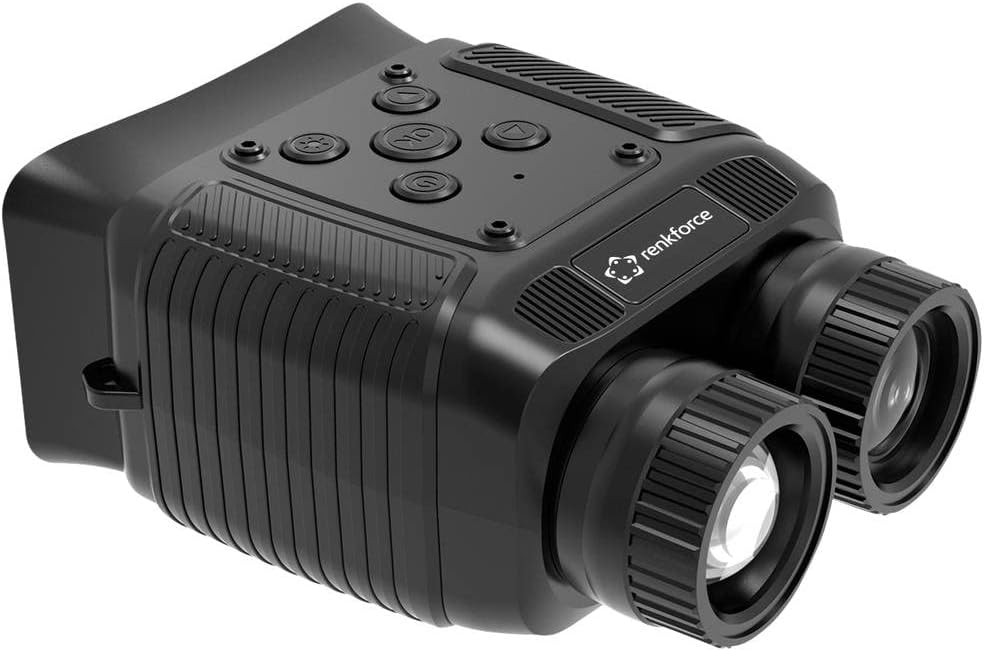
Rajah 3: Bersudut view of the Renkforce RF-5044476, showing the ergonomic design and textured grip areas.
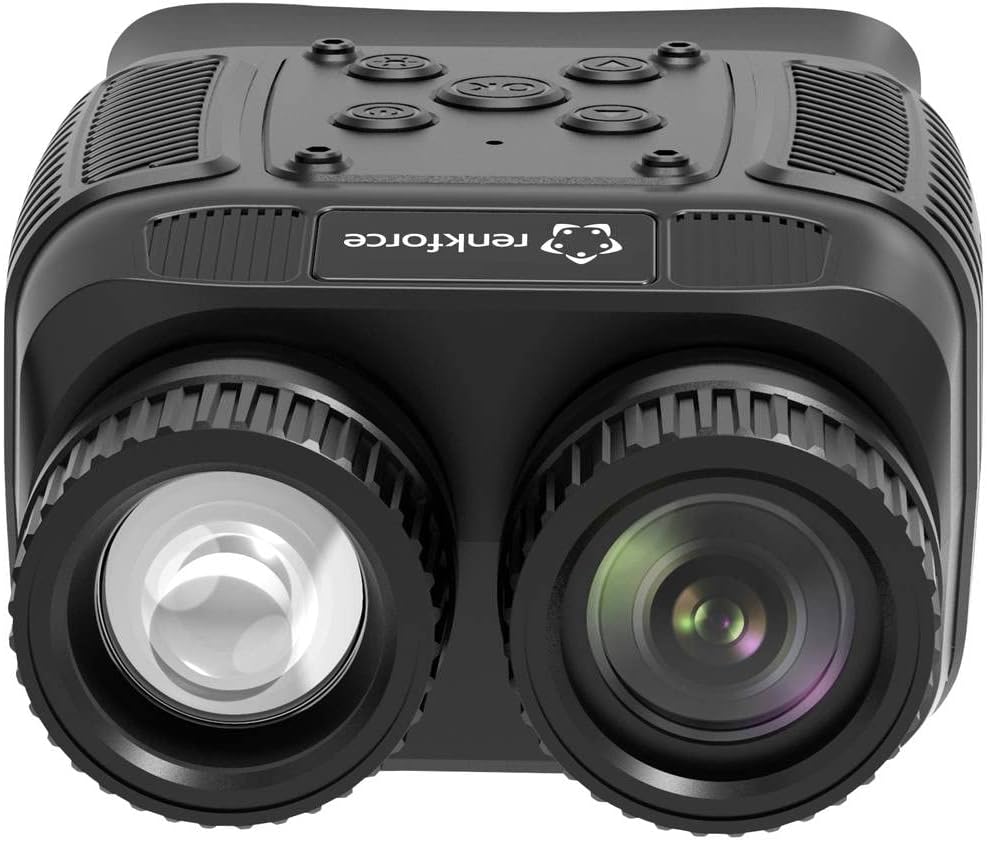
Rajah 4: Dekat hadapan view emphasizing the objective lenses and their protective caps.
Komponen utama termasuk:
- Kanta Objektif: Capture light from the scene.
- kanta mata: Untuk viewing the digital display.
- Butang Kawalan: Power, Mode, IR Level, Zoom, OK/Menu, Up/Down.
- Petak Bateri: Meletakkan sumber kuasa.
- Port USB: Untuk pemindahan data dan pengecasan (jika berkenaan).
- Slot Kad SD: For storing photos and videos.
Persediaan
1. Pemasangan Bateri
- Cari penutup petak bateri, biasanya di bahagian bawah atau sisi peranti.
- Buka penutup.
- Insert the required batteries (e.g., AA, AAA, or rechargeable pack) according to the polarity markings (+/-) inside the compartment.
- Tutup penutup petak bateri dengan selamat.
2. Menghidupkan/Mematikan
- Untuk menghidupkan, tekan dan tahan kuasa butang sehingga paparan menyala.
- Untuk mematikan, tekan dan tahan kuasa button again until the display shuts down.
3. Pelarasan Fokus Awal
- Once powered on, look through the eyepiece.
- Rotate the eyepiece diopter adjustment ring (if present) until the on-screen text or icons appear sharp.
- Rotate the objective lens focus ring to bring distant objects into clear focus.
Beroperasi
1. asas Viewing
Point the device towards the area you wish to observe. Adjust the focus as needed for optimal clarity.
2. Zum Digital
The device features an 8x digital zoom. Use the Zum buttons (often marked with '+' and '-') to increase or decrease the magnification. Note that digital zoom may reduce image quality at higher levels.
3. Infrared (IR) Illuminator
Untuk viewing in complete darkness, activate the built-in 850nm infrared illuminator. The device has 7 adjustable IR levels.
- Tekan ke IR button (often marked with a sun or IR symbol) to cycle through IR levels.
- Higher IR levels provide greater illumination range but consume more battery power.
4. Rakaman Foto dan Video
The device supports photo and video capture with its 1.3 MP FHD CMOS sensor.
- Masukkan kad SD yang serasi ke dalam slot yang ditetapkan.
- Tekan ke Mod button to switch between Photo mode and Video mode. The current mode will be indicated on the display.
- Dalam mod Foto, tekan OK butang untuk mengambil gambar.
- Dalam mod Video, tekan OK button to start recording. Press it again to stop recording.
5. Navigasi Menu
Access the device settings via the menu.
- Tekan ke Menu button (often combined with the OK button, press and hold).
- Gunakan Atas/Bawah navigation buttons to scroll through menu options.
- Tekan OK to select an option or enter a sub-menu.
- Tekan Menu again to exit the current menu level.
Common menu settings may include:
- Tetapan Tarikh/Masa
- Pemilihan bahasa
- Resolusi video
- Resolusi foto
- Format kad SD
- Tetapan semula tetapan lalai
Penyelenggaraan
1. Pembersihan
- Gunakan kain lembut dan tidak berbulu untuk membersihkan bahagian luar peranti.
- For lenses, use a specialized lens cleaning cloth and lens cleaning solution. Do not use abrasive materials or harsh chemicals.
- Gently blow off any loose dust or debris from the lenses before wiping.
2. Penyimpanan
- Simpan peranti di tempat yang sejuk dan kering, jauh dari cahaya matahari langsung dan suhu yang melampau.
- Jika menyimpan untuk tempoh yang lama, keluarkan bateri untuk mengelakkan kebocoran.
- Use the provided protective case or a padded bag to prevent scratches and impacts.
Menyelesaikan masalah
| Masalah | Kemungkinan Punca | Penyelesaian |
|---|---|---|
| Peranti tidak dihidupkan. | Low or dead batteries; incorrect battery insertion. | Gantikan bateri; memastikan polariti yang betul. |
| Imej kabur atau tidak fokus. | Focus rings not adjusted; eyepiece diopter not set. | Adjust objective lens focus and eyepiece diopter. |
| Poor image quality in darkness. | IR illuminator off or set too low; too far from subject. | Increase IR level; ensure subject is within effective range. |
| Tidak boleh mengambil gambar/video. | No SD card; SD card full or corrupted; incorrect mode. | Insert SD card; delete files or format card; switch to Photo/Video mode. |
Spesifikasi
| Ciri | Perincian |
|---|---|
| Nombor Model | RF-5044476 |
| Jenama | Renkforce |
| Pembesaran | 10x (Optical), 8x (Digital) |
| Diameter Kanta Objektif | 25 mm |
| Sensor | 1.3 MP FHD CMOS |
| Illuminator Inframerah | 850 nm, 7 adjustable levels |
| Julat Penglihatan Malam | Up to 300 m (in 100% darkness) |
| Paparan | 6.1 cm (2.4") TFT IPS |
| Photo/Video Support | ya |
| Sumber Kuasa | Electrical operation (Batteries not included) |
| Dimensi (L x W x H) | 11.3 x 8.7 x 5.2 cm |
| Berat badan | 227 gram |
| Peranti Serasi | Kamera |
Waranti dan Sokongan
Ketersediaan Alat Ganti: 1 Year (as per product information).
For technical support, warranty claims, or service inquiries, please contact your retailer or the manufacturer directly. Retain your proof of purchase for warranty validation.
Do not attempt to repair the device yourself, as this may void the warranty.


