Baseus Bowie WM02 TWS Bluetooth Earbuds
Manual Pengguna
pengenalan
Thank you for choosing the Baseus Bowie WM02 TWS Bluetooth Earbuds. These ultra-compact and lightweight earbuds are designed for comfortable, long-term wear, offering a seamless audio experience with advanced Bluetooth 5.3 technology and an impressive 25-hour battery life (with charging case). This manual will guide you through the setup, operation, and maintenance of your new earbuds.

Image: Baseus Bowie WM02 TWS Bluetooth Earbuds in white, with their charging case.
Persediaan
1. Unboxing dan Komponen
Before first use, please ensure all components are present in the package:
- Baseus Bowie WM02 TWS Earbuds
- Kes Pengecasan
- Kabel Pengecas USB-C
- Berbilang saiz hujung telinga (S, M, L)
- Manual Pengguna
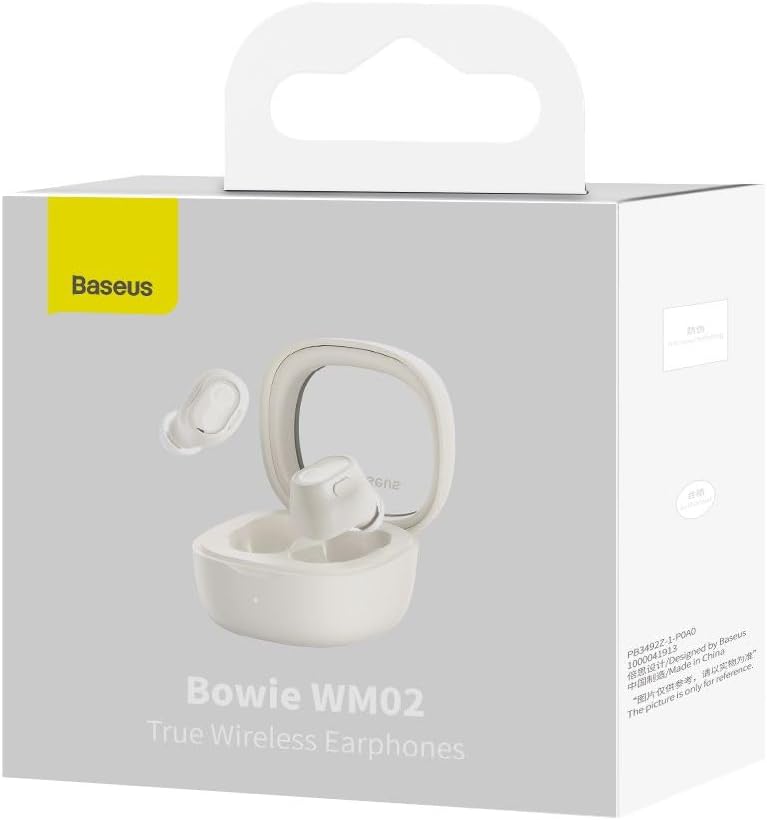
Image: The Baseus Bowie WM02 earbuds, charging case, USB-C cable, and ear tips laid out with the product packaging.
2. Mengecas Fon Telinga dan Sarung
Untuk prestasi optimum, cas sepenuhnya fon telinga dan bekas pengecas sebelum penggunaan pertama.
- Letakkan fon telinga ke dalam bekas pengecasan. Pastikan mereka duduk dengan betul di slot masing-masing.
- Sambungkan kabel pengecas USB-C ke port pengecasan pada bekas dan hujung yang satu lagi ke sumber kuasa USB (cth., komputer, penyesuai dinding).
- The indicator light on the charging case will show the charging status. Once fully charged, the light will typically turn solid or turn off.
A 10-minute quick charge provides approximately 2 hours of listening time, and a full charge offers up to 5 hours of continuous use, extending to 25 hours with the charging case.

Image: Graphic illustrating the 25-hour battery life of the Baseus Bowie WM02 earbuds and charging case.
3. Berpasangan Bluetooth
Ikuti langkah-langkah ini untuk memasangkan fon telinga anda dengan peranti yang didayakan Bluetooth:
- Buka bekas pengecas. Fon telinga akan memasuki mod berpasangan secara automatik (lampu penunjuk akan berkelip).
- Pada peranti anda (telefon pintar, tablet, komputer riba), pergi ke tetapan Bluetooth dan dayakan Bluetooth.
- Cari untuk available devices and select "Baseus Bowie WM02" from the list.
- Once connected, the earbud indicator lights will typically turn off or show a steady light.
The earbuds feature Bluetooth 5.3 for stable and efficient connection.

Image: A visual representation of the Wireless 5.3 chip, highlighting fast and smooth connection.
4. Baseus App Integration
Enhance your experience by downloading the official Baseus app. The app allows you to:
- Locate your earbuds.
- Check real-time battery levels.
- Sesuaikan kawalan sentuh.
- Akses ciri dan kemas kini tambahan.

Image: Screenshot of the Baseus app interface, demonstrating features like earbud location and battery status.
Arahan Operasi
1. Memakai Earbud
The Baseus Bowie WM02 earbuds are designed for a comfortable and secure fit, even for smaller ears. They weigh only 3.8g per earbud and have a 108-degree elevation angle for ergonomic wear.
- Select the ear tips that provide the best seal and comfort for your ears.
- Masukkan perlahan-lahan setiap fon telinga ke dalam saluran telinga anda dan putar sedikit untuk menguncinya.

Image: A woman demonstrating the comfortable and seamless fit of the Baseus Bowie WM02 earbuds.
2. Kawalan Sentuh
The earbuds feature intuitive touch controls. You can customize these controls via the Baseus app.
| Tindakan | Kawalan |
|---|---|
| Main/Jeda | Ketik sekali pada salah satu fon telinga |
| Trek Seterusnya | Ketik dua kali fon telinga kanan |
| Trek Sebelumnya | Ketik dua kali fon telinga kiri |
| Jawab/Tamatkan Panggilan | Ketik sekali pada salah satu fon telinga |
| Tolak Panggilan | Tekan lama pada kedua-dua fon telinga |
| Aktifkan Pembantu Suara | Ketik tiga kali pada salah satu fon telinga |
| Toggle Low Latency Mode (Gaming Mode) | Long press on either earbud (check app for specific gesture) |
3. Hidupkan/Mati Kuasa
- Hidupkan kuasa: Buka bekas pengecas dan fon telinga akan dihidupkan secara automatik dan disambungkan ke peranti terakhir yang dipasangkan.
- Matikan: Letakkan fon telinga kembali ke dalam bekas pengecasan dan tutup penutupnya. Mereka akan memutuskan sambungan dan mematikan kuasa secara automatik.
4. Mod Permainan (Kependaman Rendah)
The Bowie WM02 features a 60ms low-latency mode, ideal for gaming, ensuring instant response and synchronized audio. Activate this mode via the touch controls or the Baseus app for an immersive gaming experience.
Penyelenggaraan
1. Pembersihan
Pembersihan tetap membantu mengekalkan kualiti bunyi dan kebersihan.
- Gunakan kain lembut, kering dan tidak berbulu untuk mengelap fon telinga dan bekas pengecas.
- For ear tips, remove them and clean with mild soap and water, then dry thoroughly before reattaching.
- Bersihkan sesentuh pengecasan pada kedua-dua fon telinga dan bekas dengan perlahan-lahan menggunakan kapas kering.
- Elakkan menggunakan pembersih yang kasar, alkohol atau pelarut.
2. Penyimpanan
Apabila tidak digunakan, simpan fon telinga dalam bekas pengecasnya untuk melindunginya daripada habuk dan kerosakan.
3. Penjagaan Bateri
- Elakkan mendedahkan fon telinga dan sarung kepada suhu yang melampau (panas atau sejuk).
- Do not leave the battery completely drained for extended periods. Charge them regularly.
Menyelesaikan masalah
If you encounter any issues with your Baseus Bowie WM02 earbuds, please refer to the following common solutions:
| Masalah | Penyelesaian yang Mungkin |
|---|---|
| Fon telinga tidak berpasangan | Pastikan fon telinga dicas. Matikan dan hidupkan Bluetooth peranti anda. Lupakan peranti dalam tetapan Bluetooth dan pasangkan semula. |
| Tiada bunyi dari satu fon telinga | Check battery level of both earbuds. Place both earbuds back in the case, close the lid, then open again. Re-pair if necessary. |
| Isu pengecasan | Pastikan kabel pengecas disambungkan dengan selamat. Cuba port USB atau pengecas yang lain. Bersihkan kenalan pengecas pada fon telinga dan sarung. |
| Kelantangan rendah atau kualiti bunyi yang lemah | Adjust volume on your device. Ensure ear tips provide a good seal. Clean earbud mesh to remove debris. |
| Kawalan sentuh tidak bertindak balas | Ensure your fingers are clean and dry. Try resetting the earbuds (refer to Baseus app or online support for specific reset instructions). |
Jika masalah berterusan, sila hubungi khidmat pelanggan Baseus.
Spesifikasi
| Ciri | Perincian |
|---|---|
| Nama Model | Bowie WM02 |
| Nombor Model Pengeluar | NGTW180002 |
| Teknologi Ketersambungan | Wayarles (Bluetooth) |
| Teknologi Komunikasi Tanpa Wayar | Bluetooth 5.3 |
| Earbud Form Factor | Dalam Telinga |
| Kawalan Bunyi | tiada |
| Berat Produk | 60 Gram |
| Julat Kekerapan | 20 Hz - 20,000 Hz |
| Impedans | 140 Ohm |
| Average Battery Life (Earbuds) | 5 Jam |
| Jumlah Hayat Bateri (dengan Sarung) | Sehingga 25 Jam |
| Masa Mengecas | Approx. 1.5 hours (for full charge) |
| Port Pengecasan | USB Jenis-C |
| Ciri Khas | Fast Charging, Low Latency Mode (60ms) |
| Peranti Serasi | Bluetooth-enabled devices such as smartphones, tablets, laptops, and desktop computers. |
Waranti dan Sokongan
Maklumat Waranti
The Baseus Bowie WM02 TWS Bluetooth Earbuds come with a 12-month manufacturer's warranty from the official Baseus Brazil store. Please retain your proof of purchase for warranty claims.
Sokongan Pelanggan
For further assistance, technical support, or warranty inquiries, please contact Baseus customer support through the official Baseus website or the Baseus app. You can also visit the Kedai Baseus di Amazon untuk maklumat lanjut.


