1. Pengenalan
Thank you for choosing the AGPTEK 32GB MP3 Player with Clip. This device is designed to provide a portable and versatile audio experience, featuring Bluetooth 5.3, FM radio, and a voice recorder. Its compact design and integrated clip make it ideal for sports and on-the-go use. This manual will guide you through the setup, operation, and maintenance of your new MP3 player.

Imej: Depan view of the AGPTEK 32GB MP3 Player, showcasing its compact design and screen.
2. Produk Lebihview
Ciri-ciri Utama:
- Storan Dalaman 32GB: Ample space for your music library.
- Memori Boleh Dikembangkan: Supports up to 128GB TF (Micro SD) card for additional storage.
- Bluetooth 5.3: For stable and efficient wireless audio streaming.
- Bunyi Tanpa Kehilangan: High-fidelity audio playback.
- Radio FM: Dengar stesen radio kegemaran anda.
- Perakam Suara: Capture audio notes and lectures.
- Klip Bersepadu: Securely attach the player to clothing for hands-free use during activities.
- Fungsi Pedometer: Track your steps during workouts.
- Pembaca E-Buku: Baca teks filesedang dalam perjalanan.
Komponen:
The AGPTEK MP3 player includes the main unit, a USB charging/data cable, and a user manual. Please ensure all components are present upon unboxing.

Imej: Sisi view of the AGPTEK MP3 player, highlighting its compact size and integrated clip.
3. Persediaan
3.1 Mengecas Peranti
Before first use, fully charge your MP3 player. Use the included USB cable to connect the player to a computer's USB port or a compatible USB wall adapter (not included). The battery indicator on the screen will show charging status. A full charge typically takes approximately 1.5 hours.
3.2 Memindahkan Muzik Files
To transfer music from your computer to the MP3 player:
- Sambungkan pemain MP3 ke komputer anda menggunakan kabel USB yang disediakan.
- Pada skrin pemain MP3, pilih "Caj & Pindah" apabila digesa.
- Your computer will recognize the MP3 player as a removable disk. Open the device folder.
- Manually create a new folder (e.g., named "Music") within the player's storage.
- Copy your desired music files from your computer and paste them into the newly created "Music" folder on the MP3 player. It is recommended to rename song files with a numerical or alphabetical prefix (e.g., "001-SongTitle.mp3") for proper sorting.
- Once the transfer is complete, safely eject the MP3 player from your computer before disconnecting the USB cable.
- On the MP3 player, navigate to the "Music" menu and select "Update Playlist" to refresh your music library.
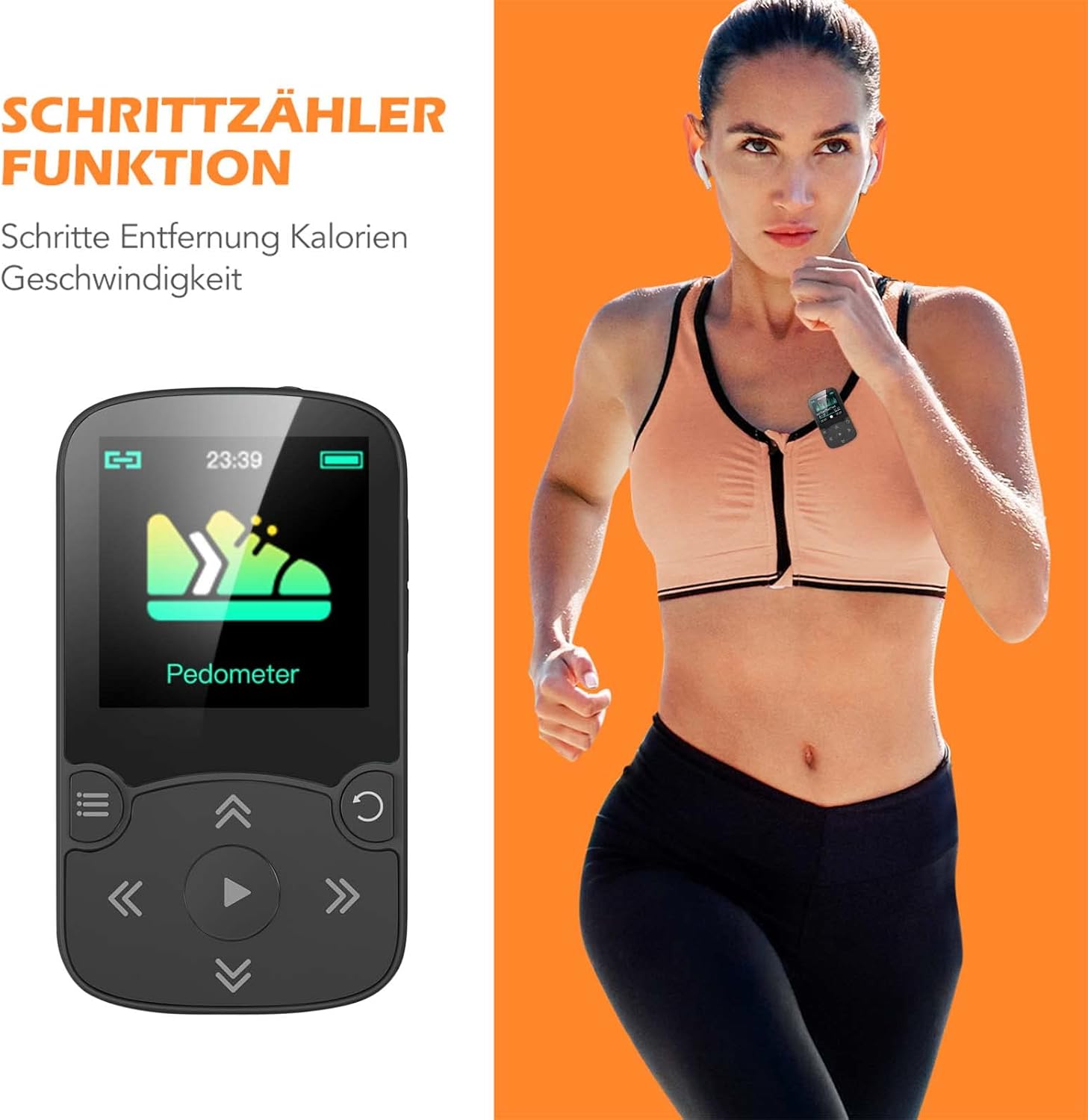
Image: The AGPTEK MP3 player connected to a laptop, illustrating the file proses pemindahan.
Video: A step-by-step guide on how to transfer music files from a PC to the AGPTEK MP3 Player.
4. Arahan Operasi
4.1 Main Semula Muzik Asas
Navigate to the "Music" icon on the main menu. Select "All songs," "Artists," "Albums," or "Genres" to browse your music. Use the navigation buttons to select a track and press the play button to start playback. Use the volume buttons on the side to adjust the sound level. The player supports various audio formats for lossless sound quality.

Image: The MP3 player screen showing music playback with Bluetooth 5.0 connectivity indicated.
4.2 Kesambungan Bluetooth
To connect your MP3 player to Bluetooth headphones or speakers:
- Turn on your Bluetooth headphones/speaker and set them to pairing mode.
- On the MP3 player, go to the main menu and select the "Bluetooth" icon.
- The player will scan for available Bluetooth devices. Select your device from the list to pair.
- Once paired, audio will be routed through your Bluetooth device.

Image: The MP3 player screen displaying Bluetooth 5.0 connection status and a graphic equalizer during music playback.
4.3 Radio FM
Plug in wired headphones (they act as the antenna). From the main menu, select "FM Radio." You can perform an auto-scan to find and save available stations or manually tune to a specific frequency.
4.4 Perakam Suara
Select the "Recorder" icon from the main menu. Choose "Start Voice Recording" to begin. Press the appropriate button to stop and save the recording. Recordings can be played back from the "Recordings Library." The device also supports LINE-IN recording, allowing you to record audio directly from another device using a LINE-IN cable (not included).

Image: Diagram illustrating the LINE-IN recording function of the AGPTEK MP3 player, showing connection to various audio sources.
4.5 Fungsi Pedometer
For tracking steps during exercise, select the "Pedometer" icon. Activate the function to monitor steps, distance, calories burned, and speed. This feature is useful for fitness enthusiasts.

Image: The MP3 player screen showing the pedometer function with a running shoe icon and text indicating its purpose.
4.6 Pembaca E-Buku
Access the "e-Books" icon to read text files. The player supports basic text file formats, allowing you to carry your reading material with your music.

Image: A woman exercising, demonstrating the MP3 player's clip feature for hands-free use.

Image: A man running with the AGPTEK MP3 player secured to an armband, emphasizing its suitability for active lifestyles and high-fidelity sound.
5. Penyelenggaraan
- Pastikan peranti kering. Kelembapan boleh merosakkan litar dalaman.
- Avoid extreme temperatures. High temperatures can shorten the life of electronic devices and deform plastic parts.
- Do not drop or strike the device. Rough handling can break internal circuit boards.
- Bersihkan peranti dengan kain lembut dan kering. Jangan gunakan bahan kimia atau detergen yang keras.
- Cas bateri dengan kerap, walaupun tidak digunakan, untuk mengekalkan kesihatan bateri.
6. Penyelesaian masalah
Peranti tidak dihidupkan:
- Ensure the battery is charged. Connect to a power source and allow it to charge for at least 10 minutes before attempting to power on.
- Periksa suis kuasa.
Muzik filetidak muncul selepas pemindahan:
- Ensure you have updated the playlist on the device (Menu > Music > Update Playlist).
- Sahkan bahawa muzik itu files berada dalam format yang disokong (cth., MP3).
- Semak sama ada files were successfully copied to the correct folder on the player.
Isu sambungan Bluetooth:
- Ensure your Bluetooth headphones/speaker are in pairing mode and within range.
- Cuba nyahgandingkan dan pasangkan semula peranti.
- Mulakan semula kedua-dua pemain MP3 dan peranti audio Bluetooth.
7. Spesifikasi
| Ciri | Perincian |
|---|---|
| Jenama | AGPTEK |
| Nombor Model | Pemain MP32 3GB |
| Kapasiti Penyimpanan Memori | 32 GB (expandable up to 128GB via TF card) |
| Teknologi Ketersambungan | Bluetooth 5.3 |
| Ciri Khas | Bluetooth, E-Book, FM Radio, Voice Recorder, Pedometer |
| Saiz Skrin | 1.5 Inci |
| Peranti Serasi | Headphones, Personal Computer |
| Jenis Media | SD mikro |
| Piawaian yang Disokong | MP3 and other common audio formats |
| Bateri | Lithium Polymer batteries (included) |
| Berat Barang | 5.3 auns |
| Dimensi Pakej | 7.52 x 5.12 x 0.87 inci |
8. Waranti dan Sokongan
For warranty information and technical support, please refer to the official AGPTEK webtapak atau hubungi perkhidmatan pelanggan mereka secara langsung. Simpan resit pembelian anda untuk sebarang tuntutan waranti.


