pengenalan
This manual provides instructions for the safe and efficient operation of your Alecto Smartbaby5 WiFi Baby Monitor. Please read this manual thoroughly before use and retain it for future reference.

The Alecto Smartbaby5 baby monitor, shown next to a smartphone displaying its live video feed.
Maklumat Keselamatan
- Ensure the device is placed out of reach of children.
- Gunakan hanya penyesuai kuasa yang disediakan.
- Jangan dedahkan peranti kepada air atau kelembapan berlebihan.
- Elakkan meletakkan peranti berhampiran sumber haba atau cahaya matahari langsung.
- The camera requires a 2.4 GHz Wi-Fi connection for operation.
Kandungan Pakej
Sahkan bahawa semua item terdapat dalam pakej:
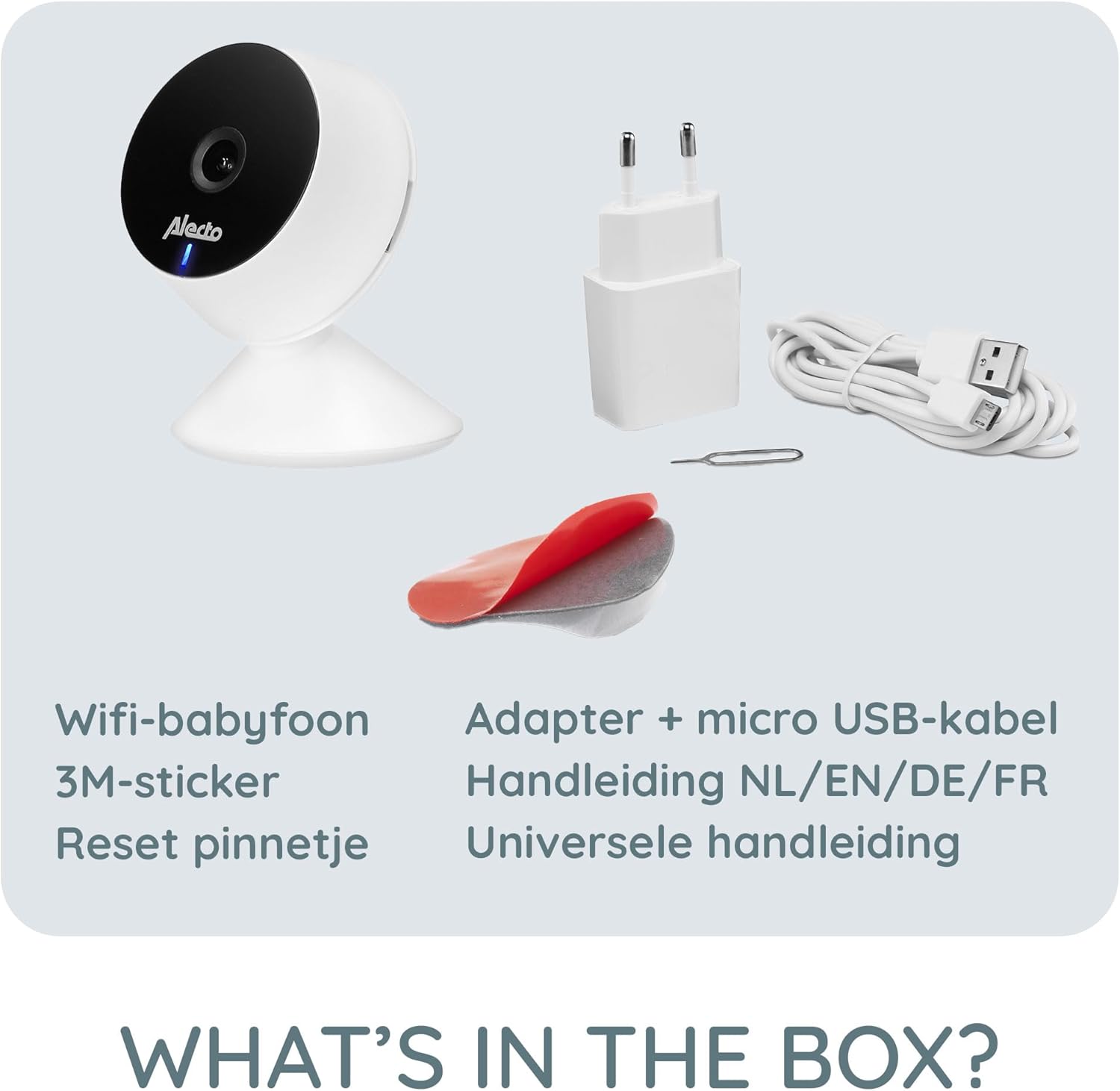
- Alecto Smartbaby5 WiFi Baby Monitor Camera
- Penyesuai Kuasa
- Kabel USB Mikro
- Pelekat Pelekat 3M
- Tetapkan Semula Pin
- Manual Pengguna (berbilang bahasa)

An illustration of the items included in the Alecto Smartbaby5 product box.
Persediaan
1. Menguasakan Kamera
- Sambungkan kabel mikro USB ke port kuasa kamera.
- Palamkan penyesuai kuasa ke salur keluar dinding.
- Kamera akan dihidupkan, ditunjukkan oleh lampu LED.
2. Pemasangan dan Sambungan Apl
The Alecto Smartbaby5 operates via the Smart Life application.
- Muat turun Kehidupan Pintar aplikasi daripada App Store (iOS) atau Google Play Store (Android).
- Buat akaun atau log masuk jika anda sudah mempunyai akaun.
- Ikut arahan dalam aplikasi untuk menambah peranti baharu. Pastikan telefon pintar anda disambungkan ke Rangkaian Wi-Fi 2.4 GHz.
- The camera will guide you through the pairing process.

The Alecto Smartbaby5 requires a 2.4 GHz Wi-Fi connection for proper functionality.
3. Penempatan Kamera
Letakkan kamera di lokasi yang memberikan gambaran yang jelas view of the desired area (e.g., crib). The camera can be placed on a flat surface or mounted.
- Peletakan Permukaan: Place the camera on a stable, flat surface.
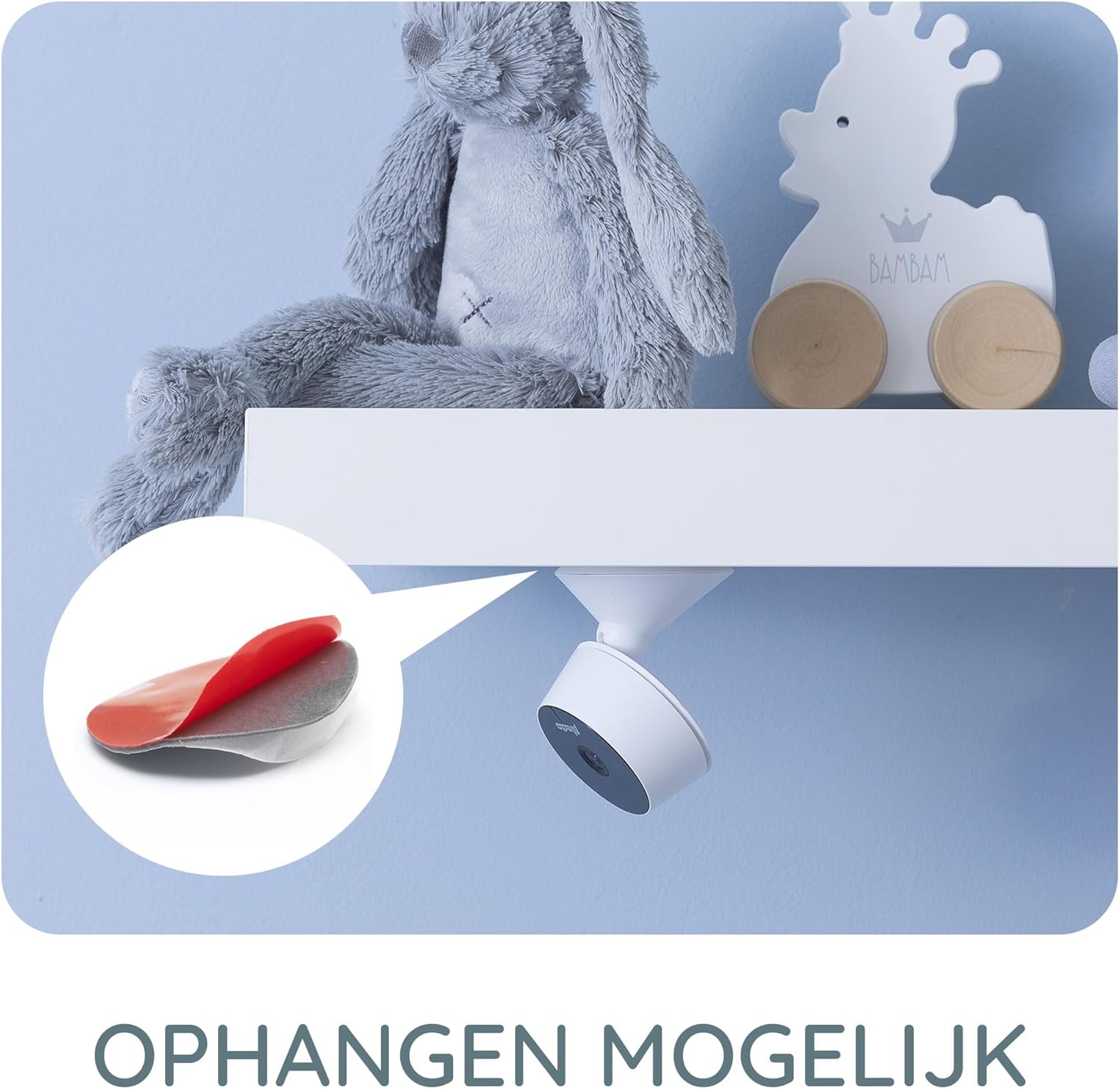
- Wall/Shelf Mounting: Use the provided 3M adhesive sticker to securely attach the camera to a wall or under a shelf. Ensure the surface is clean and dry before applying the adhesive.

The camera can be mounted under a shelf using the included 3M adhesive for optimal viewsudut-sudut.
Arahan Operasi
Langsung View dan Pemantauan
Once connected, open the Smart Life app on your smartphone or tablet to access the live video feed from the camera. The app provides a secure connection, ensuring only authorized users can view makanan.
The Smart Life app interface showing various features like push notifications, recording, and MicroSD storage options.
Key Features via Smart Life App
- Resolusi HD: View live video in 1920 x 1080p HD resolution.
- Penglihatan Malam Inframerah: The camera automatically switches to infrared night vision in low-light conditions, providing clear images in the dark.
- Pengesanan Pergerakan dan Bunyi: Receive push notifications on your smartphone when movement or sound is detected in the monitored area.
- Two-Way Intercom Function: Use the built-in speaker and microphone to listen to and speak with your child remotely through the app.
- Rakaman: Record images and videos directly to your smartphone or optionally to a MicroSD card (not included).
- Mobile Internet Access: Monitor your child via mobile internet (5G, 4G, or 3G) when away from your home Wi-Fi network.

The two-way intercom function allows remote communication with your child.
Penyelenggaraan
- Pembersihan: Gunakan kain lembut dan kering untuk membersihkan kanta dan badan kamera. Jangan gunakan pembersih cecair atau aerosol.
- Storan: Jika menyimpan peranti untuk tempoh yang lama, putuskan sambungannya daripada kuasa dan simpan di tempat yang sejuk dan kering.
- Kemas Kini Perisian: Regularly check the Smart Life app for available firmware updates for the camera to ensure optimal performance and security.
Menyelesaikan masalah
| Masalah | Kemungkinan Punca | Penyelesaian |
|---|---|---|
| Kamera tidak bersambung ke Wi-Fi. | Incorrect Wi-Fi band (not 2.4 GHz), weak signal, incorrect password. | Ensure your router is broadcasting a 2.4 GHz signal. Move the camera closer to the router. Re-enter Wi-Fi password carefully. |
| No video feed in the app. | Camera is offline, app issue, internet connectivity problem. | Check if the camera is powered on and connected to Wi-Fi. Restart the app. Verify your smartphone's internet connection. |
| Motion/Sound detection not working. | Settings not enabled in the app, app notifications disabled. | Go to the camera settings in the Smart Life app and enable motion/sound detection. Check your phone's notification settings for the Smart Life app. |
| Intercom function not working. | Microphone/speaker issues, app permissions. | Ensure the app has microphone permissions on your phone. Check volume settings in the app. |
| Camera falls off mounting surface. | Adhesive not strong enough, surface not clean. | Ensure the mounting surface is clean, dry, and smooth. Use a stronger adhesive if necessary, or consider screw mounting if available. |
Spesifikasi
- Nombor Model: SMARTBABY5
- Bahan Utama: plastik
- Ciri Khas: Motion Detector, Infrared Night Vision, Two-Way Intercom
- Keserasian Peranti: Telefon pintar (iOS, Android)
- Komunikasi Tanpa Wayar: Wi-Fi (2.4 GHz sahaja)
- Jenis Kuasa: Penyesuai dihidupkan
- Bateri Diperlukan: Tidak
- Resolusi Video: 1920 x 1080p (HD)
- Dimensi (L x W x H): 8 x 6 x 7.2 cm
- Berat: 143 gram
- Pengeluar: Commaxx
Physical dimensions of the Alecto Smartbaby5 baby monitor camera.
Waranti dan Sokongan
For warranty information and technical support, please refer to the documentation provided with your product or visit the official Alecto website. Alecto Baby is committed to providing high-quality products and support.
Pengeluar: Commaxx


