1. Pengenalan
Terima kasih kerana membeliasing the Xtreme 10W Fast Wireless Charger. This device is designed to provide convenient and efficient wireless charging for all Qi-enabled smartphones, including popular models from Apple, Samsung, Google, and Huawei. Please read this manual carefully before using the product to ensure proper operation and to maximize its lifespan.
2. Maklumat Keselamatan
Untuk mengelakkan kerosakan pada produk atau kecederaan pada diri sendiri dan orang lain, sila patuhi langkah berjaga-jaga keselamatan berikut:
- Jangan dedahkan pengecas kepada air, lembapan atau suhu yang melampau.
- Jangan buka, baiki atau ubah suai peranti. Ini akan membatalkan jaminan.
- Keep the charger away from strong magnetic fields.
- Do not place metal objects, credit cards, or other foreign objects on the charging pad during use, as this may interfere with charging or cause damage.
- Ensure the power adapter used is compatible with the charger's input voltage (5 Volt).
- Cabut palam pengecas daripada sumber kuasa apabila tidak digunakan atau semasa ribut elektrik.
3. Kandungan Pakej
Sahkan bahawa semua item terdapat dalam pakej:
- 1 x Xtreme 10W Fast Wireless Charger
- 1 x Power Cord (USB cable)
- 1 x USB Wall Adapter
- 1 x Manual Pengguna (dokumen ini)
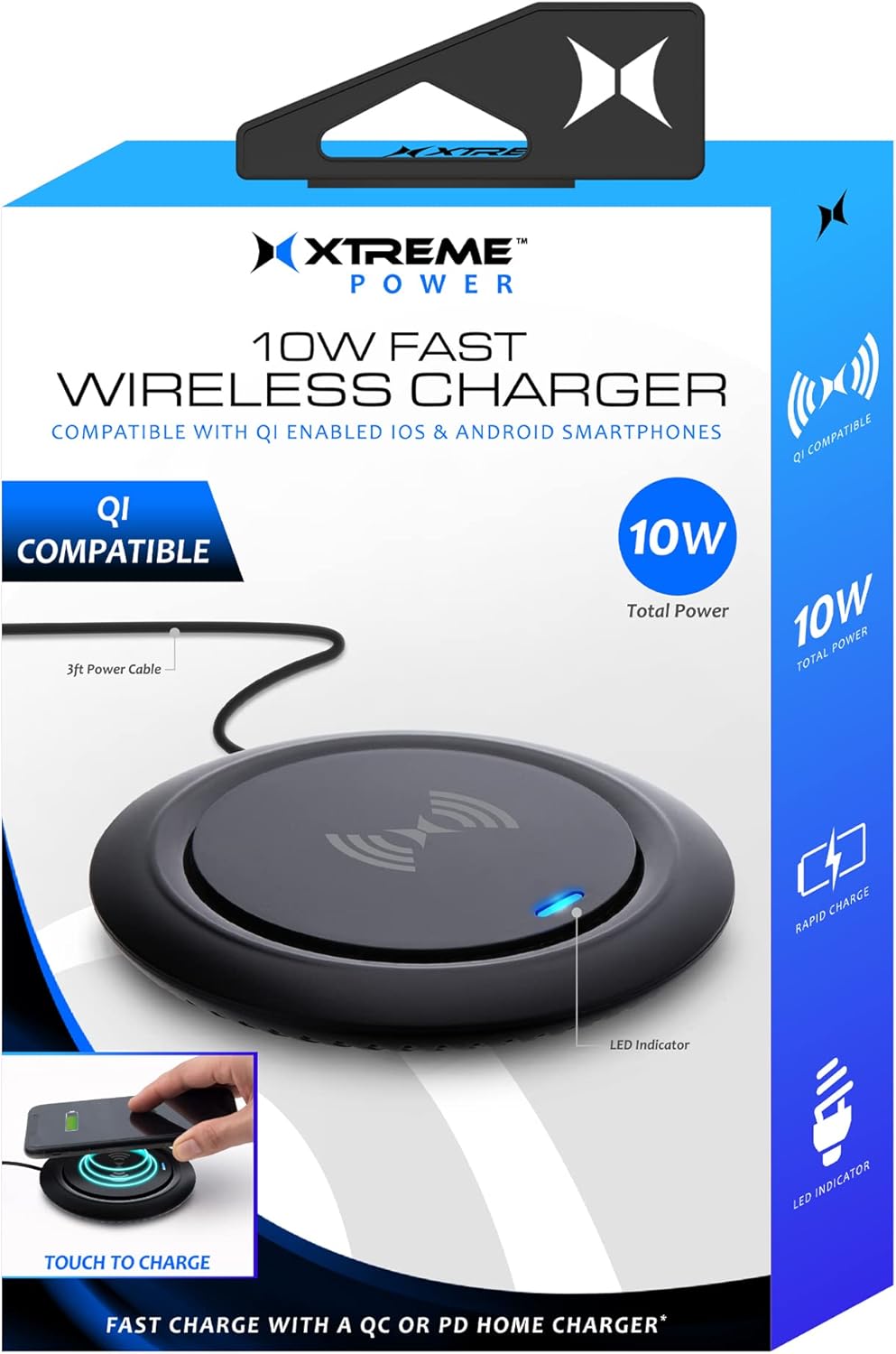
Image: The Xtreme 10W Fast Wireless Charger shown with its retail box, highlighting its compact design and key features like 10W total power and LED indicator.
4. Produk Lebihview
The Xtreme 10W Fast Wireless Charger is a sleek and compact charging pad designed for convenience. It features a built-in LED indicator to show charging status and is compatible with a wide range of Qi-enabled devices.

Image: A close-up of the wireless charger, showing its minimalist design and the blue LED indicator light, which signifies power or charging status.
Ciri-ciri Utama:
- Pengecasan Cepat 10W: Delivers efficient power to compatible devices.
- Qi-Enabled Device Compatibility: Works with iPhones, Samsung Galaxy, Google Pixel, LG, Huawei, and other Android smartphones that support Qi wireless charging.
- Built-in LED Light Indicator: Provides visual feedback on charging status.
- Reka bentuk yang ringan dan padat: Occupies minimal space, ideal for any desk or nightstand.
- Kord Kuasa 3 kaki: Menawarkan pilihan penempatan yang fleksibel.
5. Persediaan
- Sambungkan Kord Kuasa: Insert the small end of the included power cord (USB cable) into the input port on the back or side of the wireless charger.
- Sambungkan ke Sumber Kuasa: Insert the USB-A end of the power cord into the included USB Wall Adapter.
- Palamkan ke dalam Outlet: Plug the USB Wall Adapter into a standard wall outlet.
- Hidupkan kuasa: The LED indicator on the charger may briefly illuminate or flash upon receiving power, indicating it is ready for use.
6. Arahan Operasi
- Letakkan Peranti Anda: Carefully place your Qi-enabled smartphone or other compatible device directly onto the center of the wireless charging pad. Ensure the device is centered for optimal charging.
- Perhatikan Penunjuk LED:
- When a device is placed correctly and charging begins, the built-in LED light indicator will flash blue.
- If the LED does not flash blue, reposition your device until charging initiates.
- A solid blue light may indicate standby or full charge depending on the device. Refer to your device's charging indicators for confirmation.
- Pengecasan Selesai: Once your device is fully charged, remove it from the charging pad. The charger will return to standby mode.

Image: A smartphone is placed on the wireless charging pad, with the phone's screen indicating it is charging and the charger's LED glowing blue, demonstrating active charging.

Image: A hand is shown positioning a smartphone onto the wireless charger, illustrating the correct placement for initiating the charging process, with visual cues of the charging field.
7. Penyelenggaraan
To ensure the longevity and optimal performance of your wireless charger, follow these maintenance guidelines:
- Pembersihan: Disconnect the charger from the power source before cleaning. Use a soft, dry, lint-free cloth to wipe the surface of the charging pad. Do not use harsh chemicals, cleaning solvents, or strong detergents.
- Storan: Apabila tidak digunakan untuk tempoh yang lama, simpan pengecas di tempat yang sejuk dan kering jauh dari cahaya matahari langsung dan suhu yang melampau.
- Penjagaan Kabel: Avoid bending or crimping the power cord excessively, as this can damage the internal wires.
8. Penyelesaian masalah
If you encounter issues with your Xtreme 10W Fast Wireless Charger, please refer to the following common problems and solutions:
| Masalah | Kemungkinan Punca | Penyelesaian |
|---|---|---|
| Charger LED is off / No power. | Not connected to power; faulty power adapter/cable; power outlet issue. | Ensure the power cord is securely connected to both the charger and the USB wall adapter. Try a different power outlet. Verify the USB wall adapter is functioning correctly. |
| Device is not charging / LED not flashing blue. | Device not Qi-enabled; device not centered; phone case too thick; foreign object on pad; faulty cable connection. |
|
| Pengecasan perlahan. | Device not optimally placed; background apps running; non-fast charging adapter. | Ensure optimal placement. Close unnecessary background applications on your device. Use the included USB Wall Adapter for best performance. |
9. Spesifikasi
| Ciri | Perincian |
|---|---|
| Nombor Model | XWC8-1022-BLK |
| Jenama | XTREME DIGITAL LIFESTYLE ACCESSORIES |
| Teknologi Ketersambungan | Tanpa Wayar (Standard Qi) |
| Input Voltage | 5 Volt |
| Kuasa Keluaran | Up to 10W Fast Wireless Charging |
| Peranti Serasi | Qi-enabled smartphones (Apple iPhones, Samsung Galaxy, Google Pixel, Huawei, etc.) |
| warna | Hitam |
| Berat Barang | 8 auns |
| Dimensi Pakej | 6.2 x 4.7 x 1.3 inci |
| Pengeluar | Aksesori Jem |
| Negara Asal | China |
10. Waranti dan Sokongan
This Xtreme product is covered by a standard manufacturer's warranty against defects in materials and workmanship. For specific warranty terms and conditions, please refer to the warranty card included with your purchase or contact the manufacturer directly.
For technical support, troubleshooting assistance, or warranty claims, please contact Xtreme Digital Lifestyle Accessories customer service. Contact information can typically be found on the product packaging or the brand's official webtapak.
Sila simpan bukti pembelian anda untuk tujuan waranti.


