Produk Selesaiview
The Feit Electric 13 Inch Smart WiFi LED Coach Lantern is designed to enhance your home's exterior with both traditional aesthetics and modern smart technology. This lantern allows for control via the Feit Electric app, enabling users to manage on/off functions, set timers, and create schedules. It offers a wide spectrum of millions of RGBW colors, as well as various shades of white light, to suit any occasion or mood. Constructed with an all-bronze housing and frosted glass, it provides 500 lumens of light, ensuring adequate illumination for doorways and porches.
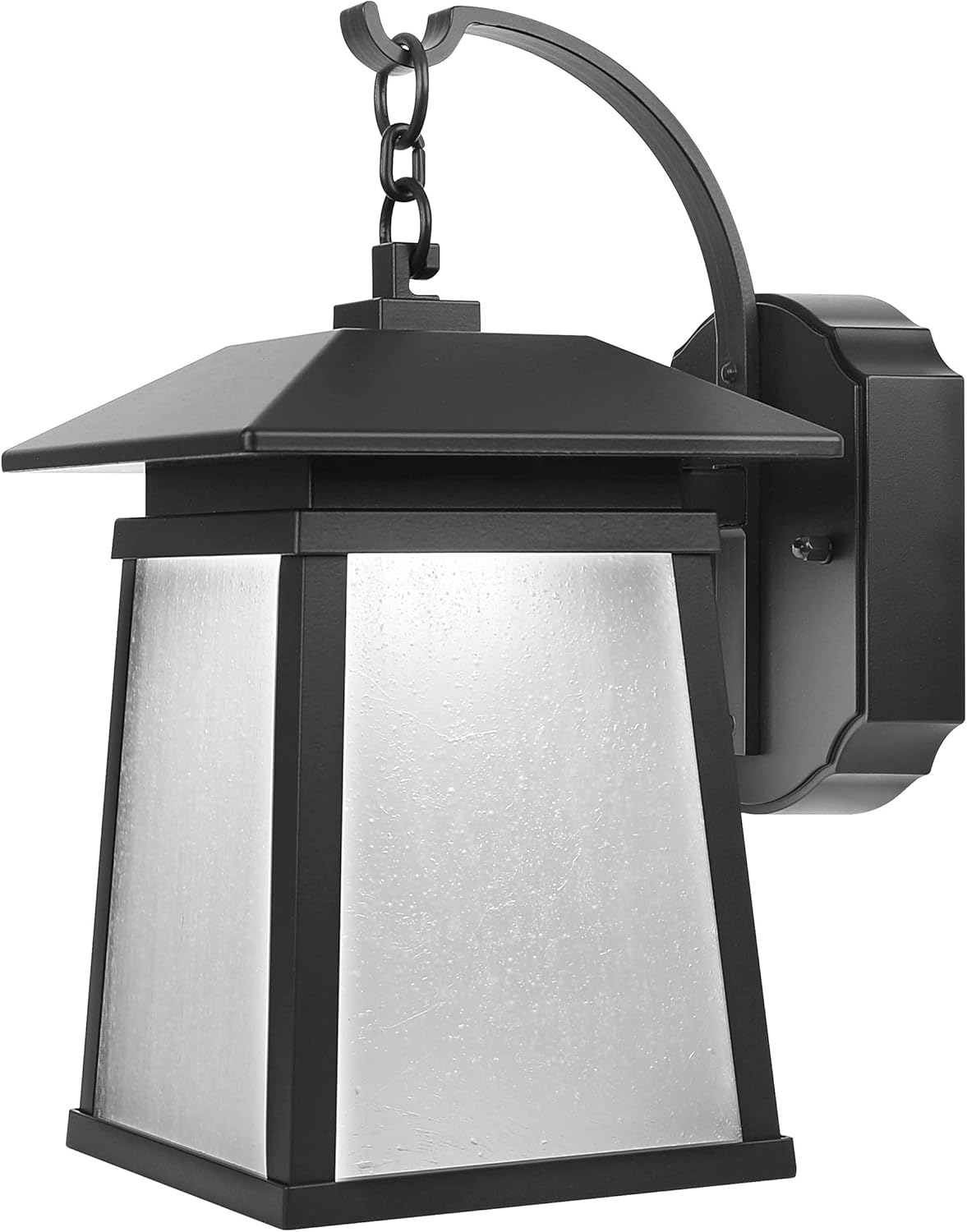
Rajah 1: Depan view of the Feit Electric Smart WiFi LED Coach Lantern, showcasing its bronze finish and frosted glass panels.
Apa yang ada dalam Kotak
Selepas membuka bungkusan, sila sahkan bahawa semua komponen ada dan tidak rosak.
- Feit Electric 13 Inch Smart WiFi LED Coach Lantern (integrated LED)
- LED Lens (pre-installed)
- Installation Hardware (screws, wire nuts, mounting bracket) - Standard hardware for electrical fixture installation.
- Manual Pengguna (dokumen ini)
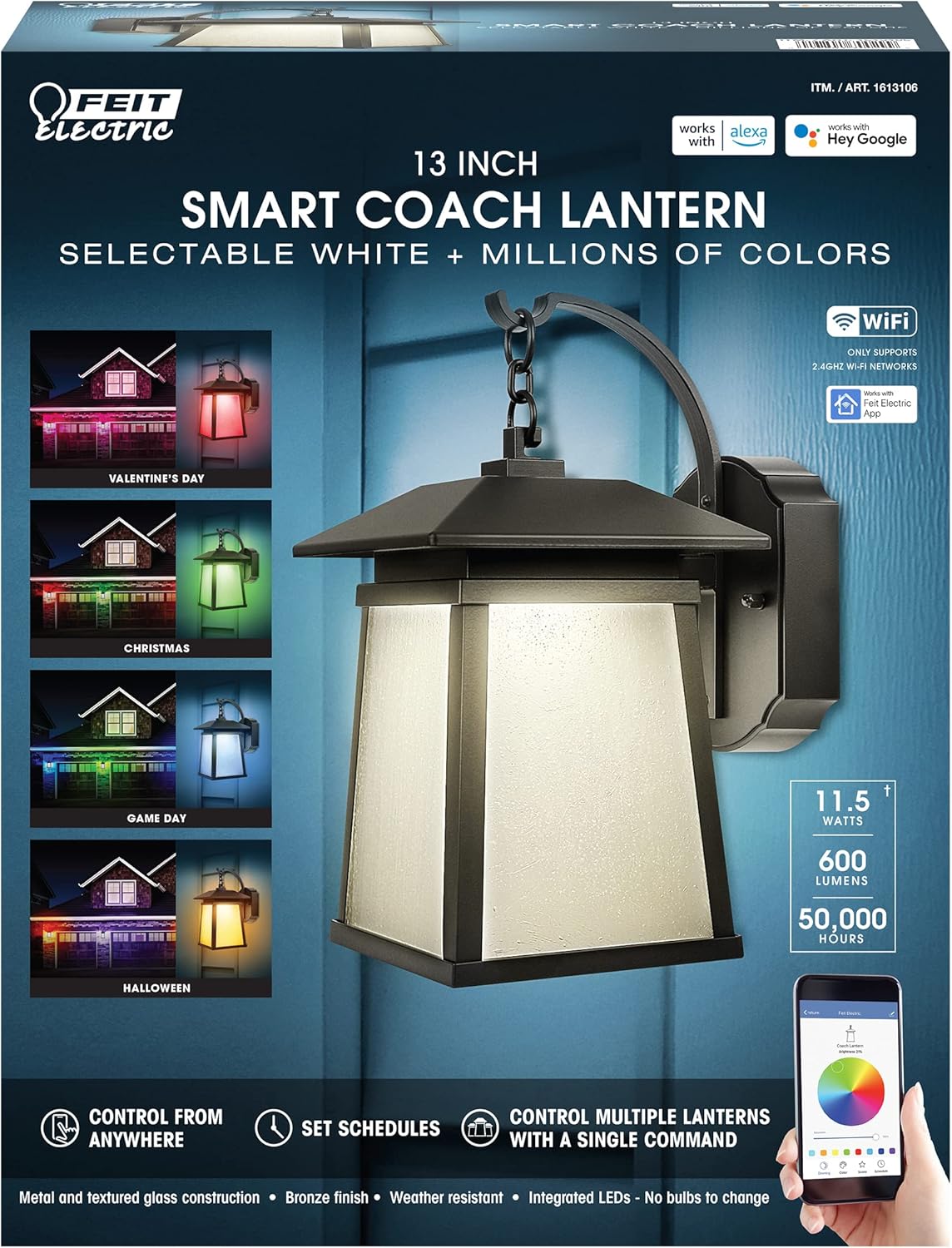
Figure 2: Product packaging highlighting key features such as Smart WiFi, RGBW colors, and compatibility with Alexa and Hey Google.
Persediaan dan Pemasangan
Maklumat Keselamatan
- AMARAN: Risiko renjatan elektrik. Putuskan sambungan kuasa pada fius atau pemutus litar sebelum memasang atau menservis.
- AMARAN: Risk of fire. Use only in circuits rated for 120V AC.
- Rujuk juruelektrik bertauliah jika anda tidak pasti tentang proses pemasangan.
- Pastikan semua sambungan elektrik selamat dan mematuhi kod elektrik tempatan.
Senarai Semak Prapemasangan
- Ensure the power is turned OFF at the circuit breaker.
- Gather necessary tools: screwdriver, wire strippers, electrical tape, ladder (if needed).
- Confirm the mounting surface is suitable for the fixture's weight and size.
Langkah Pemasangan
- Matikan Kuasa: Locate the circuit breaker controlling the outdoor lighting circuit and turn it OFF. Verify power is off using a voltage penguji.
- Keluarkan Lekapan Lama (jika berkenaan): Carefully disconnect the wiring from the existing fixture and remove it from the mounting surface.
- Pasang Pendakap Pelekap: Attach the provided mounting bracket to the electrical junction box using the screws. Ensure it is securely fastened.
- Sambungan Wayar:
- Sambungkan hitam wayar dari lekapan ke hitam wayar (panas) dari kotak simpang menggunakan nat dawai.
- Sambungkan putih wayar dari lekapan ke putih wayar (neutral) dari kotak simpang menggunakan nat dawai.
- Sambungkan hijau or tembaga kosong ground wire from the fixture to the ground wire from the junction box (or to the junction box itself if no ground wire is present).
- Secure all connections with electrical tape if desired.
- Lekapan Lekapan: Carefully tuck the wires into the junction box. Align the fixture with the mounting bracket and secure it using the provided screws.
- Pulihkan Kuasa: HIDUPKAN semula kuasa pada pemutus litar.
Arahan Operasi
Connecting to the Feit Electric App
To unlock the full smart features of your lantern, you must connect it to the Feit Electric app.
- Muat turun Aplikasi: Download the Feit Electric app from the Apple App Store or Google Play Store.
- Buat Akaun: Buka aplikasi dan buat akaun baharu atau log masuk ke akaun sedia ada.
- Tambah Peranti: Tap the "+" icon in the app to add a new device. Select "Lighting" or "Outdoor Lighting" and follow the on-screen prompts.
- Mod Berpasangan: Ensure your lantern is powered on. The lantern should blink rapidly to indicate it's in pairing mode. If not, turn it off and on quickly several times until it blinks.
- Sambung ke WiFi: Enter your 2.4GHz WiFi network name and password when prompted in the app. Nota: Peranti ini hanya menyokong rangkaian WiFi 2.4GHz.
- penyiapan: Once connected, the app will confirm successful pairing, and you can rename your lantern.
App Features and Control
- Kawalan Hidup/Mati: Turn the lantern on or off from anywhere using the app.
- Pelarasan Kecerahan: Laraskan keamatan cahaya dari 1% hingga 100%.
- Pilihan Warna: Choose from millions of RGB colors or select various shades of white (warm to cool).
- Adegan dan Kesan: Apply pre-set scenes or create custom lighting effects for different occasions (e.g., holidays, parties).
- Penjadualan: Set daily or weekly schedules for the lantern to turn on/off automatically.
- Pemasa: Set countdown timers for the lantern to turn off after a specified duration.
- Kawalan Kumpulan: Control multiple Feit Electric smart devices simultaneously by grouping them in the app.

Figure 3: Smart Coach Lanterns illuminating a home's exterior with vibrant red and purple lighting, demonstrating color-changing capabilities.

Figure 4: Smart Coach Lanterns providing festive green and red illumination to a home's facade, suitable for holiday themes.

Figure 5: Smart Coach Lanterns casting a uniform purple glow on a residential exterior, showcasing a single color option.
Integrasi Kawalan Suara
The Feit Electric Smart Coach Lantern is compatible with Amazon Alexa and Hey Google. To enable voice control:
- Pautkan Akaun: In your Alexa or Google Home app, search for the "Feit Electric" skill/action and enable it.
- Log Masuk: Log in with your Feit Electric app credentials when prompted.
- Cari Peranti: Setelah dipautkan, minta pembantu suara anda untuk "Temui peranti" atau memulakan penemuan peranti secara manual dalam apl.
- Perintah Suara: Anda kini boleh menggunakan arahan seperti:
- "Alexa, turn on the [Lantern Name]."
- "Hey Google, set [Lantern Name] to blue."
- "Alexa, dim [Lantern Name] to 50%."
Penyelenggaraan
- Pembersihan: To clean the lantern, ensure power is off. Use a soft, damp kain. Jangan gunakan pembersih atau pelarut yang melelas, kerana ia boleh merosakkan kemasan atau kaca.
- LED bersepadu: The LED light source is integrated and not user-replaceable. It is designed for long-term operation (up to 50,000 hours).
- Kemas kini Firmware: Periodically check the Feit Electric app for firmware updates to ensure optimal performance and access to new features.
- Rintangan Cuaca: While designed for outdoor use, the lantern is not water resistant. Avoid direct exposure to high-pressure water jets.
Menyelesaikan masalah
| Masalah | Kemungkinan Punca | Penyelesaian |
|---|---|---|
| Tanglung tidak menyala. | No power; loose wiring; faulty fixture. | Check circuit breaker. Ensure all wire connections are secure. Test power at the junction box. If issues persist, contact support. |
| Cannot connect to Feit Electric app. | Incorrect WiFi network (not 2.4GHz); incorrect password; lantern not in pairing mode; WiFi signal too weak. | Ensure you are on a 2.4GHz WiFi network. Double-check password. Cycle power to the lantern (off/on quickly 3-5 times) to enter pairing mode. Move router closer or use a WiFi extender. |
| Kawalan suara tidak berfungsi. | Accounts not linked; device not discovered; incorrect voice command. | Verify Feit Electric skill/action is enabled and accounts are linked in Alexa/Google Home app. Ask voice assistant to "Discover devices." Use correct device name and commands. |
| Lantern disconnects frequently. | Weak WiFi signal; network interference. | Improve WiFi signal strength near the lantern. Reduce interference from other 2.4GHz devices. |
Spesifikasi
| Atribut | Nilai |
|---|---|
| Nombor Model | 1613106 |
| Nombor Bahagian | LAN13/RGBW/RP |
| Jenama | Elektrik Feit |
| Dimensi (L x W x H) | 15 x 12 x 8 inci |
| Berat Barang | 4 paun |
| Jenis Sumber Cahaya | LED bersepadu |
| Kecerahan | 500 lumen |
| Pilihan Warna | RGBW (Millions of colors + Tunable White) |
| Kaedah Kawalan | Feit Electric App, Amazon Alexa, Hey Google |
| Sumber Kuasa | Elektrik Bertali |
| Voltage | 120 Volt |
| bahan | Aluminium, Kaca |
| Jenis Selesai | Kemasan Gangsa |
| Penggunaan Dalaman/Luar | Luar |
| Tahap Ketahanan Air | Bukan Tahan Air |
| UPC | 017801700299 |
Waranti dan Sokongan
For warranty information and details regarding your Feit Electric Smart WiFi LED Coach Lantern, please refer to the warranty card included with your product or visit the official Feit Electric webtapak. Terma jaminan biasanya meliputi kecacatan bahan dan mutu kerja di bawah penggunaan biasa.
For technical support, troubleshooting assistance beyond this manual, or to inquire about replacement parts, please contact Feit Electric Customer Service:
- Webtapak: www.feit.com
- telefon: Refer to the Feit Electric webtapak untuk nombor hubungan semasa.
- e-mel: Refer to the Feit Electric weblaman web untuk e-mel hubungan semasa.
Sila sediakan nombor model anda (1613106) dan tarikh pembelian semasa menghubungi sokongan.


