pengenalan
Welcome to the user manual for CLABEL 4x6 Inch Direct Thermal Shipping Labels. These high-quality labels are designed for efficient and reliable printing of shipping information, compatible with a wide range of thermal label printers and e-commerce platforms. This manual provides essential information on product features, proper usage, and maintenance to ensure optimal performance.
Produk Selesaiview
CLABEL 4x6 Inch Direct Thermal Shipping Labels are specifically engineered for thermal printing, eliminating the need for ink or toner. Each label measures 4 inches by 6 inches, the standard size for most shipping carriers. They are ideal for small businesses, e-commerce operations, and personal use, providing clear, scannable barcodes and text.

Packages ready for shipment, each bearing a CLABEL shipping label. An inset diagram clearly shows the dimensions of the 4x6 inch label, highlighting its standard size for shipping.
Ciri-ciri Utama
These labels are designed with durability and convenience in mind:
- kalis air: Resistant to moisture, ensuring your shipping information remains legible even in damp syarat.
- Oil-proof: Protects against smudges and damage from oils and greases.
- Easy to Tear: Perforated for quick and clean separation from the roll or stack.
- Bebas BPA: Manufactured without Bisphenol A, ensuring a safer product.
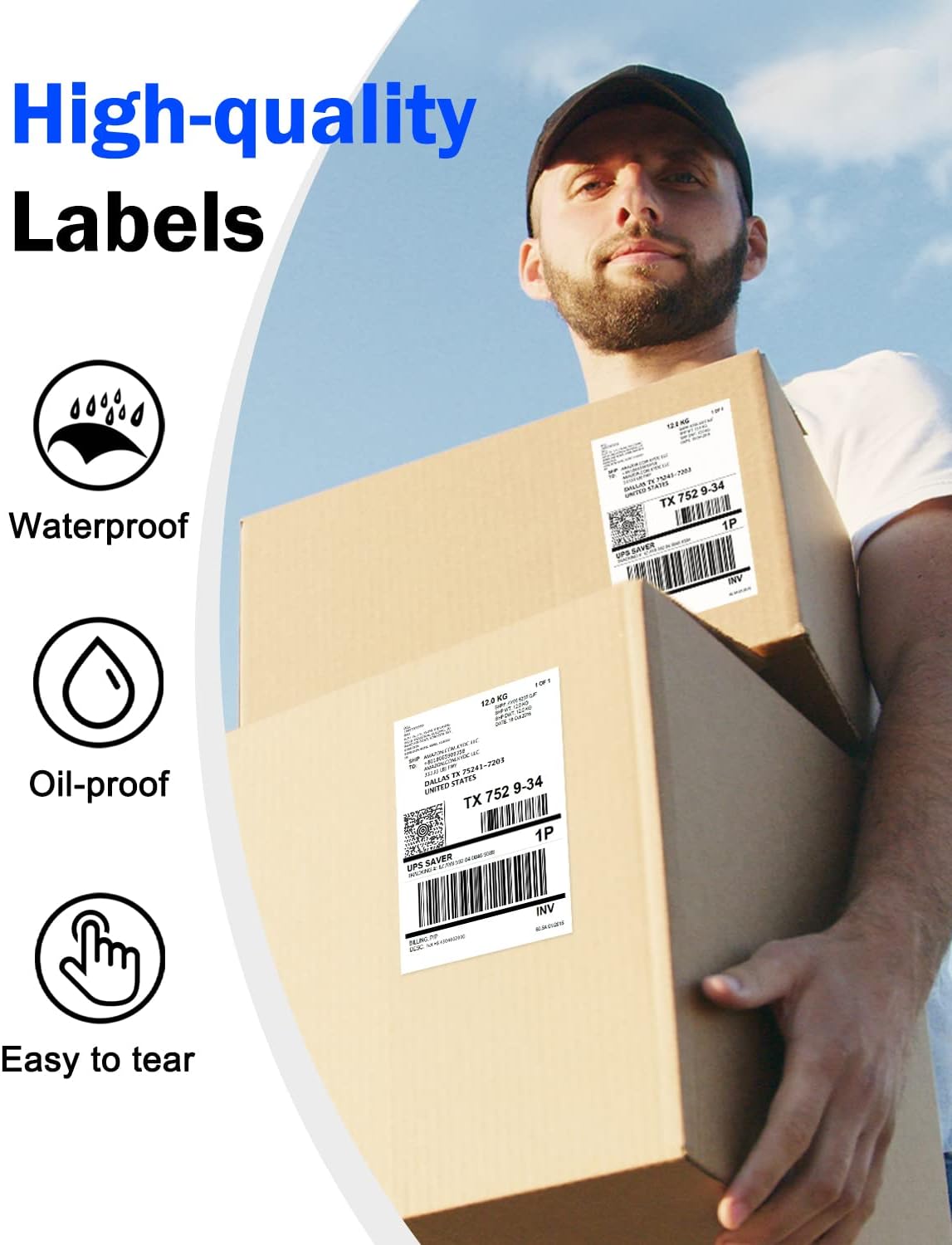
A person holding two packages with CLABEL shipping labels attached. Icons next to the image highlight key features of the labels: waterproof, oil-proof, and easy to tear, emphasizing their durability and convenience.

Water droplets on label.

Oil droplets on label.

Label being easily torn.

Label indicating BPA Free.
Setup: Loading Labels
Proper loading of CLABEL thermal labels into your printer is crucial for optimal performance and to prevent jams. Refer to your specific thermal printer's manual for detailed loading instructions, as procedures may vary by model.
General Steps for Loading Fanfold Labels:
- Ensure your thermal printer is powered off.
- Open the printer's top cover or access panel.
- Place the stack of CLABEL fanfold labels into the external label holder or feed slot, ensuring the print side (usually the smoother, brighter side) faces the print head.
- Guide the first label through the printer's feed mechanism until it is correctly aligned and detected by the printer's sensors.
- Tutup penutup pencetak dengan selamat.
- Power on the printer and perform a test print or calibration if required by your printer model.

A stack of CLABEL 4x6 inch direct thermal shipping labels, demonstrating their fanfold design. A sample shipping label is shown on top, featuring a barcode, tracking number, and destination address.
Keserasian
CLABEL 4x6 Inch Direct Thermal Shipping Labels are designed for broad compatibility.
Keserasian Pencetak:
These labels are compatible with CLABEL thermal printers and most other direct thermal label printers that support 4x6 inch labels. Ensure your printer is a direct thermal model, as these labels do not work with inkjet or laser printers.

A CLABEL thermal printer is shown with labels. To its right, images of other common shipping label printers are displayed, indicating that CLABEL labels are compatible with a wide range of thermal printer models.
Keserasian Platform:
Our labels seamlessly integrate with popular e-commerce and shipping platforms, including but not limited to:
- Amazon
- eBay
- Shopify
- Etsy
- FedEx
- UPS
- DHL
- USPS
- Stamps.com
- Stesen Kapal
- PayPal
- Tanda mewah
- Dan banyak lagi.

A CLABEL thermal printer is shown actively printing a shipping label. Around it are logos of numerous e-commerce and shipping platforms, including Amazon, eBay, Shopify, Etsy, FedEx, UPS, DHL, and more, demonstrating the labels' wide compatibility.
Usage: Printing Shipping Labels
Once labels are loaded and your printer is connected to your computer or device, you can begin printing.
- Design or Select Your Label: Use your preferred shipping software or e-commerce platform to generate the shipping label. Ensure the label format is set to 4x6 inches.
- Tetapan Pencetak: In your print dialogue box, select your thermal label printer. Verify that the paper size is set to 4x6 inches (or 100x150mm) and that the print quality is set to "Direct Thermal" or "Thermal Label".
- Cetak: Send the print job to your printer. The label should print clearly and quickly.
- memohon: Peel the printed label from its backing and firmly apply it to your package, ensuring all edges are sealed to prevent peeling.
Example of a printed label: This label includes a UPS tracking number 1ZAY85920400469388 and destination details for Dallas, TX 75241-7203.

A delivery person, wearing a face mask, is seen scanning a CLABEL shipping label on a package with a handheld device. This illustrates the scannability and practical use of the labels in logistics.
Penyelenggaraan dan Penyimpanan
To maintain the quality and longevity of your CLABEL thermal labels:
- Simpan di tempat yang sejuk dan kering: Avoid direct sunlight, high temperatures, and humidity, which can degrade the thermal coating.
- Jauhkan daripada Bahan Kimia: Exposure to certain chemicals (e.g., alcohol, plasticizers) can cause the labels to fade or discolour.
- Protect from Abrasion: Store labels in their original packaging or a protective container to prevent scratching or damage to the thermal surface.
Menyelesaikan Masalah Isu Biasa
Faint or Blank Prints:
- Ensure the labels are loaded correctly with the print side facing the thermal print head.
- Check your printer's print density or darkness settings and adjust if necessary.
- Clean the thermal print head according to your printer's manual.
Labels Not Feeding Correctly or Jams:
- Verify that the labels are properly aligned in the feeder.
- Check for any obstructions in the paper path.
- Ensure the label roll or stack is not too tight or too loose.
Isu Pemasangan Pemacu:
Some users have reported issues with drivers provided on flash drives. If you encounter problems, consider downloading drivers directly from the manufacturer of your thermal printer. For printers identified as Xprinter XP-460B, drivers can often be found on seagullscientific.com. Install the printer manually by selecting it from the list and choosing the correct USB port.
Spesifikasi Produk
| Atribut | Perincian |
|---|---|
| Dimensi Label | 4 x 6 inci (100 x 150 mm) |
| Jenis Label | Terma Terus |
| Kuantiti | 500 sheets per stack/roll (as per product variant) |
| warna | putih |
| Ciri-ciri Bahan | Waterproof, Oil-proof, Easy to Tear, BPA Free |
| Dimensi Produk (Pembungkusan) | 9.1 x 6.8 x 6 inci |
| Berat Barang (Pembungkusan) | 2.16 paun |
| Nombor Model | Labels-Fold |
Waranti dan Sokongan
For any questions regarding CLABEL 4x6 Inch Direct Thermal Shipping Labels, please refer to the seller's contact information on the platform where you purchased the product. Specific warranty details, if applicable, are typically provided at the point of sale or on the product packaging.


