pengenalan
Terima kasih kerana membeliasing the Singsation Karaoke Machine. This portable speaker system is designed to provide dynamic sound and an engaging karaoke experience with its built-in light show, Bluetooth connectivity, and multiple audio input options. This manual will guide you through the setup, operation, and maintenance of your device to ensure optimal performance and enjoyment.
Maklumat Keselamatan
Sila baca semua arahan keselamatan dengan teliti sebelum menggunakan peranti ini. Simpan manual ini untuk rujukan pada masa hadapan.
- Jangan dedahkan unit kepada hujan atau lembapan untuk mengelakkan kebakaran atau kejutan elektrik.
- Jangan sekat sebarang bukaan pengudaraan. Pastikan aliran udara yang betul di sekeliling unit.
- Gunakan hanya lampiran/aksesori yang ditentukan oleh pengilang.
- Cabut palam unit semasa ribut petir atau apabila tidak digunakan untuk tempoh yang lama.
- Jangan cuba membaiki unit ini sendiri. Rujuk semua servis kepada kakitangan servis yang berkelayakan.
- Jauhkan unit daripada sumber haba seperti radiator, daftar haba, dapur, atau radas lain yang menghasilkan haba.
Kandungan Pakej
Carefully unpack your Singsation Karaoke Machine and ensure all items are present:
- Singsation Karaoke Speaker
- Mikrofon Berwayar
- Alat Kawalan Jauh
- Kabel Pengecas USB
- Membawa Tali

Image: Included accessories: wired microphone, remote control, and USB charging cable.
Produk Selesaiview
The Singsation Karaoke Machine features an intuitive control panel and various ports for versatile use.

Imej: Depan view of the Singsation Karaoke Machine.
Ciri Panel Kawalan:
- Paparan led: Shows current mode, track number, or FM frequency.
- Kawalan Kelantangan Mikrofon: Adjusts the microphone input level.
- Kawalan Gema: Adds an echo effect to the microphone sound.
- Kawalan Kelantangan Induk: Melaraskan output bunyi keseluruhan.
- Butang Mod: Switches between Bluetooth, AUX, USB, Micro SD, and FM Radio modes.
- Butang Main/Jeda: Mengawal main balik media.
- Butang Trek Sebelumnya/Seterusnya: Menavigasi melalui trek atau stesen FM.
- Port USB: For playing music from USB drives.
- Slot Kad TF (Mikro SD): For playing music from Micro SD cards.
- Input AUX: Untuk menyambungkan peranti audio luaran melalui kabel 3.5mm.
- Input Mikrofon: Untuk menyambungkan mikrofon berwayar.
- Suis kuasa: Menghidupkan / mematikan unit.

Image: The built-in handle allows for easy portability.
Persediaan
Mengecas Unit:
Before first use, fully charge the karaoke machine. Connect the provided USB charging cable to the unit's charging port and the other end to a USB power adapter (not included) or a computer USB port. The charging indicator light will show the charging status.

Image: The unit provides up to 4 hours of playtime on a single charge.
Menghidupkan/Mematikan:
Locate the Power switch on the unit and slide it to the 'ON' position to power on the device. Slide it to 'OFF' to power off.
Menyambung Mikrofon:
Insert the plug of the wired microphone into the Microphone Input jack on the control panel.
Arahan Operasi
Pairing Bluetooth:
- Turn on the Singsation Karaoke Machine. It will automatically enter Bluetooth pairing mode, indicated by a flashing Bluetooth icon on the LED display.
- Dayakan Bluetooth pada telefon pintar, tablet anda atau peranti lain yang didayakan Bluetooth.
- Cari untuk "Singsation" or the specific model name (e.g., "SPKA24") in your device's Bluetooth list.
- Select the device to pair. Once connected, the Bluetooth icon on the display will stop flashing.
- Anda kini boleh menstrim audio secara wayarles dari peranti anda ke mesin karaoke.
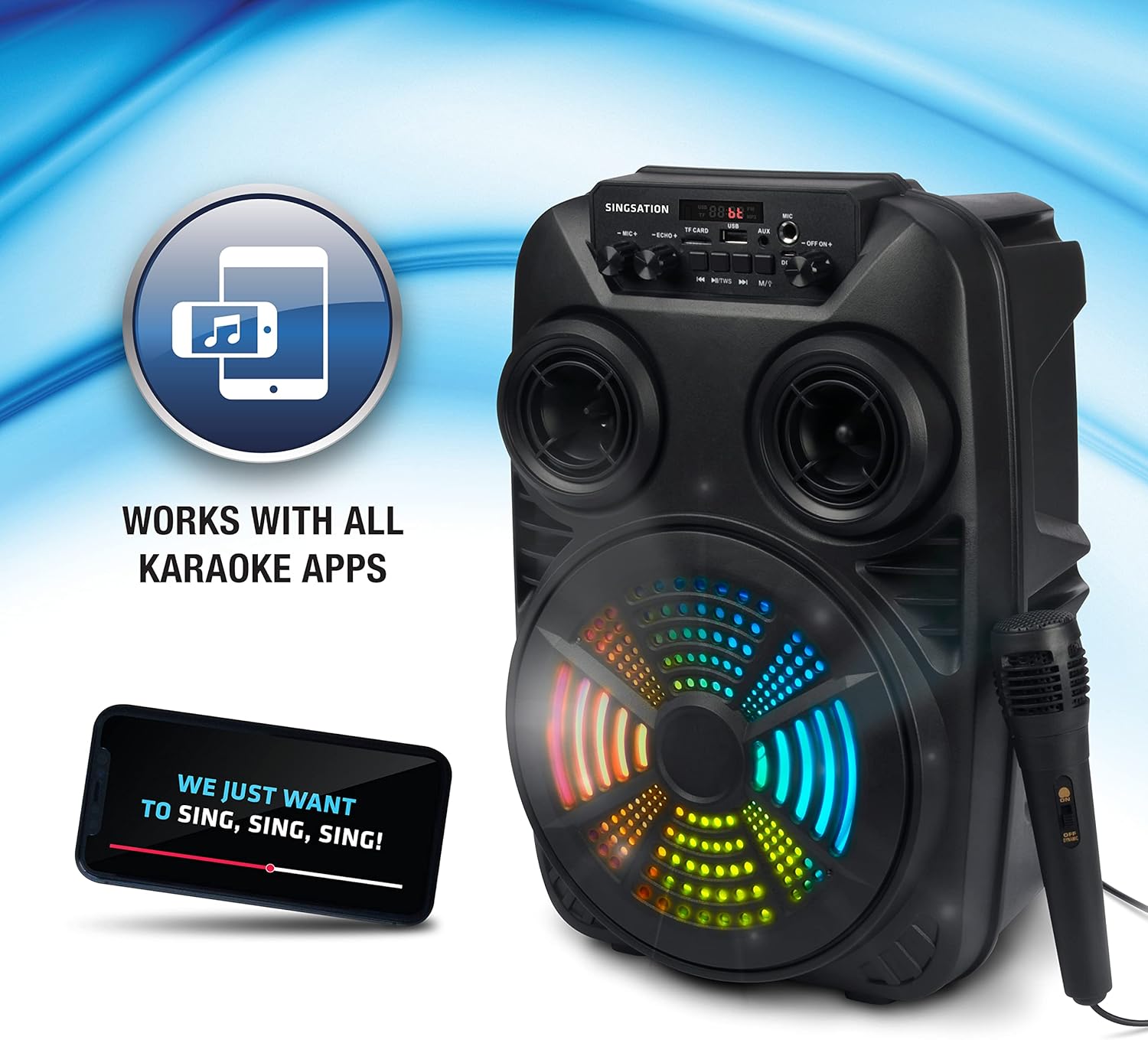
Image: The Singsation Karaoke Machine works seamlessly with all karaoke applications.
Using Other Audio Inputs (AUX, USB, Micro SD, FM Radio):
Press the 'Mode' button repeatedly to cycle through the available input modes: Bluetooth, AUX, USB, Micro SD, and FM Radio.
- Mod AUX: Connect an external audio device (e.g., MP3 player, computer) to the AUX input using a 3.5mm audio cable.
- Mod USB/Micro SD: Insert a USB drive or Micro SD card (TF card) containing MP3 audio files into the respective port/slot. The unit will automatically begin playing music.
- Mod Radio FM: In FM mode, press the Play/Pause button to auto-scan and save available radio stations. Use the Previous/Next Track buttons to navigate between saved stations.

Image: Multiple connectivity options for enjoying your music.
Penggunaan Mikrofon:
Once the microphone is connected, adjust the 'MIC VOL' knob to control the microphone's volume. Use the 'ECHO' knob to add an echo effect for a more professional vocal sound.
Light Show Features:
The Singsation Karaoke Machine features multi-color LED lights that synchronize with the music, creating a dynamic light show. These lights automatically activate when the unit is powered on.

Image: Features include vibrant color-changing lights and an adjustable echo effect.
Fungsi Kawalan Jauh:
The included remote control allows you to manage playback, volume, and other settings from a distance.
- Butang Kuasa: Menghidupkan / mematikan unit.
- Butang Mod: Berkitar melalui mod input.
- Jilid +/-: Melaraskan kelantangan induk.
- Butang EQ: Kitaran melalui pratetap penyamaan.
- Play/Pause, Previous/Next: Mengawal main balik media.
- Butang Nombor: For direct track selection in USB/Micro SD mode or FM station selection.
Peningkatan Bass:
The unit is designed with an 8-inch dynamic driver and a rear heavy bass guide tube to deliver impressive bass tones and strong stereo sound. No specific button for bass boost, it's an inherent feature of the speaker design.

Image: Enjoy singing along with your favorite tunes.
Penyelenggaraan
- Pembersihan: Gunakan kain lembut dan kering untuk membersihkan bahagian luar unit. Jangan gunakan pembersih atau pelarut yang melelas.
- Storan: Apabila tidak digunakan, simpan unit di tempat yang sejuk dan kering, jauh daripada cahaya matahari langsung dan suhu yang melampau.
- Penjagaan Bateri: Untuk memanjangkan hayat bateri, elakkan daripada kerap mencas sepenuhnya bateri. Cas unit secara berkala, walaupun tidak digunakan untuk tempoh yang lama.
Menyelesaikan masalah
If you encounter issues with your Singsation Karaoke Machine, refer to the table below for common problems and solutions.
| Masalah | Kemungkinan Punca | Penyelesaian |
|---|---|---|
| Tiada kuasa | Bateri habis; Suis kuasa MATI. | Charge the unit; Ensure the power switch is in the 'ON' position. |
| Tiada bunyi | Kelantangan terlalu rendah; Mod input salah dipilih; Peranti tidak berpasangan (Bluetooth). | Increase master volume; Press 'Mode' button to select correct input; Re-pair Bluetooth device. |
| Mikrofon tidak berfungsi | Microphone not properly connected; Microphone volume too low. | Ensure microphone is fully plugged into the input jack; Increase 'MIC VOL' knob. |
| Sambungan Bluetooth tidak stabil | Device is too far from the unit; Interference from other devices. | Move the Bluetooth device closer to the karaoke machine; Turn off other Bluetooth devices nearby. |
| Charging port feels loose/damaged | Physical damage to the port. | Handle charging cable with care. If damaged, contact customer support for repair options. |
Spesifikasi
| Ciri | Perincian |
|---|---|
| Nombor Model | SPKA24 |
| Saiz Pembesar Suara | 8-inch Dynamic Driver |
| Ketersambungan | Bluetooth 5.0, AUX, USB, Micro SD, FM Radio |
| Sumber Kuasa | Bateri boleh dicas semula |
| Masa bermain | Sehingga 4 jam (dengan sekali caj) |
| Dimensi (lebih kurang) | 16.6 x 10.2 x 8.1 inci |
| Berat (lebih kurang) | 4.14 paun |
| Komponen yang Disertakan | Karaoke Machine, Microphone, Remote Control, USB Charging Cable, Carrying Strap |
Waranti dan Sokongan
Singsation products are manufactured with high-quality standards. For warranty information, technical support, or service inquiries, please refer to the warranty card included with your product or visit the official Singsation webtapak. Simpan resit pembelian anda sebagai bukti pembelian.