1. Pengenalan
This manual provides essential instructions for the safe installation, operation, and maintenance of your Dioche Smart Wi-Fi DIN Rail Circuit Breaker. This device allows for remote control and monitoring of electrical appliances via a mobile application, offering enhanced convenience and energy management capabilities. Please read this manual thoroughly before use and retain it for future reference.
2. Maklumat Keselamatan
AMARAN: Electrical installation and maintenance should only be performed by qualified personnel. Failure to follow these instructions may result in electric shock, fire, or serious injury.
- Sentiasa putuskan kuasa pada pemutus litar utama sebelum memasang atau menservis peranti ini.
- Pastikan semua sambungan pendawaian selamat dan mematuhi kod elektrik tempatan.
- Jangan kendalikan peranti jika ia rosak atau tidak berfungsi.
- Jauhkan peranti daripada air dan kelembapan berlebihan.
- Peranti direka untuk kegunaan dalaman sahaja.
3. Produk Lebihview
The Dioche Smart Wi-Fi DIN Rail Circuit Breaker is designed for integration into smart home systems, providing remote control and monitoring of connected electrical loads. It features intelligent protection mechanisms and multiple timing modes.

Figure 3.1: Dioche Smart Wi-Fi DIN Rail Circuit Breaker. This image shows the front view of the circuit breaker with its branding and a text overlay indicating its function as a Wi-Fi circuit breaker.
3.1 Ciri-ciri Utama
- Kawalan Jauh: Manage device on/off status from anywhere via a mobile application.
- Pemantauan masa nyata: Observe the status of connected electrical appliances.
- Mod Masa Berbilang: Includes Time mode, Countdown mode, and Cycle time for automated control.
- Pembinaan Tahan Lama: Features copper for good conductivity and PA66 flame-retardant material for high temperature resistance.
- Perlindungan Keselamatan: Equipped with intelligent protection features such as short circuit protection and overload protection.
- Petunjuk Status: Colored LED indicator lights provide immediate visual feedback on the device's working status.
3.2 Komponen
The device consists of a main circuit breaker unit with integrated Wi-Fi module, power terminals (N, Power L, N, Load L), and a control button with an LED indicator.

Rajah 3.2: Depan view of the circuit breaker. This image displays the front of the Dioche circuit breaker, showing the power button, signal light, and metering indicator.
4. Persediaan
4.1 Pemasangan
The Dioche Smart Wi-Fi DIN Rail Circuit Breaker is designed for DIN rail mounting. Ensure proper wiring for safe and effective operation.
- Pemutusan Kuasa: Before beginning installation, ensure that the main power supply to the circuit is completely disconnected.
- Pemasangan: Securely mount the circuit breaker onto a standard DIN rail.
- Pendawaian: Connect the electrical wires from the upper end (Power L, N) to the lower end (Load L, N) of the circuit breaker. Verify that all connections are correct and tight.

Figure 4.1: Installation of the circuit breaker. This image shows an electrician connecting wires to a circuit breaker within an electrical panel, demonstrating the installation process.
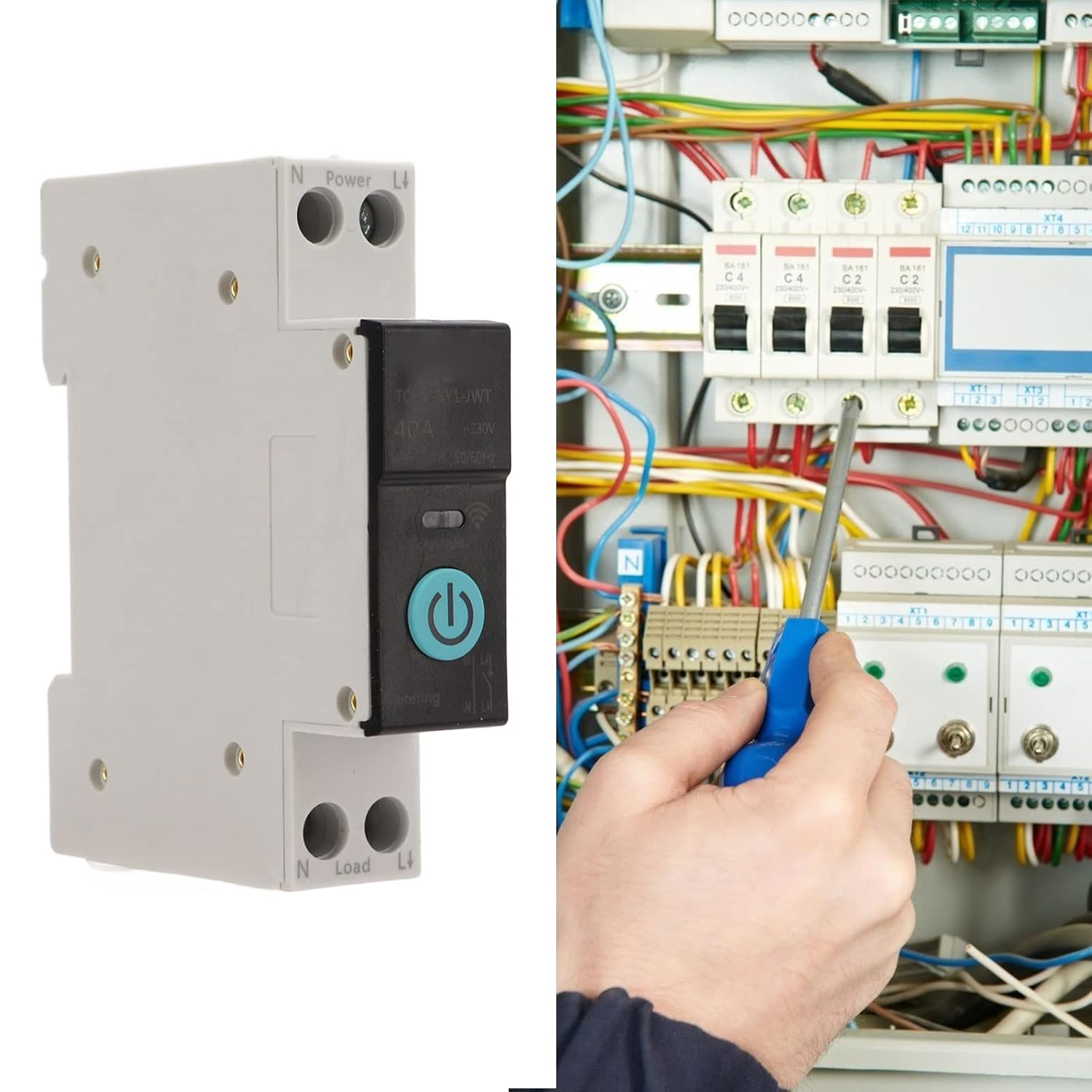
Figure 4.2: Securing wiring. This image depicts an electrician using a screwdriver to tighten connections on a circuit breaker, emphasizing the importance of secure wiring.
4.2 Pemasangan Peranti (Sambungan Wi-Fi)
To enable remote control, the circuit breaker must be paired with your mobile application and Wi-Fi network.
- Hidupkan kuasa: After installation, restore power to the circuit breaker.
- Dayakan Bluetooth & Wi-Fi: On your mobile phone, ensure both Bluetooth and Wi-Fi are enabled.
- Buka Permohonan: Launch the compatible smart home application (e.g., Smart Life app).
- Masukkan Mod Berpasangan: Press and hold the power button on the circuit breaker for 5-10 seconds. The LED indicator light will begin to flash slowly in blue, indicating it is in pairing mode.
- Tambah Peranti: In the application, a pop-up window may appear, or you may need to tap the '+' icon in the upper right corner and select 'Add Device'. Wait for the application to recognize the device.
- Sambungkan ke Rangkaian: Enter the password for your Wi-Fi network and proceed. Wait for the device to connect to the network.
- Pengesahan: Once connected, the LED indicator will change, and the device will appear in your application.
5. Arahan Operasi
5.1 Penerangan Penunjuk LED
- Cahaya Biru Malar: Indicates the circuit breaker is ON.
- Tutup lampu: Indicates the circuit breaker is OFF or in off-grid mode. Note: In off-grid mode, the manual switch has no status indicator. Exercise caution during operation.
- Kilat Biru Perlahan: Indicates the product is in pairing mode.
5.2 Alat Kawalan Jauh
After successful pairing, you can use the mobile application to remotely turn the circuit breaker ON or OFF. This allows you to control connected appliances from any location with internet access.
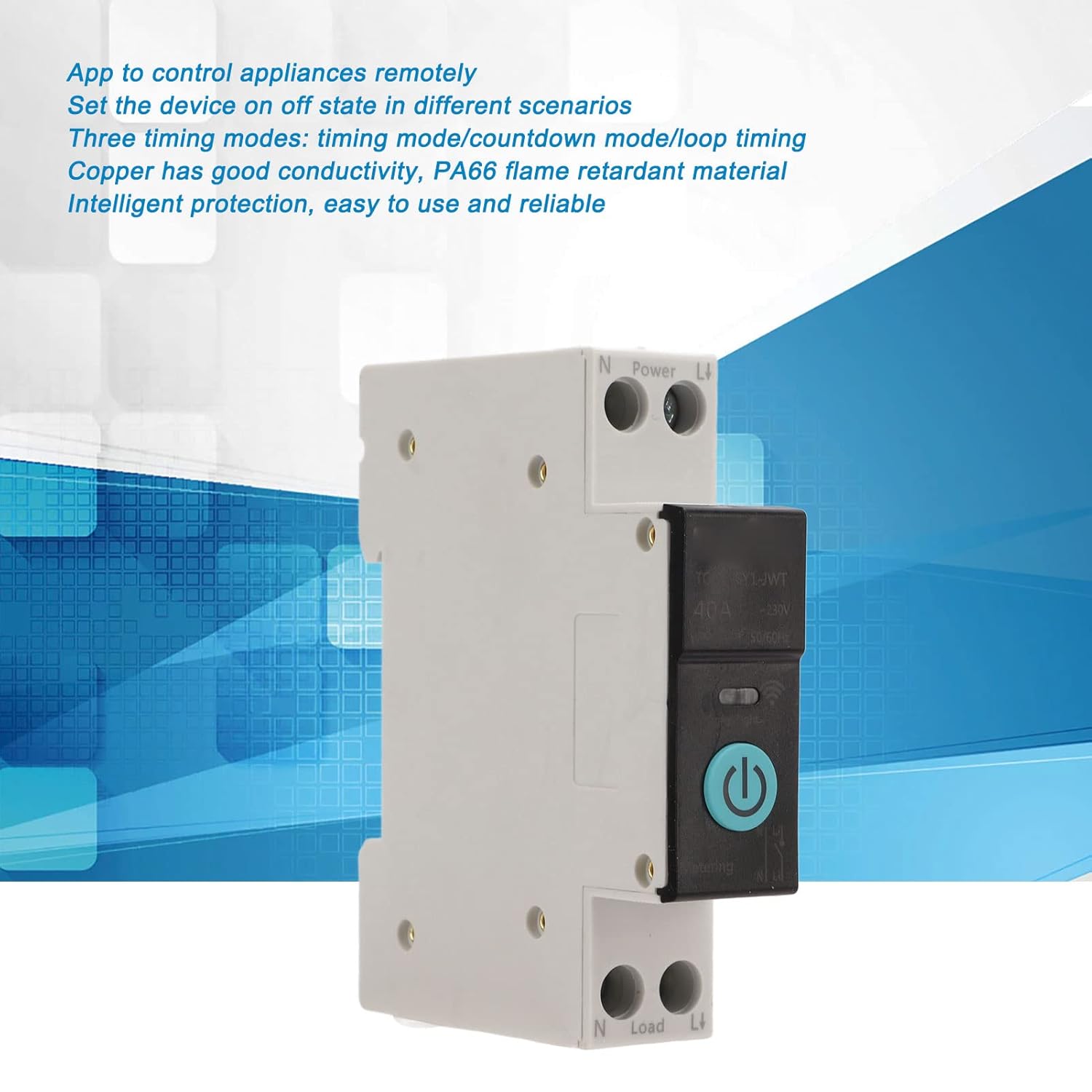
Figure 5.1: Remote control functionality. This image highlights the ability to control the circuit breaker remotely via a mobile application.
5.3 Mod Masa
The device supports three timing modes for automated control of your appliances:
- Mod Masa: Schedule specific ON/OFF times for the circuit breaker.
- Mod undur: Set a countdown timer after which the circuit breaker will change its state.
- Masa Kitaran: Program repetitive ON/OFF cycles for regular automation.
These modes can be configured within the mobile application to suit your specific needs, such as turning on an air conditioner before arriving home.
6. Penyelenggaraan
The Dioche Smart Wi-Fi DIN Rail Circuit Breaker requires minimal maintenance. Follow these guidelines to ensure optimal performance and longevity:
- Pemeriksaan Berkala: Periodically check the device and its wiring for any signs of damage, loose connections, or overheating.
- Pembersihan: Jika perlu, lap bahagian luar peranti dengan lembut dengan kain kering dan lembut. Jangan gunakan pembersih cecair atau pelarut.
- Kemas kini Firmware: Keep the mobile application and device firmware updated to ensure access to the latest features and security enhancements.
- Pemeriksaan Profesional: For any complex issues or concerns, consult a qualified electrician.
7. Penyelesaian masalah
If you encounter issues with your Dioche Smart Wi-Fi DIN Rail Circuit Breaker, refer to the following common problems and solutions:
| Masalah | Kemungkinan Punca | Penyelesaian |
|---|---|---|
| Peranti tidak dihidupkan. | Tiada bekalan kuasa; pendawaian yang tidak betul. | Periksa bekalan kuasa utama. Sahkan sambungan pendawaian adalah betul dan selamat. |
| Tidak dapat menyambung ke Wi-Fi. | Incorrect Wi-Fi password; weak Wi-Fi signal; device not in pairing mode. | Ensure correct Wi-Fi password. Move device closer to router. Re-enter pairing mode (slow blue flash). |
| Alat kawalan jauh tidak berfungsi. | No internet connection on phone or device; device offline in app. | Check phone's internet connection. Verify device is connected to Wi-Fi and online in the app. |
| LED indicator not functioning as expected. | Device malfunction; off-grid mode. | Refer to LED indicator description (Section 5.1). If persistent, contact support. |
8. Spesifikasi
Technical specifications for the Dioche Smart Wi-Fi DIN Rail Circuit Breaker (40A):
| Ciri | Spesifikasi |
|---|---|
| Jenama | Dioche |
| Nombor Model | Diochew3m6h809ag1208-15 |
| Penilaian Semasa | 40 Amps |
| Jenis Pemutus Litar | Standard |
| Jenis Pemasangan | Pemasangan DIN Rail |
| Bilangan Tiang | 2 (1P+N) |
| Volated Working Voltage | AC 230V |
| Kaedah Kawalan | Remote control (Wi-Fi), Manual |
| Permohonan | Smart home control (e.g., for Smart Lift app) |
| bahan | Copper, PA66 |
| Berat Barang | 110 g |
| Negara Asal | China |
8.1 Dimensi

Figure 8.1: Device Dimensions. The image shows the circuit breaker with its approximate dimensions: 82mm (3.23in) height, 68mm (2.68in) width, and 18mm (0.71in) depth.
9. Waranti dan Sokongan
9.1 Maklumat Waranti
Please refer to the product packaging or your point of purchase for specific warranty details. Typically, Dioche products come with a limited warranty covering manufacturing defects.
9.2 Sokongan Pelanggan
For technical assistance, troubleshooting, or warranty claims, please contact Dioche customer support through the contact information provided with your product or on the official Dioche webtapak.


