pengenalan
This manual provides comprehensive instructions for the setup, operation, and maintenance of your Technical Pro XSURROUND 4.1 Bluetooth Soundbar System. This system is designed to deliver an immersive audio experience for your home entertainment, featuring a soundbar, wireless subwoofer, and rechargeable satellite speakers. Please read this manual thoroughly before using the product to ensure proper function and longevity.
Apa yang ada dalam Kotak
Buka bungkusan semua komponen dengan berhati-hati dan pastikan item berikut hadir:
- Bar Bunyi Bluetooth
- Wireless Sub-Woofer
- Rechargeable Satellite Speakers (2 units)
- Penyesuai Kuasa
- Alat Kawalan Jauh (jika disertakan)
- Manual Pengguna (dokumen ini)

Image: All components of the Technical Pro XSURROUND 4.1 Bluetooth Soundbar System, including the soundbar, wireless subwoofer, and two satellite speakers.
Persediaan
1. Perhimpunan Bar Bunyi
The soundbar may arrive in multiple sections. Align the sections and gently push them together until they securely click into place. When fully assembled, the soundbar measures 45 inches.
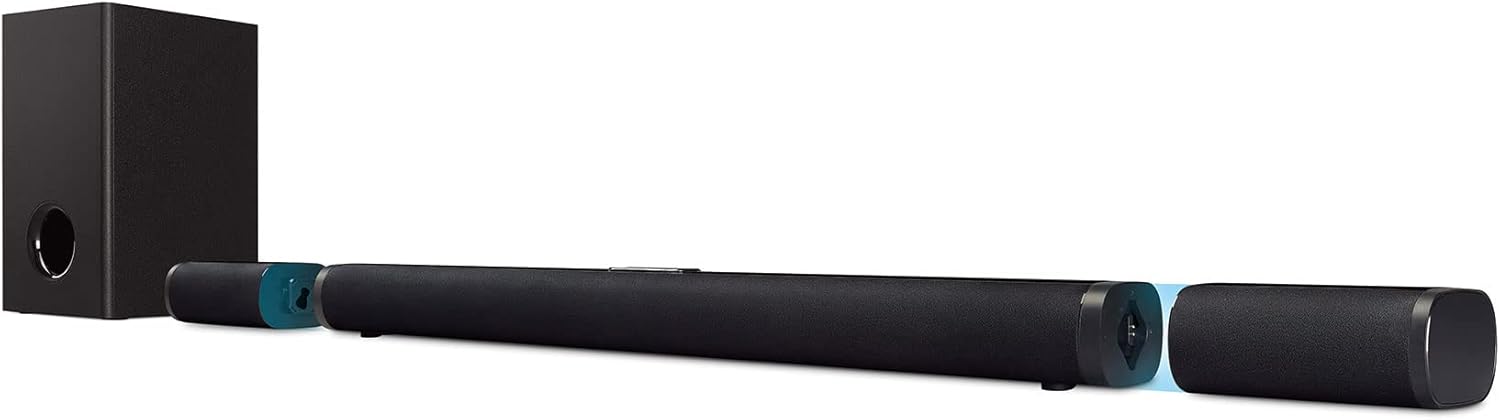
Image: The soundbar shown in its assembled state, with detachable end sections that house the satellite speakers.
2. Sambungan Kuasa
- Connect the power adapter to the soundbar's power input.
- Palamkan penyesuai kuasa ke salur keluar dinding.
- Connect the subwoofer's power cord to a wall outlet.
3. Subwoofer and Satellite Speaker Placement
Place the wireless subwoofer in a suitable location near the soundbar. The satellite speakers are detachable and rechargeable. They can be placed as rear satellites for surround sound or attached to the soundbar. Ensure they are charged for optimal wireless performance.
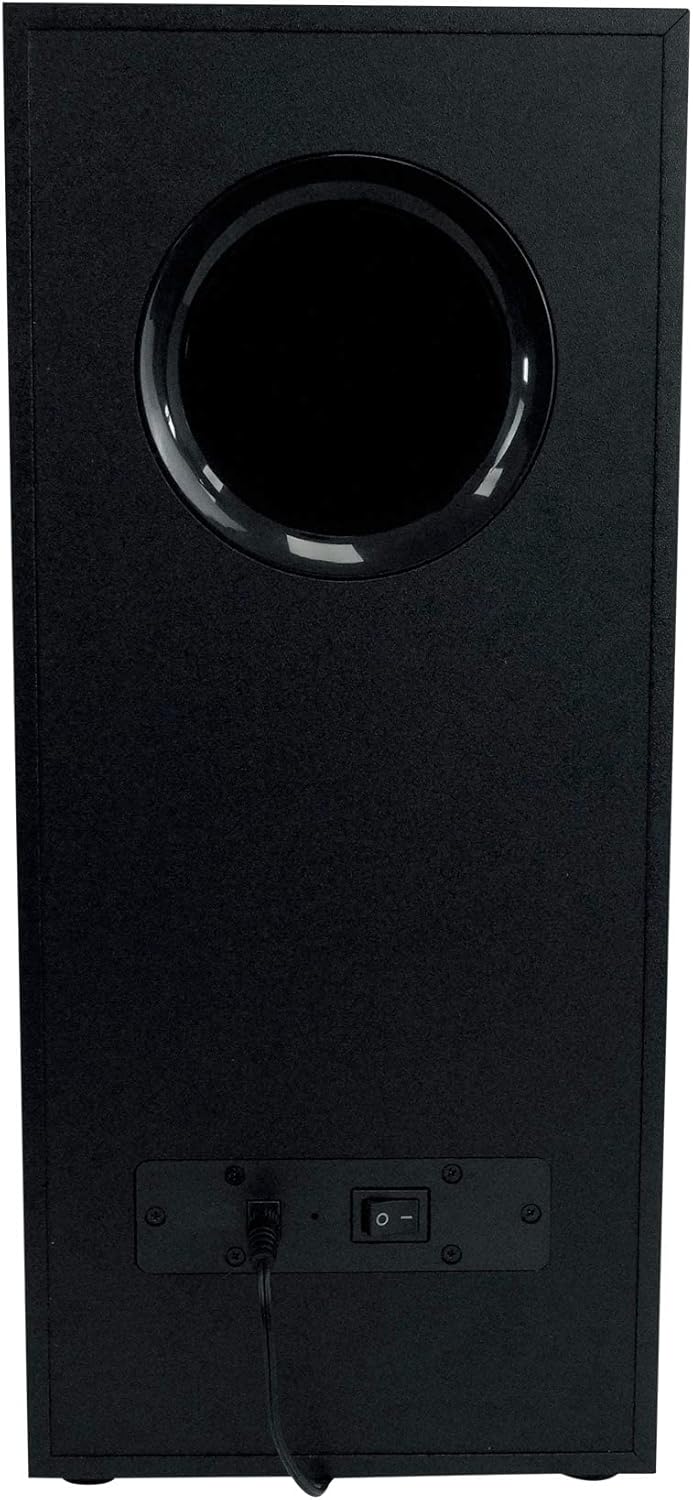
Imej: Belakang view of the wireless subwoofer, showing the power input and on/off switch.
4. Menyambung ke Sumber Audio
The system supports multiple input options:
- HDMI (ARC): For optimal audio quality and control, connect an HDMI cable from your TV's HDMI ARC port to the soundbar's HDMI ARC input.
- Optik: Sambungkan kabel optik daripada output optik TV anda ke input optik bar bunyi.
- Auxiliary (Aux): Use a 3.5mm audio cable to connect devices with an auxiliary output to the soundbar's Aux input.
- USB: Masukkan pemacu USB dengan audio files into the soundbar's USB port for direct playback.
- Bluetooth: Refer to the 'Operating' section for Bluetooth pairing instructions.
Beroperasi
1. Hidupkan/Mati Kuasa
Press the power button on the soundbar's control panel or the remote control to turn the system on or off. The subwoofer will power on automatically when the soundbar is active.
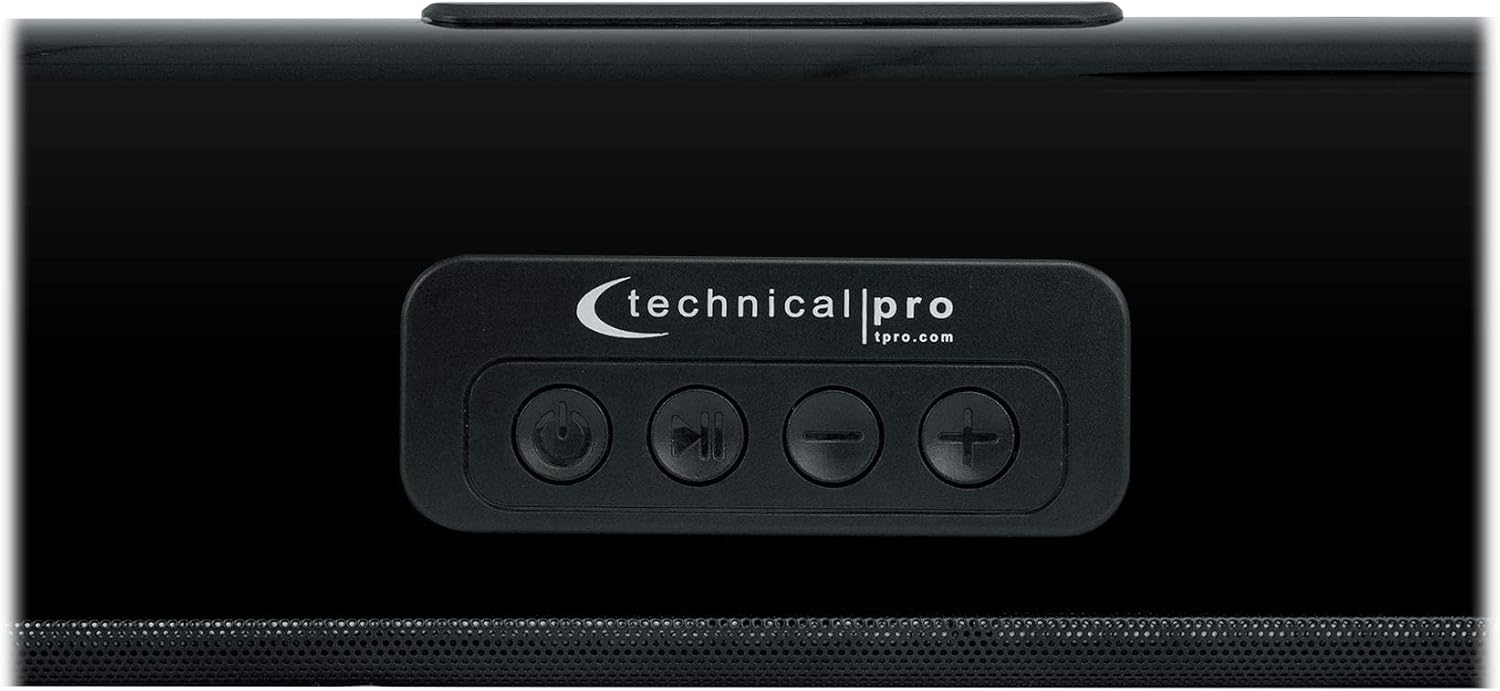
Image: Close-up of the soundbar's top-mounted control panel, showing power, play/pause, and volume buttons.
2. Pemilihan Input
Press the 'Input' or 'Source' button on the soundbar's control panel or remote control to cycle through available audio inputs (HDMI ARC, Optical, Aux, Bluetooth, USB).
3. Kawalan Kelantangan
Adjust the volume using the '+' and '-' buttons on the soundbar or the remote control.
4. Berpasangan Bluetooth
- Select 'Bluetooth' as the input source on the soundbar. The soundbar will enter pairing mode, indicated by a flashing LED.
- Pada peranti anda yang didayakan Bluetooth (telefon pintar, tablet, komputer), pergi ke tetapan Bluetooth dan cari peranti yang tersedia.
- Select 'XSURROUND' (or similar name) from the list of devices.
- Once paired, the LED indicator on the soundbar will become solid, and you can stream audio wirelessly. The Bluetooth range is approximately 60 feet.
5. Detachable Satellite Speakers
The satellite speakers are battery-powered and automatically connect wirelessly to the soundbar when detached. They will instantly play once reconnected to the soundbar or when powered on after detachment. Ensure they are charged regularly for continuous wireless use.
Penyelenggaraan
- Pembersihan: Use a soft, dry cloth to clean the surfaces of the soundbar, subwoofer, and satellite speakers. Do not use liquid cleaners or abrasive materials.
- Pengudaraan: Ensure proper ventilation around all components to prevent overheating. Do not block any vents.
- Persekitaran: Avoid exposing the system to extreme temperatures, humidity, direct sunlight, or dusty environments. The product is not waterproof.
- Pemanggang Pembesar Suara: The metal speaker grills protect against accidental damage. Avoid pressing on them or attempting to remove them.
Menyelesaikan masalah
- Tiada Kuasa:
• Check if the power cords for the soundbar and subwoofer are securely plugged into both the device and a working wall outlet.
• Ensure the power switch on the subwoofer is in the 'ON' position. - Tiada Bunyi:
• Verify that the correct input source is selected on the soundbar.
• Increase the volume on both the soundbar system and your connected audio source (TV, phone, etc.).
• Check all audio cables (HDMI, Optical, Aux) for secure connections.
• If using Bluetooth, ensure the device is properly paired and within range. - Subwoofer/Satellite Speakers Not Connecting:
• Ensure the subwoofer is powered on.
• For satellite speakers, ensure they are charged. They should automatically reconnect when detached from the soundbar.
• If issues persist, try restarting the soundbar and subwoofer. - Audio Herot:
• Reduce the volume on both the soundbar and the audio source.
• Check for interference from other electronic devices.
• Ensure audio cables are not damaged.
Spesifikasi
| Ciri | Perincian |
|---|---|
| Nama Model | XSURROUND |
| Jenis Pembesar Suara | Soundbar with Wireless Subwoofer and Rechargeable Satellites |
| Konfigurasi Saluran Bunyi Sekeliling | 4.1, 5.0 |
| Output Kuasa Puncak | 6000 Watt |
| Respons Kekerapan | 50Hz ~ 16KHz |
| Teknologi Ketersambungan | Bluetooth, HDMI (ARC), Auxiliary, Optical, USB |
| Versi Bluetooth | v5.0 with EDR |
| Julat Bluetooth | 60 Kaki |
| Kesambungan Subwufer | Tanpa wayar |
| Pembesar Suara Satelit | Detachable, Battery-Powered, Wireless |
| Soundbar Length (assembled) | 45 inci |
| Satellite Speaker Height | 6.7 inci |
| Dimensi Produk (L x W x H) | 33.9"D x 8.1"W x 16.3"H (Box dimensions: 33.31" L x 16.34" W x 7.87" H) |
| Unit Berat | 14 lbs (Product: 17.4 pounds) |
| Sumber Kuasa | Battery Powered (for satellites), AC Power (for soundbar/subwoofer) |
| Kaedah Kawalan | Alat Kawalan Jauh, Butang pada unit |
| warna | Hitam |
Maklumat Waranti
This Technical Pro XSURROUND 4.1 Bluetooth Soundbar System comes with a limited warranty. Please refer to the warranty card included in your product packaging for specific terms, conditions, and duration of coverage. Retain your proof of purchase for any warranty claims.
Sokongan
For technical assistance, troubleshooting beyond this manual, or warranty inquiries, please contact Technical Pro customer support. Visit the official Technical Pro webtapak untuk maklumat hubungan dan sumber tambahan.
Pro Teknikal Webtapak: www.tpro.com


