1. Produk Lebihview
The Ankilo Digital LED Alarm Clock is a versatile electronic desktop clock designed for bedrooms and other indoor spaces. It features a large, clear display, dual alarm settings, temperature display, and voice control capabilities. This manual provides detailed instructions for setting up and operating your new alarm clock.
Ciri-ciri Utama:
- Large 6.7-inch LED Display: Provides clear visibility of time, alarm, and temperature.
- Dual Alarm & Snooze Function: Set two independent alarms with a 5-minute snooze option.
- USB & Dikuasakan Bateri: Flexible power options (USB cable included, adapter and AAA batteries not included).
- Voice Control & Power Saving Mode: Activate the display by sound or touch when battery-powered, with automatic power-saving after 20 seconds of inactivity.
- Mudah Digunakan: Simple 5-button interface for straightforward setup and operation.

Rajah 1.1: Depan view of the Ankilo Digital LED Alarm Clock.
2. Persediaan dan Pemasangan
2.1 Bekalan Kuasa
The Ankilo Digital LED Alarm Clock offers two power options:
- Dikuasakan USB: Connect the included USB cable to the clock and a USB power adapter (not included). When powered by USB, the LED display will always remain on.
- Dikuasakan Bateri: Insert 3 AAA batteries (not included) into the battery compartment. In battery mode, the clock will automatically enter power-saving mode after 20 seconds of inactivity to conserve power. The time memory function ensures settings are retained after power failure.
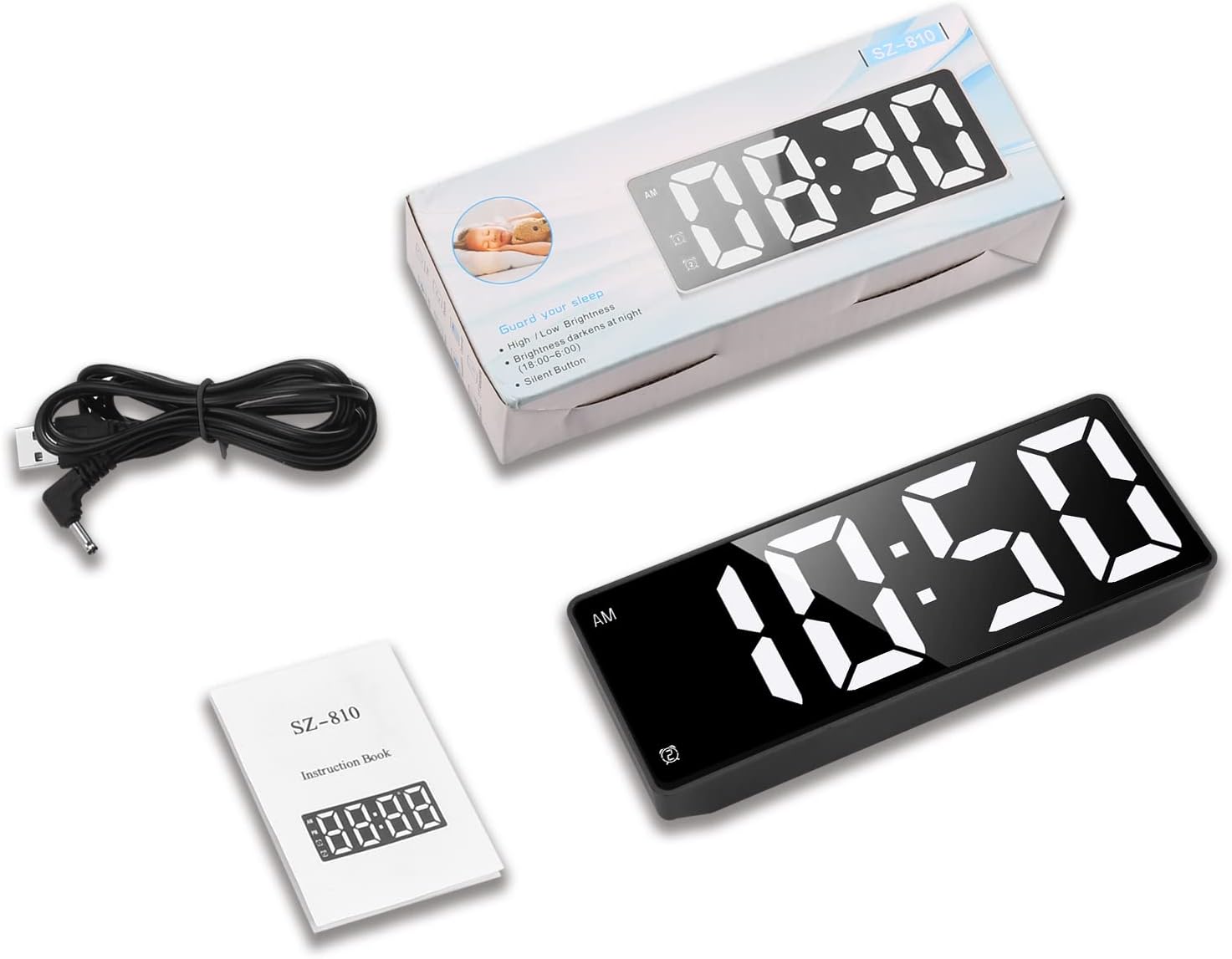
Rajah 2.1: Belakang view showing USB power input and AAA battery compartment.
2.2 Persediaan Awal
Before first use, ensure the clock is powered on using either USB or batteries.
Video 2.1: "How to Use Ankilo LED Alarm Clock?" - This video demonstrates the basic setup and operation of the clock, including power options and setting time.
3. Arahan Operasi
3.1 Setting Time and 12/24H Format
- Tekan dan tahan butang SET button (gear icon) for 3 seconds to enter time setting mode. The hour digits will flash.
- Gunakan UP (triangle up) or TURUN (triangle down) buttons to adjust the hour.
- Tekan SET again to move to minute adjustment. Use UP or TURUN untuk menyesuaikan minit.
- Tekan SET again to switch between 12-hour (AM/PM) and 24-hour formats. Use UP or TURUN untuk memilih.
- Tekan SET one more time to confirm settings and exit.
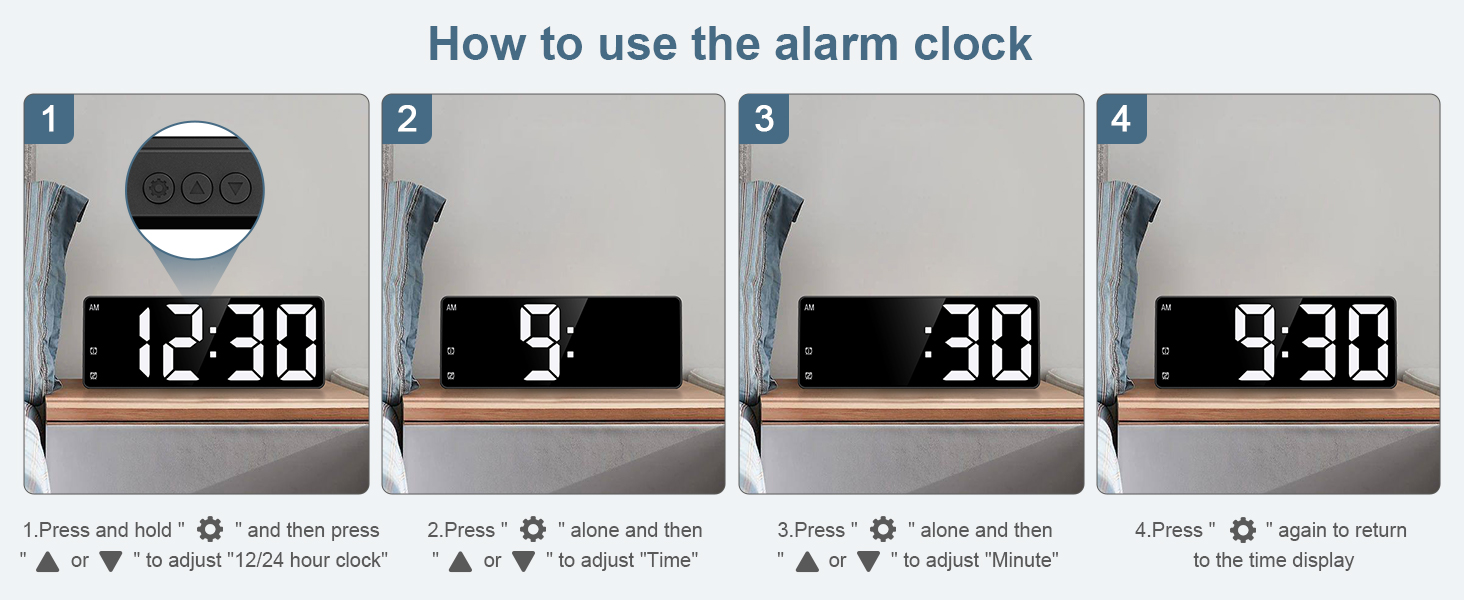
Figure 3.1: Visual guide for setting the time and 12/24 hour format.
3.2 Setting Dual Alarms
The clock supports two independent alarms (Alarm 1 and Alarm 2).
- Tekan ke Penggera 1 button (bell icon with '1') to activate or deactivate Alarm 1. The alarm icon will appear/disappear on the display.
- Tekan dan tahan butang Penggera 1 button for 3 seconds to enter Alarm 1 setting mode. The hour digits will flash.
- guna UP or TURUN untuk melaraskan jam penggera.
- Tekan Penggera 1 again to move to minute adjustment. Use UP or TURUN untuk menyesuaikan minit.
- Tekan Penggera 1 one more time to confirm and exit.
- Ulangi proses tersebut menggunakan Penggera 2 button (bell icon with '2') for Alarm 2.

Gambar 3.2: Cthample of dual alarm settings.
3.3 Fungsi Tunda
When an alarm sounds, press any button (except the alarm buttons) to activate the snooze function. The alarm will pause for 5 minutes and then sound again. To completely turn off the alarm, press the corresponding Alarm 1 or Alarm 2 button.
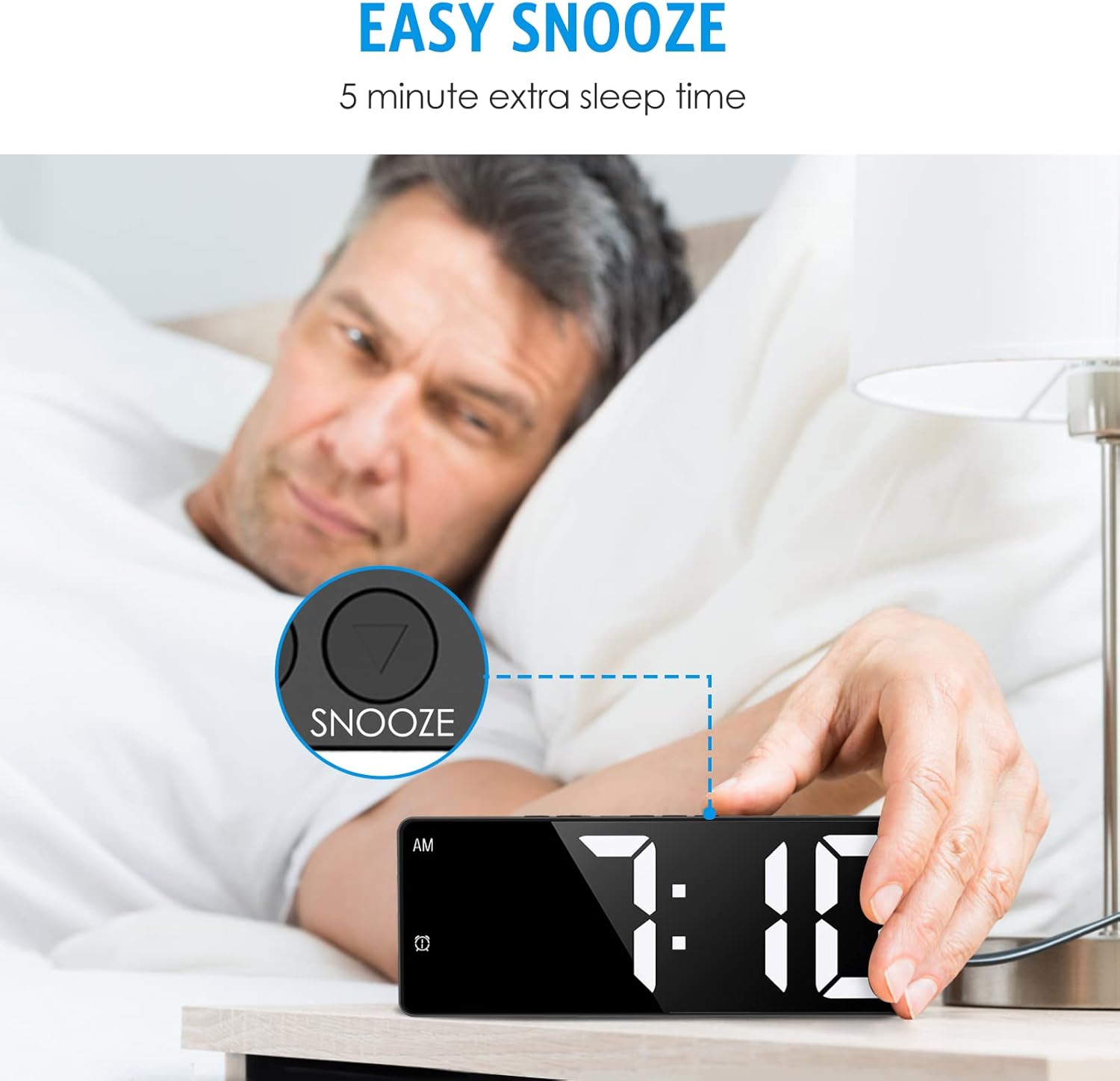
Figure 3.3: Activating the snooze function for an extra 5 minutes of sleep.
3.4 Voice Control and Power Saving Mode (Battery Powered Only)
When the clock is powered by batteries, it features a voice-activated function. You can wake up the display by clapping your hands, tapping the table, or touching the clock. The LED display will automatically turn off after 20 seconds of inactivity to save power, while the internal clock and temperature functions continue to operate.

Figure 3.4: Demonstrating voice control and touch activation.
3.5 Paparan Suhu
The clock displays the indoor temperature. Press the MODE button (M icon) to cycle through time, date, and temperature displays. The temperature can be displayed in Celsius or Fahrenheit.
Video 3.1: "Ankilo Digital Clock LED Desktop Alarm Clock for Bedroom" - This video provides a comprehensive overview of the clock's features, including temperature display and brightness adjustments.
4. Penyelenggaraan
To ensure optimal performance and longevity of your Ankilo Digital LED Alarm Clock, follow these maintenance guidelines:
- Pembersihan: Wipe the clock surface with a soft, dry cloth. Avoid using abrasive cleaners or solvents, as they may damage the display or casing.
- Penggantian Bateri: If using battery power, replace all 3 AAA batteries when the display becomes dim or unresponsive. Ensure correct polarity when inserting new batteries.
- Storan: If storing the clock for an extended period, remove the batteries to prevent leakage and damage. Store in a cool, dry place.
- Persekitaran: Avoid placing the clock in direct sunlight, extreme temperatures, or high humidity, as these conditions can affect its performance and lifespan.
5. Penyelesaian masalah
| Masalah | Kemungkinan Punca | Penyelesaian |
|---|---|---|
| Paparan kosong atau malap. | No power, low batteries, or in power-saving mode. | Check USB connection. Replace batteries if using battery power. If in battery mode, clap hands or touch the clock to activate the display. |
| Penggera tidak berbunyi. | Penggera tidak ditetapkan atau dinyahaktifkan. Kelantangan terlalu rendah. | Ensure alarm is activated (alarm icon visible). Check alarm time. Adjust volume if applicable (this model might not have volume control, so keep it general). |
| Masa tidak tepat. | Time not set correctly or internal clock drift. | Reset the time following Section 3.1. If drift persists, ensure stable power supply. |
| Kawalan suara tidak berfungsi. | Clock is USB powered or ambient noise is too high. | Voice control only works when battery powered. Reduce ambient noise or try a firmer clap/tap. |
6. Spesifikasi
- Jenama: Ankilo
- model: B0B2NRD47B
- Jenis Paparan: LED digital
- Dimensi Produk: 6.3"W x 2.36"H x 0.7-1"D
- Sumber Kuasa: Corded Electric (USB, adapter not included), 3x AAA Batteries (not included)
- Bahan: Akrilonitril Butadiena Stirena (ABS)
- Ciri Khas: Large Display, Temperature Display, Snooze, Dual Alarm, Voice Control, 12/24H Format
- Berat Barang: 5.3 auns

Figure 6.1: Product dimensions and button layout.
7. Waranti dan Sokongan
Ankilo is committed to providing high-quality products and customer satisfaction. Your Ankilo Digital LED Alarm Clock comes with the following:
- 6 Months Return Policy
- Waranti 24 Bulan
- Sokongan Sepanjang Hayat
For any inquiries, technical assistance, or warranty claims, please refer to the official product page or contact Ankilo customer support directly.

Figure 7.1: Ankilo's commitment to quality and customer support.
8. Sumber Tambahan
For a comprehensive guide and further details, you can download the official User Guide:
