
1. Pengenalan dan Lebihview
The ZEBRONICS Cozy is a 6-button vertical USB gaming mouse designed for comfort and high-precision gaming. It features a maximum DPI of 3200, a durable 1.8m braided cable, vibrant LED lights, a high-resolution sensor, and a smooth rubber finish. Its ergonomic design promotes natural hand posture, reducing strain during extended use. This plug-and-play device is ready for immediate use with your computer or laptop.
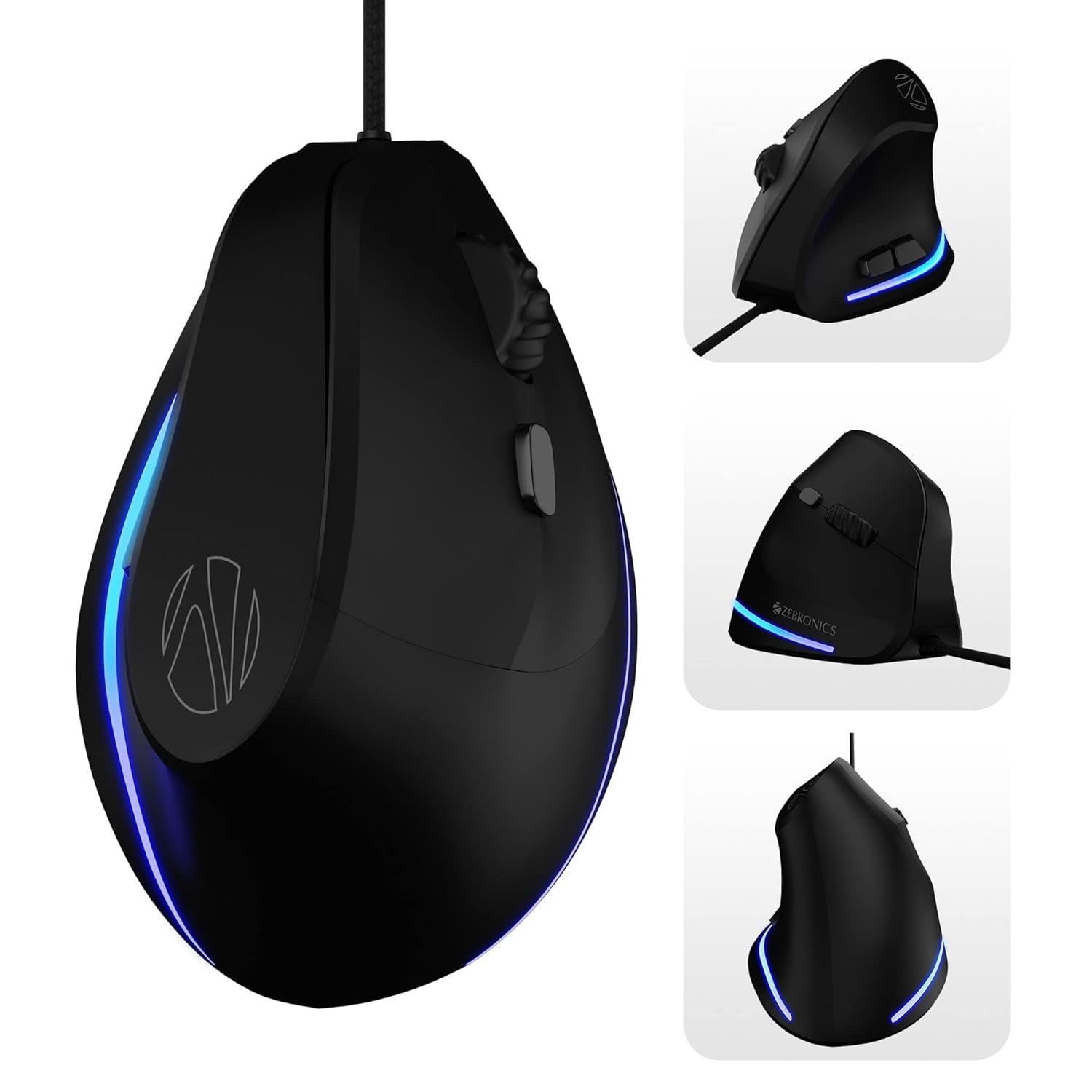
Image: Various angles of the ZEBRONICS Cozy mouse, highlighting its unique vertical shape.
2. Ciri-ciri Utama
- Reka Bentuk Menegak Ergonomik: Redefines comfort with a high-precision gaming-grade sensor, promoting a natural handshake grip to reduce wrist strain.
- DPI boleh laras: Supports up to 3600 DPI, with four preset levels (1200 / 1600 / 2400 / 3200 DPI) for customizable sensitivity.
- 6 Butang Boleh Aturcara: Includes dedicated buttons for forward, backward, and DPI adjustment, offering versatile control.
- Binaan Tahan Lama: Designed for hardcore gaming with a 5 million click cycle lifespan.
- Kabel Jalinan: Features a 1.8-meter high-quality braided cable with a USB connector for reliable, uninterrupted gaming.
- Rubber Finish: A smooth rubber finish ensures easy handling and comfort during long hours of use.
- Lampu LED: Stunning LED lights enhance your gaming station's aesthetics.
- Pasang dan Main: Simple USB connection for immediate use with computers and laptops.

Image: Visual representation of the mouse's ergonomic design, DPI settings, USB interface, LED lights, braided cable, button count, high-resolution sensor, DPI switch, and rubber finish.

Image: A comparison illustrating the ergonomic benefits of a vertical mouse over a standard mouse, showing natural wrist alignment.

Imej: Jarak dekat view of the ZEB-COZY mouse highlighting its vibrant LED lighting.
3. Persediaan
Keperluan Sistem:
- Compatible with most computers and laptops.
- USB port available.
Menyambungkan Tetikus:
- Cari port USB yang tersedia pada komputer atau komputer riba anda.
- Insert the USB connector of the ZEB-COZY mouse firmly into the USB port.
- The mouse is plug-and-play, meaning it should be automatically recognized by your operating system without requiring additional driver installation.
- The LED lights on the mouse will illuminate upon successful connection.

Image: Illustration of the USB interface, indicating simple plug-and-play connectivity.

Image: The ZEB-COZY mouse positioned between a Mac and Windows computer, signifying broad compatibility.
4. Arahan Operasi
Penggunaan Asas:
Once connected, the ZEB-COZY mouse functions like a standard mouse. Move the mouse to control the cursor on your screen. Use the left and right click buttons for primary and secondary actions, respectively. The scroll wheel allows for vertical scrolling through documents and web muka surat.
Pelarasan DPI:
The ZEB-COZY mouse features a dedicated DPI button, typically located near the scroll wheel. Press this button to cycle through the four available DPI settings:
- 1200 DPI (Lalai)
- 1600 DPI
- 2400 DPI
- 3200 DPI (Maksimum)
Adjusting the DPI changes the cursor speed and sensitivity, allowing you to optimize performance for different tasks, from precise graphic design to fast-paced gaming.

Image: Close-up of the mouse indicating its maximum 3200 DPI capability.
Fungsi Butang:
In addition to the standard left, right, and scroll wheel click, the ZEB-COZY mouse includes dedicated forward and backward buttons, usually located on the side for thumb access. These buttons are commonly used for navigation in web pelayar dan file penjelajah.
5. Penyelenggaraan
To ensure the longevity and optimal performance of your ZEB-COZY mouse, follow these simple maintenance guidelines:
- Pembersihan: Regularly wipe the mouse surface with a soft, dry, lint-free cloth. For stubborn dirt, slightly dampen kain dengan air atau larutan pembersih lembut. Elakkan bahan kimia yang keras atau bahan yang melelas.
- Penjagaan Sensor: Pastikan sensor optik di bahagian bawah tetikus bersih dan bebas daripada habuk atau serpihan. Gunakan swab kapas atau udara termampat jika perlu.
- Pengurusan Kabel: Avoid sharp bends or excessive pulling on the braided cable to prevent internal damage. Store the cable neatly when not in use.
- Storan: Simpan tetikus di tempat yang sejuk dan kering jauh dari cahaya matahari langsung dan suhu yang melampau.
6. Penyelesaian masalah
If you encounter any issues with your ZEB-COZY mouse, please refer to the following common problems and their solutions:
| Masalah | Kemungkinan Punca | Penyelesaian |
|---|---|---|
| Mouse not responding / Cursor not moving. | Sambungan USB longgar, port USB rosak, isu pemandu. | Pastikan kabel USB dipasang dengan kukuh. Cuba port USB yang lain. Mulakan semula komputer anda. |
| Erratic or jumpy cursor movement. | Sensor optik kotor, permukaan yang tidak sesuai, gangguan perisian. | Clean the optical sensor on the bottom of the mouse. Use the mouse on a clean, non-reflective surface or a mouse pad. Check for conflicting software. |
| Butang DPI tidak mengubah kepekaan. | Software conflict, temporary glitch. | Ensure no other mouse software is interfering. Restart your computer. |
| Lampu LED tidak berfungsi. | Masalah kuasa, kerosakan dalaman. | Check USB connection. Try a different USB port. If the mouse functions otherwise, this might be a minor cosmetic issue. |
If the problem persists after trying these solutions, please contact ZEBRONICS customer support for further assistance.
7. Spesifikasi
| Ciri | Perincian |
|---|---|
| Jenama | ZEBRONIK |
| Nama Model | ZEB-COZY |
| warna | Hitam |
| Teknologi Ketersambungan | USB (Berwayar) |
| Teknologi Pengesanan Pergerakan | Optik |
| Tahap DPI | 1200 / 1600 / 2400 / 3200 DPI (Max) |
| Bilangan Butang | 6 |
| Panjang Kabel | 1.8 meters (Braided) |
| Dimensi Item (LxWxH) | 7.5 x 12 x 9 cm |
| Berat Barang | 157 g |
| Komponen yang Disertakan | Mouse - 1 unit |
| Keserasian Sistem Pengendalian | Computers, Laptops (Mac and Windows compatible) |
| Ciri Khas | Dedicated buttons for DPI, Forward & Backward, Works on most surfaces, Rubber finish, High Precision, LED Lights, Comfortable and Ergonomic design. |
8. Waranti dan Sokongan
The ZEBRONICS Cozy 6 Button Vertical USB Gaming Mouse comes with a Waranti 1 Tahun dari tarikh pembelian. Sila simpan resit pembelian anda untuk tuntutan waranti.
For technical support, warranty claims, or any product-related inquiries, please contact ZEBRONICS customer service. Refer to the official ZEBRONICS website or product packaging for the most up-to-date contact information.
Manufacturer: Zebronics India Private Limited, 13/7, Smith Road, Royapettah CHENNAI-600002
9. Video Produk Tamatview
Video: Seorang pegawai tamatview of the ZEBRONICS Cozy 6 Button Vertical USB Gaming Mouse, highlighting its features and design.


