1. Pengenalan
This manual provides essential information for the installation, operation, and maintenance of your Axis Communications M2035-LE HDTV 1080P Surveillance Camera. Please read this manual thoroughly before using the product to ensure proper setup and functionality. Keep this manual for future reference.
2. Maklumat Keselamatan
Observe the following safety precautions to prevent damage to the product or injury to yourself and others:
- Ensure the power source matches the camera's requirements (28 Volts, 4.2 watts).
- Do not expose the camera to extreme temperatures or humidity beyond its operating specifications.
- Elakkan pendedahan langsung kepada sumber cahaya yang kuat, yang boleh merosakkan sensor imej.
- Jangan cuba membuka atau mengubah suai kamera. Rujuk semua servis kepada kakitangan yang berkelayakan.
- Install the camera securely to prevent it from falling.
- Keep the camera away from water and moisture, despite its water-resistant rating (IP54).
3. Kandungan Pakej
Sahkan bahawa semua item terdapat dalam pakej:
- Axis M2035-LE Camera Unit
- Mounting Stand/Bracket
- Panduan Pemasangan (dokumen ini)
- Perkakasan Pemasangan (skru, sauh)
Nota: Kandungan tertentu mungkin sedikit berbeza mengikut kawasan atau bungkusan.
4. Produk Lebihview
The Axis M2035-LE is a compact, outdoor-ready dome surveillance camera designed for high-definition video monitoring. It features 1080p resolution, a wide viewing angle, and infrared night vision for reliable performance in various lighting conditions.
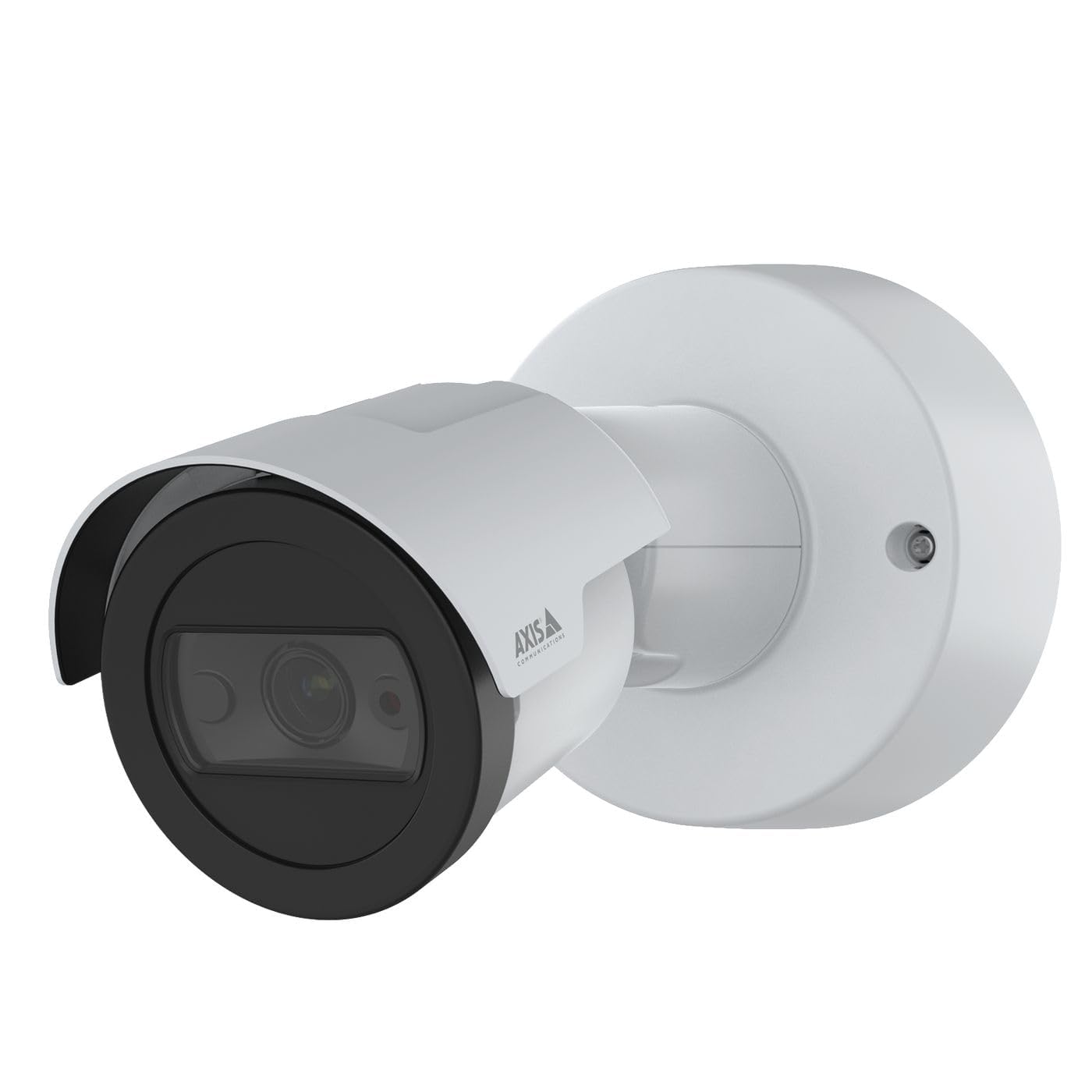
Rajah 1: Depan view of the Axis M2035-LE HDTV 1080P Surveillance Camera. This image shows the compact dome design suitable for outdoor installation.
5. Persediaan dan Pemasangan
The Axis M2035-LE camera supports various mounting options, including table mount and recessed installation. Ensure the chosen location provides a clear field of view and stable mounting surface.
5.1. Pertimbangan Pemasangan
- Penggunaan Luaran: The camera is designed for outdoor environments.
- Kuasa: The camera requires a 28V power supply. Ensure proper wiring and power delivery.
- Ketersambungan: The camera supports Wi-Fi and Ethernet connectivity. Plan your network connection accordingly.
5.2. Table Mount Installation
- Attach the mounting stand to the camera unit using the provided screws.
- Place the camera on a stable, flat surface.
- Laraskan kamera viewsudut mengikut keperluan.
5.3. Recessed Mount Installation (Soffit Example)
For recessed mounting, particularly in soffits, careful planning is required to ensure sufficient depth and avoid obstructions.
- Sahkan Kedalaman: Before cutting, confirm the soffit has adequate depth for the recessed mount. You can use a small pilot hole and a wire to measure the available space.
- Mark and Cut: Mark the desired location and carefully cut the opening in the soffit according to the template provided with the recessed mount kit (sold separately).
- Pasang Pemasangan: Secure the recessed mount bracket into the opening.
- Sambung dan Selamatkan: Connect the necessary cables (power, Ethernet) and then secure the camera unit into the recessed mount.
- Laraskan Sudut: Adjust the camera lens to achieve the desired field of view.
6. Arahan Operasi
6.1. Initial Power-Up and Network Connection
- Sambungkan kamera ke bekalan kuasa.
- For initial setup, it is recommended to connect via Ethernet to your network router or switch.
- Use the Axis IP Utility or a web browser to discover the camera on your network and configure its settings.
- For Wi-Fi connectivity, configure the wireless settings through the camera's web antara muka.
6.2. Pemantauan dan Rakaman Video
- The camera provides 1080p video resolution at 30 frames per second.
- Akses secara langsung view and recording features through the camera's web antara muka atau perisian pengurusan video (VMS) yang serasi.
- The camera is compatible with Digital Video Recorders (DVRs).
- Video capture format is MPEG-4.
6.3. Low Light and Night Vision
The M2035-LE features "Night Color" low light technology and an infrared (IR) light source for clear imaging in dark conditions.
- The camera automatically switches to night mode when ambient light is low.
- Ensure the IR illuminator is not obstructed for optimal night vision performance.
6.4. Pengesanan Pergerakan dan Makluman
The camera supports motion-only alert types.
- Configure motion detection zones and sensitivity settings via the camera's web antara muka.
- Set up alert actions such as email notifications or recording triggers.
6.5. Alat Kawalan Jauh
The camera can be controlled remotely through its web interface or compatible VMS, allowing for adjustments to settings and viewing live feeds.
7. Penyelenggaraan
- Pembersihan: Lap kanta dan badan kamera dengan lembut,amp kain. Jangan gunakan bahan kimia yang keras atau pembersih yang kasar.
- Kemas kini Firmware: Regularly check the Axis Communications website for firmware updates to ensure optimal performance and security. Follow the instructions provided with the firmware update.
- Pemeriksaan Kabel: Periksa semua kabel secara berkala untuk tanda-tanda haus atau kerosakan, terutamanya dalam pemasangan luar.
8. Penyelesaian masalah
| Masalah | Kemungkinan Punca | Penyelesaian |
|---|---|---|
| Tiada kuasa/Kamera tidak dihidupkan | Incorrect power supply; Loose connection; Power outage | Verify power adapter and connections; Check power outlet; Ensure correct voltage (28V). |
| Cannot connect to camera via network | Incorrect IP address; Network cable issue; Wi-Fi configuration error; Firewall blocking connection | Use Axis IP Utility to find camera; Check Ethernet cable; Reconfigure Wi-Fi settings; Temporarily disable firewall for testing. |
| Kualiti imej yang lemah | Dirty lens; Insufficient lighting; Incorrect focus/settings; Network bandwidth issues | Clean the lens; Ensure adequate lighting or proper night vision settings; Adjust focus/image settings; Check network speed. |
| Pengesanan gerakan tidak berfungsi | Incorrect sensitivity settings; Detection zones not configured; Obstructions in view | Adjust motion detection sensitivity; Define detection zones in settings; Clear any obstructions. |
9. Spesifikasi
| Ciri | Perincian |
|---|---|
| Nombor Model | M2035-LE |
| Penggunaan Dalaman/Luar | Luar |
| Teknologi Ketersambungan | Ethernet, Wi-Fi |
| Resolusi Tangkapan Video | 1080p |
| Kadar Bingkai | 30 bingkai_sesaat |
| Viewsudut | 110 Darjah |
| Teknologi Cahaya Rendah | Warna Malam |
| Jenis Sumber Cahaya | Inframerah |
| Jenis Makluman | Gerak Sahaja |
| Kaedah Kawalan | Jauh |
| Sumber Kuasa | Information Not Available (Note: Requires 28V, 4.2W) |
| Voltage | 28 Volt |
| Wattage | 4.2 watt |
| bahan | logam |
| warna | putih |
| Dimensi (L x W x H) | 1.1 x 9.7 x 6.5 inci |
| Berat Barang | 0.634 auns |
| Penilaian Perlindungan Antarabangsa | IP54 (Tahan Air) |
| Peranti Serasi | Perakam Video Digital |
| Teknologi Penderia Foto | CMOS |
| Format Tangkapan Video | MPEG-4 |
10. Waranti dan Sokongan
For detailed warranty information, please refer to the official Axis Communications website or contact your local distributor. Technical support and additional resources can also be found on the Axis Communications support portal.
Pengeluar: AXIS
Webtapak: www.axis.com


