pengenalan
Welcome to the user manual for your ABUS Touch 57/50 Fingerprint Lock. This smart padlock offers keyless security with advanced fingerprint recognition, designed for various applications including home, office, and outdoor use. Its robust construction and weatherproof features ensure reliable performance and convenience.
Maklumat Keselamatan
- Keep the lock away from extreme temperatures and direct sunlight for prolonged periods.
- Do not attempt to disassemble or modify the lock, as this may void the warranty and cause malfunction.
- Pastikan petak bateri ditutup rapat untuk mengekalkan kalis air.
- Buang bateri secara bertanggungjawab mengikut peraturan tempatan.
Produk Selesaiview
The ABUS Touch 57/50 features a durable alloy steel body and shackle, a responsive fingerprint sensor, and an easily accessible battery compartment. Its design prioritizes both security and user convenience.

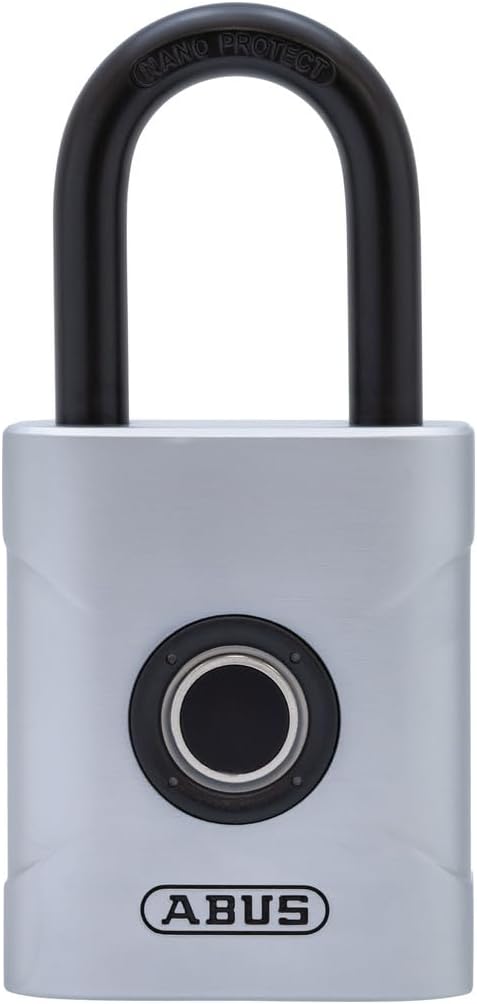

The lock is rated IP66 and IP68 for excellent protection against dust and water, making it suitable for outdoor use in various weather conditions.
Persediaan
Pemasangan Bateri
The ABUS Touch 57/50 requires one CR2 Lithium Battery (included) for operation.
- Locate the battery compartment, typically on the underside or back of the lock.
- Open the compartment cover carefully.
- Insert the CR2 battery, ensuring correct polarity as indicated inside the compartment.
- Securely close the battery compartment cover to maintain the lock's weatherproof rating.
Pendaftaran Cap Jari
The lock can store up to 20 fingerprints. The first two fingerprints successfully registered are automatically designated as administrator fingerprints, which are required to add or delete other user fingerprints.
- To register the first administrator fingerprint, ensure the lock is in an unlocked state. Place your finger on the sensor until the indicator light changes (refer to the lock's specific light sequence for entering registration mode, usually a blue or green flashing light).
- Lift and place your finger repeatedly on the sensor, slightly adjusting the angle and position each time, until the registration is complete. This typically involves 5-10 successful scans, and the light will confirm successful registration (e.g., solid green).
- For subsequent fingerprints (up to 20 total), use an already registered administrator fingerprint to enter registration mode, then follow step 2 for the new user's fingerprint.
- To delete all registered fingerprints, use an administrator fingerprint to enter the deletion mode (consult the full manual for specific steps, as this often involves a longer press or a specific sequence of presses). This action will remove all stored fingerprints.


For optimal performance, ensure your finger and the sensor are clean and dry during registration and use.
Mengendalikan Kunci
Membuka kunci
To unlock the ABUS Touch 57/50, simply place a registered finger on the fingerprint sensor. The lock will automatically pop open once the fingerprint is successfully recognized, indicated by a green light and the shackle releasing.
The lock is designed for quick and convenient access, eliminating the need for physical keys or remembering combination codes.

Hayat Bateri
The lock provides up to 10,000 unlocks on a single battery cycle. When the battery is low, the lock will indicate this (e.g., via a specific light pattern or sound). Replace the CR2 Lithium Battery promptly when indicated to ensure continuous operation.
Penyelenggaraan
The ABUS Touch 57/50 is designed for durability and minimal maintenance, thanks to its robust construction and protective coatings.
- Pembersihan: Wipe the lock body and fingerprint sensor with a soft, dry cloth. Avoid using abrasive cleaners, solvents, or harsh chemicals, as these can damage the finish or internal components.
- Rintangan kakisan: The shackle and body are specially coated for enhanced corrosion resistance. While weatherproof, regular exposure to harsh elements (e.g., saltwater, extreme humidity) may require occasional cleaning to maintain its appearance and functionality.
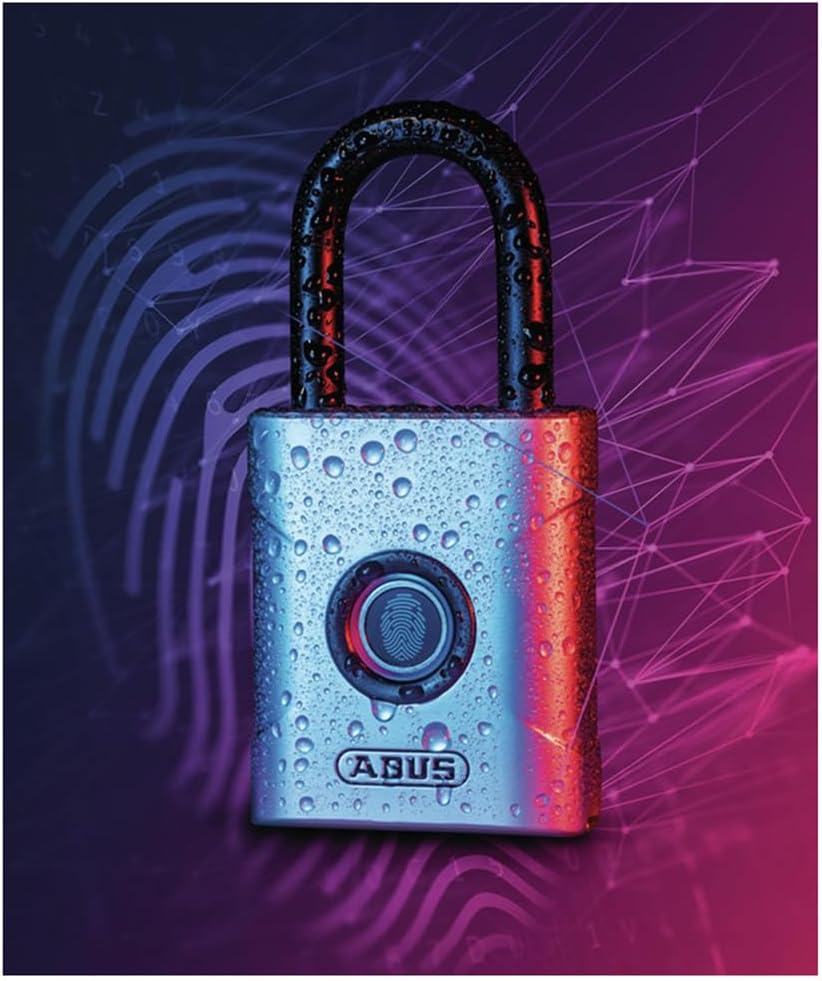
- Perlindungan Cuaca: With IP66 and IP68 ratings, the lock is highly resistant to dust and water ingress. Always ensure the battery compartment is securely sealed to maintain this level of protection, especially when used outdoors.
Menyelesaikan masalah
Cap Jari Tidak Dikenali
- Clean Finger/Sensor: Ensure your finger and the sensor surface are clean and dry. Dirt, moisture, or oils can significantly interfere with recognition.
- Penempatan yang betul: Place your finger flat on the sensor, covering the entire surface. Try slightly different angles or positions if the first attempt fails.
- Registered Finger: Confirm you are using a finger that has been successfully registered with the lock. Only registered fingerprints can unlock the device.
- Tahap Bateri: A low battery can affect sensor performance and recognition accuracy. Replace the battery if the low battery indicator is active.
Lock Not Opening
- Pemeriksaan Bateri: If the lock does not respond at all, the battery may be completely drained. Replace the CR2 battery immediately.
- Tetapkan semula: If issues persist after checking the battery and trying different registered fingerprints, a factory reset might be necessary. Be aware that a factory reset will delete all registered fingerprints. Consult the full product manual for specific reset procedures.
Spesifikasi
| Ciri | Perincian |
|---|---|
| Jenama | ABUS |
| Nama Model | ABUS Touch 57/50 Smart Lock |
| Nombor Model Item | 62575 |
| Jenis Kunci | Penderia cap jari |
| bahan | Keluli Aloi |
| warna | Perak |
| Dimensi Item L x W x H | 1.97 x 0.31 x 4.13 inci |
| Berat Barang | 1 paun (16 auns) |
| Ciri Khas | Unlock keys, Weatherproof, Keyless |
| Penarafan IP | IP66 & IP68 (for outdoor usage) |
| Jenis Bateri | 1 CR2 Lithium Battery (included) |
| Hayat Bateri | Up to 10,000 unlocks per cycle |
| Kapasiti Cap Jari | Up to 20 fingerprints (first two are admin) |
Waranti dan Sokongan
ABUS provides security solutions with a focus on quality and reliability. Your ABUS Touch 57/50 Fingerprint Lock is manufactured to high standards.
For spare parts, a 1-year availability duration is noted for EU regions. For specific warranty terms and conditions applicable to your region, please refer to the documentation included with your purchase or visit the official ABUS webtapak.
If you encounter any issues or require technical assistance, please contact ABUS customer support through their official channels. Provide your product model number (62575) and a detailed description of the issue for efficient support.


