1. Produk Lebihview
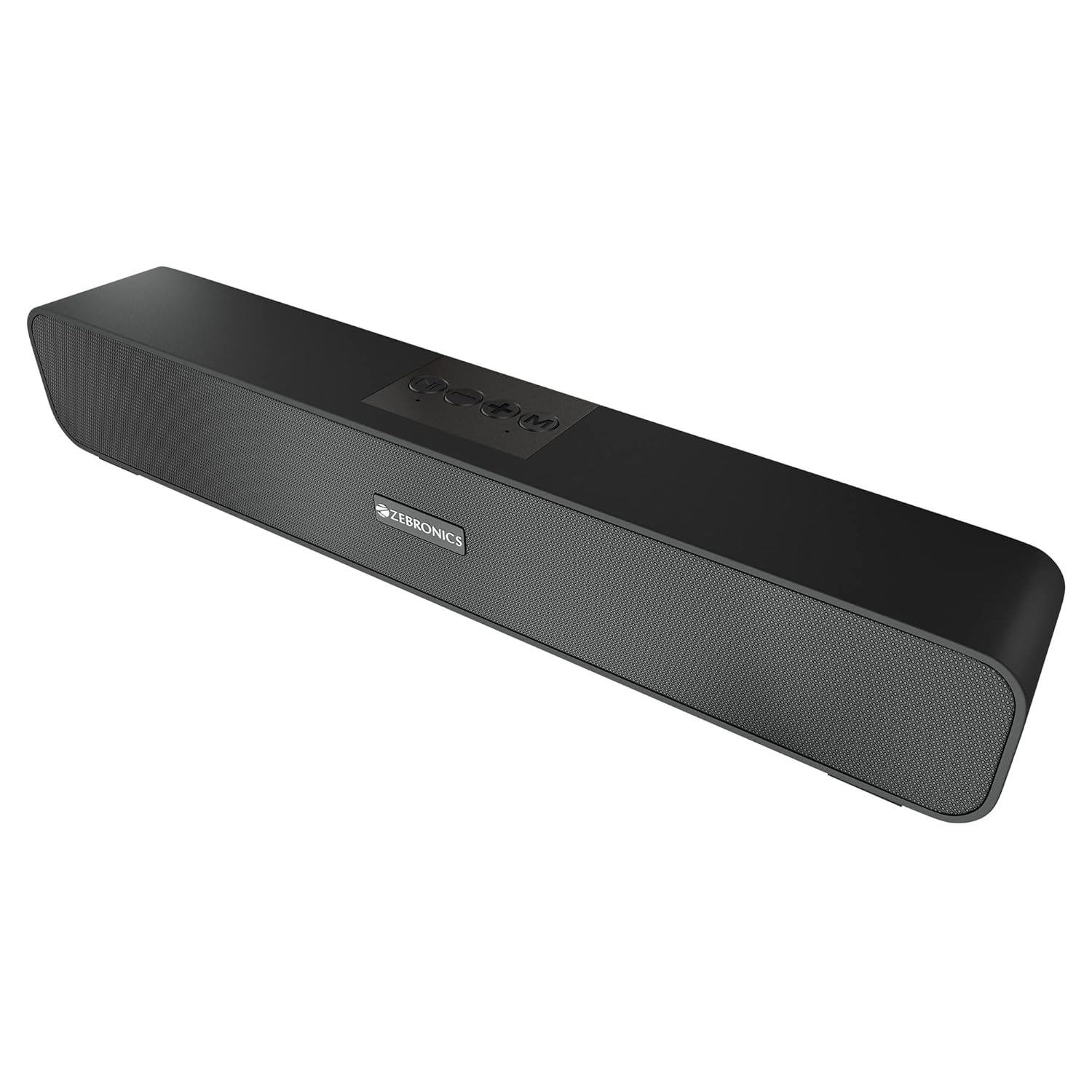
The ZEBRONICS Zeb-Astra 20 is a versatile and portable wireless Bluetooth speaker designed to deliver clear audio with enhanced bass. Its compact and lightweight design makes it ideal for on-the-go use, while multiple connectivity options ensure compatibility with a wide range of devices. This manual provides detailed instructions for setup, operation, and maintenance to help you get the most out of your speaker.
2. Apa yang ada di dalam Kotak
Sila semak kandungan pakej untuk memastikan semua item ada:
- 1 unit - ZEBRONICS Zeb-Astra 20 Speaker
- 1 unit - Charging Cable
- 1 unit - User Manual
- 1 unit - Input Cable (AUX)

3. Ciri-ciri Utama
- Sambungan TWS: Connect two Zeb-Astra 20 speakers wirelessly for a stereo sound experience.
- Ketersambungan Serbaguna: Supports Bluetooth v5.0, AUX, mSD card, and USB input.
- Radio FM terbina dalam: Enjoy your favorite radio stations on the go.
- Fungsi Panggilan: Integrated microphone allows for hands-free calling when connected via Bluetooth.
- Hayat Bateri yang Panjang: Built-in rechargeable battery provides up to 10 hours of playback (at 50% volume).
- Audio Berkuasa: 10W RMS (5+5) output with dual 52mm drivers and dual passive radiators for deep bass.
- Kawalan Intuitif: Media and volume control buttons located on the speaker for easy operation.
- Reka bentuk tahan lasak: Features a matte finish body with a front metallic grill.


Video Produk Tamatview
Video ini memberikan gambaran menyeluruhview of the ZEBRONICS Zeb-Astra 20 Wireless BT v5.0 Portable Speaker, highlighting its 10W RMS output, TWS capability, and 10-hour battery backup.
4. Panduan Persediaan
4.1 Mengecas Speaker
- Connect the provided charging cable to the DC5V port on the speaker.
- Sambungkan hujung kabel pengecas yang satu lagi ke penyesuai kuasa USB (tidak disertakan) atau port USB komputer.
- The charging indicator light will illuminate. Once fully charged (approximately 10 hours), the light will change or turn off.
4.2 Menghidupkan/Mematikan
- Untuk menghidupkan, luncurkan suis HIDUP/MATI ke kedudukan 'HIDUP'.
- Untuk mematikan kuasa, luncurkan suis ON/OFF ke kedudukan 'OFF'.
4.3 Berpasangan Bluetooth
- Ensure the speaker is powered on and in Bluetooth mode (indicated by a flashing LED). If not, press the 'Mode' button to switch to Bluetooth mode.
- Enable Bluetooth on your smartphone, laptop, or other compatible device.
- Cari untuk available Bluetooth devices and select "ZEB-ASTRA 20" from the list.
- Once paired, the speaker will indicate a successful connection, and the LED will stop flashing.

5. Arahan Operasi
5.1 Fungsi Butang
- Butang Mod (M): Press to cycle through input modes: Bluetooth, AUX, mSD, USB, FM Radio.
- Butang Main/Jeda (►▮▮): Press to play or pause audio. In call mode, press to answer/end a call. Press and hold to reject a call.
- Kelantangan Rendah / Trek Sebelumnya (-): Tekan sebentar untuk trek sebelumnya. Tekan lama untuk mengurangkan kelantangan.
- Naikkan Kelantangan / Trek Seterusnya (+): Tekan sebentar untuk trek seterusnya. Tekan lama untuk meningkatkan kelantangan.
5.2 Using Different Modes
- Mod AUX: Connect an audio device using the 3.5mm AUX cable to the AUX port. The speaker will automatically switch to AUX mode.
- mSD Card Mode: Insert a micro SD card into the mSD slot. The speaker will automatically play audio files dari kad.
- Mod USB: Insert a USB flash drive into the USB port. The speaker will automatically play audio files daripada pemacu.
- Mod Radio FM: Press the 'Mode' button to switch to FM radio. Press the Play/Pause button to auto-scan and save available stations. Use the +/- buttons to switch between saved stations.
5.3 Fungsi TWS (Stereo Wayarles Sejati).
To connect two Zeb-Astra 20 speakers for a stereo experience:
- Pastikan kedua-dua pembesar suara dihidupkan dan tidak disambungkan ke mana-mana peranti Bluetooth.
- On one speaker, long press the 'Mode' button until you hear a prompt indicating TWS pairing mode.
- Kedua-dua pembesar suara akan bersambung secara automatik antara satu sama lain. Setelah disambungkan, anda akan mendengar bunyi pengesahan.
- Now, connect your device to one of the speakers via Bluetooth as described in section 4.3. Both speakers will play audio in stereo.
6. Penyelenggaraan
- Bersihkan pembesar suara dengan kain lembut dan kering. Jangan gunakan pembersih atau pelarut yang melelas.
- Elakkan daripada mendedahkan pembesar suara kepada suhu yang melampau, kelembapan atau cahaya matahari langsung.
- Do not disassemble the speaker. This will void the warranty and may cause damage.
- Cas pembesar suara secara berkala, walaupun tidak digunakan, untuk mengekalkan kesihatan bateri.
7. Penyelesaian masalah
| Masalah | Kemungkinan Punca | Penyelesaian |
|---|---|---|
| Speaker tidak dihidupkan. | Bateri lemah atau tidak dicas. | Cas pembesar suara sepenuhnya. |
| Tiada bunyi. | Kelantangan terlalu rendah, mod salah atau peranti tidak disambungkan. | Increase volume, check mode, ensure proper connection. |
| Gandingan Bluetooth gagal. | Speaker not in pairing mode, device too far, or interference. | Ensure speaker is in BT mode, move closer, restart both devices. |
| Radio FM tidak berfungsi. | Weak signal or no stations scanned. | Move to an open area, perform auto-scan for stations. |
| Sambungan TWS gagal. | Speakers already paired to a device or not in TWS pairing mode. | Ensure both speakers are disconnected from other devices and initiate TWS pairing correctly. |
8. Spesifikasi
| Ciri | Perincian |
|---|---|
| Nama Model | ZEB-ASTRA 20 |
| Jenis Pembesar Suara | Pembesar Suara Tanpa Wayar |
| Kuasa Keluaran | 10W RMS (5+5) |
| Saiz Pemandu | Pemacu Dwi 52mm |
| Ketersambungan | Bluetooth v5.0, AUX, mSD, USB, FM Radio |
| Hayat Bateri | Sehingga 10 Jam (pada volum 50%) |
| Masa Mengecas | Lebih kurang 10 Jam |
| Dimensi Produk (D x W x H) | 5.7D x 35.4W x 6.5H Sentimeter |
| Berat Barang | 654 Gram |
| bahan | Matte finish body with front metallic grill |
| Jenis Pengawal | Butang |
| Impedans | 3 Ohm |
| Respons Kekerapan | 20 KHz |

9. Waranti dan Sokongan
This ZEBRONICS Zeb-Astra 20 speaker comes with a standard brand warranty. For specific warranty terms, conditions, and to register your product, please refer to the warranty card included in your package or visit the official ZEBRONICS webtapak.
For technical support, service, or any inquiries regarding your product, please contact ZEBRONICS customer service through their official channels. Keep your purchase receipt and product serial number handy for faster assistance.


