1. Pengenalan
Thank you for choosing the WANBO MINI XS01 Projector. This manual provides essential information for the safe and efficient operation of your device. Please read it thoroughly before use and retain it for future reference.
2. Maklumat Keselamatan
- Bekalan Kuasa: Gunakan hanya penyesuai kuasa yang ditentukan. Pastikan voltage matches the projector's requirements.
- Pengudaraan: Jangan halang bukaan pengudaraan. Pastikan ruang yang mencukupi di sekeliling projektor untuk aliran udara yang betul bagi mengelakkan terlalu panas.
- Keselamatan Mata: Jangan lihat terus ke dalam kanta projektor apabila lamp sedang dihidupkan. Cahaya terang boleh menyebabkan kerosakan mata.
- penempatan: Letakkan projektor di atas permukaan yang stabil dan rata. Elakkan meletakkannya di bawah cahaya matahari langsung, berhampiran sumber haba atau dalam persekitaran yang mempunyai kelembapan atau habuk yang tinggi.
- Pembersihan: Putuskan sambungan kuasa sebelum membersihkan. Gunakan kain lembut dan kering. Jangan gunakan cecair atau pembersih aerosol.
- Pembongkaran: Jangan cuba membuka atau membaiki projektor itu sendiri. Rujuk semua servis kepada kakitangan yang berkelayakan.
3. Kandungan Pakej
Sila pastikan semua item ada dalam pakej anda:
- WANBO MINI XS01 Projector
- Penyesuai Kuasa
- Alat Kawalan Jauh
- Manual Pengguna
4. Produk Lebihview
Familiarize yourself with the components of your WANBO MINI XS01 Projector.
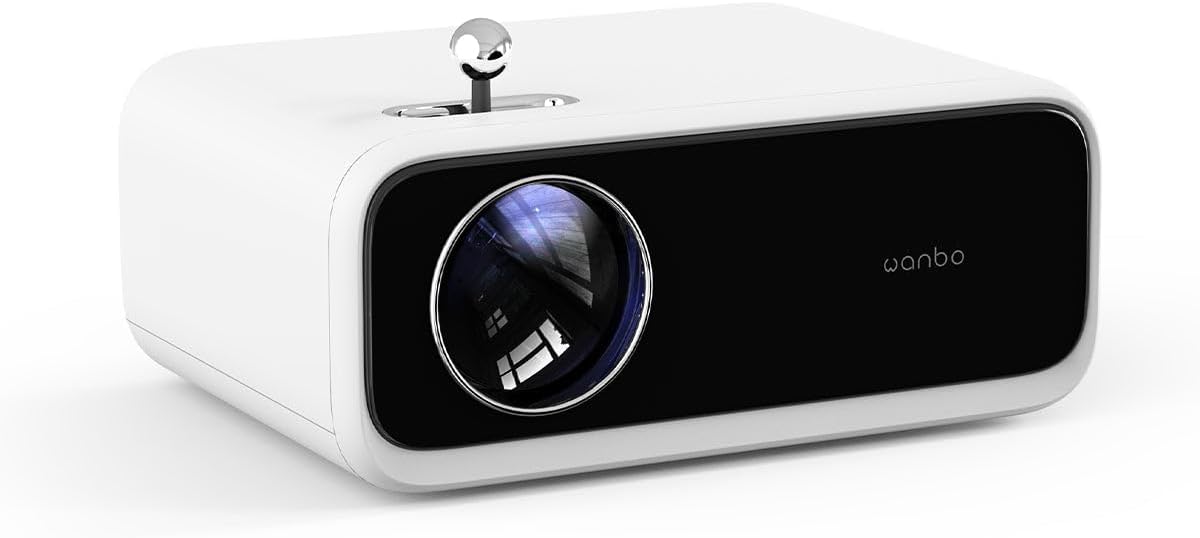
Imej: Depan view of the WANBO MINI XS01 Projector, highlighting the projection lens and brand logo.
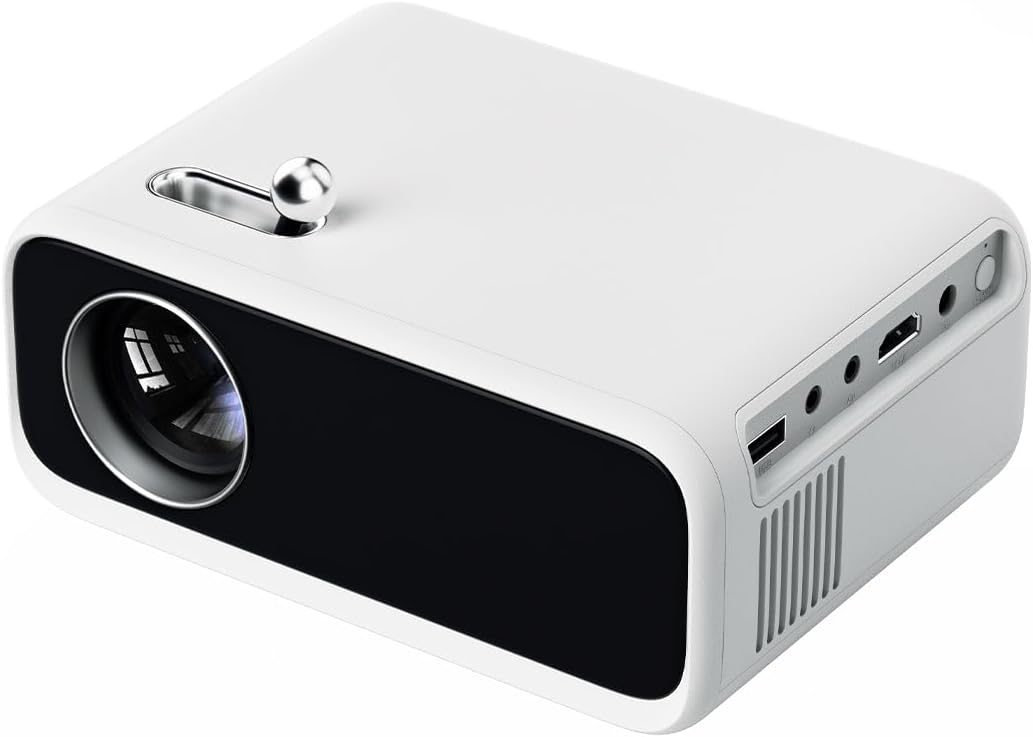
Imej: Sisi view of the WANBO MINI XS01 Projector, illustrating the available input/output ports such as USB, HDMI, and audio jack.
Komponen Utama:
- Kanta Tayangan: Memancarkan imej ke skrin.
- Roda Pelarasan Fokus: Used to sharpen the projected image.
- Port HDMI: Connects to devices like laptops, gaming consoles, or media players.
- Port USB: Connects to USB storage devices for media playback.
- Port Keluar Audio: Menyambung kepada pembesar suara luaran atau fon kepala.
- Input Kuasa: Menyambung kepada penyesuai kuasa.
- Gril Pengudaraan: Essential for heat dissipation.
5. Persediaan
5.1 Penempatan
- Letakkan projektor pada permukaan yang rata dan stabil.
- Ensure the projection path is clear of obstructions.
- For optimal image quality, project onto a white wall or a dedicated projector screen.
- Adjust the distance from the screen to achieve the desired image size.
5.2 Sambungan Kuasa
- Sambungkan penyesuai kuasa ke port input kuasa projektor.
- Palamkan penyesuai kuasa ke salur keluar elektrik yang sesuai.
- Lampu penunjuk kuasa akan menyala.
5.3 Menyambung Peranti
The WANBO MINI XS01 supports various input sources:
- HDMI: Connect your laptop, game console, or streaming device using an HDMI cable.
- USB: Masukkan pemacu kilat USB ke dalam port USB untuk memainkan media files secara langsung.
- Keluar Audio: Connect external speakers or headphones to the 3.5mm audio jack for enhanced sound.
5.4 Pelarasan Fokus
After powering on and selecting an input source, adjust the focus:
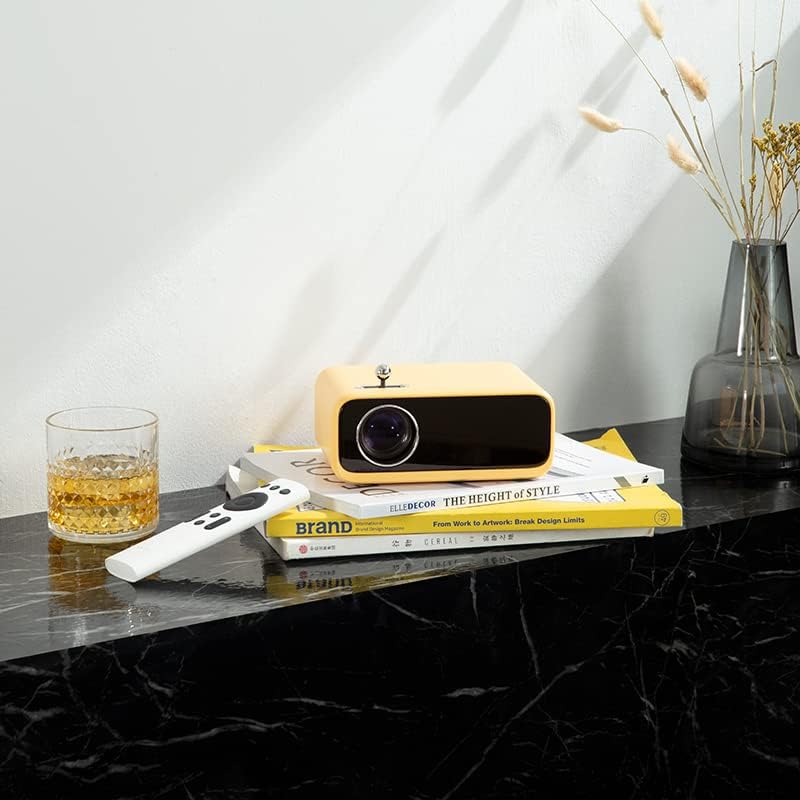
Image: The yellow WANBO MINI XS01 Projector positioned on a surface with its remote, illustrating a typical setup scenario.
- Hidupkan projektor dan paparkan imej.
- Rotate the focus adjustment wheel, typically located near the lens, until the image appears sharp and clear on the screen.
6. Beroperasi
6.1 Menghidupkan/Mematikan
- Untuk Menghidupkan: Tekan butang kuasa pada projektor atau alat kawalan jauh.
- Untuk Mematikan: Tekan butang kuasa sekali lagi. Sahkan penutupan jika digesa.
6.2 Pemilihan Sumber Input
Use the 'Source' button on the remote control or the projector's control panel to cycle through available input sources (HDMI, USB).
6.3 Unjuran Asas
- Ensure your connected device is powered on and sending a signal.
- Adjust the focus as described in Section 5.4.
- Use the remote control to navigate menus and adjust settings such as picture mode, aspect ratio, and volume.
7. Penyelenggaraan
7.1 Membersihkan Lensa
Use a soft, lint-free cloth specifically designed for optical lenses. Gently wipe the lens surface. Do not use abrasive materials or harsh chemicals.
7.2 Cleaning Ventilation Grilles
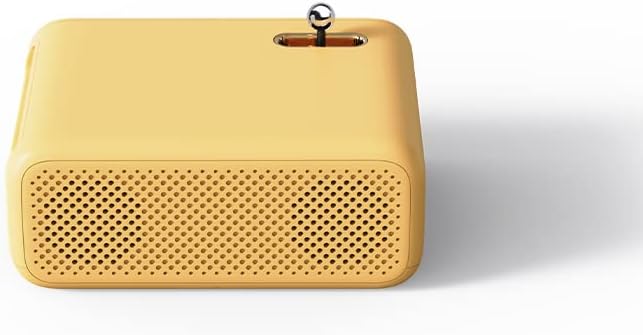
Imej: Sisi view of the yellow WANBO MINI XS01 Projector, highlighting the perforated ventilation grilles for heat dissipation.
Regularly check and clean the ventilation grilles to prevent dust buildup, which can lead to overheating. Use a soft brush or a can of compressed air to remove dust.
7.3 Penyimpanan
When not in use, store the projector in a cool, dry, and dust-free environment. If storing for an extended period, consider using the original packaging or a protective case.
8. Penyelesaian masalah
| Masalah | Kemungkinan Punca | Penyelesaian |
|---|---|---|
| Tiada imej dipaparkan | Power not connected; Incorrect input source; Device not sending signal. | Check power connection; Select correct input source; Ensure source device is on. |
| Imej kabur | Focus not adjusted; Projector too close/far. | Adjust the focus wheel; Adjust projector distance. |
| Tiada bunyi | Volume too low; External speakers not connected; Source device audio settings. | Increase volume; Connect external speakers; Check audio output settings on source device. |
| Projektor terlalu panas | Blocked ventilation; Prolonged use. | Ensure ventilation grilles are clear; Allow projector to cool down. |
9. Spesifikasi
| Ciri | Spesifikasi |
|---|---|
| Jenama | Wanbo |
| Nombor Model | XS01 (Mini) |
| Resolusi Paparan | 800 x 480 piksel |
| Resolusi Paparan Maksimum | 1280 x 720 piksel |
| Kecerahan | 200 ANSI lumens |
| Teknologi Ketersambungan | HDMI, USB |
| Ciri Khas | Mudah alih |
| Penggunaan yang Disyorkan | Home cinema, Gaming |
| Pengeluar | XIAOMI |
| warna | Yellow (Note: Product images may show other colors) |
10. Waranti dan Sokongan
The WANBO MINI XS01 Projector comes with a standard manufacturer's warranty. Please refer to the warranty card included in your package for specific terms and conditions, including warranty period and coverage details.
For technical support, service, or warranty claims, please contact your retailer or the official Wanbo customer service channels. Contact information can typically be found on the product packaging or the official Wanbo webtapak.


