1. Pengenalan
Thank you for choosing the Domo DOS721K Automatic 12-Cup Coffee Machine. This appliance is designed to provide you with freshly brewed coffee from whole beans or pre-ground coffee. Please read this manual carefully before first use to ensure proper operation, maintenance, and safety.

Image 1.1: Domo DOS721K Automatic Coffee Machine with included milk jug.
2. Arahan Keselamatan Penting
- Baca semua arahan sebelum menggunakan perkakas.
- Jangan sentuh permukaan panas. Gunakan pemegang atau tombol.
- Untuk melindungi daripada kebakaran, renjatan elektrik dan kecederaan kepada orang lain, jangan rendamkan kord, palam, atau perkakas dalam air atau cecair lain.
- Pengawasan rapi diperlukan apabila sebarang perkakas digunakan oleh atau berhampiran kanak-kanak.
- Cabut plag dari soket apabila tidak digunakan dan sebelum membersihkan. Biarkan sejuk sebelum memakai atau menanggalkan bahagian, dan sebelum membersihkan perkakas.
- Jangan kendalikan sebarang perkakas dengan kord atau palam yang rosak, atau selepas perkakas tidak berfungsi atau rosak dalam apa jua cara.
- Penggunaan lampiran aksesori yang tidak disyorkan oleh pengilang perkakas boleh mengakibatkan kebakaran, renjatan elektrik atau kecederaan kepada orang.
- Jangan gunakan di luar rumah.
- Jangan biarkan kord tergantung di tepi meja atau kaunter, atau menyentuh permukaan panas.
- Jangan letakkan pada atau berhampiran gas panas atau penunu elektrik, atau dalam ketuhar yang dipanaskan.
- Sentiasa pasangkan plag pada perkakas dahulu, kemudian palamkan kord ke dalam salur keluar dinding. Untuk memutuskan sambungan, matikan mana-mana kawalan kepada "mati", kemudian tanggalkan palam dari alur keluar dinding.
- Jangan gunakan perkakas untuk kegunaan selain daripada yang dimaksudkan.
3. Kandungan Pakej
Selepas membongkar, sila pastikan semua item ada dan dalam keadaan baik:
- Domo DOS721K Automatic Coffee Machine
- Glass Carafe (1.5 Liters)
- Penapis Kekal
- Sudu Pengukur
- 300ml Glass Milk Jug with Stainless Steel Screw Lid
- Manual Arahan

Imej 3.1: Meletup view showing the main components of the coffee machine, including the permanent filter, filter holder, bean container lid, and glass carafe.
4. Pengenalan Bahagian
- Bekas Kacang dengan Penutup
- Mengisar Dail Tetapan
- Tangki Air dengan Penunjuk Aras
- Control Panel / Digital Display
- Pemegang Penapis
- Penapis Kekal
- Carafe Kaca
- Pinggan Pemanasan
- Kord Kuasa

Imej 4.1: Atas view of the coffee machine, highlighting the transparent bean container for whole coffee beans.
5. Persediaan Awal
5.1 Membongkar
Carefully remove all packaging materials and ensure no parts are missing or damaged. Keep packaging for future storage or transport.
5.2 Pembersihan Penggunaan Pertama
- Wash the glass carafe, permanent filter, and filter holder in warm, soapy water. Rinse thoroughly and dry.
- Lap bahagian luar mesin dengan iklanamp kain.
- Jalankan dua kitaran penuh dengan hanya air (tiada kopi) untuk membersihkan komponen dalaman. Buang air selepas setiap kitaran.
5.3 Penempatan
Place the coffee machine on a stable, flat, heat-resistant surface, away from water sources and direct heat. Ensure adequate ventilation around the appliance.
6. Arahan Operasi
6.1 Mengisi Tangki Air
Open the water tank lid and fill with fresh, cold water up to the desired level indicated on the side of the machine. The maximum capacity is 1.5 liters (12 cups).
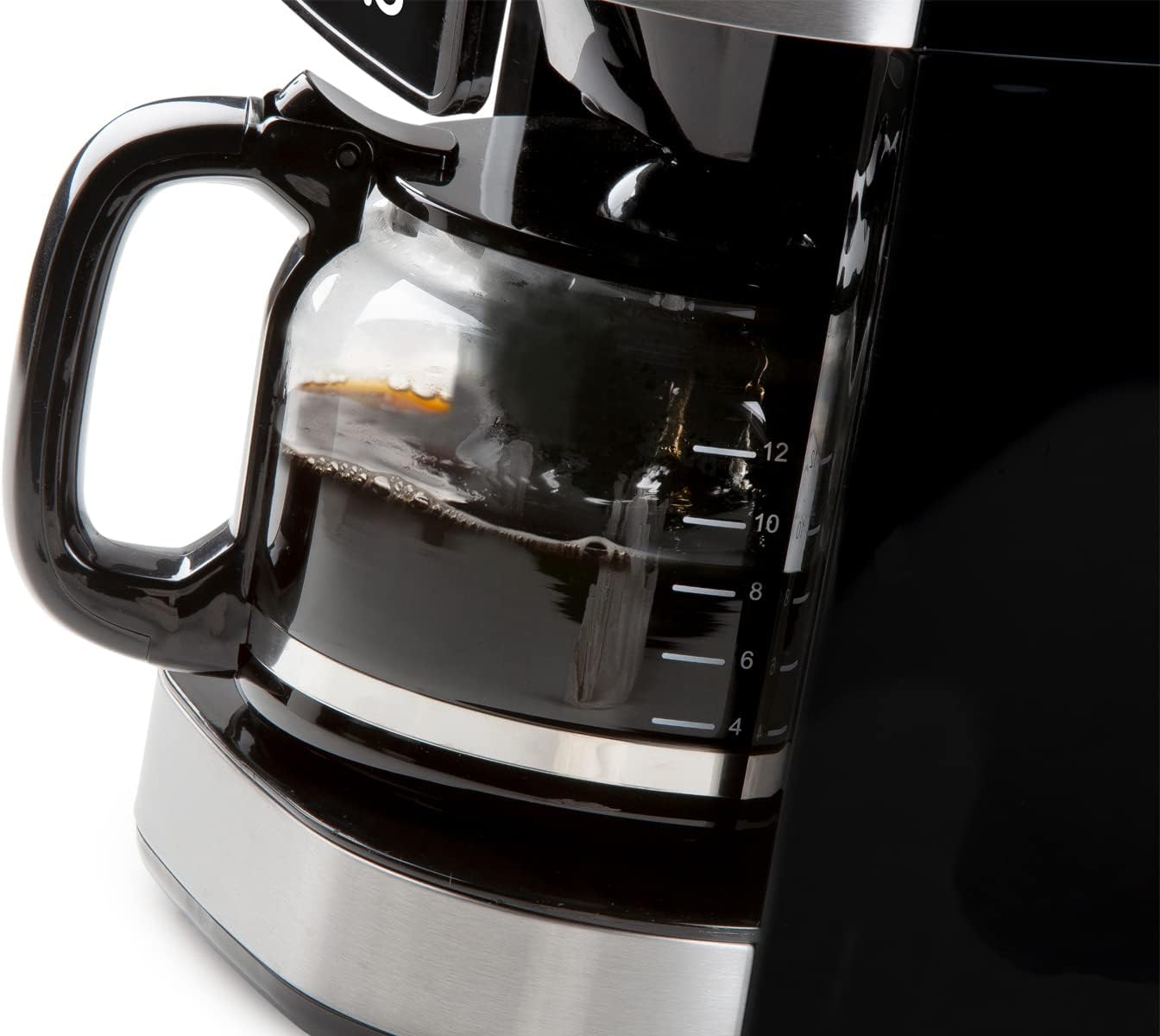
Image 6.1: The glass carafe features clear markings for measuring coffee volume.
6.2 Adding Coffee Beans (Grind & Brew Function)
- Open the lid of the bean container and fill with whole coffee beans. The container has a capacity of 200 grams.
- Adjust the grind setting using the dial located near the bean container. Finer grinds result in stronger coffee.
- Place the permanent filter into the filter holder, ensuring it is correctly seated.
- Select the desired coffee strength (mild, medium, strong) and number of cups using the digital display controls.

Image 6.2: Close-up of the grind setting dial, allowing adjustment for desired coffee fineness.
6.3 Menggunakan Kopi Pra-Kisar
If using pre-ground coffee, the integrated grinder can be deactivated:
- Ensure the grinder is turned off via the control panel.
- Place the permanent filter into the filter holder.
- Add the desired amount of pre-ground coffee to the permanent filter using the measuring spoon.
- Select the number of cups using the digital display controls.

Image 6.3: A hand adding pre-ground coffee into the permanent filter, demonstrating the option to bypass the integrated grinder.
6.4 Starting the Brewing Process
After filling water and adding coffee (beans or ground), press the start button on the digital display. The machine will begin grinding (if selected) and brewing.

Image 6.4: The digital display showing time and various function icons, with a finger interacting with the controls.
6.5 Fungsi Pemasa
The 24-hour timer allows you to program the machine to start brewing at a specific time. Set the current time, then set the desired brew time using the timer function on the control panel.
6.6 Fungsi Kekalkan Panas
After brewing, the machine automatically activates a keep-warm function, maintaining the coffee's temperature for approximately 40 minutes. The machine will automatically shut off after this period.

Image 6.5: Freshly brewed coffee being poured from the glass carafe into a cup.
7. Penyelenggaraan
7.1 Pembersihan Harian
- After each use, discard used coffee grounds.
- Wash the glass carafe, permanent filter, and filter holder in warm, soapy water. Rinse thoroughly and dry. These parts may also be dishwasher safe (check product specifications for confirmation).
- Lap bahagian luar mesin dengan lembut, damp kain. Jangan gunakan pembersih yang melelas atau pad penyental.
7.2 Penyahkelasan
Over time, mineral deposits (limescale) can build up in your coffee machine, affecting performance and coffee taste. Descale your machine regularly, depending on water hardness and frequency of use (e.g., every 2-3 months).
- Sediakan penyelesaian penyahkerak mengikut arahan pengilang penyahkekal (cth, cuka putih dan air, atau agen penyahkerak komersial).
- Tuangkan larutan ke dalam tangki air.
- Letakkan bekas kosong di atas pinggan pemanasan.
- Jalankan kitaran membancuh tanpa kopi.
- After the cycle, let the machine cool for 15 minutes, then run two full cycles with fresh, clean water to rinse thoroughly.
8. Penyelesaian masalah
| Masalah | Kemungkinan Punca | Penyelesaian |
|---|---|---|
| Kopi tidak dibancuh. | No water in tank; machine not plugged in; power outage. | Isi tangki air; periksa sambungan kuasa; periksa pemutus litar. |
| Kopi terlalu lemah. | Insufficient coffee grounds; coarse grind setting; too much water. | Add more coffee; select finer grind; use less water. |
| Kopi terlalu kuat. | Too many coffee grounds; fine grind setting; too little water. | Reduce coffee amount; select coarser grind; use more water. |
| Pengisar tidak berfungsi. | Bean container empty; grinder clogged; grinder deactivated. | Fill bean container; clean grinder (refer to maintenance); ensure grinder is activated. |
| Air bocor dari mesin. | Water tank not properly seated; filter holder overflowing. | Ensure water tank is correctly placed; do not overfill filter. |
9. Spesifikasi
- Jenama: Domo
- Nombor Model: DOS721K (also DO721K)
- warna: Hitam
- Dimensi (L x W x H): 34 x 26 x 46 cm
- kapasiti: 1.5 Liter (sehingga 12 cawan)
- Bahan: Plastik, Keluli Tahan Karat
- Ciri Khas: Integrated Conical Grinder, 24-Hour Timer, Keep Warm Function (40 minutes), Anti-drip System, Permanent Filter, Adjustable Grind Settings, Adjustable Coffee Strength
- Jenis kopi: Whole Beans, Ground Coffee
10. Waranti dan Sokongan
For warranty information and customer support, please refer to the documentation included with your product packaging or visit the official Domo webtapak. Simpan bukti pembelian anda untuk tuntutan waranti.


