1. Pengenalan
This user manual provides comprehensive instructions for the installation, operation, and maintenance of your Opticis LHMXNUMX-NTXNUMX Active Optical HDMI XNUMX Cable. This high-performance cable is designed to transmit HDMI XNUMX signals over long distances, up to XNUMX meters (XNUMX feet) or XNUMX meters (XNUMX feet) depending on the specific model variant, utilizing hybrid fiber optic and copper technology. Please read this manual thoroughly before using the product to ensure proper functionality and safety.
2. Maklumat Keselamatan
Always observe the following safety precautions to prevent damage to the product or injury to yourself:
- Do not expose the cable to excessive force, bending, or crushing, as this can damage the internal optical fibers.
- Avoid exposing the cable to extreme temperatures or high humidity.
- Do not attempt to disassemble or modify the cable. This will void the warranty and may cause damage.
- Ensure proper grounding for all connected devices.
- Keep the connectors clean and free from dust or debris.
3. Kandungan Pakej
Sahkan bahawa semua item terdapat dalam pakej anda:
- Opticis LHMXNUMX-NTXNUMX Active Optical HDMI XNUMX Cable (XNUMX unit)
- This User Manual (XNUMX unit)
4. Produk Lebihview
The Opticis LHMXNUMX-NTXNUMX is an active optical HDMI XNUMX cable designed for reliable long-distance transmission of high-bandwidth video and audio signals. It supports HDMI XNUMX standards, including XNUMXK@XNUMXHz (XNUMX:XNUMX:XNUMX) and XNUMXGbps data rates. The cable features a durable TPU jacket, making it suitable for various installation environments.
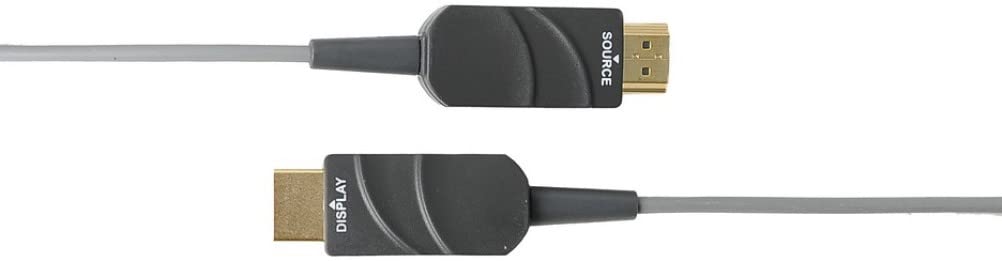
Figure XNUMX: The Opticis LHMXNUMX-NTXNUMX Active Optical HDMI Cable, showing the distinct 'SOURCE' and 'DISPLAY' labeled connectors. The 'SOURCE' end connects to the video source (e.g., PC, Blu-ray player), and the 'DISPLAY' end connects to the display device (e.g., TV, projector).
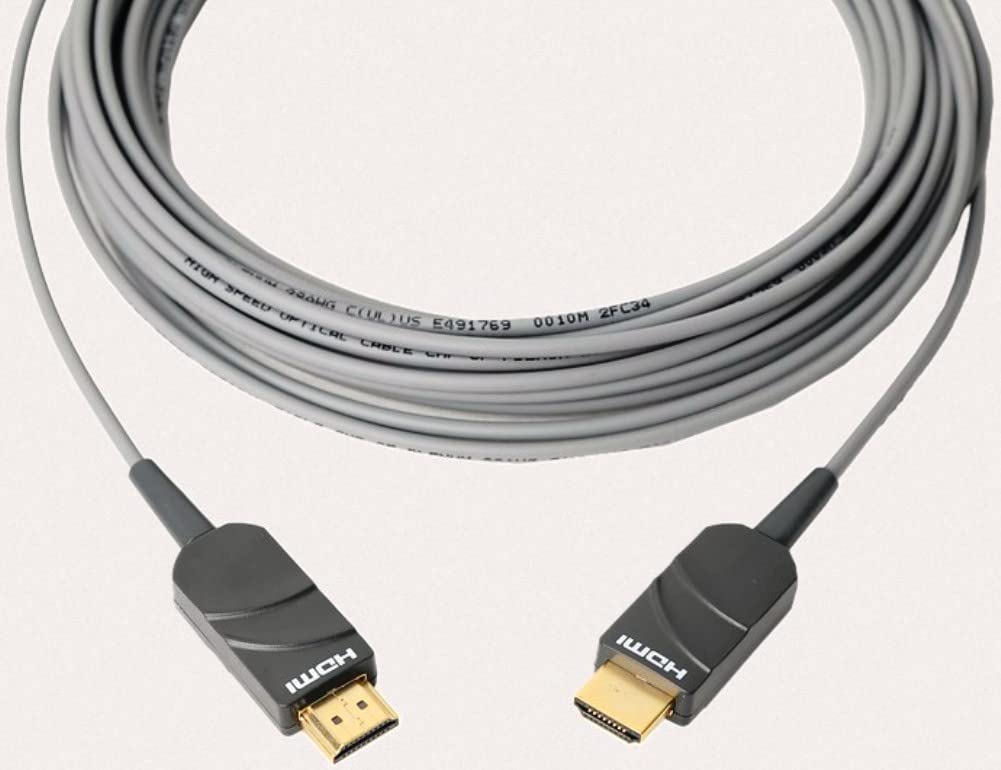
Figure XNUMX: The Opticis LHMXNUMX-NTXNUMX HDMI cable shown coiled, highlighting its flexible yet durable TPU jacket. The cable is designed for long-distance signal transmission.
Ciri-ciri Utama:
- Supports HDMI XNUMX standards (XNUMXGbps bandwidth).
- Transmits XNUMXK UHD (XNUMXxXNUMX) at XNUMXHz (XNUMX:XNUMX:XNUMX) up to XNUMXm/XNUMXm.
- Hybrid fiber optic and copper construction for reliable long-distance transmission.
- Durable TPU jacket for enhanced flexibility and protection.
- Plug & Play operation, no external power required for most applications.
- Supports HDR, HDCP XNUMX, EDID, and CEC.
Dimensi:
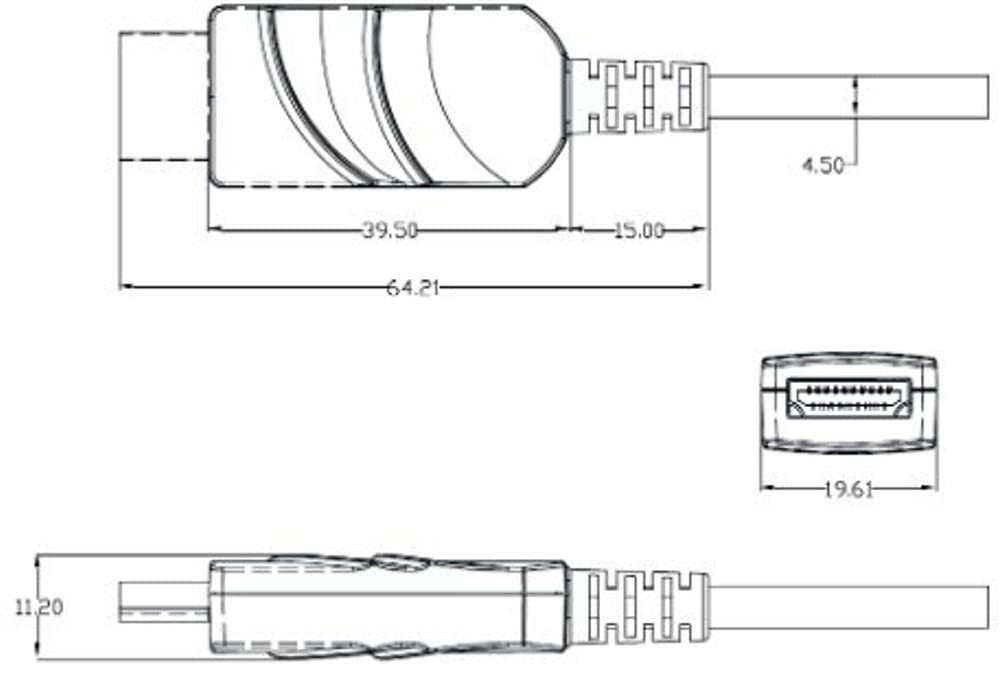
Figure XNUMX: Technical drawing illustrating the dimensions of the HDMI connector housing. All measurements are in millimeters (mm).
5. Persediaan dan Pemasangan
The Opticis LHMXNUMX-NTXNUMX cable is designed for simple plug-and-play installation. It is crucial to connect the cable in the correct orientation.
- Identify Cable Ends: The cable connectors are clearly labeled. One end is marked "SOURCE" and the other is marked "DISPLAY".
- Connect to Source: Plug the HDMI connector labeled "SOURCE" into the HDMI output port of your source device (e.g., computer, Blu-ray player, game console).
- Sambung ke Paparan: Plug the HDMI connector labeled "DISPLAY" into the HDMI input port of your display device (e.g., TV, monitor, projector).
- Hidupkan Peranti: Ensure both the source and display devices are powered on. The cable will draw power from the HDMI ports.

Figure XNUMX: Connection diagram illustrating the proper setup of the LHMXNUMX-N series cable. The 'Tx' (Transmitter/Source) end connects to the HDMI source, and the 'Rx' (Receiver/Display) end connects to the HDMI display. This ensures correct signal flow.
Nota Penting: The cable is directional. Connecting the "SOURCE" end to the display or the "DISPLAY" end to the source will result in no signal. Always ensure correct orientation.
6. Arahan Operasi
Once the Opticis LHMXNUMX-NTXNUMX cable is correctly connected between your source and display devices, operation is automatic. The cable functions as a transparent extension of your HDMI connection.
- Ensure your source device is outputting a compatible HDMI signal.
- Select the correct HDMI input on your display device.
- The cable will automatically transmit the video and audio signals. No additional software or drivers are required.
7. Penyelenggaraan
The Opticis LHMXNUMX-NTXNUMX Active Optical HDMI Cable requires minimal maintenance. Follow these guidelines to ensure its longevity:
- Pembersihan: Use a soft, dry cloth to gently wipe the cable and connectors. Do not use liquid cleaners or abrasive materials.
- Storan: When not in use, store the cable in a cool, dry place, away from direct sunlight and extreme temperatures. Avoid sharp bends or kinks.
- Pengendalian: Always grasp the connector housing when plugging or unplugging the cable. Do not pull on the cable itself.
8. Penyelesaian masalah
If you encounter issues with your Opticis LHMXNUMX-NTXNUMX cable, refer to the following troubleshooting steps:
| Masalah | Kemungkinan Punca | Penyelesaian |
|---|---|---|
| No video/audio signal | Incorrect cable orientation (SOURCE/DISPLAY ends reversed). Source/display devices not powered on. Incorrect input selected on display. Cable damage. | Ensure "SOURCE" end is connected to source and "DISPLAY" end to display. Verify both devices are powered on. Select the correct HDMI input on your display. Inspect cable for visible damage. Try a different HDMI cable if available to isolate the issue. |
| Intermittent signal or flickering | Sambungan longgar. Signal compatibility issue. Cable length exceeding limits for specific resolution. | Ensure connectors are firmly seated. Check if source and display support the same HDMI version and features. Reduce resolution or refresh rate to see if signal stabilizes. |
| Poor picture quality (e.g., static, color distortion) | Cable damage. Gangguan. Source/display settings. | Inspect cable for damage. Ensure it's not near strong electromagnetic interference sources. Check video output settings on your source device and input settings on your display. |
9. Spesifikasi
| Ciri | Penerangan |
|---|---|
| Model | LHMXNUMX-NTXNUMX (LHMXNUMX-N Series) |
| Jenama | Opticis |
| Cable Type | Active Optical HDMI Cable |
| Piawaian HDMI | HDMI 2.0 |
| Kadar Pemindahan Data | XNUMX Gigabits Per Second (Gbps) |
| Supported Resolution | Up to XNUMXK UHD (XNUMXxXNUMX) @ XNUMXHz (XNUMX:XNUMX:XNUMX) |
| Panjang Kabel | XNUMX Meters (LHMXNUMX-NTXNUMX) / Up to XNUMXm (XNUMX feet) for LHMXNUMX-N series |
| Jacket Material | TPU (Thermoplastic Polyurethane) |
| Jantina Penyambung | Lelaki kepada Lelaki |
| warna | Transparent (Cable Jacket) |
| kuasa | No external power required (draws power from HDMI port) |
| Pematuhan | HDCP XNUMX, EDID, CEC, HDR |
10. Waranti dan Sokongan
For information regarding product warranty, please refer to the official Opticis website or contact your authorized Opticis dealer. Standard manufacturer's warranty terms and conditions apply.
For technical support or further inquiries, please visit the Opticis support page or contact their customer service department. Contact details can typically be found on the manufacturer's official webtapak: www.opticis.com


