Arahan Keselamatan Penting
Baca semua arahan sebelum menggunakan perkakas ini. Simpan manual ini untuk rujukan pada masa hadapan.
- Pastikan bekalan kuasa sepadan dengan voltage dinyatakan pada perkakas.
- Jangan rendam perkakas, kord, atau palam ke dalam air atau cecair lain.
- Cabut plag dari soket apabila tidak digunakan dan sebelum membersihkan.
- Jangan kendalikan sebarang perkakas dengan kord atau palam yang rosak, atau selepas perkakas tidak berfungsi atau rosak dalam apa jua cara.
- Pengawasan rapi diperlukan apabila sebarang perkakas digunakan oleh atau berhampiran kanak-kanak.
- Jangan gunakan di luar rumah.
- Jangan letakkan pada atau berhampiran gas panas atau penunu elektrik, atau dalam ketuhar yang dipanaskan.
- Jangan gunakan perkakas untuk kegunaan selain daripada yang dimaksudkan.
- Sentiasa pastikan perkakas diletakkan pada permukaan yang stabil dan rata.
- Only use potable water in the ice maker.
Produk Selesaiview
The OSCEVIA Nugget Ice Maker is designed to produce soft, chewable nugget ice quickly and efficiently for home, office, or bar use. It features a self-cleaning function and intelligent indicators.

Rajah 1: OSCEVIA Nugget Ice Maker. This image shows the ice maker from the front-right angle, with its lid open, revealing the ice basket filled with nugget ice. A glass with a beverage and some loose ice are visible next to the machine.
Komponen:
- Unit Pembuat Ais: Main body of the appliance.
- Bakul Ais: Removable basket for collecting ice.
- Scoop Ais: For convenient ice retrieval.
- Tangki Air: Internal reservoir for water.
- Panel Kawalan: Buttons and LED indicators for operation.
- Transparent Flip Lid: Allows visibility of ice production and easy access.

Rajah 2: Smart & Innovative Design. This diagram illustrates the internal workings and features of the ice maker, including indicators for "Ice Full", "Add Water", "Recycle Melted Ice", and a "24H Timer". It highlights the infrared induction system for continual ice production.
Persediaan
- Membongkar: Carefully remove the ice maker from its packaging. Retain packaging for future storage or transport.
- penempatan: Place the ice maker on a flat, stable, and level surface away from direct sunlight and heat sources. Ensure adequate ventilation around the unit.
- Pembersihan Awal: Sebelum penggunaan pertama, bersihkan bahagian dalam pembuat ais. Rujuk bahagian "Penyelenggaraan dan Pembersihan" untuk arahan terperinci.
- Pengisian air: Open the transparent flip lid and fill the water tank with potable water up to the MAX fill line. Do not overfill.
- Sambungan Kuasa: Palamkan kord kuasa ke salur keluar elektrik yang dibumikan.

Rajah 3: Filling the water tank. A hand is shown pouring water from a glass into the ice maker's water reservoir, located under the open lid.
Arahan Operasi
Membuat Ais:
- Pastikan tangki air diisi dengan air.
- Press the "POWER" button on the control panel to turn on the ice maker.
- The ice maker will begin the ice-making cycle automatically. The first batch of ice typically takes approximately 15 minutes.
- The "ICE FULL" indicator will illuminate when the ice basket is full. The machine will pause ice production until ice is removed.
- The "ADD WATER" indicator will illuminate when the water level is low. Refill the water tank to resume ice production.
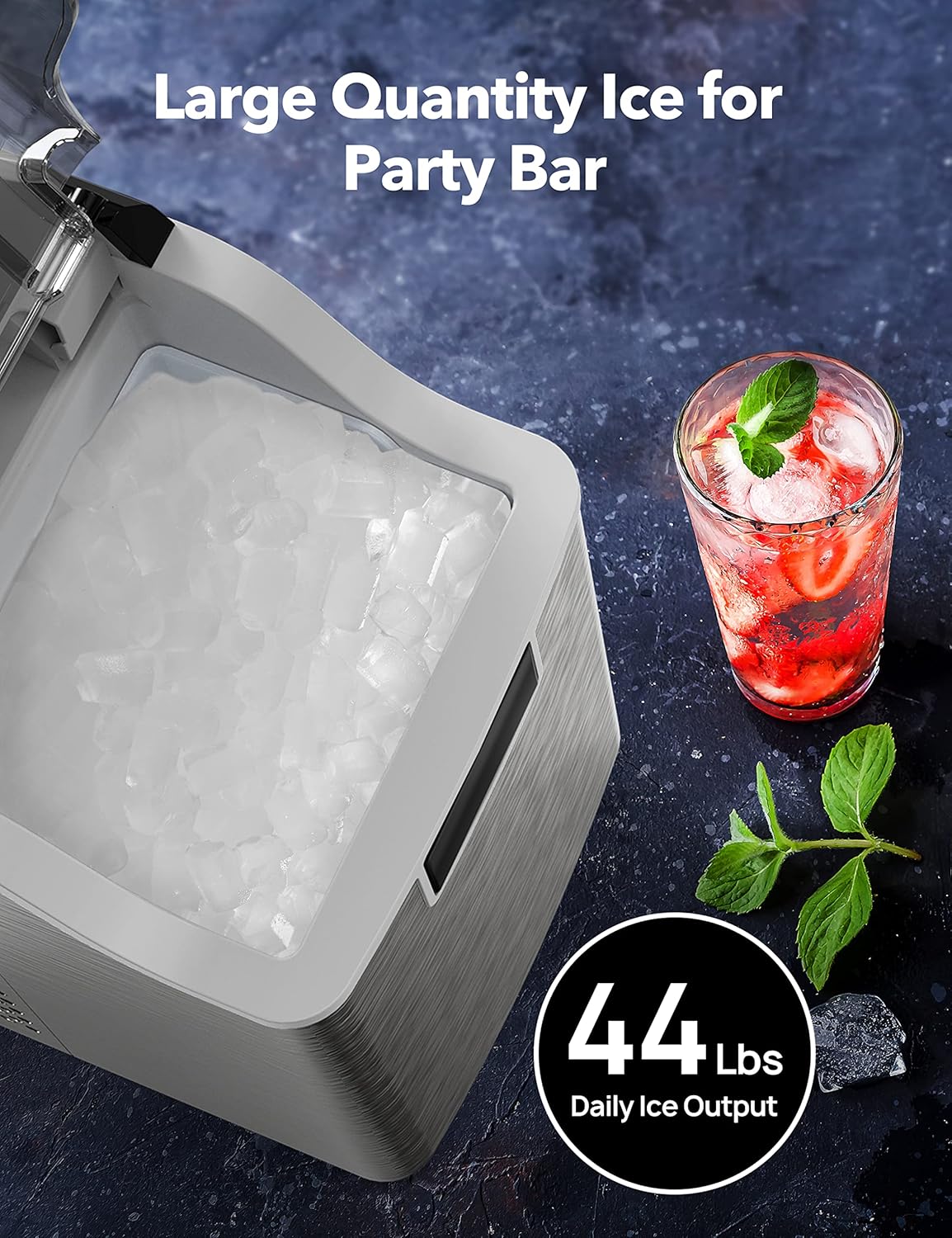
Rajah 4: Large Quantity Ice Production. This image shows the ice maker's open lid, revealing a full basket of nugget ice, emphasizing its capacity to produce up to 44 lbs of ice daily.
Fungsi Pemasa 24 Jam:
The ice maker features a 24-hour timer for scheduled operation. Consult the specific instructions in your included user guide for setting the timer, as button sequences may vary.
Silent Operating System:
The ice maker is designed for low noise operation, typically less than 45dB, ensuring minimal disturbance during use.

Rajah 5: Silent Operation. This image depicts the ice maker operating quietly, with a cat sleeping peacefully next to it, illustrating its low noise level (less than 45dB).
Penyelenggaraan dan Pembersihan
Pembersihan berkala memastikan prestasi dan kebersihan pembuat ais anda yang optimum.
Fungsi Pembersihan Diri:
- Pastikan tangki air diisi dengan air bersih.
- Press and hold the "ICE/CLEAN" button for 5 seconds.
- The ice maker will initiate a 15-minute self-cleaning cycle.
- Once the cycle is complete, drain any remaining water from the unit as per the user guide's instructions for draining.

Rajah 6: 15-Minute Self-Cleaning Mode. This image illustrates the internal water circulation during the self-cleaning process, showing water being agitated and circulated to clean the internal components.
Pembersihan Manual:
- Cabut plag pembuat ais sebelum membersihkan.
- Keluarkan bakul ais dan basuh dengan detergen lembut dan air suam. Bilas sehingga bersih.
- Wipe the interior surfaces of the water tank and ice storage area with a soft cloth dampened with a mild cleaning solution (e.g., vinegar and water).
- For stubborn mineral deposits, a descaling solution designed for ice makers can be used, following the product's instructions.
- Lap bahagian luar unit dengan lembut, damp kain. Jangan gunakan pembersih atau pelarut yang melelas.
- Pastikan semua bahagian kering sepenuhnya sebelum memasang semula dan mengendalikan unit ini.
Menyelesaikan masalah
| Masalah | Kemungkinan Punca | Penyelesaian |
|---|---|---|
| Pembuat ais tidak menghasilkan ais. | No water in tank; "ADD WATER" indicator on. | Fill water tank with potable water. |
| Ice basket is full; "ICE FULL" indicator on. | Keluarkan ais dari bakul. | |
| Suhu persekitaran terlalu tinggi. | Move ice maker to a cooler location. | |
| Pengeluaran ais perlahan. | Suhu air terlalu tinggi. | Use colder water. |
| Pengudaraan yang lemah. | Pastikan ruang yang mencukupi di sekeliling unit untuk peredaran udara. | |
| Bunyi luar biasa semasa operasi. | Unit bukan aras. | Adjust the unit to be on a flat, stable surface. |
| Normal operating sounds (compressor, water pump). | This is normal. The unit operates at less than 45dB. |
Spesifikasi
- model: OS-20BN
- Dimensi Produk: 9"D x 13"W x 15"H
- Berat: Kira-kira 31.26 Pound
- Keluaran Ais Harian: Sehingga 44 lbs
- Kapasiti Penyimpanan Ais: 4 paun
- Kapasiti Tangki Air: 2.2 Liter (lebih kurang)
- Masa Membuat Ais: First batch in approximately 15 minutes
- Wattage: 195 watt
- Tahap Bunyi: Kurang daripada 45dB

Rajah 7: Countertop Compact Design. This image highlights the compact dimensions of the ice maker, suitable for countertop placement, and mentions features like 1-Year Limited Warranty and 24-Hour Customer Support.
Waranti dan Sokongan
The OSCEVIA Nugget Ice Maker (Model OS-20BN) comes with a Waranti 12 bulan dari tarikh pembelian. Waranti ini melindungi kecacatan pada bahan dan mutu kerja di bawah penggunaan biasa.
For warranty claims, technical support, or any inquiries, please contact OSCEVIA customer service. Details for contacting support are typically found on the product packaging or the official OSCEVIA website. Please have your model number (OS-20BN) and proof of purchase ready when contacting support.
Sokongan teknikal seumur hidup is also provided for this product.


