1. Pengenalan
Thank you for choosing the OFANTOP 52 Inch Smart Ceiling Fan. This modern ceiling fan is designed for both indoor and outdoor use, featuring a quiet DC motor, integrated dimmable LED lighting, and smart control options. Please read this manual thoroughly before installation and operation to ensure safe and efficient use.
Ciri-ciri utama termasuk:
- Silent Reversible DC Motor with 6 speeds.
- Integrated 20W Dimmable LED Light with 3 color temperatures (3000K, 4500K, 6000K) and memory function.
- Convenient Remote Control and Wi-Fi/Bluetooth Functionality for app and voice control (Alexa, Google Assistant).
- Suitable for Indoor and Exterior Use (Porch, Bedroom, Living Room, Patio, Dining Room).
- ETL Certified for safety and quality.
2. Maklumat Keselamatan
Sentiasa ikuti langkah berjaga-jaga keselamatan asas semasa memasang dan mengendalikan peralatan elektrik untuk mengurangkan risiko kebakaran, kejutan elektrik dan kecederaan diri.
- Baca semua arahan dengan teliti sebelum memulakan pemasangan.
- Pastikan kuasa dimatikan pada pemutus litar sebelum pemasangan atau penyelenggaraan.
- Semua pendawaian mesti mengikut kod elektrik kebangsaan dan tempatan. Jika anda tidak pasti tentang pendawaian, sila rujuk juruelektrik yang berkelayakan.
- Struktur pelekap mestilah mampu menyokong berat kipas (kira-kira 16.46 paun).
- Do not operate the fan with damaged wiring or if it is not functioning correctly.
- Pastikan tangan, rambut dan pakaian bebas daripada bilah kipas semasa operasi.
- This fan is designed for 120 Volts AC/DC power sources.
3. Kandungan Pakej
Sahkan bahawa semua komponen hadir sebelum memulakan pemasangan:
- Perumahan Motor Kipas Siling
- 3 Fan Blades (Plastic)
- Kit Lampu LED Bersepadu
- Alat Kawalan Jauh
- Downrods (5" and 10" included)
- Pendakap Pemasangan
- Pek Perkakasan (skru, nat dawai, dll.)
- Manual Pengguna (dokumen ini)
4. Spesifikasi
| Ciri | Spesifikasi |
|---|---|
| Jenama | OFANTOP |
| Nama Model | 52YFT-7068 |
| warna | 52'' Matte White |
| Dimensi Produk | 52"D x 52"W x 16.6"H |
| Berat Barang | 16.46 paun |
| Sumber Kuasa | AC/DC |
| Voltage | 120 Volt |
| Wattage | 35 watt |
| Bilangan Bilah | 3 |
| Bahan Bilah | plastik |
| Kapasiti Aliran Udara | 6031 Kaki Kubik Seminit (CFM) |
| Jenis Cahaya | LED Bersepadu (20W) |
| Ciri-ciri Cahaya | Dimmable, 3 Color Temperatures (3000K, 4500K, 6000K), Memory Function |
| Kaedah Kawalan | Remote, App (Smart Life), Voice (Alexa, Google Assistant) |
| Tetapan Kelajuan | 6 |
| Penggunaan Dalaman/Luar | Outdoor, Indoor (IP44 rated for outdoor use) |
| Pensijilan | Diperakui ETL |

Figure 4.1: Fan Dimensions and Mounting Options. The fan is 52 inches in diameter. It supports downrod mount and angled mount (max 20 degrees). Ideal for rooms 144-400 sq ft.
5. Pemasangan
This ceiling fan is designed for easy installation. Follow these steps carefully. It is recommended to have two people for installation.
5.1 Senarai Semak Pra-Pemasangan
- Pastikan kuasa diputuskan pada pemutus litar.
- Sahkan semua kandungan pakej ada dan tidak rosak.
- Kumpulkan peralatan yang diperlukan: pemutar skru Phillips, pemutar skru kepala rata, penanggal wayar, pita elektrik, tangga.
5.2 Memasang Pendakap
- Pasangkan pendakap pelekap pada kotak simpang siling. Pastikan kotak simpang dipasang dengan kukuh pada struktur bangunan dan boleh menyokong berat kipas.
- Use the provided screws and washers to attach the bracket firmly.
5.3 Memasang Kipas
- Attach the chosen downrod (5" or 10") to the fan motor housing. Feed the electrical wires from the fan through the downrod.
- Secure the downrod to the motor housing with the provided pin and screw.
- Carefully attach the fan blades to the motor housing using the blade screws. Ensure they are tightly secured.

Figure 5.1: Assembled OFANTOP 52 Inch Smart Ceiling Fan.
5.4 Mendawai Kipas
- Hang the fan assembly onto the mounting bracket using the hanger ball.
- Connect the electrical wires from the fan to the corresponding wires from the ceiling using wire nuts. Typically, black to black (live), white to white (neutral), and green/bare copper to green/bare copper (ground).
- Ensure all connections are secure and insulated with electrical tape if necessary.
5.5 Perhimpunan Akhir
- Luncurkan kanopi ke siling dan kencangkan pada pendakap pelekap dengan skru yang disediakan.
- Install the integrated LED light kit according to the specific instructions provided with the light module.
Once installation is complete, restore power at the circuit breaker and test the fan's functionality.
6. Arahan Operasi
The OFANTOP Smart Ceiling Fan offers multiple control methods for your convenience.
6.1 Operasi Kawalan Jauh
The included remote control allows full functionality of the fan and light.
- Kipas HIDUP/MATI: Tekan butang kuasa untuk menghidupkan atau mematikan kipas.
- Kelajuan Kipas: Pilih daripada 6 kelajuan kipas (1-6) untuk melaraskan aliran udara.
- Lampu HIDUP/MATI: Tekan butang lampu untuk menghidupkan atau mematikan lampu.
- Peredupan Cahaya: Use the dimming buttons to adjust light brightness (0% to 100%).
- Suhu Warna: Cycle through 3 color temperatures (3000K Warm White, 4500K Natural White, 6000K Cool White). The light has a memory function, retaining the last setting.
- Fan Direction (Reversible): Press the reverse button to switch between summer mode (downward airflow for cooling) and winter mode (upward airflow for warm air circulation).
- Pemasa: Tetapkan kipas untuk dimatikan secara automatik selepas 1, 4 atau 8 jam.

Figure 6.1: Reversible Dual-direction Motor for year-round comfort.
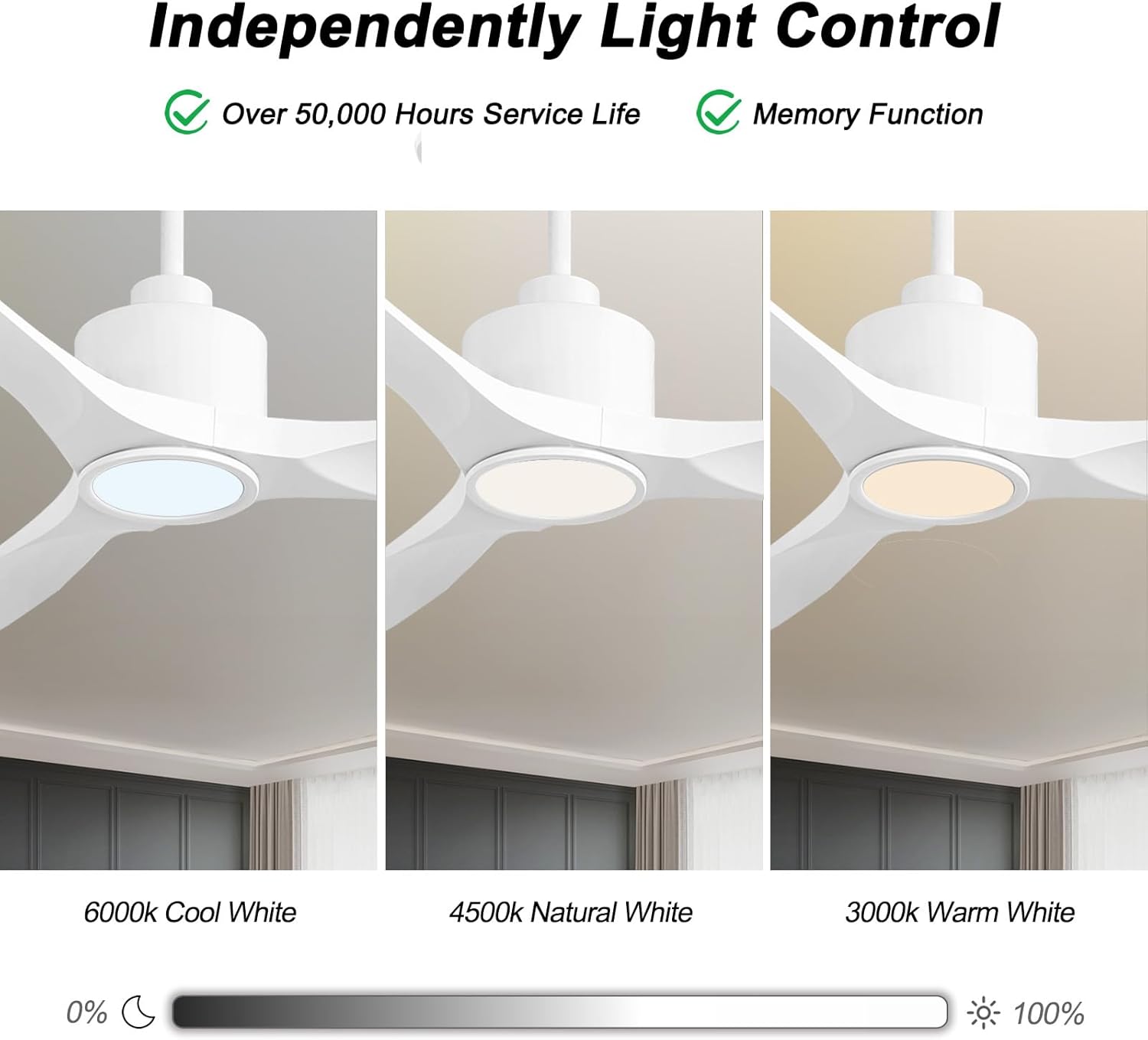
Figure 6.2: Independent Light Control with Dimmable and Color Temperature options.
6.2 Smart Control (Wi-Fi & Bluetooth)
The fan can be controlled via a smartphone app (Smart Life) and integrated with voice assistants like Amazon Alexa and Google Assistant.
- Persediaan Apl: Download the "Smart Life" app from your device's app store. Follow the in-app instructions to pair your ceiling fan. This typically involves putting the fan into pairing mode (refer to the app for specific steps) and connecting it to your home Wi-Fi network.
- Persediaan Kawalan Suara: Once paired with the Smart Life app, enable the "Smart Life" skill in your Amazon Alexa or Google Home app. Link your Smart Life account to your voice assistant account. You can then use voice commands to control the fan and light.
Examparahan suara:
- "Alexa, turn on the living room fan."
- "Hey Google, set the fan speed to 3."
- "Alexa, change the fan light to warm white."
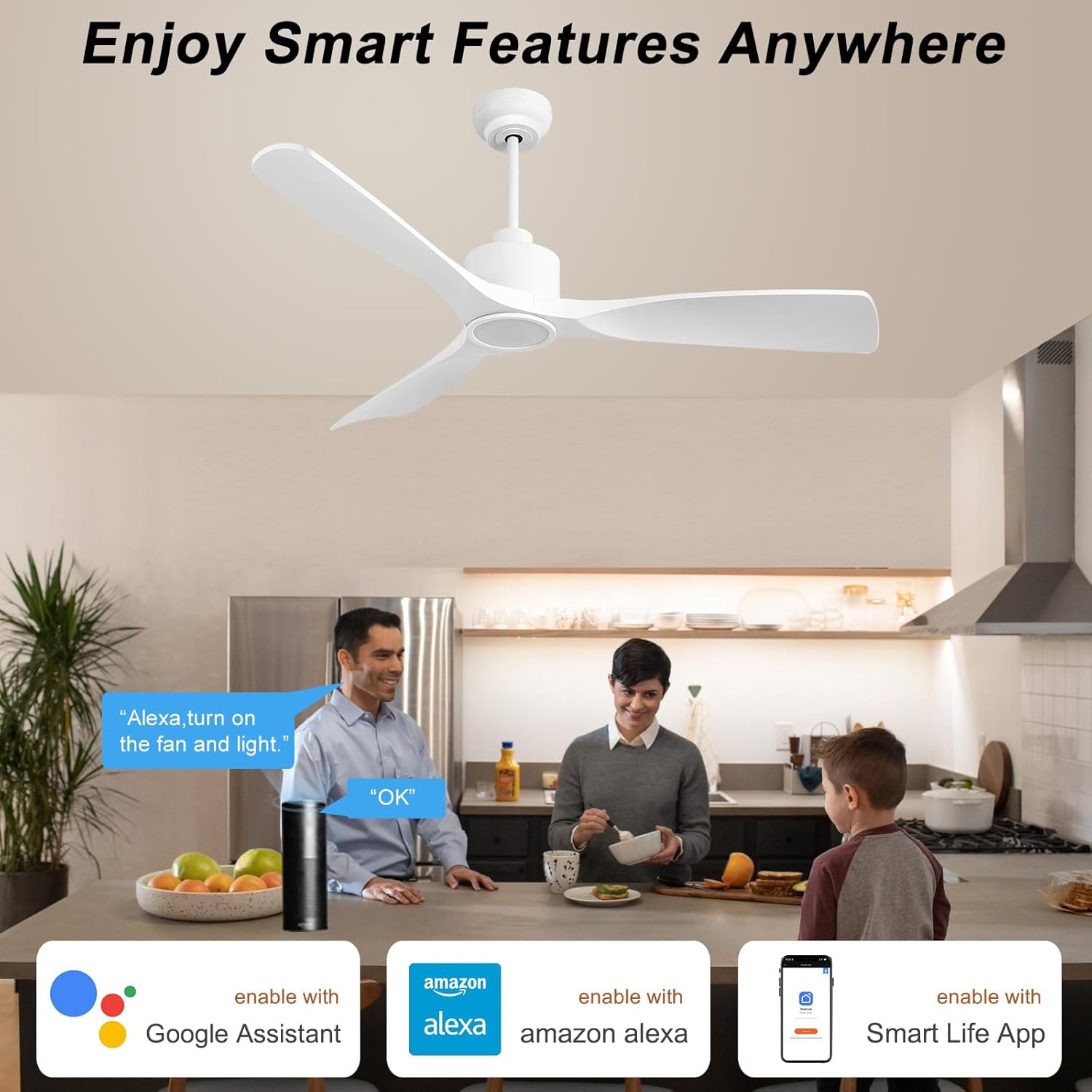
Figure 6.3: Enjoy Smart Features Anywhere with app and voice control.
7. Penyelenggaraan
Penyelenggaraan tetap memastikan jangka hayat dan prestasi optimum kipas siling anda.
- Pembersihan: Untuk mengelak daripada menggaru kemasan, bersihkan kipas dengan lembut, damp cloth. Do not use abrasive cleaners or solvents. The fan blades may collect dust due to their shape, but they are easy to clean with a duster or swiffer.
- Imbangan Bilah: Check the blade screws periodically to ensure they are tight. Loose screws can cause wobbling and noise.
- Sumber Cahaya: The integrated LED light is designed for over 50,000 hours of service life and is not user-replaceable.
- Motor: The DC motor is designed for quiet and efficient operation and requires no lubrication.

Figure 7.1: ETL Certified DC Motor ensures quiet and energy-efficient performance.
8. Penyelesaian masalah
Jika anda mengalami masalah dengan kipas anda, rujuk masalah dan penyelesaian biasa berikut:
| Masalah | Kemungkinan Punca | Penyelesaian |
|---|---|---|
| Kipas tidak bermula | Tiada kuasa kepada kipas; Sambungan wayar longgar; Bateri kawalan jauh lemah. | Check circuit breaker. Ensure all wiring connections are secure. Replace remote control battery. |
| Kipas bergoyang | Skru bilah longgar; Bilah yang tidak seimbang; Pendakap pelekap longgar. | Tighten all blade screws. Check blade balance (balancing kit may be needed). Ensure mounting bracket is securely fastened. |
| Cahaya tidak berfungsi | Loose wire connection to light kit; Light kit failure. | Check light kit wiring. If integrated LED, contact customer support if it fails prematurely. |
| Alat kawalan jauh tidak berfungsi | Battery low/dead; Remote not paired with fan. | Replace battery. Refer to pairing instructions in the full user manual (PDF) or contact support. |
| Smart control (App/Voice) issues | Wi-Fi connectivity issues; Incorrect app pairing; Voice assistant skill not enabled. | Check Wi-Fi connection. Re-pair fan in Smart Life app. Ensure Smart Life skill is enabled and linked in your voice assistant app. |
For more detailed troubleshooting or issues not listed here, please refer to the full User Manual (PDF) or contact customer support.
9. Waranti dan Sokongan
OFANTOP stands behind the quality of its products. For warranty information, product support, or to inquire about replacement parts (e.g., remote control), please contact OFANTOP customer service directly.
- Pengeluar: OFANTOP
- Nombor Model: 52YFT-7068
- Perkhidmatan Pelanggan: Refer to the contact information provided in your product packaging or on the official OFANTOP webtapak.
- Sumber Dalam Talian: A detailed User Manual (PDF) is available for download at https://manuals.plus/m/8aec2114059cd6b69cff677e7d21870e99ddd14f8acdc846631f0b96ef88e8c4.
Sila sediakan nombor model dan tarikh pembelian anda semasa menghubungi sokongan.
