1. Pengenalan
This manual provides essential information for the safe and efficient use of your Bmobile B60 Pro smartphone. Please read this manual carefully before using your device to ensure optimal performance and longevity. The Bmobile B60 Pro is designed to offer reliable network access, camera capabilities, and seamless communication.
2. Persediaan
2.1 Kandungan Pakej
- Bmobile B60 Pro Smartphone
- Kabel USB
- Lithium Ion Battery (pre-installed or included)
2.2 SIM Card Insertion (Movistar)
To activate your Movistar Prepaid service, follow these steps:
- Insert the Movistar SIM card into the designated slot on your smartphone.
- Power on the device. You will receive an SMS with your new phone number.
- Make an activation call to *611.
- Dial *ALTA (*2582) from your new line and follow the on-screen instructions.
- You will receive an SMS confirming your benefits, which can be enjoyed for 14 days at no cost.

Rajah 2.2: Sisi view of the Bmobile B60 Pro, illustrating the location of the SIM card tray and physical buttons.
2.3 Kuasa Awal Hidup
Press and hold the power button located on the side of the device until the screen lights up. Follow the on-screen prompts to complete the initial setup, including language selection, Wi-Fi connection, and Google account setup.
2.4 SIM Unlock Process
If you need to unlock your smartphone for use with other carriers, follow these steps:
- Go to the official Movistar Store webtapak.
- Navigate to 'Customer Service' > 'Unlock Code'.
- Masukkan alamat e-mel anda.
- Enter your device's 15-digit IMEI number. You can obtain your IMEI by dialing *#06# in the Phone application.
- Click the 'Consult' button.
- You will receive the unlock code or a support ticket for tracking the process.
3. Mengendalikan Telefon Pintar Anda
3.1 Navigasi Asas (Android 10.0)
Your Bmobile B60 Pro runs on Android 10.0. Use touch gestures to navigate: tap to select, swipe to scroll, pinch to zoom. The home screen provides quick access to your favorite apps and widgets.
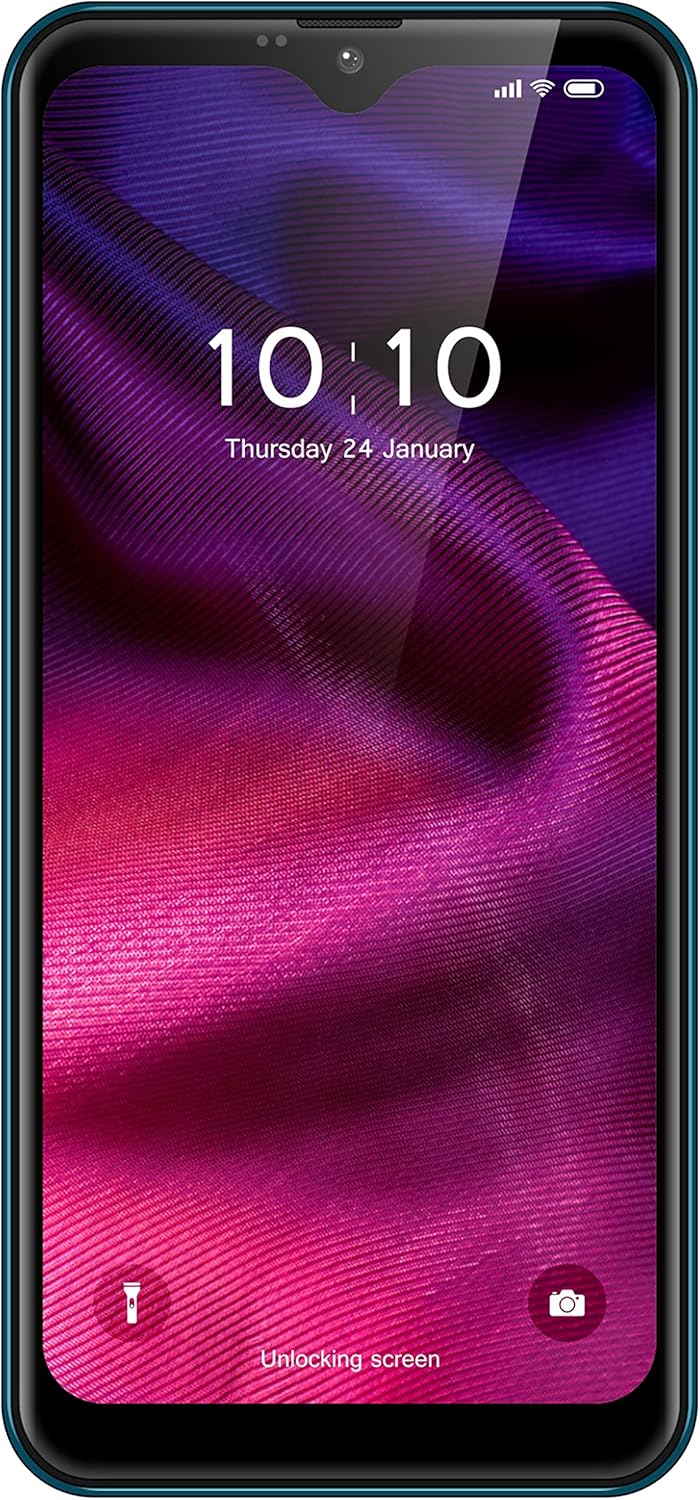
Rajah 3.1: Depan view of the Bmobile B60 Pro, showing the display and user interface.
3.2 Membuat Panggilan dan Menghantar Mesej
To make a call, open the 'Phone' app, enter the number, and tap the call icon. To send a message, open the 'Messages' app, start a new conversation, enter the recipient's number or select from contacts, type your message, and tap send.
3.3 Penggunaan Kamera
Your device features a camera for capturing photos and videos. Open the 'Camera' app from your home screen or app drawer. Tap the shutter button to take a photo or switch to video mode to record. Explore various settings for different modes and effects.

Rajah 3.3: Belakang view of the Bmobile B60 Pro, highlighting the camera system.
3.4 Ketersambungan
The Bmobile B60 Pro supports Wi-Fi and 4G cellular connectivity. Access Wi-Fi settings from the 'Settings' menu to connect to available networks. Ensure your SIM card is properly inserted and activated for 4G services.
4. Penyelenggaraan
4.1 Pengurusan Bateri
The device is equipped with a 3000 mAh Lithium Ion battery. To maximize battery life:
- Elakkan suhu yang melampau.
- Laraskan kecerahan skrin.
- Tutup aplikasi yang tidak digunakan yang berjalan di latar belakang.
- Use power-saving modes when available.
4.2 Kemas Kini Perisian
Periodically check for software updates in 'Settings' > 'System' > 'System update' to ensure your device has the latest features and security patches.
4.3 Membersihkan Peranti Anda
Use a soft, lint-free cloth to clean the screen and body of your smartphone. Avoid using harsh chemicals or abrasive materials.
5. Penyelesaian masalah
5.1 Isu Lazim
- Peranti tidak dihidupkan: Pastikan bateri dicas. Sambungkan peranti kepada pengecas selama sekurang-kurangnya 15 minit sebelum cuba menghidupkan.
- Prestasi perlahan: Close unused apps, clear cache, or restart the device. Consider performing a factory reset if the issue persists (see section 5.2).
- Isu sambungan rangkaian: Check SIM card insertion, ensure mobile data is enabled, or try restarting the device. For Wi-Fi, ensure the password is correct and the router is functioning.
5.2 Tetapan Semula Kilang
A factory reset will erase all data from your device and restore it to its original factory settings. Back up important data before proceeding. To perform a factory reset, go to 'Settings' > 'System' > 'Reset options' > 'Erase all data (factory reset)'.
6. Spesifikasi
| Ciri | Spesifikasi |
|---|---|
| Nama Model | B60 Pro |
| Nombor Model Produk | TMGMXBMB60PRAZ00 |
| Sistem Operasi | Android 10.0 |
| Pemproses | QuadCore |
| Kapasiti Storan Dalaman | 32 GB |
| Kapasiti Bateri | 3000 mAh |
| Pembawa Tanpa Wayar | Movistar |
| Teknologi Ketersambungan | 4G, Wi-Fi |
| Teknologi Selular | 4G |
| Teknologi Rangkaian Tanpa Wayar | LTE |
| Kiraan Slot Kad SIM | Dual SIM |
| Ciri Khas | Email, Camera, WiFi |
| warna | Biru |
| Berat Produk | 330 g |
| Isi Kotak | Kabel USB |
7. Waranti dan Sokongan
For warranty information and customer support, please refer to the documentation provided with your purchase or visit the official Bmobile webtapak. Simpan bukti pembelian anda untuk tuntutan waranti.


