pengenalan
Thank you for choosing the COSTWAY 40-Inch Tower Fan. This fan is designed to provide a wide and comfortable airflow, enhancing air circulation in your home or office. Its slim, bladeless design ensures safety for families with children and offers space-saving convenience. This manual provides essential information for the safe and efficient operation, maintenance, and troubleshooting of your new tower fan.
Ciri-ciri utama termasuk:
- 75° Wide Oscillation: Provides extensive air distribution for enhanced comfort.
- Pelbagai Mod & Kelajuan: Features 3 fan modes (Normal, Nature, Sleeping) and 4 fan speeds (Breeze, Low, Medium, High) to customize your cooling experience.
- Pilihan Kawalan Dwi: Easily operate the fan using either the intuitive control panel or the convenient remote control.
- Quiet Operation & Timer: Designed for ultra-quiet operation, especially in Sleep Mode, and includes a 15-hour timer for automatic shut-off.
- Safe & Portable Design: Bladeless design and stable round base ensure safety, while a recessed handle allows for effortless portability.
Persediaan
Follow these steps to set up your COSTWAY Tower Fan:
- Membongkar: Carefully remove all components from the packaging. Ensure all parts are present: the main fan body, the round base, and the remote control.
- Perhimpunan asas: Attach the two halves of the round base together, aligning the slots. Secure the base to the bottom of the fan body using the provided screws. Ensure the power cord passes through the designated opening in the base.
- penempatan: Place the fan on a firm, level surface. Ensure there is adequate space around the fan for optimal airflow and oscillation. Keep the fan away from curtains or other objects that could obstruct its operation.
- Sambungan Kuasa: Plug the power cord into a standard 120V AC, 60Hz electrical outlet.

Arahan Operasi
Kipas menara anda boleh dikendalikan menggunakan panel kawalan di bahagian atas unit atau alat kawalan jauh yang disertakan.
Panel Kawalan & Alat Kawalan Jauh

The control panel features touch-sensitive buttons and indicator lights for easy understanding. The remote control provides the same functionality from a distance of up to 20 feet.
Fungsi:
- Hidupkan/Mati Kuasa: Tekan ke Hidup/Mati butang untuk menghidupkan atau mematikan kipas.
- Kelajuan Kipas: Tekan ke Kelajuan Kipas button to cycle through 4 speed settings: Breeze, Low, Medium, and High.
- Mod Kipas: Tekan ke Mod Kipas button to select from 3 modes: Normal, Nature, and Sleeping.
- Pengayun: Tekan ke Oscillation button to activate or deactivate the 75° wide oscillation feature.
- Pemasa: Tekan ke Pemasa button to set the automatic shut-off timer from 1 to 15 hours. Each press increases the timer by one hour.
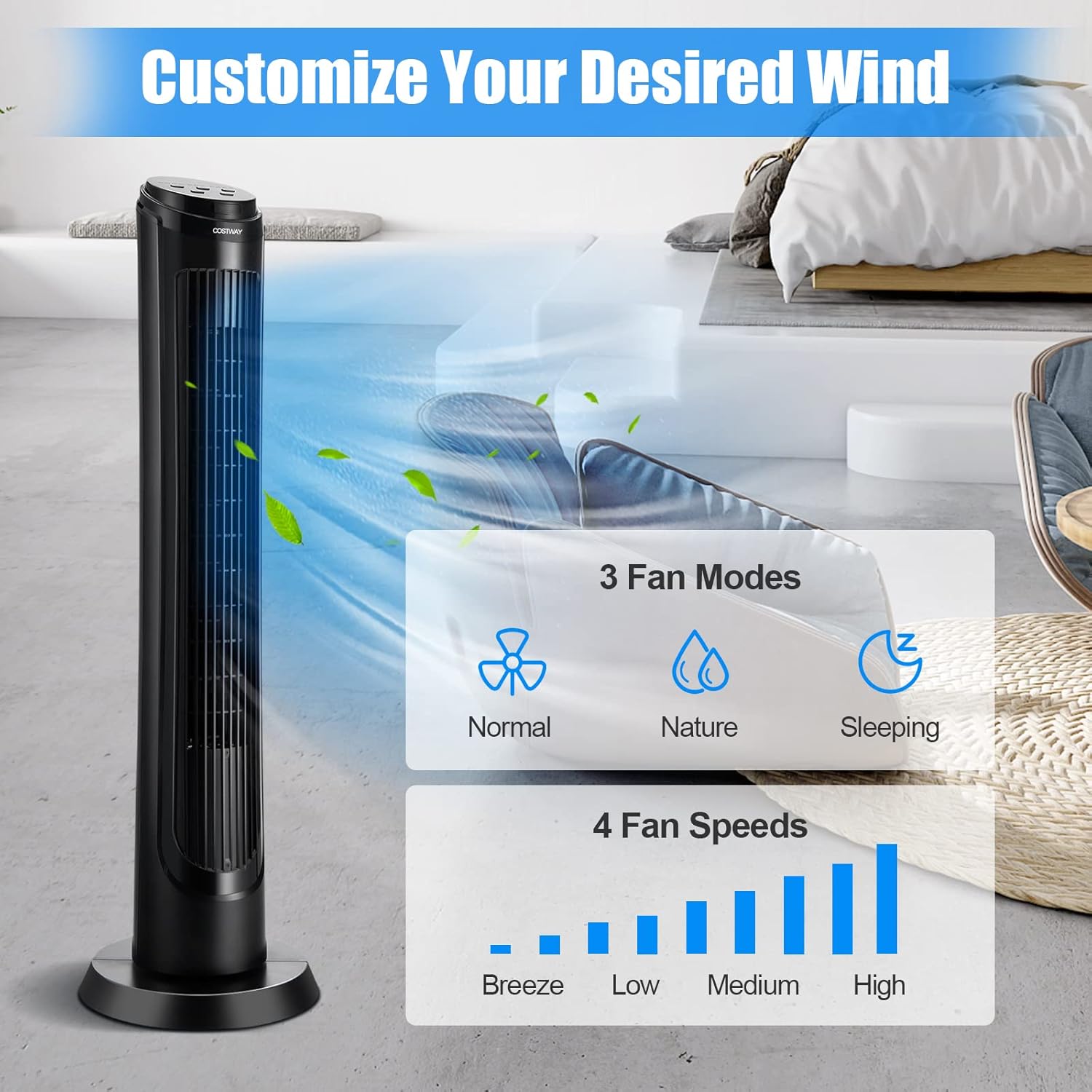
Understanding Fan Modes:
- Mod Biasa: Memberikan aliran udara yang malar pada kelajuan yang dipilih.
- Mod Alam Semula Jadi: Simulates natural breezes by varying the fan speed intermittently.
- Mod Tidur: Operates at a lower, quieter speed and gradually decreases the fan speed over time to promote restful sleep. The display lights dim in this mode.

Penyelenggaraan
Regular cleaning and proper storage will ensure the longevity and optimal performance of your tower fan.
Pembersihan:
- Putuskan Kuasa: Sentiasa cabut plag kipas dari salur keluar kuasa sebelum membersihkan.
- Pembersihan Luaran: Gunakan yang lembut, damp kain untuk mengelap permukaan luar kipas. Jangan gunakan pembersih atau pelarut yang melelas.
- Gril Masuk/Alir Keluar Udara: Use a vacuum cleaner with a brush attachment or compressed air to remove dust and debris from the air inlet and outlet grilles. For hard-to-reach areas, a soft brush or cotton swab can be used.
- Pembersihan Dalaman: The fan is not designed for easy disassembly for deep internal cleaning. Avoid immersing the fan in water or allowing water to drip into the interior.
Storan:
When not in use for extended periods, store the fan in a cool, dry place. It is recommended to cover the fan to protect it from dust.
Menyelesaikan masalah
Jika anda menghadapi sebarang masalah dengan kipas anda, sila rujuk masalah dan penyelesaian biasa berikut:
| Masalah | Kemungkinan Punca | Penyelesaian |
|---|---|---|
| Kipas tidak dihidupkan | No power supply; Power cord not properly plugged in; Power outlet is faulty. | Ensure the fan is plugged into a working outlet. Check the circuit breaker. |
| Aliran udara lemah atau tiada | Air inlet/outlet grilles are blocked; Fan speed is set too low. | Clean the grilles to remove any obstructions. Increase the fan speed setting. |
| Bunyi luar biasa semasa operasi | Fan is not on a level surface; Internal components are loose or obstructed. | Place the fan on a flat, stable surface. Check for any foreign objects inside the grilles (with power disconnected). |
| Alat kawalan jauh tidak berfungsi | Batteries are dead or incorrectly inserted; Obstruction between remote and fan. | Replace remote control batteries. Ensure there is a clear line of sight to the fan's receiver. |
If the problem persists after trying these solutions, please contact COSTWAY customer service for assistance.
Spesifikasi
| Ciri | Perincian |
|---|---|
| Model | B09XBK4QDS |
| warna | Hitam |
| bahan | ABS |
| Dimensi Keseluruhan | 11.5" x 11.5" x 40" (L x W x H) |
| Voltage | 120V AC |
| Kekerapan | 60Hz |
| Kuasa Dinilai | 50W |
| Panjang Kord | 6 kaki |
| Tahap Kebisingan | 45-52 dB |
| Oscillation | 75° |
| Jarak Kawalan Maksimum | 20 ft (Remote) |
| Tetapan Kelajuan Angin | Breeze/Low/Medium/High (4 Speeds) |
| Mod Kipas | Normal/Nature/Sleeping (3 Modes) |
| Aliran Udara | 200 CFM |
| Berat Bersih | 7.5 paun |
| Komponen yang Disertakan | 1 x Tower Fan, 1 x Remote Control, 1 x Manual |

Waranti dan Sokongan
For warranty information or technical support, please refer to the documentation included in your product packaging or contact COSTWAY customer service directly. Please have your model number (B09XBK4QDS) and purchase date available when contacting support.


