1. Produk Lebihview
The ROCAM CR1002 DAB Digital Alarm Clock Radio is a versatile device designed for various environments such as bedrooms, offices, and kitchens. It features a unique spherical design and integrates multiple functions including DAB/DAB+/FM radio, dual alarms, a 7-color night light, and USB charging ports.
Ciri-ciri utama termasuk:
- DAB/DAB+/FM Digital Radio for clear audio reception.
- Dual Alarm settings with adjustable volume and choice of buzzer, DAB, or FM tones.
- 7-Color Night Light for ambient lighting.
- Snooze function for additional sleep time.
- USB-A and USB-C charging ports for external devices.
- Kecerahan paparan boleh laras.
- Fungsi Pemasa Tidur.
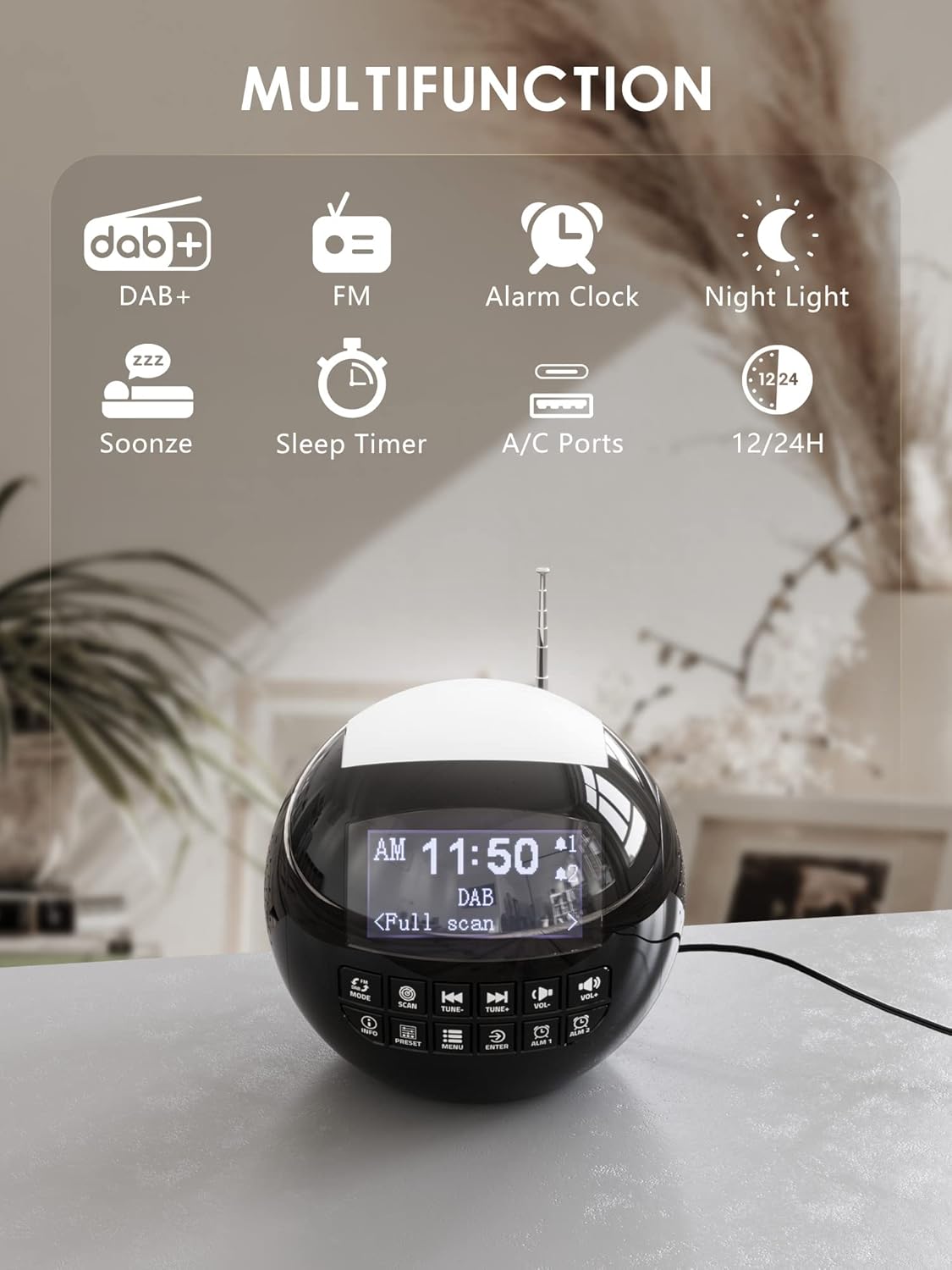
Imej 1.1: Selesaiview of the ROCAM CR1002 DAB Digital Alarm Clock Radio highlighting its multifunction capabilities including DAB+, FM radio, alarm clock, night light, snooze, sleep timer, and USB-A/USB-C charging ports.
2. Maklumat Keselamatan
- Pastikan peranti diletakkan di atas permukaan yang stabil dan rata.
- Jangan dedahkan peranti kepada air, lembapan atau suhu yang melampau.
- Elakkan menyekat bukaan pengudaraan.
- Use only the provided power adapter or a compatible one.
- Jauhkan daripada kanak-kanak.
- Jangan cuba membuka atau membaiki unit ini sendiri. Hubungi kakitangan servis yang berkelayakan.
3. Persediaan
3.1 Sambungan Kuasa
- Connect the power adapter to the DC IN port on the back of the alarm clock.
- Plug the power adapter into a standard wall outlet (220 Volts).
- The device will power on and the display will illuminate.
3.2 Backup Battery Installation
To retain time and alarm settings during a power outage, install backup batteries.
- Cari petak bateri di bahagian bawah unit.
- Buka penutup petak.
- Insert 2 "AAA" batteries (not included), ensuring correct polarity (+/-).
- Tutup penutup petak bateri dengan selamat.
3.3 Pelarasan Antena
Extend the telescopic antenna fully for optimal DAB/DAB+ and FM radio reception. Adjust its position for the best signal.
4. Arahan Operasi
4.1 Operasi Asas
- Hidupkan/Mati Kuasa: Tekan ke MODE butang untuk menghidupkan atau mematikan unit.
- Pelarasan Kelantangan: Gunakan vol- dan VOL+ buttons to adjust the volume (levels 1-16).
- Kecerahan Paparan: The display has 3 adjustable brightness levels. Refer to the menu settings for adjustment.
4.2 Radio DAB/DAB+
- Tekan ke MODE butang untuk memilih mod DAB.
- Tekan ke IMBAS button to perform an automatic scan for available DAB/DAB+ stations. The radio will store all found stations.
- Gunakan TUNE- dan TUNE+ buttons to navigate through the stored stations.
- Tekan INFO kepada view station information (e.g., program type, signal strength).
- Untuk menyimpan stesen sebagai pratetap, tekan dan tahan PRESET butang, kemudian gunakan TUNE-/TUNE+ to select a preset number (1-10) and press MASUK untuk mengesahkan.
- To recall a preset, press the PRESET butang sebentar, kemudian gunakan TUNE-/TUNE+ to select the desired preset and press MASUK.

Image 4.1: The radio in DAB mode, showing the "Full scan" process to find and store available digital radio stations.
4.3 Radio FM
- Tekan ke MODE butang untuk memilih mod FM.
- Tekan dan tahan butang IMBAS button to automatically scan for FM stations. The radio will stop at the next strong signal.
- Sebagai alternatif, gunakan TUNE- dan TUNE+ butang untuk penalaan manual.
- Saving and recalling FM presets follows the same procedure as DAB presets (Section 4.2).
4.4 Menetapkan Penggera
The device supports two independent alarms (Alarm 1 and Alarm 2).
- Tekan dan tahan sama ada ALM 1 or ALM 2 butang untuk memasuki tetapan penggera.
- guna TUNE-/TUNE+ untuk melaraskan jam, kemudian tekan MASUK. Repeat for minutes.
- Select the alarm source: Buzzer, DAB, atau FM. If DAB/FM is selected, choose a preset station. Press MASUK.
- Adjust the alarm volume (1-16) using TUNE-/TUNE+, kemudian tekan MASUK.
- Select the alarm frequency: Once, Daily, Weekdays, or Weekends. Press MASUK untuk mengesahkan.
- To activate/deactivate an alarm, briefly press ALM 1 or ALM 2Ikon penggera akan muncul/hilang pada paparan.

Image 4.2: Illustration of the dual alarm function with customizable wake-up sounds (FM, DAB, or Buzzer).
4.5 Fungsi Tunda
Apabila penggera berbunyi, tekan butang besar SNOOZE/NIGHTLIGHT button on top to temporarily silence the alarm for 9 minutes. The alarm will sound again after this period.

Image 4.3: The snooze function in action, providing an additional 9 minutes of sleep.
4.6 Pemasa Tidur
Pemasa tidur membolehkan radio dimainkan untuk tempoh yang ditetapkan sebelum dimatikan secara automatik.
- Tekan ke MENU butang.
- Navigate to "Sleep Timer" using TUNE-/TUNE+ dan tekan MASUK.
- Select a duration from 10 to 90 minutes. Press MASUK untuk mengesahkan.
4.7 Fungsi Lampu Malam
The device features a 7-color night light.
- Briefly press the large SNOOZE/NIGHTLIGHT button on top to cycle through the 7 colors or turn the night light off.
- The night light can be used independently of the alarm function.

Image 4.4: The night light feature illuminating the top of the alarm clock in blue, one of the seven available colors.
4.8 Port Pengecasan USB
The alarm clock is equipped with a standard USB-A port and a USB-C port for charging external devices.
- Connect your device's charging cable to either the USB-A or USB-C port on the back of the alarm clock.
- Ensure the alarm clock is powered on and connected to a wall outlet for charging functionality.
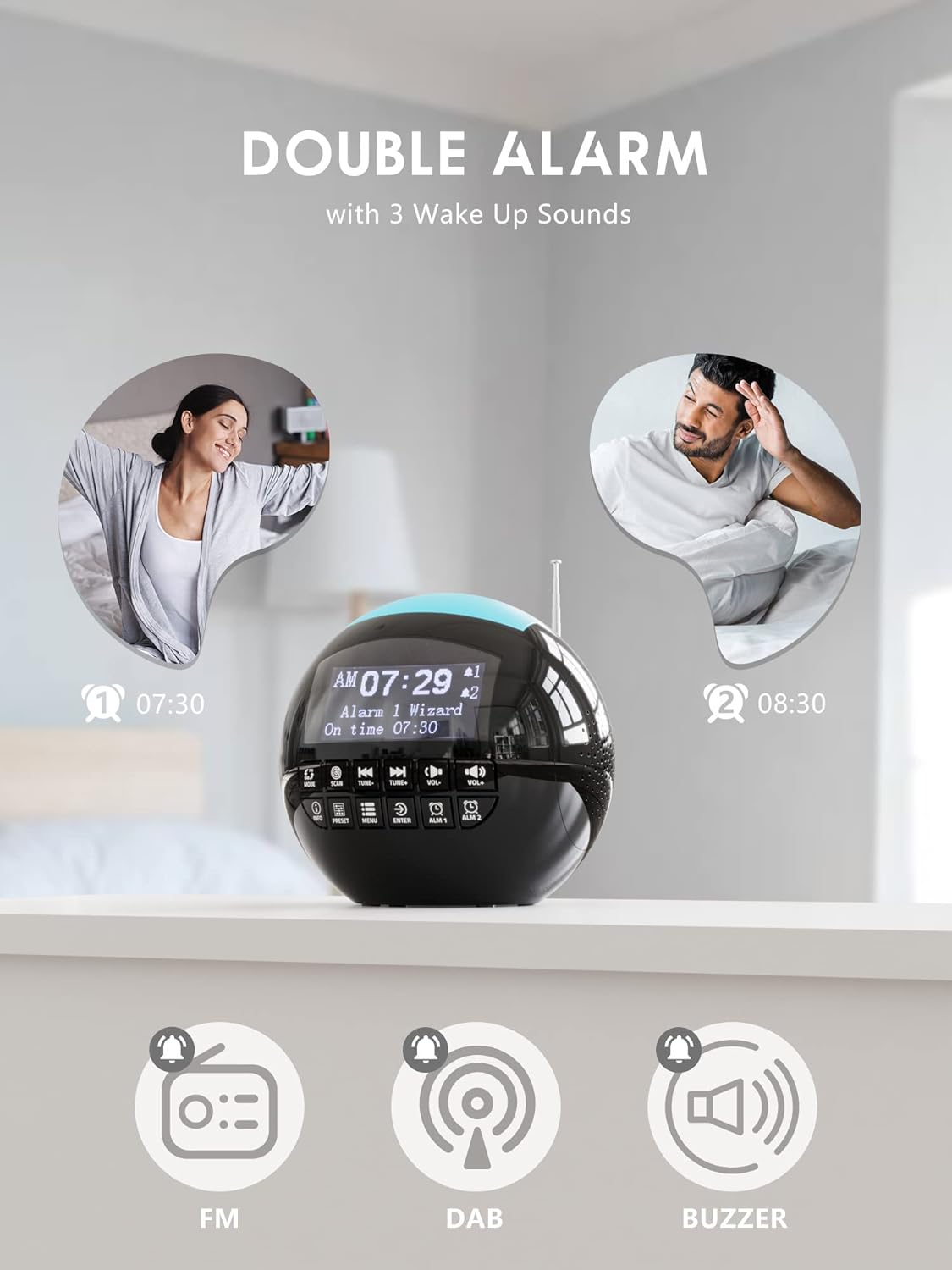
Image 4.5: The USB-A and USB-C charging ports in use, simultaneously charging a smartphone and wireless earbuds.
5. Penyelenggaraan
- Pembersihan: Lap unit dengan kain lembut dan kering. Jangan gunakan pembersih atau pelarut yang melelas.
- Storan: Jika menyimpan unit untuk tempoh yang lama, putuskan sambungannya daripada kuasa dan keluarkan bateri sandaran.
6. Penyelesaian masalah
| Masalah | Kemungkinan Punca | Penyelesaian |
|---|---|---|
| Unit tidak dihidupkan. | Tiada sambungan kuasa. | Pastikan penyesuai kuasa dipasang dengan selamat ke dalam unit dan salur keluar dinding yang berfungsi. |
| Penerimaan radio (DAB/FM) yang lemah. | Antena tidak dilanjutkan atau kawasan isyarat lemah. | Extend the telescopic antenna fully and adjust its position. Try moving the unit to a different location. Perform a full scan for DAB stations. |
| Penggera tidak berbunyi. | Penggera tidak diaktifkan atau kelantangan terlalu rendah. | Check if the alarm icon is displayed. Ensure alarm volume is set to an audible level (1-16). Verify alarm time and frequency settings. |
| Pengecasan USB tidak berfungsi. | Unit not powered or cable issue. | Ensure the alarm clock is connected to a wall outlet. Check the charging cable for damage and ensure it is properly connected to both the alarm clock and the external device. |
| Paparan terlalu terang/malap. | Tetapan kecerahan memerlukan pelarasan. | Adjust the display brightness through the menu settings. |
7. Spesifikasi
| Ciri | Perincian |
|---|---|
| Jenama | ROCAM |
| Nombor Model | CR1002 DAB |
| warna | Hitam |
| Dimensi (L x W x H) | 15.9 x 3.81 x 16.2 cm |
| Berat badan | 468 gram |
| Voltage | 220 Volt |
| bahan | plastik |
| Jenis Paparan | digital |
| Ciri Khas | Adjustable Brightness, Radio (DAB/DAB+/FM), Dual Alarm, 7-Color Night Light, USB-A & USB-C Charging Ports, Snooze, Sleep Timer |
| Sumber Kuasa | Elektrik Bertali |
| Bateri Sandaran | 2 x AAA (tidak termasuk) |
8. Waranti dan Sokongan
For warranty information or technical support, please refer to the documentation included with your purchase or contact ROCAM customer service through their official webtapak atau peruncit tempat produk itu dibeli.
Please have your model number (CR1002 DAB) and purchase details ready when contacting support.


