1. Pengenalan
This manual provides essential information for the safe and effective operation of your EXO Cinemaster 2-4K UHD Camera Drone. Please read this manual thoroughly before operating the drone to ensure proper usage and to maximize your flying experience. The EXO Cinemaster 2 is designed for capturing stunning aerial photography and videography with its advanced camera system and intelligent flight features.

The EXO Cinemaster 2-4K UHD Camera Drone, its remote controller, and included accessories.
2. Apa yang ada di dalam Kotak
Sahkan bahawa semua item terdapat dalam pakej anda:
- EXO Cinemaster 2 Drone
- Alat Kawalan Jauh
- 3 Lithium Polymer Batteries
- Pengecas Bateri
- Propeller Set (spare propellers may be included)
- Kabel Pengecas USB
- Manual Pengguna (dokumen ini)
3. Komponen Selesaiview
Familiarize yourself with the main components of your EXO Cinemaster 2 drone.

The drone features an 11MP photo resolution camera capable of 4K UHD video, mounted on a 3-axis gimbal for stable footage.
Drone
- kamera: 11MP photo, 4K UHD video, 1080p 60FPS slow-motion, 1/2.3in Sony Sensor, 50mbps bitrate.
- Gimbal: 3-axis stabilization for smooth video.
- Motors & Propellers: High-efficiency motors for stable flight.
- Petak Bateri: Houses the flight battery.
- Penderia: GPS for precise positioning, obstacle avoidance sensors.
Alat Kawalan Jauh
- Kayu Kawalan: Untuk arah penerbangan dan ketinggian.
- Pemegang Telefon Pintar: To mount your smartphone for live video feed and app control.
- Butang Fungsi: For various flight modes and camera controls.
- Antena: For signal transmission to the drone.
4. Persediaan
Follow these steps to prepare your EXO Cinemaster 2 for its first flight.
4.1 Mengecas Bateri
- Sambungkan pengecas bateri kepada sumber kuasa.
- Insert the drone batteries into the charger.
- Allow batteries to fully charge. Indicator lights on the charger will show charging status.
4.2 Memasang Baling-baling
- Pastikan dron dimatikan.
- Match propellers with their corresponding motor arms (usually marked A and B).
- Securely attach each propeller by twisting or pressing down until locked. Refer to the drone's markings for correct orientation.
4.3 Remote Controller Preparation
- Charge the remote controller.
- Extend the smartphone holder and securely place your smartphone.
- Download and install the official EXO drone application from your device's app store.
4.4 Sambungan Awal
- Power on the drone, then the remote controller.
- Open the EXO drone app on your smartphone.
- Follow the in-app instructions to connect your smartphone to the drone via Wi-Fi.
- Wait for GPS signal acquisition (indicated by solid green lights on the drone and/or app).
5. Mengendalikan Dron
Learn how to fly your Cinemaster 2 and utilize its advanced features.
5.1 Kawalan Asas Penerbangan
The remote controller provides intuitive control over the drone's movement:
- Tongkat Kiri: Mengawal altitud (naik/turun) dan yaw (putar kiri/kanan).
- Tongkat Kanan: Mengawal pergerakan ke hadapan/belakang dan kiri/kanan.
- Butang Berlepas/Mendarat: One-tap automatic takeoff and landing.

The remote controller provides precise and intuitive flight control.
5.2 Operasi Kamera
The Cinemaster 2's camera system allows for high-quality media capture:
- Resolusi Foto: Capture still images at 11 megapixels.
- Resolusi Video: Record videos in stunning 4K UHD.
- Pergerakan Perlahan: Achieve cinematic effects with 1080p 60FPS slow-motion recording.
- Gimbal 3-Axis: Ensures stable and smooth footage by compensating for drone movements.
- Sony Sensor: The 1/2.3in Sony Sensor delivers rich, true-to-life colors with a 50mbps bitrate for detailed recordings.
5.3 Flight Performance and Features
Experience robust flight performance and intelligent modes:
- Masa Penerbangan: Enjoy up to 28 minutes of flight per battery.
- Julat: Control the drone up to half a mile away.
- Rintangan angin: Designed with Level 5 wind resistance for stable flight in various conditions.
- Mod Sukan: Reach speeds of up to 27 MPH for dynamic aerial maneuvers.
- One-Tap Return to Home: The drone automatically returns to its takeoff point.
- Follow-Me Mode: The drone tracks your movements, capturing hands-free footage.
- Circle-Me Feature: The drone orbits around a designated subject for captivating shots.
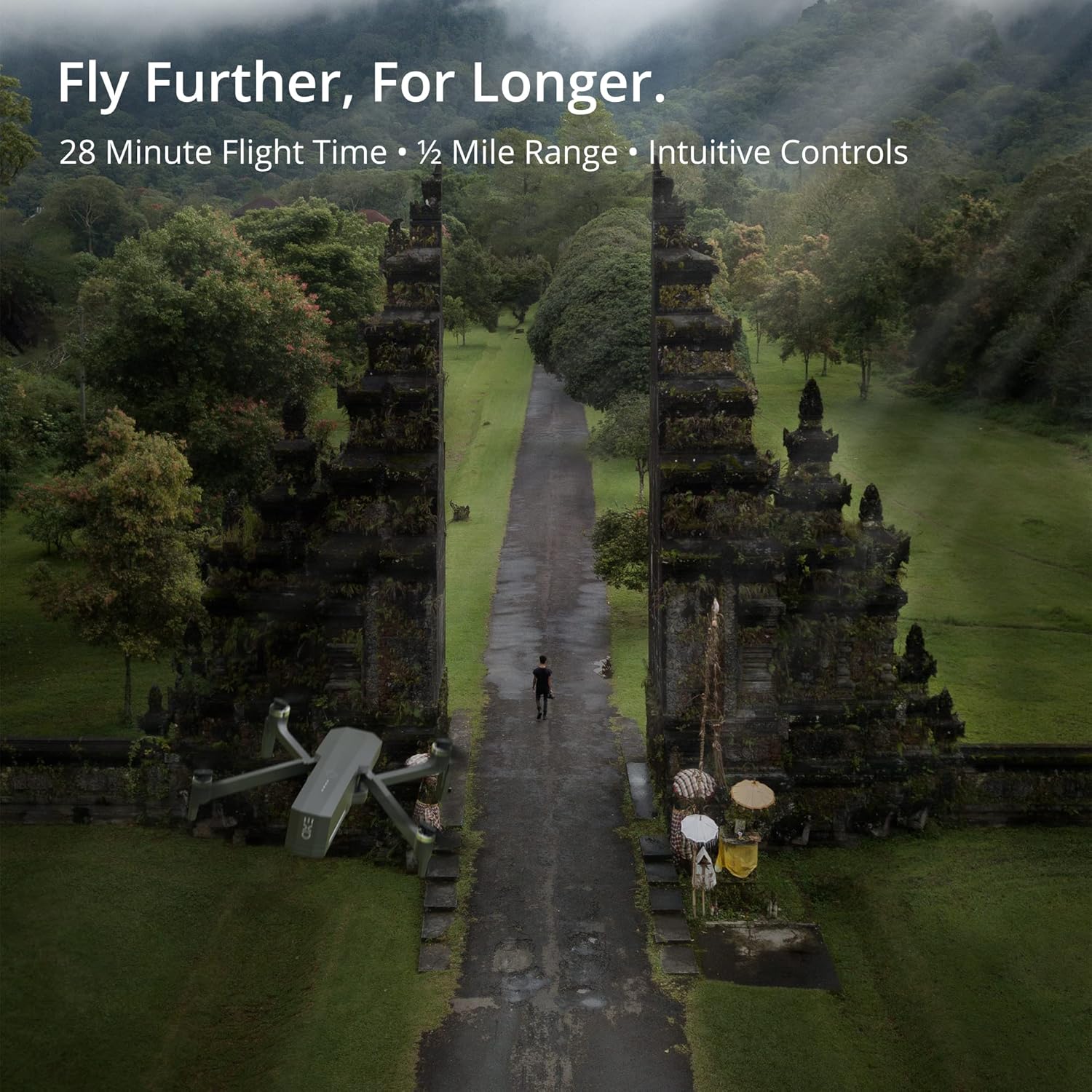
The Cinemaster 2 offers extended flight time and range for comprehensive aerial exploration.

Smart features like Auto Return Home simplify operation and enhance safety.

The drone's robust design provides stability even in windy conditions.
5.4 Video Produk Rasmi
Introducing Cinemaster 2: Video ini memberikan penamatview of the EXO Cinemaster 2 drone's features and capabilities, showcasing its camera quality and flight performance.
Drone Features Demonstration: This video demonstrates general drone features, including obstacle avoidance and high-resolution remote control, applicable to advanced drone models like the Cinemaster 2.
6. Penyelenggaraan
Penyelenggaraan tetap memastikan jangka hayat dan prestasi optimum dron anda.
- Penjagaan Bateri: Store batteries at approximately 50% charge if not used for extended periods. Avoid overcharging or fully discharging.
- Pemeriksaan baling-baling: Regularly check propellers for cracks, bends, or damage. Replace damaged propellers immediately.
- Pembersihan: Gunakan kain lembut dan kering untuk membersihkan badan dron dan kanta kamera. Elakkan menggunakan bahan kimia yang keras.
- Kemas kini Firmware: Check the EXO drone app periodically for firmware updates to ensure your drone has the latest features and performance enhancements.
7. Penyelesaian masalah
Berikut ialah penyelesaian kepada isu biasa yang mungkin anda hadapi:
- Drone Not Connecting to Remote/App: Ensure both drone and remote are powered on and fully charged. Restart both devices and the app. Verify Wi-Fi connection.
- Poor GPS Signal: Fly in an open area away from tall buildings or strong magnetic interference. Wait for the GPS indicator to show a strong signal.
- Penerbangan Tidak Stabil: Check propellers for damage and ensure they are correctly installed. Calibrate the drone's compass and IMU as per app instructions.
- Camera Issues (No Image/Poor Quality): Ensure the camera lens is clean. Check app settings for resolution and frame rate. Verify sufficient storage on the SD card.
- Drone Does Not Respond: Ensure batteries are charged and properly inserted. Check for any physical obstructions to propellers.
8. Spesifikasi
| Ciri | Spesifikasi |
|---|---|
| Jenama | EXO |
| Nama Model | EXO Cinemaster 2 |
| Berat Barang | 1.43 paun |
| Dimensi Produk | 12.6 x 4.72 x 9.45 inci |
| Bateri | 3 bateri Litium Polimer (termasuk) |
| Ciri Khas | GPS |
| Resolusi Tangkapan Video | 4K UHD (1080p for slow motion) |
| Jenis Memori Denyar | SD |
| Format Audio yang Disokong | AAC |
| Teknologi Ketersambungan | Wi-Fi |
| Jenis Camcorder | Kamera Video |
| Tarikh Mula-mula Tersedia | 30 Mac 2022 |
9. Waranti dan Sokongan
For any questions, technical assistance, or warranty claims, please contact EXO's dedicated customer service team. Our Utah-based support is available to ensure a smooth and enjoyable experience with your Cinemaster 2 drone.
Refer to the official EXO webtapak atau dokumentasi pembelian anda untuk syarat jaminan dan maklumat hubungan tertentu.