1. Pengenalan
This manual provides detailed instructions for the operation and maintenance of your Coby CVR42BK Portable Cassette Player and Recorder. Please read this manual thoroughly before using the device to ensure proper function and longevity.
2. Kandungan Pakej
Sahkan bahawa semua item yang disenaraikan di bawah terdapat dalam pakej anda:
- Coby CVR42BK Portable Cassette Player and Recorder
- Mikrofon Boom Luaran
- Penyesuai AC 120V
- Manual Pengguna (dokumen ini)

Figure 2.1: Included items in the Coby CVR42BK package.
3. Produk Lebihview
The Coby CVR42BK is a portable cassette player and recorder designed for both playback and one-touch recording. It features a built-in handle for portability and includes an external boom microphone for enhanced recording quality.

Figure 3.1: Coby CVR42BK Portable Cassette Player and Recorder.
3.1 Kawalan dan Penunjuk
Familiarize yourself with the controls and ports on your device:
- Butang Main: Memulakan main balik kaset.
- Butang Rekod: Activates recording function (requires a blank cassette).
- Butang Maju Pantas: Memajukan pita dengan cepat.
- Butang Undur: Menggulung semula pita dengan cepat.
- Butang Berhenti/Keluarkan: Menghentikan main balik/rakaman dan membuka petak kaset.
- Kawalan Kelantangan: Melaraskan kelantangan main balik.
- Bicu Fon Kepala (3.5mm): Untuk mendengar secara peribadi.
- Input Mikrofon Luaran: Connects the included boom microphone.
- AC Adapter Port: For connecting the 120V AC adapter.
- Petak Bateri: Holds 4 C batteries for portable power.
4. Persediaan
4.1 Menguasakan Peranti
The CVR42BK can be powered by either the included AC adapter or 4 C batteries (not included).
- Kuasa AC: Connect the 120V AC adapter to the AC adapter port on the device and then plug it into a standard wall outlet.
- Kuasa Bateri: Open the battery compartment on the underside of the unit. Insert 4 C batteries, ensuring correct polarity (+/-). Close the compartment securely.

Figure 4.1: Power options for the CVR42BK.
4.2 Memuatkan Pita Kaset
- Tekan ke Berhenti / Keluarkan butang untuk membuka pintu petak kaset.
- Insert a cassette tape with the open edge facing upwards and the tape side facing you.
- Tutup pintu petak kaset dengan perlahan sehingga ia berbunyi klik tertutup.

Figure 4.2: Loading a cassette tape.
5. Arahan Operasi
5.1 Memainkan Pita Kaset
- Ensure a cassette tape is loaded (refer to Section 4.2).
- Tekan ke Main butang. Pita akan mula dimainkan.
- Laraskan Kawalan Kelantangan ke tahap pendengaran yang anda inginkan.
- Untuk ke hadapan pantas, tekan butang Cepat Ke Hadapan button. To rewind, press the Putar balik butang.
- Untuk menghentikan main balik, tekan Berhenti / Keluarkan butang.
- For private listening, connect headphones to the 3.5mm headphone jack.
5.2 Recording Audio (One-Touch Recording)
The CVR42BK features one-touch recording and Automatic Level Control (ALC) to optimize recording levels.
- Load a blank or recordable cassette tape into the device. Note: Re-using older cassettes may affect sound quality. New cassettes are recommended for optimal results.
- Tekan ke Rekod butang. The Main button will also engage simultaneously. The device will begin recording audio from its built-in microphone or the connected external microphone.
- Untuk berhenti merakam, tekan Berhenti / Keluarkan butang.
- The device includes an auto-stop feature that will automatically stop recording when the tape reaches its end.
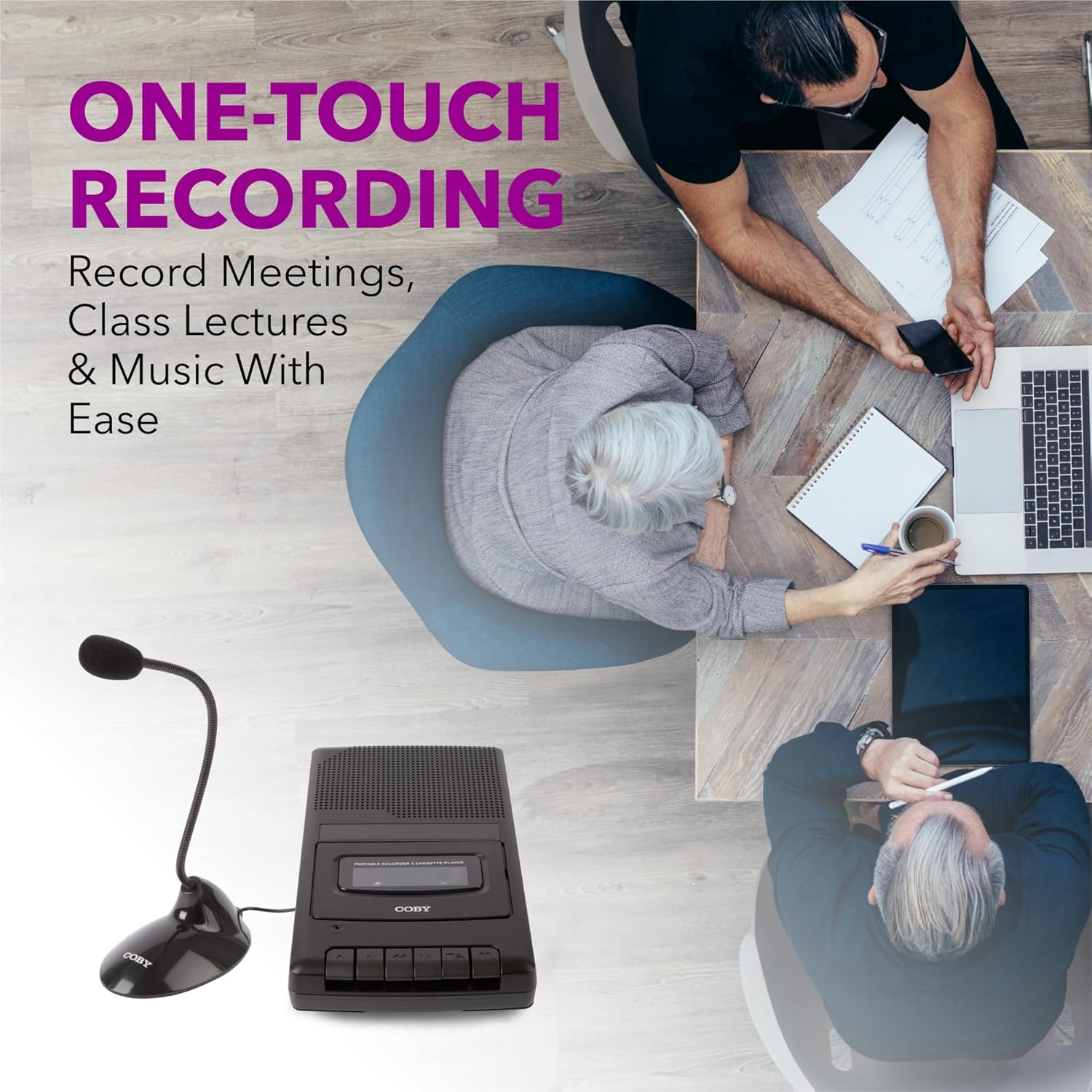
Figure 5.1: Using the CVR42BK for recording.
5.3 Using the External Boom Microphone
For higher quality recordings, especially for lectures or meetings, connect the included external boom microphone.
- Locate the external microphone input port on the CVR42BK.
- Plug the external boom microphone into this port.
- Position the microphone appropriately for the sound source you wish to record.
- Proceed with recording as described in Section 5.2. The device will automatically prioritize the external microphone when connected.

Figure 5.2: External boom microphone in use.
6. Penyelenggaraan
- Pembersihan: Gunakan kain lembut dan kering untuk membersihkan bahagian luar unit. Jangan gunakan pembersih cecair atau pelarut.
- Pembersihan Kepala Pita: Periodically clean the tape heads with a specialized cassette head cleaning kit to ensure optimal sound quality and prevent tape damage.
- Storan: When not in use for extended periods, remove batteries to prevent leakage. Store the device in a cool, dry place away from direct sunlight and extreme temperatures.
- Penjagaan Kaset: Store cassette tapes in their cases to protect them from dust and physical damage. Avoid exposing tapes to strong magnetic fields.
7. Penyelesaian masalah
| Masalah | Kemungkinan Punca | Penyelesaian |
|---|---|---|
| Tiada kuasa | AC adapter not connected or faulty; batteries depleted or incorrectly inserted. | Check AC adapter connection and power outlet. Replace batteries or ensure correct polarity. |
| Tiada bunyi semasa main balik | Volume too low; headphones connected; tape head dirty; tape damaged. | Increase volume. Disconnect headphones. Clean tape heads. Try a different tape. |
| Rakaman tidak berfungsi | Tape is write-protected; tape is full; microphone not connected or faulty. | Ensure the write-protect tab on the cassette is intact. Use a blank tape. Check microphone connection. |
| Kualiti bunyi yang lemah | Dirty tape heads; old or damaged cassette tape; external interference. | Clean tape heads. Use a new or known-good cassette tape. Move away from electronic devices. |
| Tape not moving | Tape jammed; mechanism fault. | Gently open compartment and check for tape jams. If problem persists, contact support. |
8. Spesifikasi
| Nombor Model | CVR42BK |
| Sumber Kuasa | 120V AC Adapter (included) or 4 x 'C' Batteries (not included) |
| Ciri-ciri | Automatic Level Control (ALC), One-Touch Recording, Fast Forward, Rewind, Volume Control, Auto-Stop |
| Mikrofon | Built-in microphone, External Boom Microphone (included) |
| Bicu Fon Kepala | Stereo 3.5mm |
| Dimensi Produk (L x W x H) | 10.2 x 5.83 x 1.97 inci (25.9 x 14.8 x 5 cm) |
| Berat Barang | 1.75 paun (0.79 kg) |
| UPC | 810071491450 |
9. Waranti dan Sokongan
For warranty information or technical support, please refer to the warranty card included with your product or visit the official Coby webtapak. Simpan resit pembelian anda sebagai bukti pembelian untuk sebarang tuntutan waranti.
Pengeluar: Summit Electronics LLC


