pengenalan
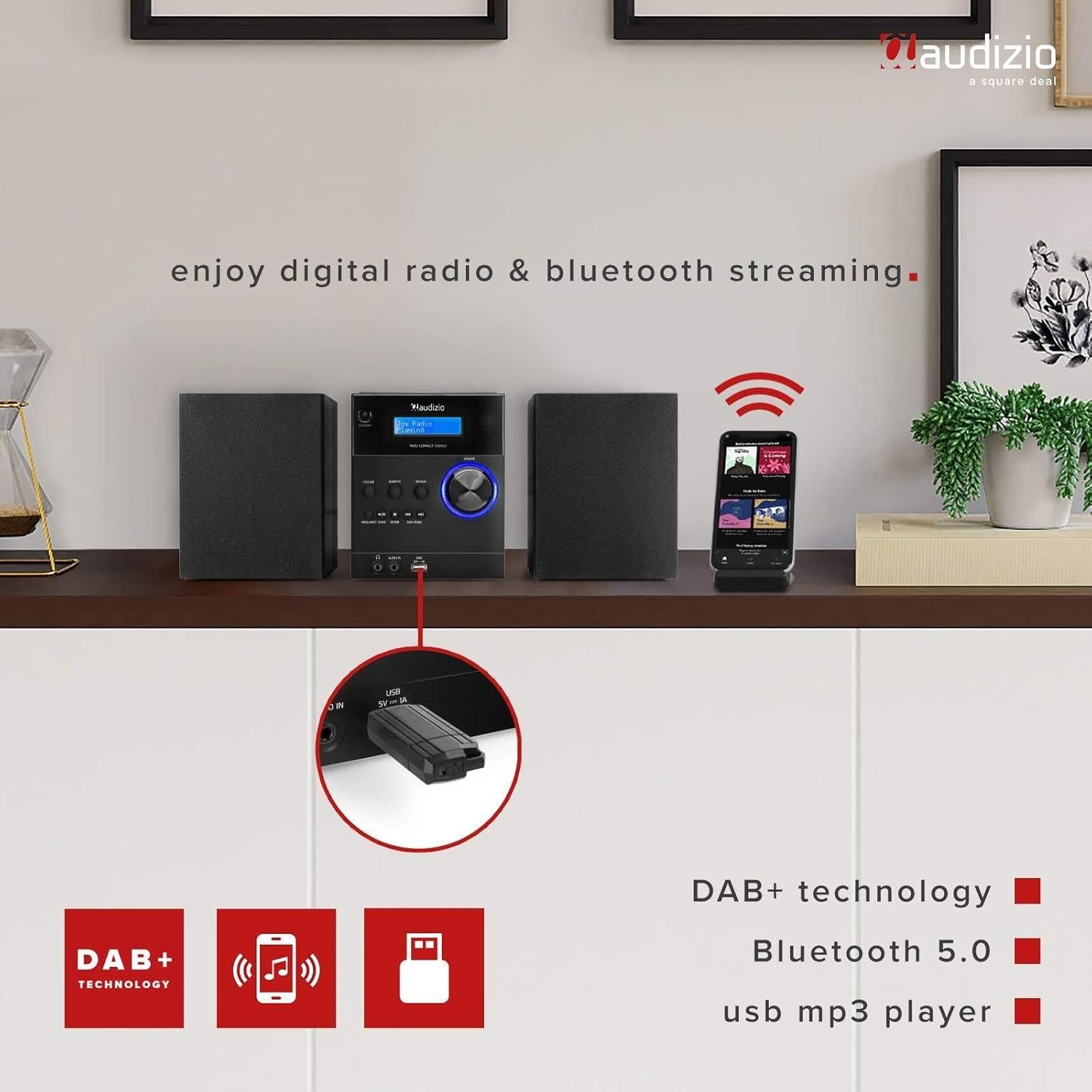
The Audizio Metz Stereo Set is a versatile audio system designed for home use, offering multiple playback options. It integrates DAB+ and FM radio tuners, a CD player, Bluetooth wireless connectivity, and a USB port for MP3 playback. Additionally, it features an AUX input for external devices, an alarm clock, and a sleep timer function. This manual provides comprehensive instructions for the safe and efficient setup, operation, and maintenance of your Audizio Metz Stereo Set.
Maklumat Keselamatan
- Baca semua arahan dengan teliti sebelum mengendalikan peranti.
- Simpan manual untuk rujukan masa hadapan.
- Jangan dedahkan unit kepada hujan atau lembapan untuk mengelakkan kebakaran atau kejutan elektrik.
- Pastikan pengudaraan yang betul; jangan sekat sebarang bukaan pengudaraan.
- Letakkan unit pada permukaan yang stabil dan rata.
- Hanya gunakan lampiran/aksesori yang ditentukan oleh pengilang.
- Cabut palam unit semasa ribut petir atau apabila tidak digunakan untuk tempoh yang lama.
- Rujuk semua servis kepada kakitangan perkhidmatan yang berkelayakan.
Kandungan Pakej
Please check that all items listed below are present in the packaging:
- Audizio Metz Stereo Unit
- 2 x Pembesar Suara
- Alat Kawalan Jauh
- Kabel Kuasa
- Manual Pengguna

Image: The Audizio Metz Stereo Set, including the main unit, two speakers, and the remote control.
Produk Selesaiview: Kawalan dan Sambungan
Kawalan Panel Hadapan
Imej: Terperinci view of the front panel, showing the LCD display, control buttons, and input ports.
- Butang Sedia: Menghidupkan atau mematikan unit.
- CD/USB Button: Selects CD or USB playback mode.
- Butang DAB/FM: Selects DAB+ or FM radio mode.
- BT/AUX Button: Selects Bluetooth or AUX input mode.
- Butang Main/Jeda: Mengawal main balik untuk CD, USB dan Bluetooth.
- Butang Berhenti: Stops playback for CD and USB.
- Menu/Info/Scan Button: Accesses menu options, displays information, or initiates station scan.
- Butang Masukkan: Mengesahkan pilihan dalam menu.
- Skip/Tune Buttons: Navigates tracks, stations, or menu options.
- Tombol Kelantangan: Melaraskan tahap output audio.
- Bicu Fon Kepala (3.5mm): Untuk mendengar peribadi dengan fon kepala.
- Audio In (3.5mm): Menyambung sumber audio luaran.
- Port USB: Untuk menyambungkan pemacu kilat USB untuk main balik MP3.
- Paparan LCD: Shows current mode, station information, track details, and menu options.
Sambungan Panel Belakang

Image: The rear panel of the main unit, highlighting the speaker connection terminals and power input.
- Terminal Pembesar suara: Sambungkan pembesar suara kiri dan kanan.
- Input Kuasa: Sambungkan kabel kuasa AC.
- Antena FM/DAB: Untuk penerimaan isyarat radio.
Persediaan
1. Pembesar Suara Penyambung
Connect the included speakers to the corresponding speaker terminals on the rear of the main unit. Ensure that the positive (+) terminal on the unit connects to the positive (+) terminal on the speaker, and the negative (-) terminal on the unit connects to the negative (-) terminal on the speaker. Incorrect polarity can affect sound quality.
2. Sambungan Kuasa
Plug the power cable into the AC power input on the rear of the main unit, then connect the other end to a standard wall outlet (230V/50Hz). The unit will enter standby mode.
3. Persediaan Antena
Extend the telescopic antenna fully for optimal reception of both DAB+ and FM radio signals. Adjust its position if reception is poor.
Arahan Operasi
Hidupkan/Mati Kuasa
Tekan ke Bersedia button on the front panel or remote control to switch the unit on or off. When powered on, the LCD display will illuminate.
Operasi Radio DAB+
- Tekan ke DAB / FM button repeatedly until "DAB Radio" appears on the display.
- The unit will automatically scan for available DAB+ stations upon first use. If needed, press Menu/Info/Scan and select "Full Scan".
- Gunakan Langkau/Tala butang untuk menyemak imbas senarai stesen yang tersedia.
- Untuk menyimpan stesen sebagai pratetap, tekan dan tahan Ingatan button on the remote, then use the number buttons to select a preset slot (1-10) and press Masuk.
- To recall a preset, press the Ingatan button briefly, then select the preset number.
Operasi Radio FM
- Tekan ke DAB / FM button repeatedly until "FM Radio" appears on the display.
- Untuk mengimbas stesen seterusnya yang tersedia secara automatik, tekan dan tahan butang Imbas button. To manually tune, use the Langkau/Tala butang.
- To save an FM station as a preset, press and hold the Ingatan button on the remote, then use the number buttons to select a preset slot (1-10) and press Masuk.
- To recall a preset, press the Ingatan button briefly, then select the preset number.
Berpasangan dan Main balik Bluetooth
- Tekan ke BT/AUX button repeatedly until "Bluetooth" appears on the display. The unit will enter pairing mode, indicated by a flashing Bluetooth icon.
- Pada telefon pintar, tablet atau peranti lain yang didayakan Bluetooth anda, dayakan Bluetooth dan cari peranti yang tersedia.
- Select "Audizio Metz" from the list of devices to pair. Once connected, the Bluetooth icon will stop flashing.
- You can now stream audio from your device to the stereo set. Use the unit's or your device's controls for playback (Play/Pause, Skip).

Image: The stereo set demonstrating Bluetooth connectivity with a smartphone.
Main semula CD
- Gently open the top-loading CD compartment cover.
- Place a CD (CD-R/RW compatible) onto the spindle with the label side facing up. Close the cover securely.
- Tekan ke CD / USB button repeatedly until "CD" mode is selected. The unit will begin reading the CD and playback will start automatically.
- Gunakan Main/Jeda, Berhenti, dan Langkau butang untuk mengawal main balik.

Image: The top-loading CD player with a disc in place, ready for playback.
Main Balik MP3 USB
- Masukkan pemacu kilat USB yang mengandungi MP3 files into the USB port on the front panel. Ensure the USB drive is formatted to FAT32.
- Tekan ke CD / USB button repeatedly until "USB" mode is selected. The unit will read the files and begin playback.
- Gunakan Main/Jeda, Berhenti, dan Langkau butang untuk mengawal main balik.

Image: A USB flash drive connected to the front USB port for MP3 playback.
Input AUX
- Connect an external audio device (e.g., an MP3 player) to the Audio Masuk 3.5mm jack on the front panel using a 3.5mm audio cable (not included).
- Tekan ke BT/AUX button repeatedly until "AUX" mode is selected.
- Control playback from your external audio device. The volume can be adjusted using the unit's volume knob.
Fungsi Penggera dan Pemasa Tidur
The Audizio Metz Stereo Set includes an alarm clock and a sleep timer. These functions can be accessed and configured via the Menu button on the unit or the dedicated buttons on the remote control (TIMER, SLEEP, ALARM). Follow the on-screen prompts to set your desired alarm time, source (e.g., radio, buzzer), and sleep timer duration.

Image: Visual representation of the clock, sleep timer, and alarm features.
Penggunaan Fon Kepala
To listen privately, plug 3.5mm headphones into the headphone jack on the front panel. The sound output from the speakers will automatically be muted.
Alat Kawalan Jauh
The included remote control provides convenient access to all functions of the stereo set. Ensure batteries are correctly inserted. Point the remote control towards the main unit's front panel for optimal response.

Image: The remote control for the Audizio Metz Stereo Set, showing all buttons.
Penyelenggaraan
- Pembersihan: Use a soft, dry cloth to clean the exterior surfaces of the unit and speakers. Do not use liquid cleaners, aerosols, or abrasive chemicals.
- Ruang CD: Keep the CD compartment free of dust and debris. Avoid touching the CD lens.
- Storan: Jika menyimpan unit untuk tempoh yang lama, cabut palamnya dari salur keluar kuasa dan simpan di tempat yang sejuk dan kering.
Menyelesaikan masalah
| Masalah | Kemungkinan Punca / Penyelesaian |
|---|---|
| Tiada kuasa | Check if the power cable is securely connected to the unit and the wall outlet. Ensure the wall outlet is functional. Press the Standby button. |
| Tiada bunyi | Verify speaker connections. Adjust the volume level. Ensure headphones are not plugged in if sound is desired from speakers. Confirm the correct audio source is selected. |
| Penerimaan radio yang lemah | Adjust the position and extension of the antenna. Try rescanning for stations in DAB+ or FM mode. |
| CD tidak dimainkan | Ensure the CD is inserted correctly with the label side up. Clean the CD if it is dirty or scratched. Verify the CD is compatible (CD-R/RW). |
| Pemacu USB tidak dimainkan | Ensure the USB drive is formatted to FAT32. Check that the files are in MP3 format. Try a different USB drive. |
| Isu berpasangan Bluetooth | Ensure the unit is in Bluetooth mode. Enable Bluetooth on your device and search for "Audizio Metz". Move your device closer to the stereo set. Disconnect from other Bluetooth devices. |
| Alat kawalan jauh tidak berfungsi | Check the battery orientation and replace batteries if necessary. Ensure there is a clear line of sight between the remote and the unit's IR receiver. |
Spesifikasi
| Ciri | Perincian |
|---|---|
| Jenama | Audizio |
| Model | Metz |
| Stereo Unit Dimensions (W x H x D) | 140 x 210 x 175 mm |
| Speaker Dimensions (per speaker, W x H x D) | 130 x 125 x 175 mm |
| Berat (Set) | 2.5 kg |
| Output Kuasa | 30 Watt |
| Voltage | 220 Volt |
| Jenis Kuasa | Elektrik Berwayar |
| Antara Muka Perkakasan | Audio 3.5mm, USB |
| Peranti Serasi | Telefon Pintar, Tablet |
| Mod Keluaran Audio | Stereo |
| Format Audio yang Disokong | MP3 |
| Konfigurasi Sekeliling | 2.0 |
| Ketersambungan | Bluetooth |
| DAB+ Presets | 10 |
| Pratetap FM | 10 |
| Bicu Fon Kepala | 3.5mm |
| Input Talian AUX | 3.5mm |
Waranti dan Sokongan
The Audizio Metz Stereo Set comes with a 2-year warranty from the date of purchase. This warranty covers manufacturing defects and ensures the product functions as intended under normal use. For warranty claims, technical support, or any inquiries, please contact your original retailer or the Audizio customer service department. Please retain your proof of purchase for warranty validation.


