pengenalan
Welcome to the user manual for your new boAt Airdopes 441 Truly Wireless Earbuds. These earbuds are designed to provide an immersive audio experience with advanced features for your convenience. Please read this manual carefully to ensure proper use and maintenance of your device.
Ciri-ciri utama termasuk:
- Up to 30 hours of total playback (5 hours per charge + 25 hours with charging case).
- 6mm audio drivers for immersive sound.
- IWP (Insta Wake N’ Pair) Technology for seamless instant connection.
- IPX7 water and sweat resistance.
- Advanced capacitive touch controls.
- Bluetooth v5.0 untuk sambungan tanpa wayar yang stabil.
- Port pengecasan USB Jenis-C.
Persediaan
Kandungan Pakej
Sebelum anda memulakan, sila pastikan semua item terdapat dalam pakej:
- 1 x TWS Earbuds (boAt Airdopes 441)
- 1 x Kabel Pengecas (USB Jenis-C)
- 1 x Manual Pengguna
- 2 x Additional Earbuds (ear tips)
Mengecas Fon telinga dan Sarung
It is recommended to fully charge the earbuds and the charging case before first use.
- Letakkan kedua-dua fon telinga ke dalam bekas pengecas. Pastikan ia diletakkan dengan betul di slot masing-masing.
- Connect the USB Type-C charging cable to the charging port on the case and the other end to a USB power source (e.g., wall adapter, computer USB port).
- Penunjuk LED pada bekas pengecasan akan menunjukkan status pengecasan. Setelah dicas sepenuhnya, penunjuk akan berubah atau dimatikan bergantung pada model.
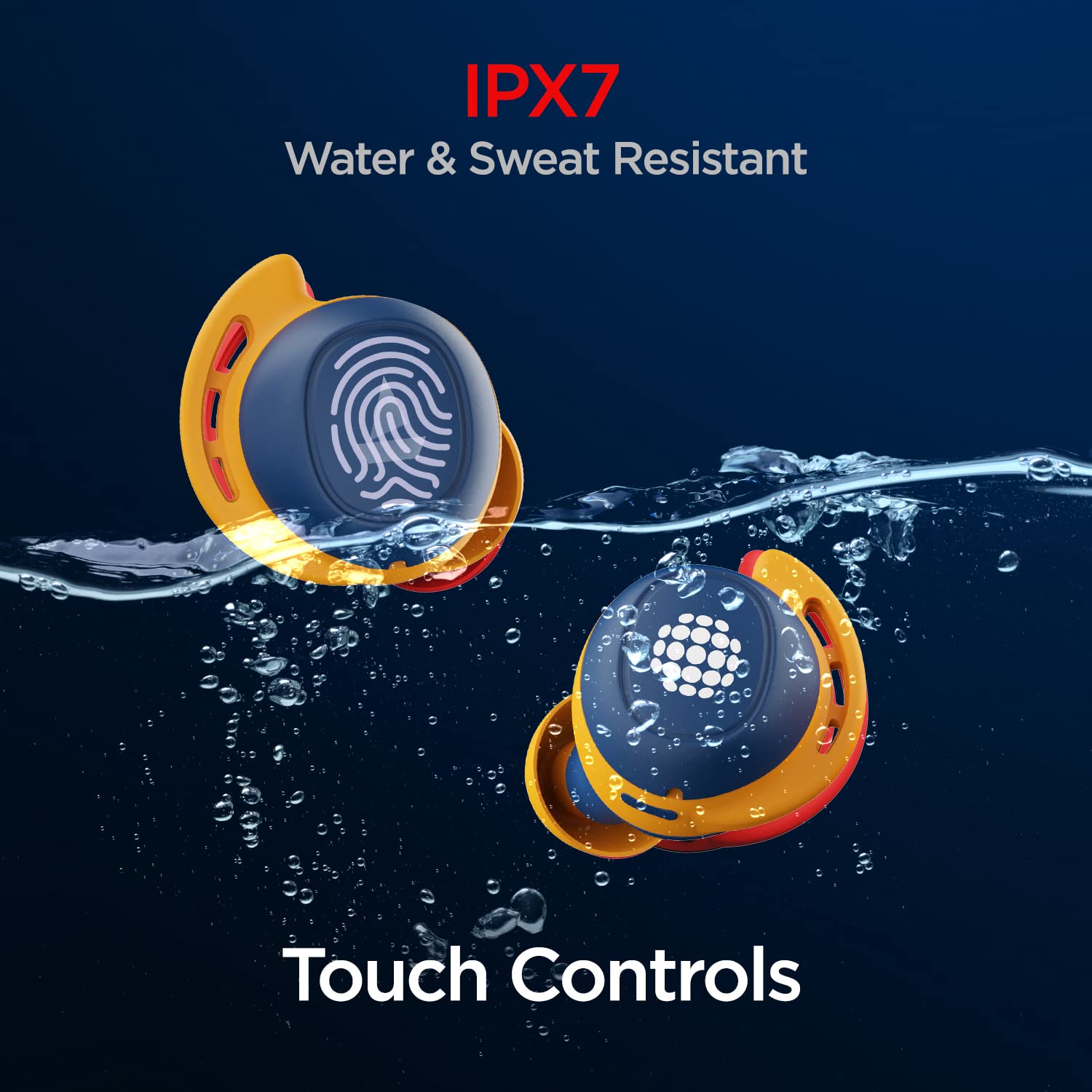
Image: boAt Airdopes 441 earbuds placed in their charging case, illustrating the charging process.

Image: Visual representation of the Airdopes 441's battery life, highlighting up to 30 hours of total playback and 5 hours per single charge.
Initial Pairing (IWP Technology)
The Airdopes 441 feature Insta Wake N’ Pair (IWP) Technology for quick and seamless connection.
- Buka penutup bekas pengecas. Fon telinga akan dihidupkan secara automatik dan memasuki mod berpasangan.
- Pada peranti anda (telefon pintar, tablet, dll.), dayakan Bluetooth.
- Cari untuk "Airdopes 441" in the list of available Bluetooth devices and select it to connect.
- Once connected, you will hear an audio prompt, and the LED indicator on the earbuds will confirm successful pairing.

Image: Illustration of the IWP Technology, showing a smartphone successfully paired with the Airdopes 441 upon opening the charging case.
Arahan Operasi
Hidupkan/Mati Kuasa
- Hidupkan kuasa: Open the charging case lid. The earbuds will automatically power on. Alternatively, long-press the touch control on both earbuds for 3 seconds.
- Matikan: Place the earbuds back into the charging case and close the lid. They will automatically power off. Alternatively, long-press the touch control on both earbuds for 5 seconds.
Kawalan Sentuh
The Airdopes 441 feature intuitive capacitive touch controls on each earbud.
| Fungsi | Tindakan |
|---|---|
| Main/Jeda Muzik | Ketik sekali pada salah satu fon telinga. |
| Trek Seterusnya | Ketik dua kali pada fon telinga kanan. |
| Trek Sebelumnya | Ketik dua kali pada fon telinga kiri. |
| Jawab/Tamatkan Panggilan | Ketik sekali pada salah satu fon telinga. |
| Tolak Panggilan | Tekan lama pada salah satu fon telinga selama 2 saat. |
| Aktifkan Pembantu Suara | Ketik tiga kali pada salah satu fon telinga. |

Image: Demonstrating the one-touch voice assistant feature of the Airdopes 441.
Memakai Earbud
For optimal sound quality and a secure fit, ensure the earbuds are properly seated in your ears.
- Kenal pasti fon telinga Kiri (L) dan Kanan (R).
- Masukkan perlahan-lahan setiap fon telinga ke dalam saluran telinga anda dan putar sedikit untuk menguncinya.
- Experiment with the different sizes of ear tips provided to find the most comfortable and secure fit.

Imej: Terperinci view of the Airdopes 441 earbuds, highlighting their design for a secure and comfortable fit.
Penyelenggaraan
Pembersihan dan Penjagaan
- Bersihkan fon telinga dan bekas pengecas dengan kerap menggunakan kain yang lembut, kering dan tidak berbulu.
- Tanggalkan hujung telinga dan bersihkannya secara berasingan dengan sabun lembut dan air jika perlu, pastikan ia kering sepenuhnya sebelum dipasang semula.
- Jangan gunakan pembersih yang melelas, alkohol atau pelarut kimia.
- Pastikan sentuhan pengecasan pada kedua-dua fon telinga dan sarung bersih untuk memastikan pengecasan yang betul.
Rintangan Air dan Peluh (IPX7)
The Airdopes 441 are IPX7 rated, meaning they are protected against immersion in water up to 1 meter for up to 30 minutes. This makes them suitable for workouts and light rain.
- Do not intentionally submerge the earbuds in water for extended periods or beyond the specified depth.
- Ensure the earbuds are completely dry before placing them back into the charging case to prevent damage.
- Kes pengecasan adalah bukan kalis air.

Image: Visual demonstration of the Airdopes 441's IPX7 water and sweat resistance.
Penyimpanan
Apabila tidak digunakan, simpan fon telinga dalam bekas pengecasnya untuk melindunginya dan memastikan ia dicas.
- Simpan di tempat yang sejuk dan kering jauh dari cahaya matahari langsung dan suhu yang melampau.
- Avoid dropping or subjecting the earbuds and case to strong impacts.
Menyelesaikan masalah
If you encounter any issues with your Airdopes 441, refer to the following common problems and solutions:
Fon Telinga Tidak Berpasangan/Bersambung
- Pastikan kedua-dua fon telinga dicas.
- Make sure Bluetooth is enabled on your device and the earbuds are within range (typically 10 meters).
- Try placing the earbuds back in the case, closing the lid, waiting a few seconds, and then opening it again to re-initiate IWP.
- Forget "Airdopes 441" from your device's Bluetooth settings and try pairing again.
- Perform a factory reset (refer to the official boAt support website for specific instructions if needed, as this varies by model).
Hanya Satu Fon Telinga yang Berfungsi
- Pastikan kedua-dua fon telinga dicas.
- Letakkan kedua-dua fon telinga kembali ke dalam bekas pengecasan, tutup penutupnya, dan kemudian bukanya semula. Ini selalunya akan menyegerakkannya semula.
- Bersihkan sesentuh pengecasan pada kedua-dua fon telinga dan di dalam sarung.
- Try re-pairing the earbuds with your device after forgetting the previous connection.
Tiada Bunyi atau Kelantangan Rendah
- Periksa tahap kelantangan pada kedua-dua peranti anda yang disambungkan dan fon telinga.
- Pastikan fon telinga diletakkan dengan betul di telinga anda.
- Cuba mainkan audio daripada aplikasi atau sumber lain.
- Clean any debris from the earbud nozzles and ear tips.
Spesifikasi
Detailed technical specifications for the boAt Airdopes 441:
| Ciri | Perincian |
|---|---|
| Nama Model | Airdopes 441 |
| Teknologi Ketersambungan | Bluetooth v5.0 |
| Jenis Pemacu Audio | Pemacu Dinamik 6mm |
| Jumlah Masa Main Semula | Up to 30 Hours (5 hours per charge + 25 hours with case) |
| Penilaian Ketahanan Air | IPX7 (Kalis Air dan Peluh) |
| Jenis Kawalan | Kawalan Sentuhan Kapasitif |
| Sokongan Pembantu Suara | Yes (One-touch activation) |
| Antara Muka Pengecasan | USB Jenis-C |
| Berat Barang | 50 Gram |
| Dimensi Produk | 7 x 3.8 x 3.1 cm |
| Jenis Bateri | Polimer Litium (termasuk) |

Image: Internal components of the Airdopes 441, highlighting the 6mm audio drivers for immersive sound.
Waranti dan Sokongan
Your boAt Airdopes 441 comes with a Waranti 1 tahun dari tarikh pembelian. Waranti ini meliputi kecacatan pembuatan.
For warranty claims, technical support, or any other inquiries, please contact boAt customer service through their official webtapak atau butiran hubungan yang disediakan dalam pembungkusan produk anda.
Sila simpan resit pembelian anda sebagai bukti pembelian untuk tujuan waranti.
For more information, visit the official boAt webtapak: www.boat-lifestyle.com


