1. Pengenalan
This manual provides essential instructions for the proper use and maintenance of your LOTUS Smartwatch Model 50003/A. Please read this guide thoroughly before using your smartwatch to ensure optimal performance and longevity.
The LOTUS Smartwatch 50003/A features an intuitive interface and elegant design, offering a variety of smart functions. It is equipped with Bluetooth connectivity, allowing seamless synchronization with your mobile devices. This synchronization enables features such as call and message notifications, music control, and other practical functions for daily life.
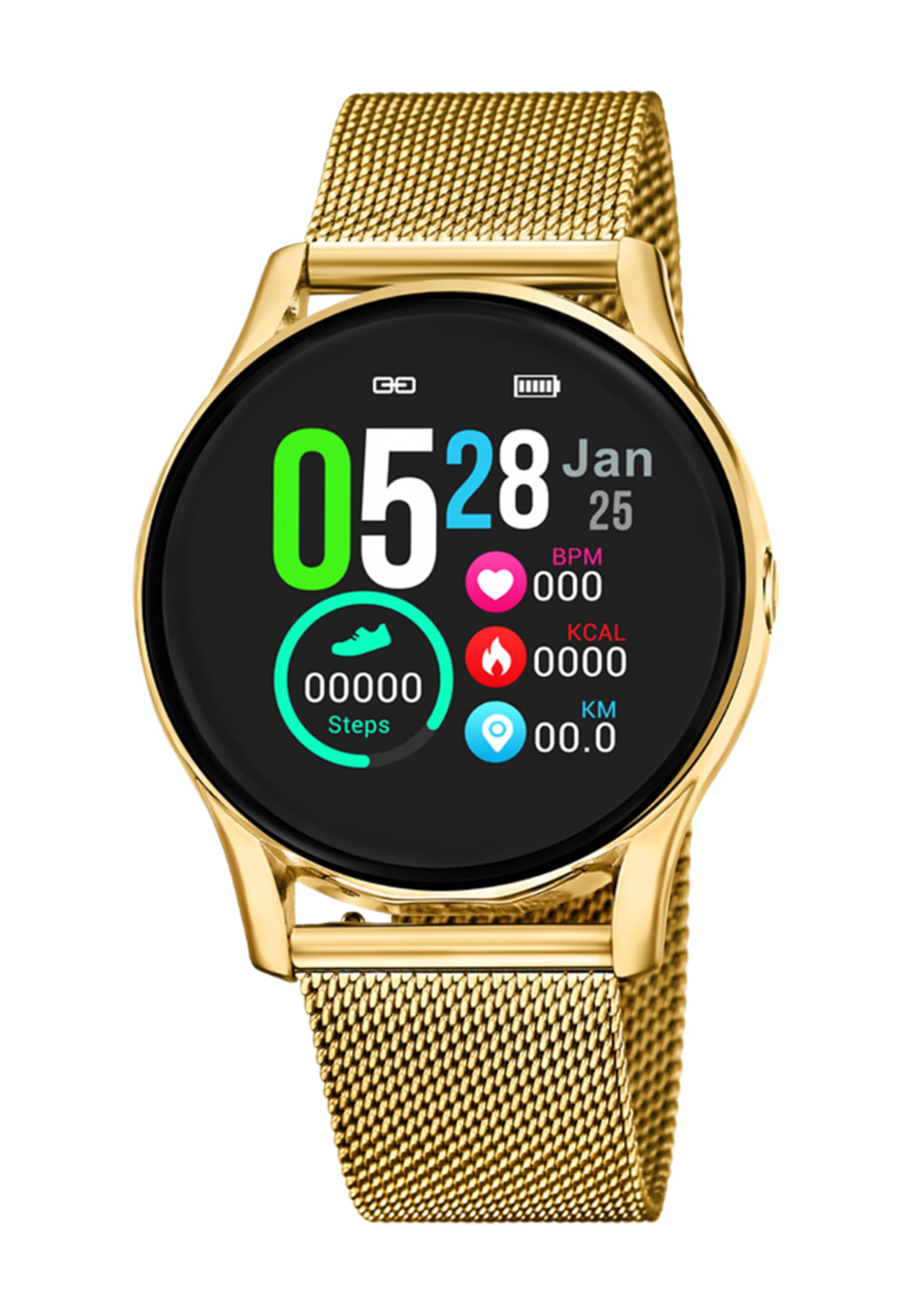
Imej 1.1: Depan view of the LOTUS Smartwatch 50003/A.
2. Kandungan Pakej
Please check the package contents upon unboxing. The standard package for the LOTUS Smartwatch 50003/A should include:
- LOTUS Smartwatch 50003/A
- Kabel Pengecasan
- Manual Pengguna (dokumen ini)
3. Panduan Persediaan
3.1. Mengecas Jam Pintar
Sebelum penggunaan pertama, cas sepenuhnya jam tangan pintar anda.
- Sambungkan kabel pengecas ke port pengecasan di bahagian belakang jam tangan pintar.
- Palamkan hujung kabel pengecas yang satu lagi ke dalam penyesuai kuasa USB (tidak disertakan) atau port USB komputer.
- Paparan jam tangan akan menunjukkan status pengecasan. Biarkan selama lebih kurang 2-3 jam untuk pengecasan penuh.
3.2. Installing the Companion App
To unlock all features and synchronize your smartwatch with your smartphone, you need to install the official LOTUS Connected app.
- Scan the QR code provided in the watch packaging or search for "LOTUS Connected" in your smartphone's app store (Google Play Store for Android, Apple App Store for iOS).
- Muat turun dan pasang apl.
- Ikut arahan pada skrin untuk membuat akaun atau log masuk.

Image 3.2: Synchronizing the smartwatch with the companion app on a smartphone.
3.3. Berpasangan dengan Telefon Pintar Anda
Ensure Bluetooth is enabled on your smartphone and the smartwatch is charged.
- Open the LOTUS Connected app on your smartphone.
- Follow the app's instructions to add a new device.
- The app will search for available smartwatches. Select "LOTUS 50003/A" from the list.
- Confirm the pairing request on both your smartphone and smartwatch if prompted.
- Sebaik sahaja dipasangkan, jam tangan akan menyegerakkan masa dan data dengan telefon anda.
4. Arahan Operasi
4.1. Navigasi Asas
- Skrin sentuh: Leret ke kiri/kanan, atas/bawah untuk menavigasi menu dan ciri. Ketik untuk memilih.
- Butang Sisi: The smartwatch may have one or more physical buttons. Typically, one button serves as a power on/off, back, or home button. Refer to the on-screen prompts for specific button functions.

Imej 4.1: Cthample of a smartwatch display showing activity data.
4.2. Ciri-ciri Utama
- Pemberitahuan: Receive alerts for incoming calls, messages, and app notifications directly on your wrist. Manage notification settings via the LOTUS Connected app.
- Kawalan Muzik: Control music playback on your connected smartphone (play, pause, skip tracks, adjust volume).
- Penjejakan Aktiviti: Monitor steps, distance, calories burned, and sleep patterns. View detailed statistics in the companion app.
- Tahan Air: The smartwatch is water resistant. Avoid prolonged submersion or use in hot water/steam. Refer to specifications for exact water resistance rating.
5. Penyelenggaraan
5.1. Membersihkan Jam Pintar Anda
- Lap skrin jam tangan dan badan dengan kain lembut dan tidak berbulu.
- Untuk kotoran degil, sedikit dampen kain dengan air. Elakkan bahan kimia yang keras atau bahan yang melelas.
- Pastikan sesentuh pengecasan bersih dan kering sebelum mengecas.
5.2. Penjagaan Bateri
- Charge the smartwatch regularly. Avoid letting the battery completely drain for extended periods.
- Do not expose the smartwatch to extreme temperatures, as this can affect battery life and performance.
- Jika jam tangan tidak akan digunakan untuk jangka masa yang lama, cas sehingga kira-kira 50% sebelum disimpan.
6. Penyelesaian masalah
6.1. Isu dan Penyelesaian Biasa
- Tonton tidak dihidupkan: Pastikan jam tangan dicas sepenuhnya. Sambungkannya ke pengecas dan tunggu beberapa minit sebelum cuba menghidupkannya.
- Tidak boleh berpasangan dengan telefon pintar:
- Pastikan Bluetooth didayakan pada telefon pintar anda.
- Pastikan jam tangan pintar berada dalam julat telefon anda.
- Mulakan semula telefon pintar dan jam tangan pintar anda.
- Cuba nyahpasang dan pasang semula peranti melalui aplikasi.
- Pemberitahuan tidak diterima:
- Check notification settings in the LOTUS Connected app.
- Ensure the app has necessary permissions on your smartphone.
- Verify that the smartwatch is properly connected via Bluetooth.
- Hayat bateri pendek:
- Kurangkan kecerahan skrin.
- Lumpuhkan pemberitahuan atau ciri yang tidak diperlukan.
- Pastikan jam tangan dicas sepenuhnya sebelum digunakan.
6.2. Tetapan Semula Kilang
If issues persist, a factory reset may resolve them. This will erase all data on the smartwatch and restore it to its original settings.
- Navigate to the "Settings" menu on your smartwatch.
- Look for an option like "System," "Reset," or "Factory Reset."
- Sahkan tetapan semula apabila digesa.
- After resetting, you will need to re-pair the smartwatch with your phone and set it up again.
7. Spesifikasi
| Ciri | Perincian |
|---|---|
| Jenama | TERATAI |
| Nombor Model | 50003/A |
| warna | Hitam |
| Keserasian Sistem Pengendalian | Android, iOS |
| Saiz Skrin | 39.65 Milimeter |
| Ciri Khas | Tahan Air |
| Peranti Serasi | Telefon pintar |
| Komposisi Bateri | Logam Litium |
| Ketersediaan Alat Ganti | 5 Tahun |
8. Waranti dan Sokongan
Your LOTUS Smartwatch 50003/A comes with a manufacturer's warranty. Please refer to the warranty card included in your product packaging for specific terms and conditions.
Alat ganti untuk model ini tersedia sehingga 5 tahun dari tarikh pembelian.
For technical support, service, or warranty claims, please contact LOTUS customer service through their official webtapak atau maklumat hubungan yang diberikan dalam dokumentasi jaminan anda.


