pengenalan
This manual provides essential instructions for the safe and efficient operation, maintenance, and troubleshooting of your KARACA Coffee Art Aroma Filter Coffee Machine. Please read this manual thoroughly before first use and keep it for future reference.
Arahan Keselamatan Penting
- Baca semua arahan sebelum menggunakan perkakas.
- Jangan sentuh permukaan panas. Gunakan pemegang atau tombol.
- Untuk melindungi daripada kebakaran, renjatan elektrik dan kecederaan kepada orang, jangan rendam kord, palam atau perkakas dalam air atau cecair lain.
- Pengawasan rapi diperlukan apabila sebarang perkakas digunakan oleh atau berhampiran kanak-kanak.
- Cabut plag dari soket apabila tidak digunakan dan sebelum membersihkan. Biarkan sejuk sebelum memakai atau menanggalkan bahagian, dan sebelum membersihkan perkakas.
- Jangan kendalikan sebarang perkakas dengan kord atau palam yang rosak atau selepas perkakas tidak berfungsi, atau telah rosak dalam apa jua cara.
- Penggunaan lampiran aksesori yang tidak disyorkan oleh pengilang perkakas boleh mengakibatkan kebakaran, renjatan elektrik atau kecederaan kepada orang.
- Jangan gunakan di luar rumah.
- Jangan biarkan kord tergantung di tepi meja atau kaunter, atau menyentuh permukaan panas.
- Jangan letakkan pada atau berhampiran gas panas atau penunu elektrik, atau dalam ketuhar yang dipanaskan.
- Sentiasa pasangkan plag pada perkakas terlebih dahulu, kemudian pasangkan kord ke dalam salur keluar dinding. Untuk memutuskan sambungan, matikan mana-mana kawalan kepada "mati", kemudian tanggalkan palam dari alur keluar dinding.
- Jangan gunakan perkakas untuk kegunaan selain daripada yang dimaksudkan.
Komponen Produk
Familiarize yourself with the parts of your KARACA Coffee Art Aroma Filter Coffee Machine:

Imej: Meletup view showing the main components of the coffee machine, including the digital display, removable water tank (1.35 L), nylon filter, coffee basket, and stainless steel thermos (1.2 L).
- Paparan Digital: Shows time and brewing status.
- Panel Kawalan: Buttons for ON/OFF, START, PROGRAM, AUTO, AROMA FUNCTION, HOUR, MIN.
- Removable Water Tank (1.35 L): For easy filling and cleaning.
- Nylon Filter: Penapis boleh guna semula untuk kopi yang dikisar.
- Bakul Kopi: Holds the nylon filter and ground coffee.
- Stainless Steel Thermos (1.2 L): Mengekalkan kopi panas untuk tempoh yang lama.
Persediaan dan Penggunaan Pertama
- Membongkar: Carefully remove all packaging materials and inspect the coffee machine for any damage.
- Pembersihan Awal: Before first use, wash the removable water tank, nylon filter, coffee basket, and thermos with warm, soapy water. Rinse thoroughly and dry. Wipe the exterior of the machine with a damp kain.
- Kedudukan: Place the coffee machine on a stable, flat, heat-resistant surface, away from the edge of the counter. Ensure adequate ventilation around the appliance.
- Kitaran Brew Pertama (Pembersihan): Fill the water tank with clean water up to the maximum level. Do not add coffee. Run a full brewing cycle to clean the internal components. Discard the water.
Arahan Operasi
Basic Coffee Brewing

Image: A visual guide demonstrating the coffee brewing process, from adding coffee grounds and water to starting the machine and pouring the finished coffee.
- Sediakan Kopi: Insert the nylon filter into the coffee basket. Add your desired amount of ground coffee into the filter.
- Tambah Air: Fill the removable water tank with fresh, cold water up to the desired level (max 1.35 L). Ensure the thermos is correctly placed on the heating plate.
- Mulakan Pembuatan Bir: Press the "ON/OFF" button, then press the "START" button to begin the brewing process. The digital display will show the brewing progress.
- Hidangkan: Once brewing is complete, carefully remove the thermos and pour your coffee. The stainless steel thermos is designed to keep your coffee hot for an extended period.
Menggunakan Fungsi Aroma

Imej: A terperinci view of the coffee machine's control panel, highlighting the digital display and various function buttons, including the 'Aroma Function' button.
The Aroma Function enhances the coffee's flavor for a richer taste.
- Follow steps 1 and 2 for basic brewing.
- Before pressing "START", press the "AROMA FUNCTION" button. An indicator light may illuminate.
- Press "START" to begin brewing with the enhanced aroma setting.
Setting the Timer (Programmable Brewing)

Image: The coffee machine on a wooden table with a cup of coffee, emphasizing the digital display and control panel, indicating the timer function for scheduled brewing.
The timer function allows you to program the machine to start brewing at a specific time.
- Tetapkan Masa Semasa: With the machine plugged in, use the "HOUR" and "MIN" buttons to set the current time on the digital display.
- Bersedia untuk Pembuatan Bir: Add coffee grounds to the filter and fill the water tank as described in the basic brewing section.
- Tetapkan Masa Program: Press the "PROGRAM" button. The display will flash. Use the "HOUR" and "MIN" buttons to set your desired brewing start time.
- Activate Auto Brew: Press the "AUTO" button. An indicator light will confirm that the automatic brewing is set. The machine will now start brewing at the programmed time.
Penjagaan dan Penyelenggaraan
Pembersihan Harian
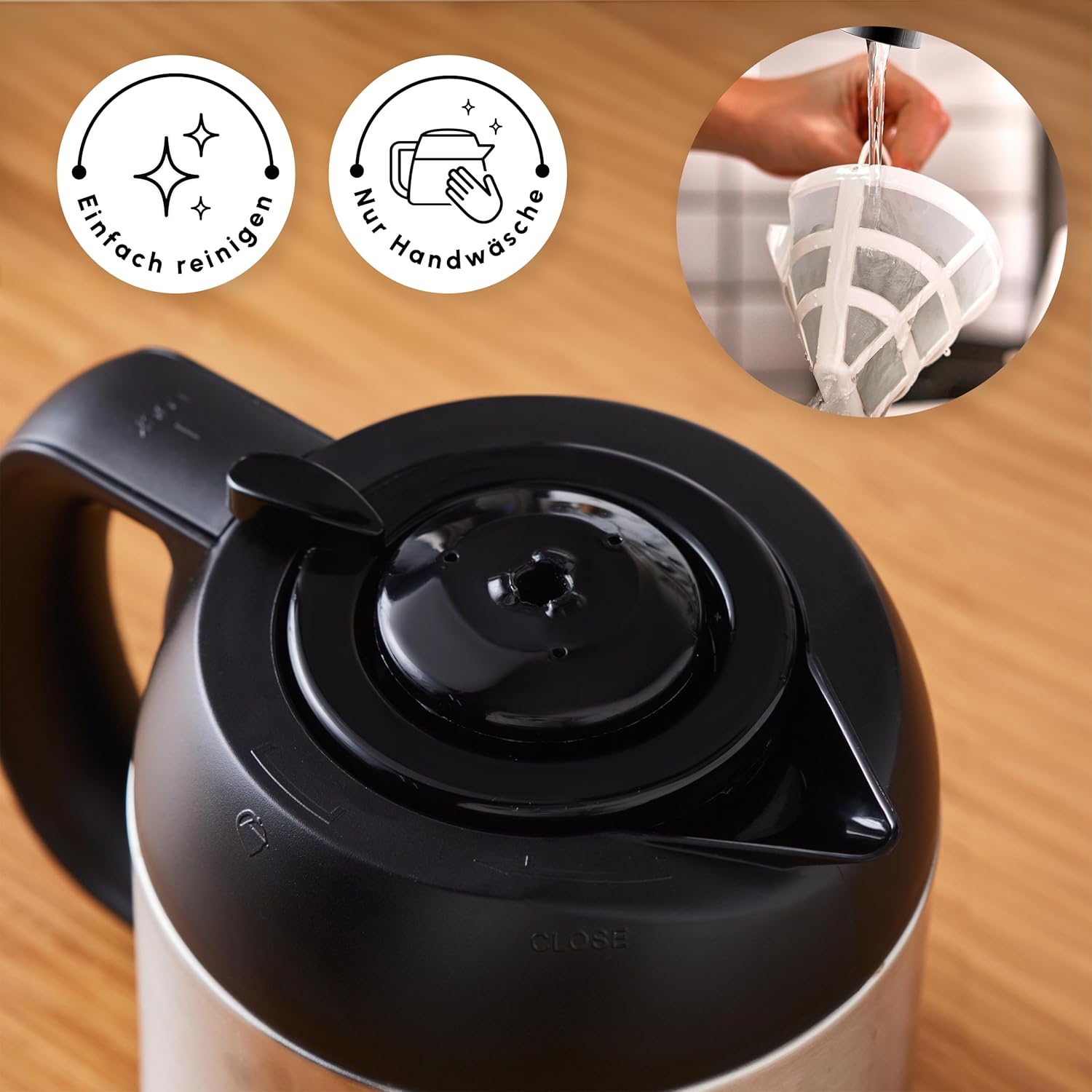
Image: A hand cleaning the reusable nylon filter under a faucet, accompanied by icons signifying easy cleaning and the recommendation for hand washing.
- Cabut plag: Always unplug the coffee machine from the power outlet before cleaning.
- Basuh Bahagian Boleh Tanggal: Remove the water tank, nylon filter, coffee basket, and thermos. Wash them with warm, soapy water. Rinse thoroughly and dry completely. The nylon filter should be hand-washed.
- Lap Bahagian Luar: Lap bahagian luar mesin kopi dengan kain lembutamp kain. Jangan gunakan pembersih yang melelas atau pad penyental.
- Jangan Tenggelamkan: Never immerse the main unit of the coffee machine in water or any other liquid.
Penyahkelasan
Mineral deposits from water can build up in your coffee machine over time, affecting performance and coffee taste. Regular descaling is essential.
- Kekerapan: The frequency of descaling depends on the hardness of your water and how often you use the machine. A general recommendation is every 2-4 weeks.
- Penyelesaian nyah kerak: Use a commercially available descaling solution suitable for coffee machines, or a mixture of white vinegar and water (1 part vinegar to 2 parts water).
- Proses: Fill the water tank with the descaling solution. Place the empty thermos on the heating plate. Run a full brewing cycle.
- Kitaran bilas: After the descaling cycle, discard the solution. Fill the water tank with clean water and run at least two full brewing cycles with only water to rinse out any remaining descaling solution.
Menyelesaikan masalah
| Masalah | Kemungkinan Punca | Penyelesaian |
|---|---|---|
| Coffee does not brew or stops mid-cycle. | Machine needs descaling; water tank empty; power interruption. | Perform descaling procedure; ensure water tank is filled; check power connection. |
| Kopi tidak cukup panas. | Thermos not properly sealed; thermos not pre-heated. | Ensure thermos lid is securely closed; pre-heat thermos with hot water before brewing. |
| Plastic taste in coffee. | New machine residue; insufficient initial cleaning. | Run several cycles with only water; ensure all removable parts are thoroughly cleaned. If problem persists, contact customer support. |
| Digital display or controls not responding. | Power issue; temporary electronic glitch. | Unplug the machine for a few minutes, then plug it back in. If the issue persists, contact customer support. |
Spesifikasi Teknikal

Image: The coffee machine with its key dimensions labeled, including height, width, and depth, along with the power cord length.
- Jenama: ROE
- Nombor Model: 153.03.06.2270
- warna: Inox (Keluli Tahan Karat)
- Dimensi Produk (L x W x H): 22 x 22 x 34 cm
- Kapasiti Tangki Air: 1.35 Liter
- Thermos Capacity: 1.2 Liter
- Kuasa: 1000 Watt
- Voltage: 230 Volt
- Bahan: Keluli Tahan Karat
- Berat: 3.88 Kilogram
- Ciri Khas: Programmable, Timer Function, Aroma Function, Digital Clock, Large Control Panel, Removable Water Tank, Reusable Nylon Filter
Waranti dan Sokongan Pelanggan
For warranty information, please refer to the documentation included with your product packaging or visit the official KARACA website. For technical support, spare parts, or service inquiries, please contact KARACA customer service through their official channels.


