1. Pengenalan
Thank you for choosing the HTC True Wireless Earbuds 1. This manual provides essential information to help you set up, operate, and maintain your earbuds for optimal performance.
Kandungan Pakej
Pastikan semua item ada dalam pakej anda:
- 1 Pair HTC True Wireless Earbuds
- 1 Kabel Pengecas USB-C
- 2 Pasang Penjepit Telinga Getah (S/L)
- 1 Panduan Ringkas
- 1 Kad Waranti
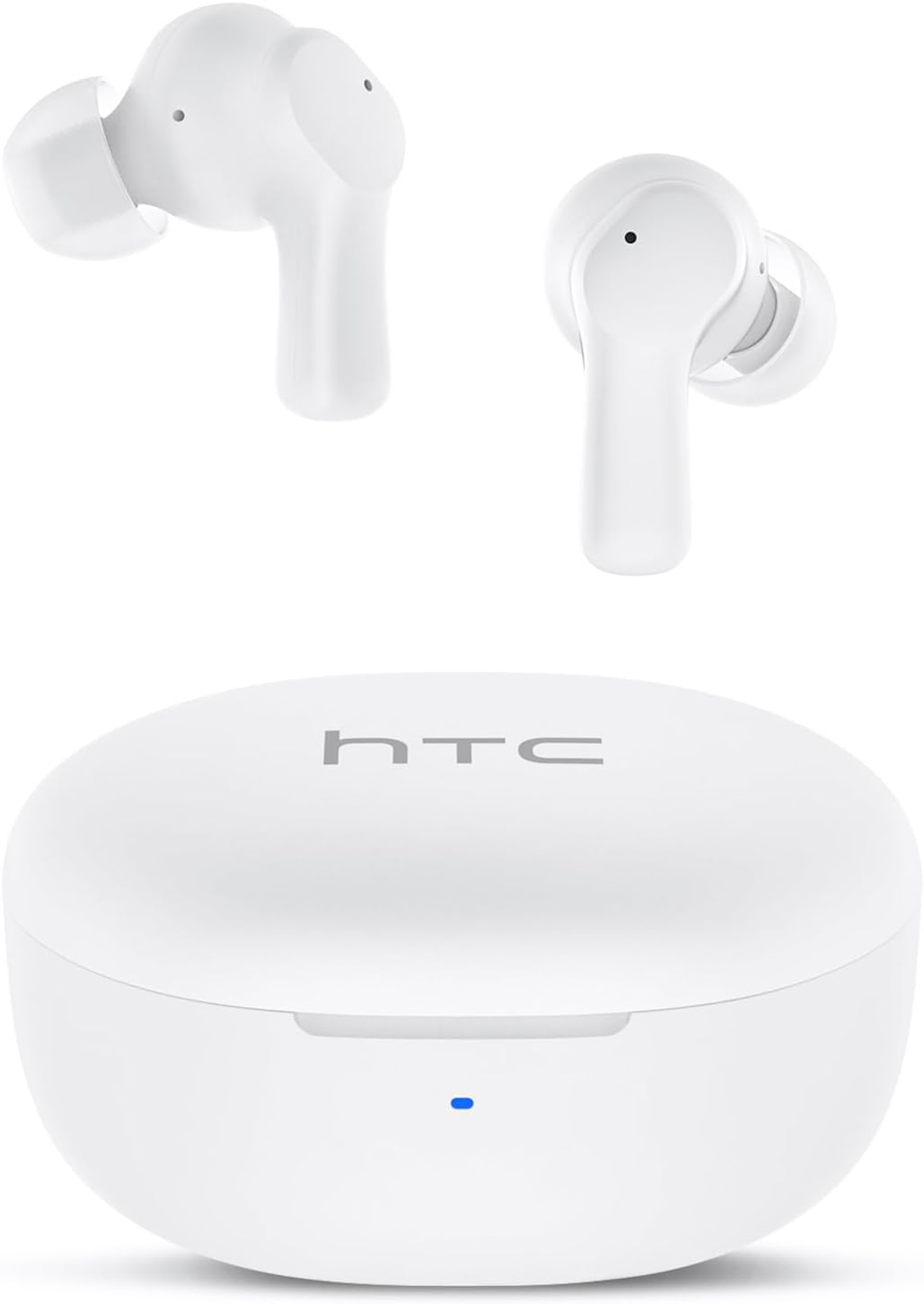
Image: HTC True Wireless Earbuds 1 and their charging case.

Image: The charging case opened, showing the two earbuds nestled inside.
2. Persediaan dan Berpasangan
Persediaan Awal
- Keluarkan Filem Pelindung: Before first use, remove the protective film from the charging contacts on both earbuds.
- Caj Fon Telinga: Place the earbuds back into the charging case and close the lid. Connect the charging case to a USB power source using the provided USB-C cable. Ensure the earbuds and case are fully charged before initial use.
- Hidupkan kuasa: Open the charging case lid. The earbuds will automatically power on and enter pairing mode.
Berpasangan Bluetooth
The HTC True Wireless Earbuds 1 feature one-step auto-pairing after the initial setup.
- Aktifkan Bluetooth: Pada peranti anda (telefon pintar, tablet, komputer), dayakan Bluetooth.
- Cari untuk Peranti: Dalam tetapan Bluetooth peranti anda, cari peranti yang tersedia.
- Select 'HTC TWS2': From the list of found devices, select 'HTC TWS2' to connect.
- Pengesahan: Sebaik sahaja disambungkan, anda akan mendengar gesaan audio dan fon telinga akan sedia untuk digunakan.
After the first successful pairing, the earbuds will automatically connect to the last paired device when taken out of the charging case, provided Bluetooth is enabled on the device.

Image: Illustration of the one-step auto-pairing process, showing earbuds connecting to a smartphone.
3. Cara Memakai
For optimal sound quality and comfort, it is important to wear the earbuds correctly.
- Choose Eartips: Select the rubber eartips (S, M, L) that best fit your ear canal. A proper seal enhances bass response and noise isolation.
- Sisipkan Earbud: Masukkan setiap fon telinga ke dalam telinga yang sepadan dengan lembut (kiri untuk kiri, kanan untuk kanan).
- Rotate to Lock: Rotate the earbud slightly forward or backward until it feels secure and comfortable in your ear canal.

Image: Diagram showing how to properly insert the earbuds and the available S/M/L silicone eartips.
4. Operating Instructions (Touch Control)
The HTC True Wireless Earbuds 1 feature intuitive touch controls on each earbud. The following actions can be performed:
| Tindakan | Kawalan | Fungsi |
|---|---|---|
| Main balik Muzik | Ketukan sekali (sama ada fon telinga) | Main / Jeda |
| Main balik Muzik | Ketik dua kali fon telinga kiri | Lagu Sebelumnya |
| Main balik Muzik | Ketik dua kali fon telinga kanan | Lagu Seterusnya |
| Panggilan | Ketukan sekali (sama ada fon telinga) | Jawapan / Panggilan Akhir |
| Panggilan | Long press (either earbud) | Tolak Panggilan |
| Pembantu Suara | Triple tap (either earbud) | Aktifkan Pembantu Suara (Siri, Google Assistant, dll.) |
| Kawalan Kelantangan | Long press left earbud | Kelantangan Kurang |
| Kawalan Kelantangan | Long press right earbud | Kelantangan Naik |
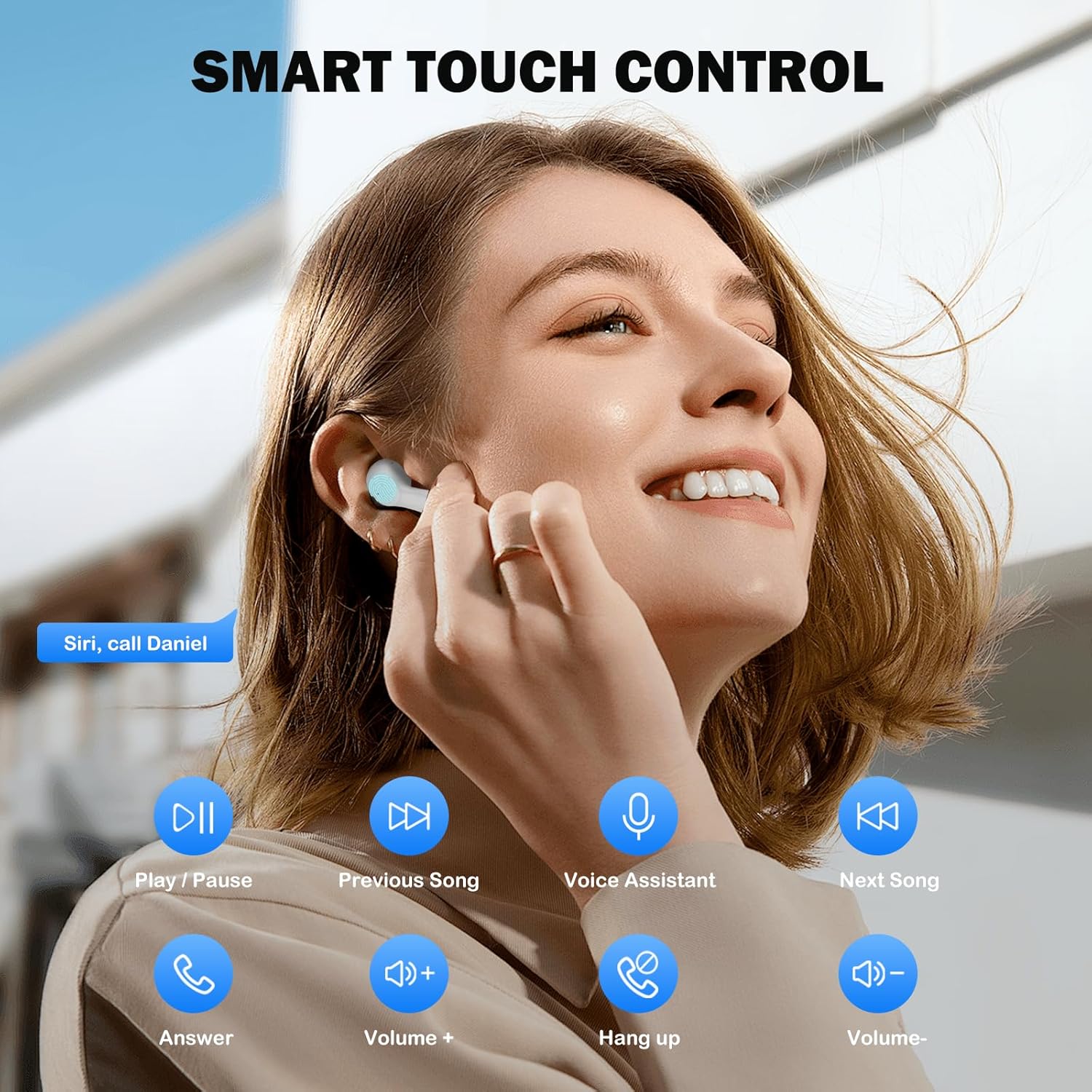
Image: Visual guide to the smart touch controls for music, calls, and voice assistant.
5. Mengecas
The earbuds and charging case are powered by internal rechargeable batteries.
Mengecas Fon Telinga
Place the earbuds into the charging case. They will automatically begin charging. The LED indicator on the case will show charging status.
Mengecas Kes
Connect the provided USB-C cable to the charging port on the case and to a USB power adapter (not included). The LED indicator on the case will show charging progress. A full charge for the earbuds takes approximately 40 minutes.
Hayat Bateri
- Earbud: Up to 8 hours of listening time on a single charge (at 50% volume).
- Dengan Kes Pengecasan: Up to 40 hours of total playtime with multiple charges from the case.
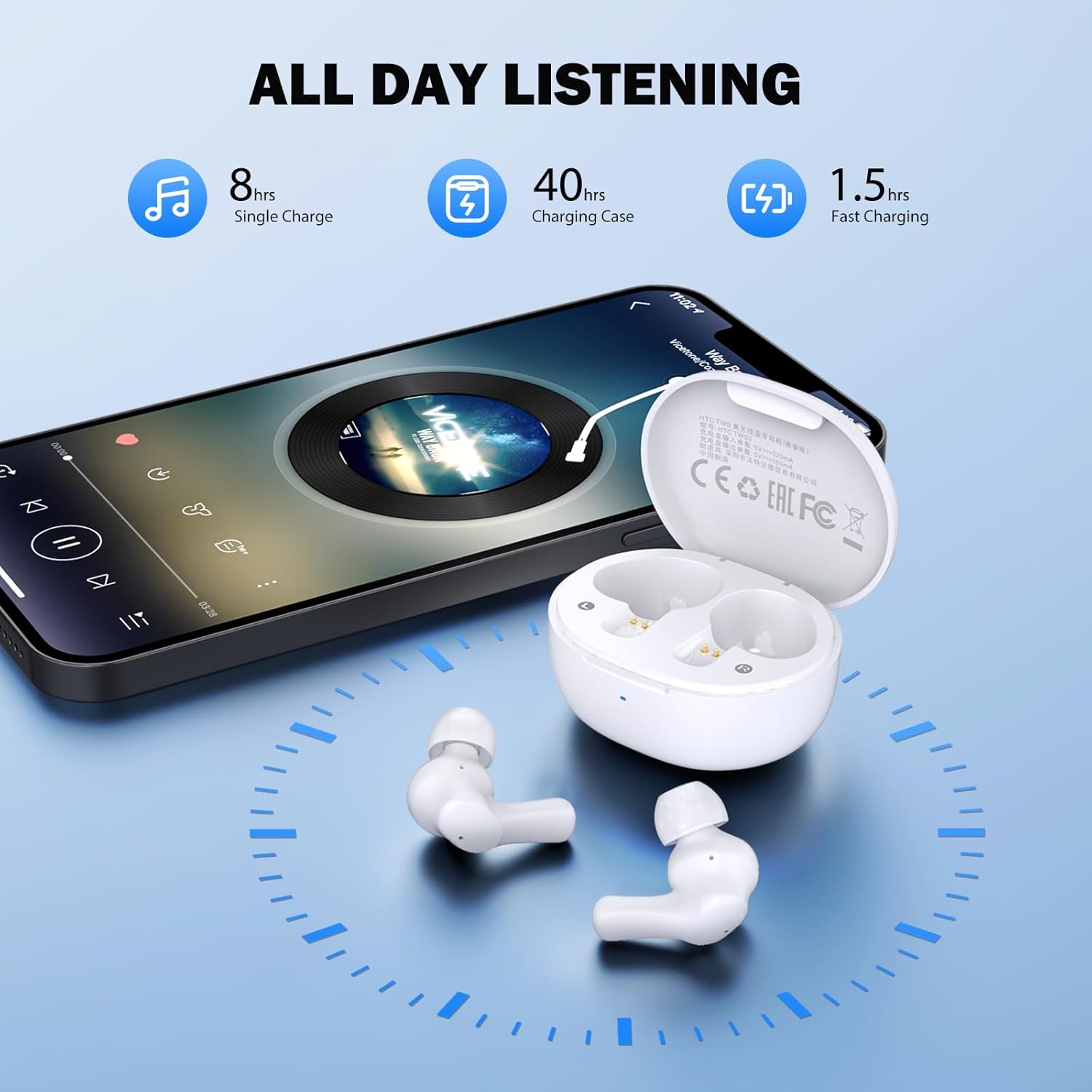
Image: Visual representation of 8 hours single charge, 40 hours with charging case, and 1.5 hours fast charging for the case.
6. Penyelenggaraan dan Penjagaan
Penjagaan yang betul memastikan jangka hayat dan prestasi fon telinga anda.
Pembersihan
- Bersihkan fon telinga dan bekas pengecas dengan kerap menggunakan kain yang lembut, kering dan tidak berbulu.
- Keluarkan telinga dan bersihkannya dengan sabun dan air lembut, kemudian keringkan dengan teliti sebelum disambungkan semula.
- Ensure charging contacts on both earbuds and inside the case are clean and free of debris.
Tahan Air
Fon telinga dinilai IPX4 kalis air, meaning they are protected against splashing water from any direction. They are suitable for exercise and light rain, but should not be submerged in water or exposed to heavy downpours.
Penyimpanan
Apabila tidak digunakan, simpan fon telinga dalam bekas pengecasnya untuk melindunginya dan memastikan ia dicas.
7. Penyelesaian masalah
Jika anda menghadapi masalah, cuba penyelesaian berikut:
- Tiada Bunyi: Ensure earbuds are charged, connected to your device, and volume is up on both the earbuds and your device.
- Isu Berpasangan: Pastikan Bluetooth didayakan pada peranti anda dan fon telinga berada dalam mod berpasangan. Cuba matikan dan hidupkan semula Bluetooth pada peranti anda.
- Satu Earbud Tidak Berfungsi: Letakkan kedua-dua fon telinga kembali ke dalam bekas pengecas, tutup penutup, tunggu beberapa saat, kemudian keluarkannya semula. Ini sering menyegerakkan semula mereka.
- Sambungan Terputus-putus: Ensure there are no obstructions between the earbuds and your device. Keep your device within the 10-meter Bluetooth range.
Tetapan Semula Kilang
If problems persist, a factory reset may resolve them:
- Letakkan kedua earbud ke dalam cas pengecasan.
- With the earbuds in the case, quickly tap each earbud 5 times.
- The LED on the earbuds will flash red, then turn off, indicating a successful reset.
- Close the charging case lid, then open it again to re-initiate pairing.

Image: Visual instructions for initial setup, wearing the earbuds, and performing a factory reset.
8. Spesifikasi
| Ciri | Perincian |
|---|---|
| Nama Model | HTC TWS2 |
| Teknologi Ketersambungan | Wayarles (Bluetooth 5.3) |
| Julat Bluetooth | Sehingga 10 meter (33 kaki) |
| Jenis Pemacu Audio | Pemacu Dinamik 10mm |
| Julat Kekerapan | 20 Hz - 20,000 Hz |
| Hayat Bateri Earbud | Sehingga 8 jam (caj tunggal) |
| Jumlah Masa Main (dengan kes) | Sehingga 40 jam |
| Masa Mengecas Earbud | Lebih kurang 40 minit |
| Tahap Ketahanan Air | IPX4 (Sweatproof, Splash Resistant) |
| Jenis Kawalan | Kawalan Sentuh |
| Mikrofon | Built-in with Call Noise Cancellation |
| Latensi Rendah | 40ms (Mod Permainan) |
| Berat Earbud | Lebih kurang 3.8g setiap fon telinga |
| Peranti Serasi | Peranti iOS, Android, Windows |

Image: Diagram illustrating the 10mm diameter loud speaker for HiFi stereo sound.

Image: Visual representation of Bluetooth 5.3 technology benefits: low consumption, faster transmission, lower latency, and built-in microphone.
9. Waranti dan Sokongan
Maklumat Waranti
Your HTC True Wireless Earbuds 1 come with a warranty. Please refer to the included Warranty Card for detailed terms and conditions, including coverage period and what is covered.
Sokongan Pelanggan
For any questions, technical assistance, or warranty claims, please contact HTC customer support. Refer to the contact information provided in your Quick Guide or on the official HTC webtapak.


