1. Pengenalan
Terima kasih kerana membeliasing the Karlsson Bamboo Mini Cube Alarm Clock. This compact and stylish alarm clock features a digital display, time and temperature functions, and an adjustable alarm volume. Please read this manual carefully before using the product to ensure proper operation and to maximize its lifespan.
2. Maklumat Keselamatan
- Jangan dedahkan peranti kepada suhu yang melampau, cahaya matahari langsung atau kelembapan yang tinggi.
- Elakkan daripada menjatuhkan atau meletakkan peranti kepada kesan yang kuat.
- Jangan cuba membuka atau membaiki peranti ini sendiri. Rujuk semua servis kepada kakitangan yang berkelayakan.
- Use only the specified power source (3 AAA batteries or compatible power cable).
- Jauhkan daripada kanak-kanak.
3. Kandungan Pakej
- Karlsson Bamboo Mini Cube Alarm Clock
- Manual Pengguna
Note: 3 AAA batteries and a power cable are not included and must be purchased separately.
4. Produk Lebihview
Familiarize yourself with the main components of your alarm clock.

Rajah 4.1: Depan view of the Karlsson Bamboo Mini Cube Alarm Clock displaying the time.
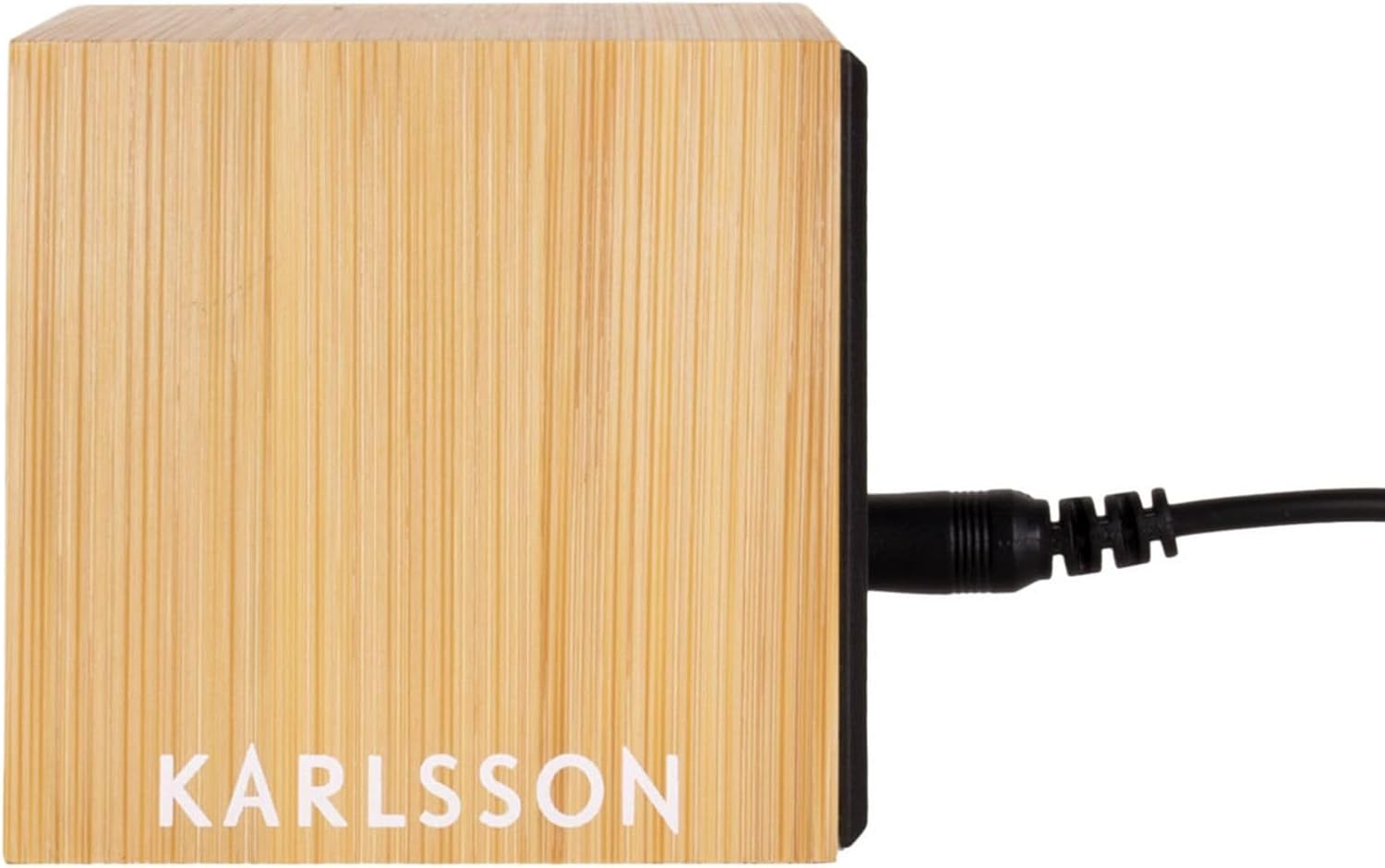
Rajah 4.2: Belakang view of the alarm clock, showing the power input port.
The clock features a light brown bamboo casing with a black digital display. Control buttons are typically located on the back or bottom of the unit for setting time, alarm, and other functions.
5. Persediaan
5.1. Mengkuasakan Peranti
The alarm clock can be powered by 3 AAA batteries or via a compatible power cable (not included).
5.1.1. Pemasangan Bateri
- Locate the battery compartment cover on the back or bottom of the clock.
- Tanggalkan penutup.
- Masukkan 3 bateri AAA baharu, pastikan kekutuban yang betul (+ dan -).
- Gantikan penutup petak bateri dengan selamat.
5.1.2. Power Cable Connection (Optional)
- Locate the power input port on the back of the clock (refer to Figure 4.2).
- Connect a compatible power cable (e.g., USB cable with appropriate adapter) to the port.
- Palamkan hujung kabel yang lain ke sumber kuasa.
Note: Using the power cable may provide a continuous display, while battery power might activate the display only when sound is detected or a button is pressed to conserve energy.
6. Arahan Operasi
The clock typically has buttons for SET, UP, and DOWN, or similar controls.
6.1. Menetapkan Masa
- Tekan ke SET button (or equivalent) to enter time setting mode. The hour digits will typically flash.
- Gunakan UP dan TURUN butang untuk melaraskan jam.
- Tekan SET again to move to the minute setting. The minute digits will flash.
- Gunakan UP dan TURUN butang untuk melaraskan minit.
- Tekan SET sekali lagi untuk mengesahkan dan keluar dari mod tetapan masa.
6.2. Menetapkan Penggera
- Tekan ke PENGGERA button (or press SET multiple times until alarm icon flashes). The alarm hour digits will flash.
- Gunakan UP dan TURUN butang untuk menetapkan jam penggera yang diingini.
- Tekan PENGGERA (atau SET) again to move to the alarm minute setting.
- Gunakan UP dan TURUN butang untuk menetapkan minit penggera yang diingini.
- Tekan PENGGERA (atau SET) untuk mengesahkan.
- To activate/deactivate the alarm, look for a dedicated alarm ON/OFF switch or a specific button press sequence (e.g., short press of PENGGERA button). An alarm icon will typically appear on the display when active.
6.3. Paparan Suhu
The clock automatically displays the ambient temperature. This display may alternate with the time display or be shown simultaneously, depending on the model. No user input is typically required for this function.
6.4. Adjusting Alarm Volume
Some models allow adjustment of the alarm volume. Look for dedicated volume buttons (VOL+ / vol-) or a setting within the alarm setup menu. Consult the specific button labels on your device.
7. Penyelenggaraan
- Clean the clock's surface with a soft, dry cloth. Do not use abrasive cleaners or solvents.
- If using batteries, replace them promptly when the display dims or functions become erratic. Remove batteries if the clock will not be used for an extended period to prevent leakage.
8. Penyelesaian masalah
| Masalah | Kemungkinan Punca | Penyelesaian |
|---|---|---|
| Paparan kosong atau malap. | Low batteries or no power connection. | Gantikan bateri atau sambungkan kepada sumber kuasa. |
| Penggera tidak berbunyi. | Penggera tidak diaktifkan atau ditetapkan dengan tidak betul. | Ensure alarm is ON and set to the correct time. Check alarm volume. |
| Masa tidak betul. | Masa tidak ditetapkan atau gangguan kuasa. | Reset the time according to Section 6.1. |
| Bacaan suhu nampaknya tidak tepat. | Device placed near heat source/vent or in direct sunlight. | Move the clock to a location with stable ambient temperature. |
9. Spesifikasi
- Jenama: Karlsson
- Nombor Model: PTG-KA5723
- warna: White (Note: Product description states Light Brown, but specifications list White. User should refer to product packaging for exact color.)
- Dimensi Produk (L x W x H): 16 x 3.81 x 12.19 cm (6.3 x 1.5 x 4.8 inci)
- Bahan: Wood (Bamboo)
- ciri-ciri: Calendar display, Alarm
- Berat Barang: 420 gram (0.93 lbs)
- Jenis Paparan: digital
- Sumber Kuasa: Battery Powered (3 AAA batteries, not included), optional power cable
10. Waranti dan Sokongan
For warranty information and customer support, please refer to the documentation provided with your purchase or contact the retailer where the product was acquired. You may also visit the official Karlsson webtapak untuk bantuan lanjut.


