1. Pengenalan
Terima kasih kerana membeliasing the Adler AD 1184 Portable Digital Radio. This manual provides essential information for the safe and efficient operation of your device. Please read it thoroughly before use and keep it for future reference.
2. Arahan Keselamatan
Untuk memastikan operasi yang selamat dan mengelakkan kerosakan, sila patuhi langkah berjaga-jaga keselamatan berikut:
- Jangan dedahkan radio kepada hujan, kelembapan atau suhu yang melampau.
- Elakkan meletakkan unit berhampiran sumber haba seperti radiator, dapur atau peralatan penghasil haba yang lain.
- Ensure adequate ventilation around the unit. Do not block any ventilation openings.
- Gunakan hanya penyesuai kuasa yang dibekalkan dengan unit.
- Jangan cuba membuka atau mengubah suai unit. Rujuk semua servis kepada kakitangan yang berkelayakan.
- Clean the unit only with a soft, dry cloth. Do not use liquid cleaners or aerosol sprays.
- Jauhkan unit daripada medan magnet yang kuat.
3. Produk Lebihview
3.1 Panel Hadapan dan Alat Kawalan Jauh
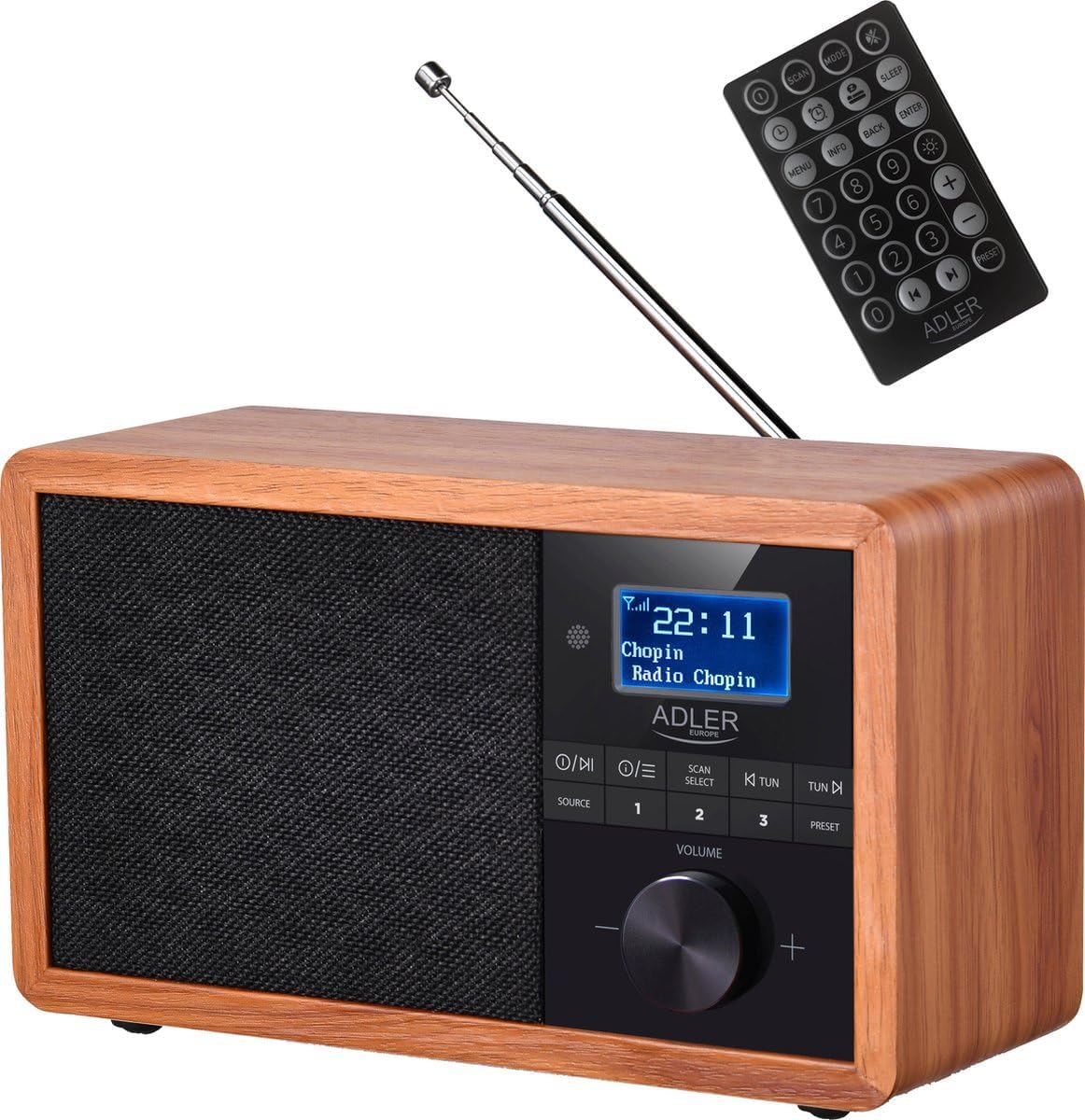
Depan view of the Adler AD 1184 Digital Radio, showcasing the display, control knobs, speaker grille, and the included remote control.
3.2 Panel Belakang

belakang view of the Adler AD 1184 Digital Radio, showing the telescopic antenna, power input, and product information label.
3.3 Aksesori Termasuk
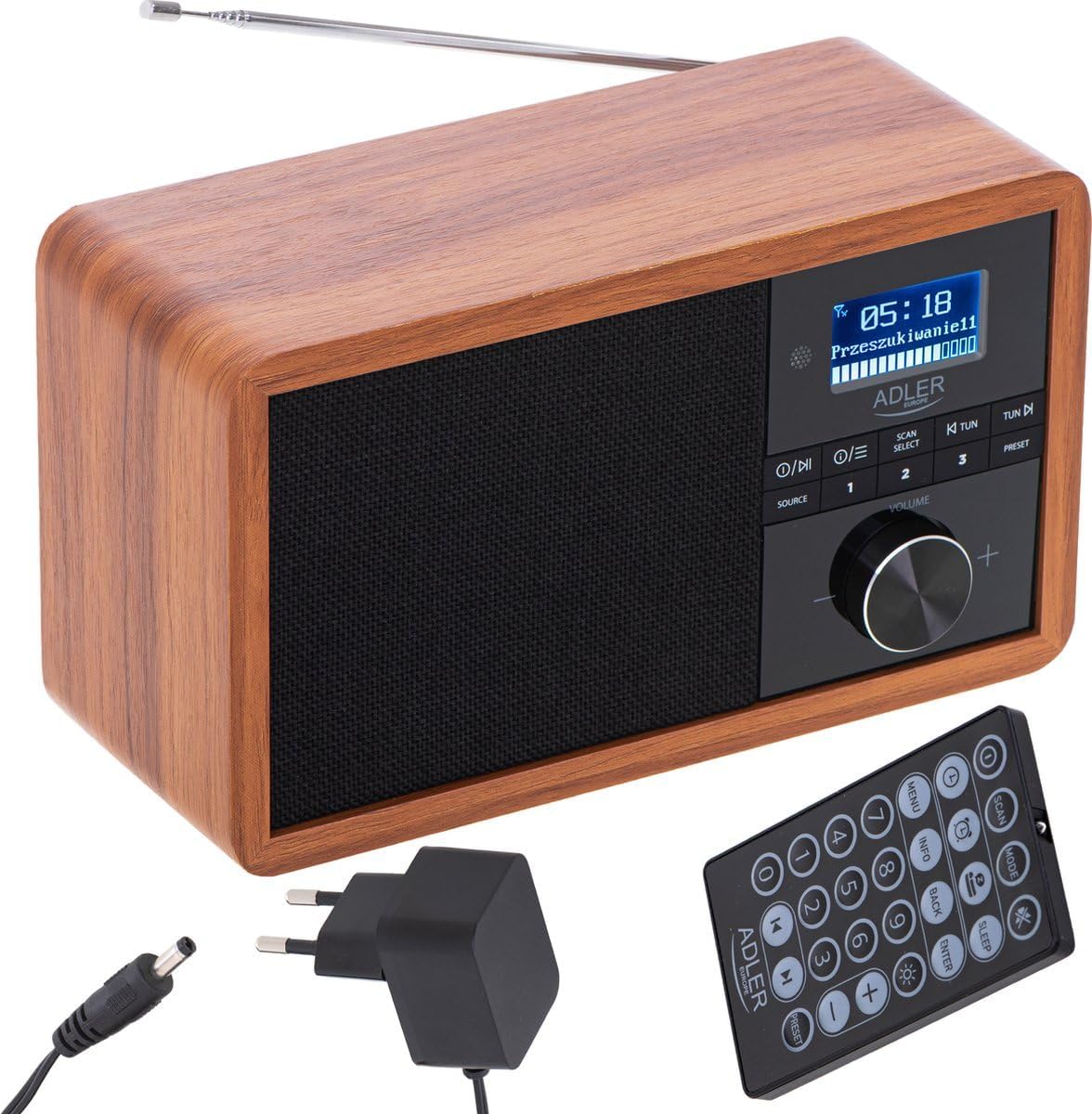
The Adler AD 1184 Digital Radio with its remote control and power adapter, illustrating the complete package.
4. Persediaan
4.1 Membongkar
Carefully remove the radio and all accessories from the packaging. Retain the packaging for future transport or storage.
4.2 Sambungan Kuasa
- Insert the DC plug of the power adapter into the DC IN socket on the rear of the radio.
- Palamkan penyesuai kuasa ke salur keluar dinding standard.
4.3 Persediaan Antena
Extend the telescopic antenna fully for optimal FM and DAB/DAB+ reception. Adjust its position for the best signal quality.
4.4 Kuasa Awal Hidup
Tekan ke KUASA button on the front panel or remote control to turn on the radio. The display will light up.
5. Arahan Operasi
5.1 Kawalan Asas
- Butang kuasa: Menghidupkan atau mematikan unit.
- Tombol VOLUME: Putar untuk melaraskan tahap bunyi.
- Butang SUMBER: Press to cycle through available modes (DAB, FM, Bluetooth).
- Butang MENU: Accesses the menu options for the current mode.
- SCAN/SELECT Button: Initiates a scan for radio stations or confirms a selection in the menu.
- TUN-/TUN+ Buttons: Used for manual tuning or navigating through lists.
- PRESET Buttons (1-3): Quickly recall stored favorite stations.
5.2 DAB/DAB+ Radio Operation
- Tekan ke SUMBER button until DAB mode is selected.
- The radio will automatically perform a full scan for available DAB/DAB+ stations on first use. If not, press IMBAS.
- Gunakan TUN-/TUN+ buttons to navigate through the list of available stations.
- Tekan PILIH untuk memilih stesen.
- Untuk menyimpan stesen sebagai pratetap, tekan dan tahan salah satu daripada PRESET buttons (1-3) until the display confirms.
5.3 Operasi Radio FM
- Tekan ke SUMBER button until FM mode is selected.
- To auto-scan for stations, press IMBAS. The radio will scan and stop at the next strong station.
- Untuk penalaan manual, gunakan TUN-/TUN+ butang.
- Untuk menyimpan stesen sebagai pratetap, tekan dan tahan salah satu daripada PRESET buttons (1-3) until the display confirms.
5.4 Mod Bluetooth
- Tekan ke SUMBER button until Bluetooth mode is selected. The display will show "Pairing" or similar.
- Pada peranti berdaya Bluetooth anda (telefon pintar, tablet, komputer riba), dayakan Bluetooth dan cari peranti yang tersedia.
- Select "AD 1184" from the list of devices.
- Setelah dipasangkan, anda boleh memainkan audio daripada peranti anda melalui radio.
- Use your connected device or the radio's controls to adjust volume and playback.
5.5 Menetapkan Masa dan Tarikh
The radio typically synchronizes time and date automatically via DAB signal. If manual setting is required, access the System Settings menu (usually via the MENU button) and navigate to Time/Date options.
5.6 Penggera dan Pemasa Tidur
Refer to the remote control for dedicated ALARM and SLEEP buttons. Press the PENGGERA button to set an alarm time and source. Press the TIDUR button to set a timer for the radio to automatically turn off.
5.7 Menggunakan Alat Kawalan Jauh
The remote control provides full functionality for the radio. Ensure the remote's battery is inserted correctly. Point the remote towards the front of the radio for optimal response.
6. Penyelenggaraan dan Penjagaan
- Sentiasa cabut plag radio daripada soket kuasa sebelum membersihkan.
- Gunakan kain lembut dan kering untuk mengelap permukaan luar.
- Jangan gunakan pembersih, lilin atau pelarut yang melelas kerana ia boleh merosakkan kemasan.
- Pastikan unit bebas daripada habuk dan serpihan.
7. Penyelesaian masalah
| Masalah | Kemungkinan Punca | Penyelesaian |
|---|---|---|
| Tiada kuasa | Penyesuai kuasa tidak disambungkan; Soket kuasa rosak. | Periksa sambungan penyesuai kuasa; Cuba soket yang berbeza. |
| Penerimaan radio yang lemah | Antena tidak dilanjutkan; Isyarat lemah; Gangguan. | Extend and adjust antenna; Relocate the radio; Perform a full scan. |
| Penggandingan Bluetooth gagal | Radio not in pairing mode; Device too far; Bluetooth off on device. | Ensure radio is in Bluetooth mode; Move device closer; Enable Bluetooth on your device. |
| Tiada bunyi | Kelantangan terlalu rendah; Bisu diaktifkan; Sumber yang dipilih salah. | Increase volume; Check mute status; Select correct source. |
8. Spesifikasi Teknikal
- Jenama: Adler
- Nombor Model: 1184 Masihi
- warna: Black (Wood finish)
- Ketersambungan: Bluetooth
- Ciri Khas: Tanpa wayar
- Peranti Serasi: Smartphone, tablet, laptop
- Dimensi (L x W x H): 24.1 x 21.5 x 12 cm
- Teknologi Penalaan: FM, DAB/DAB+ (Digital Radio)
- Teknologi Paparan: LCD/LED
9. Waranti dan Sokongan
For warranty information and technical support, please refer to the warranty card included with your product or contact your local retailer or the manufacturer's customer service. Keep your proof of purchase for any warranty claims.


