pengenalan
Terima kasih kerana membeliasing the Deeyaple 3D LED Digital Wall Clock. This versatile clock offers a clear 3D LED display, multiple functions including time, date, and temperature display, alarm with snooze, and adjustable brightness. It is designed for both wall mounting and desk placement, making it a perfect addition to your home or office. Please read this manual carefully to ensure proper use and maintenance of your new clock.

Image: The Deeyaple 3D LED Digital Wall Clock, showcasing its sleek design and accompanying remote control.
Ciri-ciri Utama
- Paparan Pelbagai fungsi: Shows time (12/24 hour format), date, and temperature (Fahrenheit/Celsius).
- Penggera dengan Tunda: Set alarms with a convenient snooze function.
- Kecerahan boleh laras: Features 3 levels of brightness, with both automatic dimming based on ambient light and manual adjustment.
- Fungsi Memori Matikan: Retains settings for 4-8 hours after power loss, eliminating the need for re-setup.
- Kawalan Dwi: Operate the clock using the included remote control or the buttons on the back of the unit.
- Peletakan Serbaguna: Designed for both wall mounting (includes non-marking hooks and expansion screws) and desk placement (includes a detachable stand).

Imej: Tamatview diagram highlighting the clock's key features, including 24-hour system, date display, alarm, brightness control, night light, suspension display, time display, temperature display, remote setting, snooze, automatic dimming, and detachable stand.
Kandungan Pakej
Sila semak pakej untuk item berikut:
- 1 x Deeyaple 3D LED Digital Wall Clock
- 1 x Alat Kawalan Jauh
- 1 x USB Power Cable
- 1 x Detachable Stand
- 1 x Set of Wall Mounting Accessories (non-marking hooks, expansion screws)
- 1 x Manual Pengguna

Image: A visual representation of the package contents, including the clock, remote, USB cable, stand, and mounting hardware.
Persediaan
- Sambungan Kuasa: Connect the USB power cable to the clock's power connector (located on the back) and plug the other end into a standard USB power adapter (not included) or a USB port. The clock will power on and display the default time.
- Initial Setup (Time/Date/Temperature):
Use the remote control or the buttons on the back of the clock to set the current time, date, and preferred temperature unit (Fahrenheit or Celsius). Refer to the "Operating Instructions" section for detailed steps on setting these parameters.
- penempatan:
- Penempatan Meja: Attach the detachable stand to the base of the clock. Place the clock on a flat, stable surface such as a desk, table, or nightstand.
- Pemasangan Dinding: Use the provided non-marking hooks and expansion screws. Identify the hook holes on the back of the clock. Mark the desired position on the wall, drill holes if necessary, insert expansion screws, and hang the clock securely.

Imej: A terperinci view of the clock's dimensions and the back panel, indicating the infrared receiver, power connector, hook holes for wall mounting, and control buttons.
Arahan Operasi
1. Time, Date, and Temperature Display
The clock can cycle through time, date, and temperature displays. Use the "MODE" button on the remote or the back of the clock to switch between display modes.
- Paparan Masa: Shows the current time in 12-hour or 24-hour format.
- Paparan Tarikh: Shows the current date (Month/Day/Year).
- Paparan suhu: Shows the ambient temperature in Celsius or Fahrenheit.
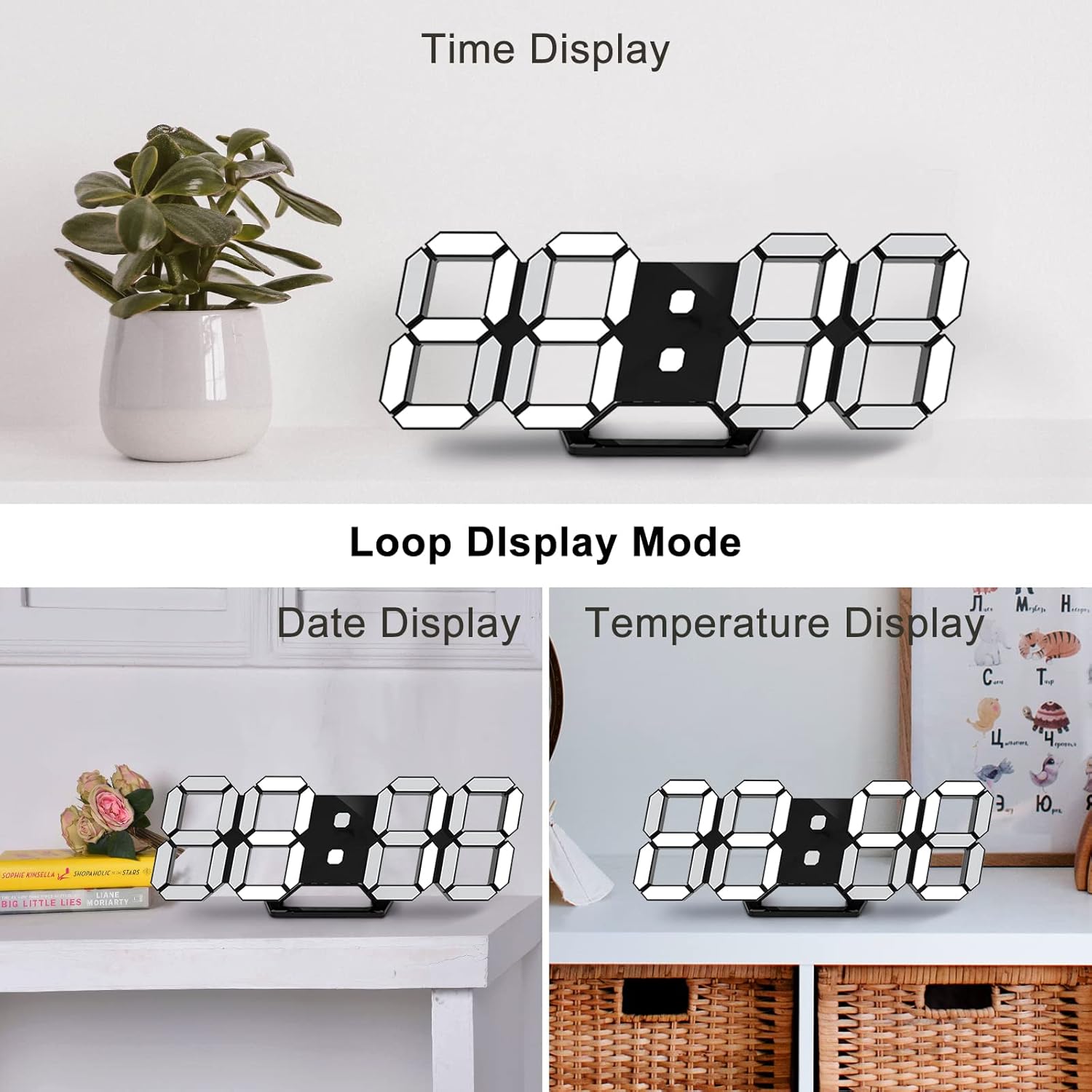
Image: The clock demonstrating its "Loop Display Mode," cycling between showing the time, date, and temperature.
2. Penyesuaian Kecerahan
The clock features both automatic and manual brightness control.
- Peredupan Automatik: The built-in light sensor detects ambient light and automatically adjusts the display brightness for optimal visibility and energy saving.
- Pelarasan Manual: Use the "BRIGHT" button on the remote control to cycle through 3 levels of brightness (High, Medium, Low).

Image: A graphic illustrating the clock's brightness levels, from bright to dim, demonstrating its auto-dimming and manual adjustment capabilities.
3. Fungsi Penggera
Untuk menetapkan penggera:
- Press the "ALARM" button on the remote control.
- Use the UP/DOWN arrows to set the desired alarm time.
- Tekan "ALARM" sekali lagi untuk mengesahkan.
When the alarm sounds, press any button to activate the snooze function. The alarm will sound again after a set interval (default is 5 minutes). To turn off the alarm completely, press and hold the "ALARM" button.
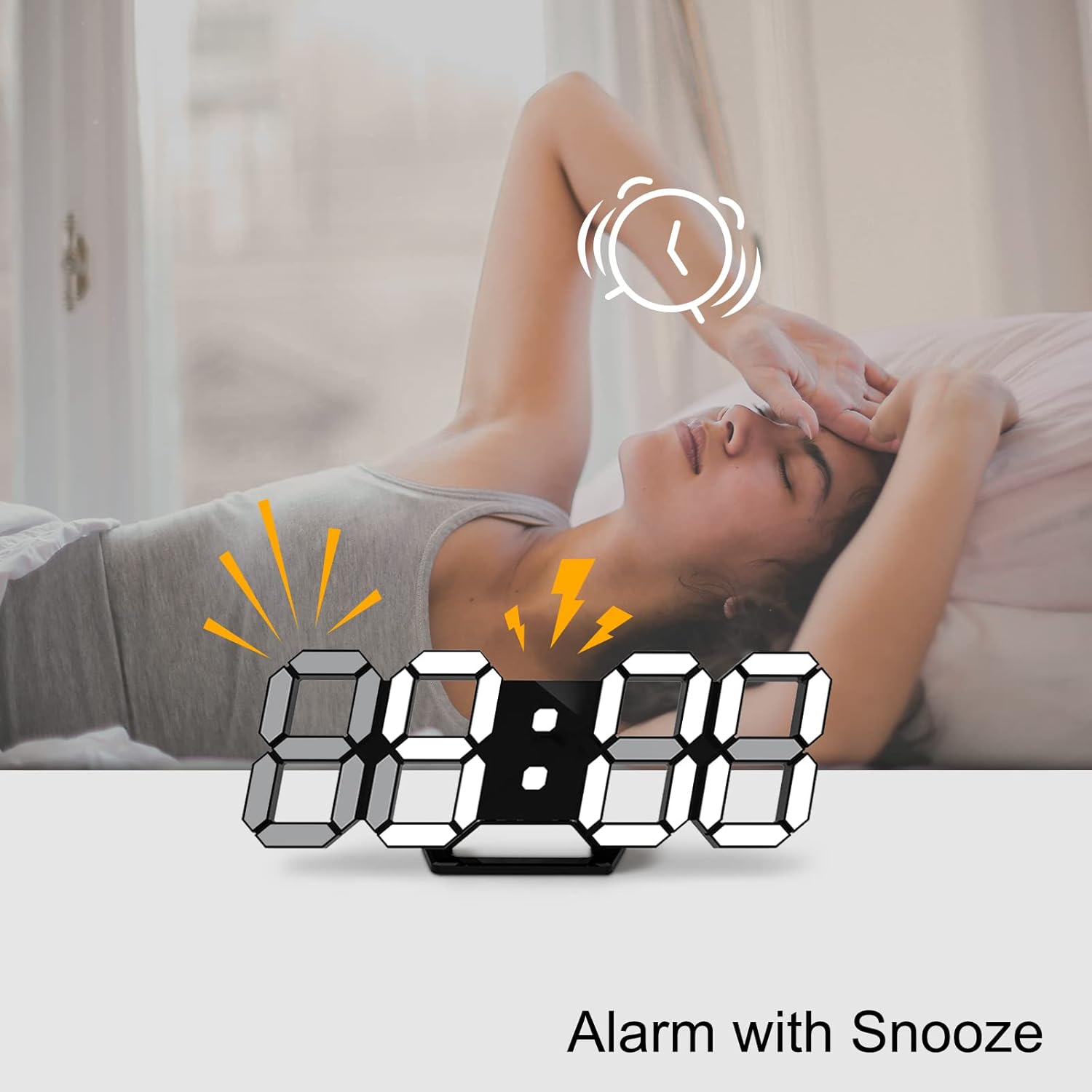
Image: A visual showing the clock with an alarm icon and lightning bolts, indicating the alarm function with snooze.
4. Fungsi Memori Matikan
The clock has a built-in memory function that retains your settings (time, date, alarm) for 4-8 hours in case of a power outage. This means you do not need to reset the clock after a brief power interruption.
Penyelenggaraan
- Pembersihan: Use a soft, dry cloth to wipe the clock's surface. Do not use abrasive cleaners or solvents, as they may damage the finish.
- penempatan: Avoid placing the clock in direct sunlight or near heat sources, as this may affect the display and internal components.
- Kuasa: Always use the provided USB cable and a compatible power adapter.
Menyelesaikan masalah
| Masalah | Kemungkinan Punca | Penyelesaian |
|---|---|---|
| Jam tidak menyala. | No power supply; loose cable connection. | Ensure the USB cable is securely connected and the power adapter is working. Try a different USB port or adapter. |
| Paparan terlalu malap atau terlalu terang. | Automatic dimming active; manual brightness needs adjustment. | Press the "BRIGHT" button on the remote to cycle through brightness levels. Ensure the light sensor is not obstructed. |
| Alat kawalan jauh tidak berfungsi. | Battery low/dead; obstruction between remote and clock; remote not pointed at infrared receiver. | Replace the remote control battery. Ensure there are no obstructions. Point the remote directly at the infrared receiver on the clock. |
| Time/Date/Temperature is incorrect. | Settings not configured or reset after prolonged power loss. | Follow the "Operating Instructions" to re-set the time, date, and temperature. |
Spesifikasi
| Ciri | Perincian |
|---|---|
| Jenama | Deeyaple |
| Nombor Model | LED1305 |
| warna | Hitam |
| Dimensi Produk (L x W x H) | 24.99 x 3.81 x 8.99 cm (lebih kurang 9.8 x 1.5 x 3.5 inci) |
| bahan | plastik |
| Berat Barang | 260 gram |
| Jenis Paparan | Digital (LED) |
| Sumber Kuasa | Elektrik Bertali arus (USB) |
| Ciri Khas | Large display, adjustable brightness, alarm, calendar display, temperature display, silent clock, remote control. |
Waranti dan Sokongan
Deeyaple is committed to providing high-quality products and responsive customer service. This product comes with a standard manufacturer's warranty. For any questions, technical support, or warranty claims, please contact your retailer or visit the official Deeyaple brand store on Amazon:
Sila simpan bukti pembelian anda untuk tujuan waranti.