1. Pengenalan
This manual provides instructions for the installation and setup of the Ymiko 16-pin wiring harness with an integrated Canbus box. This product is designed to facilitate the connection of an aftermarket Android navigation head unit in specific BMW models, ensuring proper communication with the vehicle's systems.
Keserasian:
- Replacement for BMW E53 X5 (2001-2005)
- Replacement for BMW E39 5 Series (2001-2004)
Please verify your vehicle's model and year before proceeding with installation.
2. Kandungan Pakej
Ensure all items are present and in good condition before beginning installation.
- 1 x Ymiko 16-Pin Radio Wiring Harness with Canbus Box
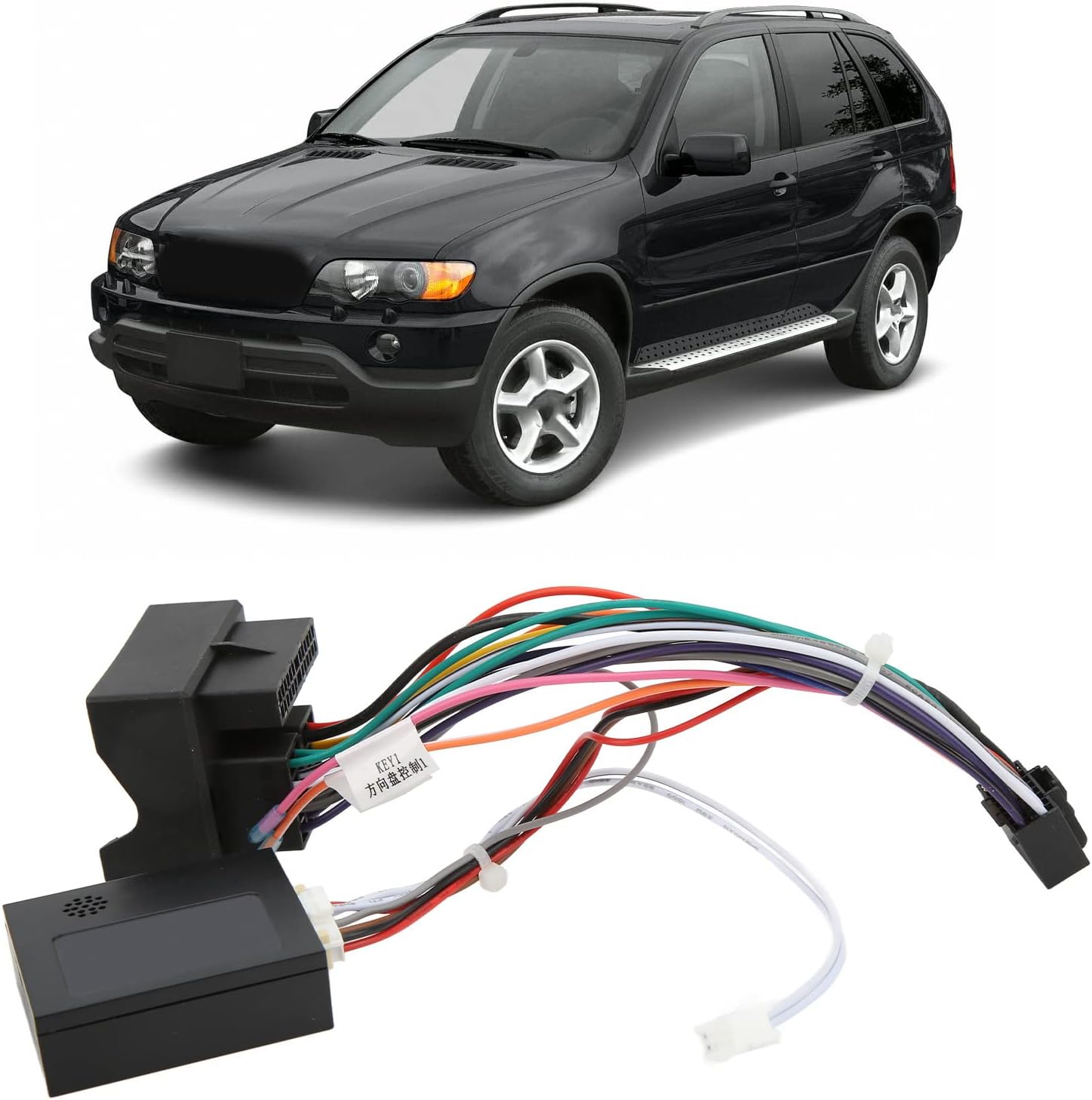
Image: The Ymiko 16-pin wiring harness with Canbus box, shown with a compatible BMW X5 in the background, illustrating its intended application.
3. Spesifikasi
| Ciri | Perincian |
|---|---|
| Jenis Item | Abah-abah Pendawaian Radio |
| bahan | ABS + Rubber + Metal |
| Nombor Model | Ymikof83k7gxpe54941 |
| Keserasian | BMW E53 X5 (2001-2005), BMW E39 5 Series (2001-2004) |
4. Maklumat Keselamatan
- Sentiasa putuskan sambungan bateri kenderaan sebelum melakukan sebarang kerja elektrik untuk mengelakkan litar pintas atau kerosakan.
- Pastikan semua sambungan kukuh dan bertebat dengan betul untuk mengelakkan bahaya elektrik.
- Jika anda tidak pasti tentang mana-mana langkah, rujuk juruteknik automotif profesional.
- Do not modify the wiring harness; use it as intended.
5. Panduan Pemasangan
This wiring harness is designed for plug-and-play installation. Follow these steps carefully:
- Sediakan Kenderaan: Ensure the vehicle's ignition is off and the battery is disconnected. Carefully remove the existing radio or navigation unit from the dashboard to access the wiring.
- Identify the 8-Pin CAN Plug: Locate the 8-pin CAN plug on the Ymiko wiring harness. This is a crucial connection for vehicle communication.
- Connect to Head Unit: Plug the 8-pin CAN plug of the Ymiko wiring harness into the corresponding 8-pin CAN socket on your aftermarket Android navigation head unit.
- Connect Main Power/Speaker Harness: Connect the main 16-pin connector of the Ymiko harness to the vehicle's factory wiring harness. Then, connect the other end of the Ymiko harness to your Android head unit's main power and speaker input.
- Sambungan Selamat: Ensure all connections are firm and properly seated. Avoid loose wires.
- Ujian Sebelum Perhimpunan Akhir: Before fully reassembling the dashboard, reconnect the vehicle battery and perform initial tests of the head unit's functionality, including audio, steering wheel controls (if applicable), and navigation.
- Perhimpunan Akhir: Once functionality is confirmed, carefully reassemble the dashboard and secure the head unit in place.
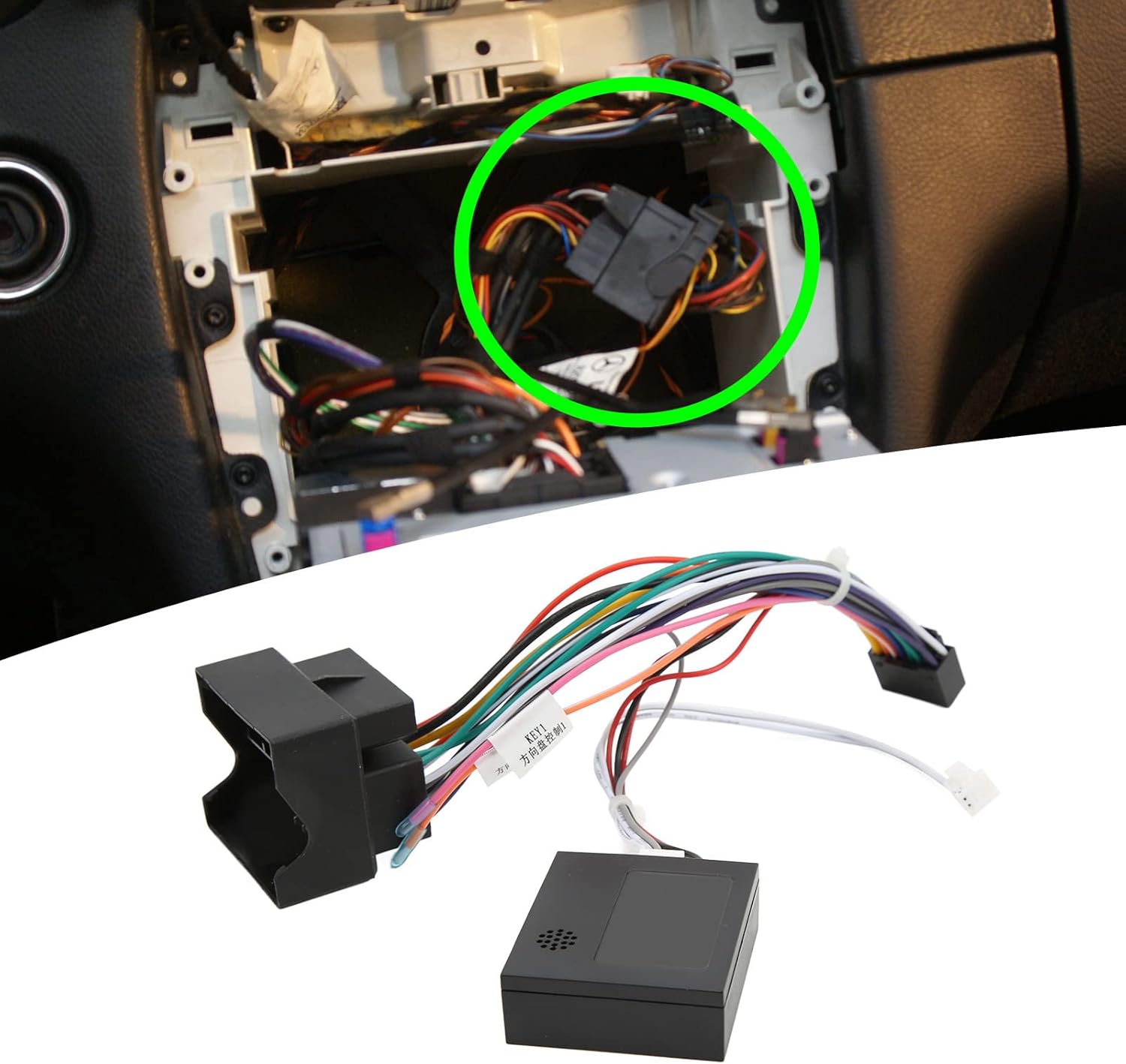
Image: The Ymiko wiring harness positioned next to a car dashboard, highlighting the area where the factory radio is typically installed and connected.
Video: Tamatview of the Ymiko 16-pin wiring harness, demonstrating its components and general appearance. This video provides a visual guide to the product before installation.
6. CANBUS Setup on Android Head Unit
After physical installation, you must configure the CANBUS settings on your Android navigation head unit. The exact steps may vary depending on the head unit's manufacturer and software version.
- Tetapan Akses: Pada unit kepala Android anda, navigasi ke menu tetapan utama.
- Masukkan Tetapan Kilang: Look for an option like "Factory Settings" or "Car Settings." You may be prompted to enter a factory password (consult your head unit's manual or vendor for this password).
- Navigate to CANBUS Settings: Within the factory settings, find the "CANBUS Settings" or "CAN Protocol" menu.
- Select Manufacturer and Model: From the list, select the CAN box manufacturer (if provided) and then choose the correct car model and year (e.g., BMW E53 X5 or E39 5 Series).
- Simpan dan But semula: Save your selections and reboot the head unit. This will apply the new CANBUS configuration.
Note: If you encounter difficulties, refer to your Android head unit's user manual or contact its vendor for specific CANBUS setup instructions.
7. Beroperasi
Once the Ymiko wiring harness and Canbus box are correctly installed and configured, your Android navigation head unit should integrate seamlessly with your vehicle's electrical system. This includes enabling features such as:
- Power supply to the head unit.
- Audio output to vehicle speakers.
- Steering wheel control functionality (if supported by your head unit and vehicle).
- Ignition (ACC) signal detection.
- Reverse gear signal detection.
Refer to your Android head unit's manual for detailed operating instructions specific to its features and functions.
8. Penyelenggaraan
The Ymiko wiring harness is designed for durability and requires minimal maintenance. To ensure its longevity and proper function:
- Avoid exposing the harness to excessive moisture or extreme temperatures.
- Do not pull on the wires or connectors forcefully.
- Periodically check connections for any signs of loosening or corrosion, especially if you experience intermittent issues.
- Keep the area around the harness free from debris or obstructions.
9. Penyelesaian masalah
Jika anda menghadapi masalah selepas pemasangan, pertimbangkan langkah penyelesaian masalah berikut:
- Tiada Kuasa untuk Ketua Unit:
- Check vehicle's fuse box for blown fuses.
- Verify all power connections (constant 12V, ignition 12V, ground) are secure.
- Ensure the vehicle battery was reconnected properly.
- Tiada Bunyi:
- Periksa sambungan wayar pembesar suara untuk kekutuban yang betul dan kesesuaian yang selamat.
- Verify audio settings on the Android head unit.
- Kawalan Roda Stereng Tidak Berfungsi:
- Re-check CANBUS settings on the Android head unit (Section 6).
- Ensure your Android head unit supports steering wheel controls via CANBUS.
- Some head units require manual programming of steering wheel buttons; refer to its manual.
- Fungsi Selang-seli:
- Inspect all connections for looseness or damage.
- Ensure the Canbus box is securely connected and not obstructed.
If problems persist, it is recommended to consult a qualified automotive electronics specialist.
10. Waranti dan Sokongan
For information regarding product warranty, returns, or technical support, please refer to the seller's policy or contact the Ymiko customer service directly through the platform where the product was purchased. Keep your purchase receipt as proof of purchase.