pengenalan
Thank you for choosing the Woibugee Single Din 10.1" Android Car Stereo. This advanced car multimedia system is designed to enhance your driving experience with features like Apple CarPlay, Android Auto, GPS navigation, and a high-definition adjustable touchscreen. This manual provides detailed instructions for installation, operation, and maintenance to ensure you get the most out of your device.
Apa yang ada dalam Kotak
- 1 * Single Din Car Stereo
- USB Cable (1*4pin + 1*6pin)
- 1 * Video Input Cable + 1 * RCA Cable
- 1 * Bracket Set (screws included)
- 1 * GPS Antenna

Imej: Komponen yang disertakan dalam pakej produk.
Persediaan dan Pemasangan
Detachable Screen Installation
The 10.1-inch touchscreen panel is detachable and adjustable for optimal viewing and security. Follow these steps to detach or attach the screen:
- To detach, pull the two clips on both sides of the screen.
- Move the screen up to take it off.
- Press the clips (A&B) toward the center and unplug the cable.
- Reattach by reversing these steps, ensuring the LCD wire is securely connected.

Image: Steps for detaching the touchscreen panel.
Video: Visual guide on how to remove the screen for mounting purposes.
Wiring and Vehicle Fit
The single din unit is designed to fit most standard single-din dashboard openings. Ensure you check your OEM car radio size before purchase. Some vehicles may require additional wiring harnesses, frame dash kits, or radio antenna adapters for proper fitment. Always disconnect the negative battery terminal before beginning installation.

Imej: Selesaiview of the car stereo unit and included rear camera.

Image: The screen offers adjustable tilt and vertical movement for optimal viewing.

Imej: Cthamples of the stereo after installation in different vehicle models.
Arahan Operasi
Basic UI Navigation and App Management
The stereo features a user-friendly interface. You can customize the home screen and manage applications. To change the home screen UI, navigate to Settings > Factory > 3368 > Home Launcher Selection. To change app positions, drag the app icon to the top of the screen, then drag your desired app to the empty position. Note: Only UI12 and UI06 support app changing.
Video: Demonstrates how to change the UI home screen, manage apps, switch KM/H to MPH, and mute the stereo.
Apple CarPlay dan Android Auto
Connect your smartphone to access Apple CarPlay or Android Auto. This allows you to use navigation, music, calls, and other apps directly from the stereo's touchscreen. The system supports both wired and wireless connections.
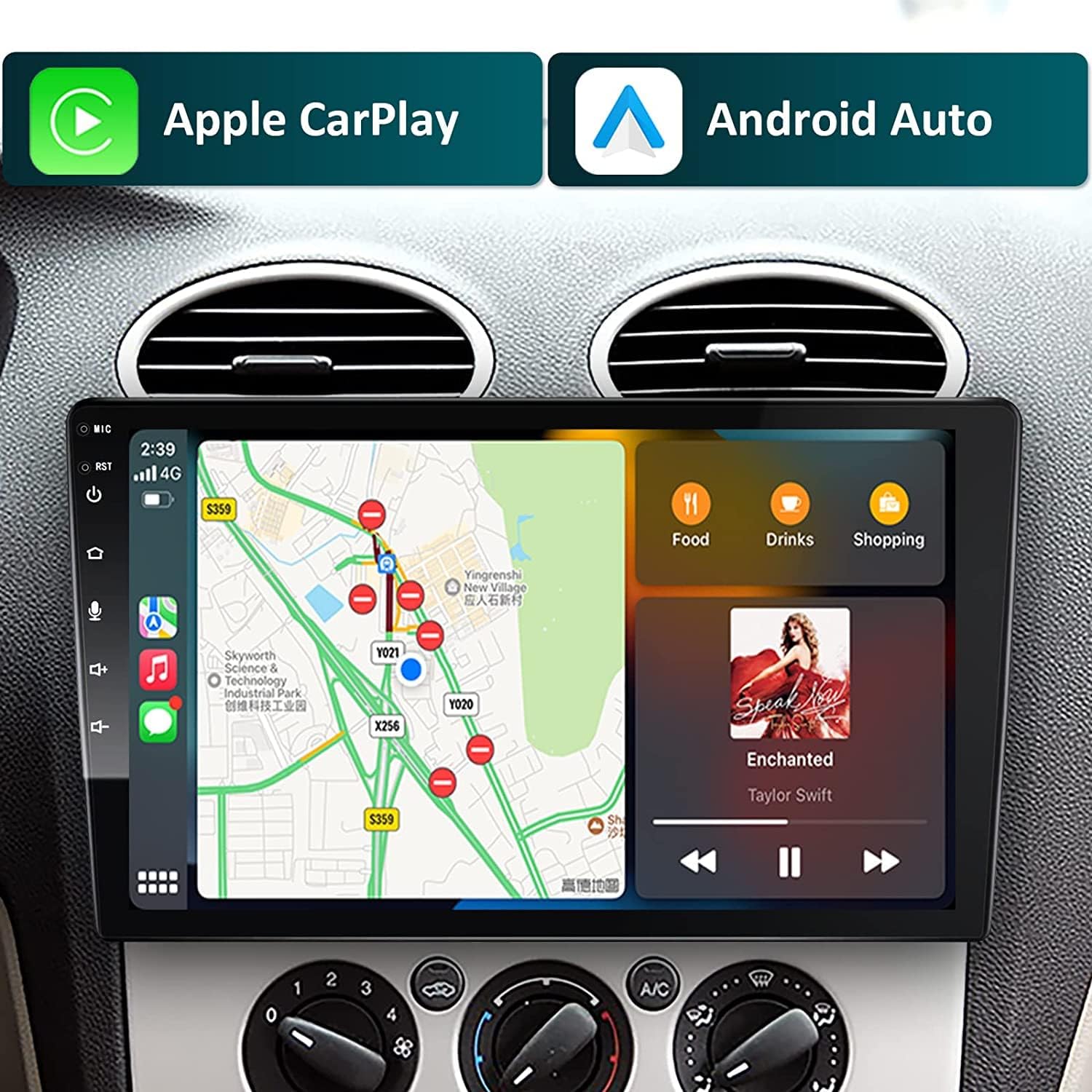
Image: The stereo supports both Apple CarPlay and Android Auto for seamless smartphone integration.
Video: Shows the general operation of the 10-inch detachable car stereo, including CarPlay functionality.
Video: Demonstrates the wireless Android Auto connection process with the 10-inch car stereo.
Navigasi GPS
Utilize the built-in GPS navigation system for accurate directions. The Android system allows you to install various navigation apps like Google Maps, Waze, and TomTom from the Google Play Store.

Image: GPS navigation interface showing a map with routes.
Audio and DSP Settings
The stereo features a Digital Sound Processor (DSP) with 15-band EQ, allowing you to fine-tune the audio output for an optimal listening experience. Adjust settings for field, surround, stereo sound enhancement, bass enhancement, and sound filter.

Image: Detailed DSP settings for audio equalization and sound field adjustments.
Kawalan Roda Stereng (SWC)
The unit supports steering wheel controls, allowing you to manage audio playback, calls, and other functions without taking your hands off the wheel. Configuration may be required in the settings menu.

Image: Demonstrates the use of steering wheel controls with the car stereo.
Camera Features (Front & Rear)
Stereo menyokong bahagian hadapan dan belakang view cameras, including a live rear view function that displays the real-time rear status even when the vehicle is moving forward. This enhances safety by providing a wider view and helping to identify obstacles and blind spots.

Image: Illustrates the front and rear camera support, including day and night vision examples.
Kesambungan Bluetooth
Connect your phone via Bluetooth for hands-free calling and audio streaming. The stereo features dual microphones (internal + external) for super clear voice quality during calls.

Image: Explains the dual microphone system for enhanced Bluetooth call quality.
Fungsi Redam
To mute the stereo, press the power button for approximately 1 second. The stereo will enter mute status. Short press the power button again to unmute.
Changing KM/H to MPH
On the main display, long press the KM/H indicator for 3 seconds. It will automatically change to MPH.
Penyelenggaraan
Untuk memastikan jangka hayat dan prestasi optimum stereo kereta anda, ikut garis panduan penyelenggaraan ini:
- Pembersihan: Use a soft, dry cloth to wipe the screen and unit. For stubborn smudges on the screen, a slightly damp, kain bebas habuk boleh digunakan. Elakkan pembersih atau pelarut yang kasar.
- Suhu: Elakkan daripada mendedahkan unit kepada suhu yang melampau, panas dan sejuk, untuk tempoh yang lama.
- Kelembapan: Pastikan unit ini kering. Jangan dedahkan kepada air atau kelembapan berlebihan.
- Detachable Screen Care: When detaching the screen, handle it carefully to avoid scratches or damage to the connectors. Store it in a safe place when not in use.
Menyelesaikan masalah
If you encounter issues with your Woibugee car stereo, consider the following common solutions:
- Tiada Kuasa: Periksa semua sambungan kuasa dan fius. Pastikan penyalaan kenderaan dihidupkan.
- Tiada Bunyi: Verify speaker connections. Check volume levels and mute status. Ensure DSP settings are not configured to output no sound.
- Isu Kesambungan Bluetooth: Ensure Bluetooth is enabled on both the stereo and your phone. Make sure your phone's Bluetooth page is open during pairing. Try unpairing and re-pairing the device.
- CarPlay/Android Auto Tidak Bersambung: Ensure your phone's operating system is up to date. Try connecting with a different USB cable. For wireless connections, ensure Wi-Fi and Bluetooth are enabled.
- Skrin Tidak Responsif: Try restarting the unit. If the issue persists, a factory reset might be necessary (consult the system settings for this option, noting it will erase user data).
- Radio Static: Check the antenna connection. Ensure you are in an area with good signal reception.
For persistent issues, please refer to the detailed troubleshooting guide available as a PDF document or contact customer support.
Spesifikasi
| Ciri | Spesifikasi |
|---|---|
| Dimensi Produk | 12 x 8 x 7 inci |
| Berat Barang | 5.61 paun |
| Saiz Skrin | 10 Inches (10.1" QLED 1280*720) |
| Teknologi Ketersambungan | Bluetooth, WIFI, USB, CARPLAY, ANDROID AUTO |
| RAM / ROM | 2GB RAM / 32GB ROM |
| CPU | 4 Teras |
| Mod Keluaran Audio | Stereo |
| Jenis Pemasangan | Dashboard Mount (Single Din) |
| Ciri Khas | Detachable and adjustable touchscreen, DSP, Voice Control, HD 720P/1080P rear-view camera input, Live Rear View |
Waranti dan Sokongan
Woibugee products are designed for reliability and performance. For information regarding warranty coverage, technical support, or service inquiries, please refer to the contact information provided with your purchase or visit the official Woibugee webtapak. Simpan resit pembelian anda sebagai bukti pembelian untuk sebarang tuntutan waranti.


